

QuickMagic
QuickMagic LLC · Video
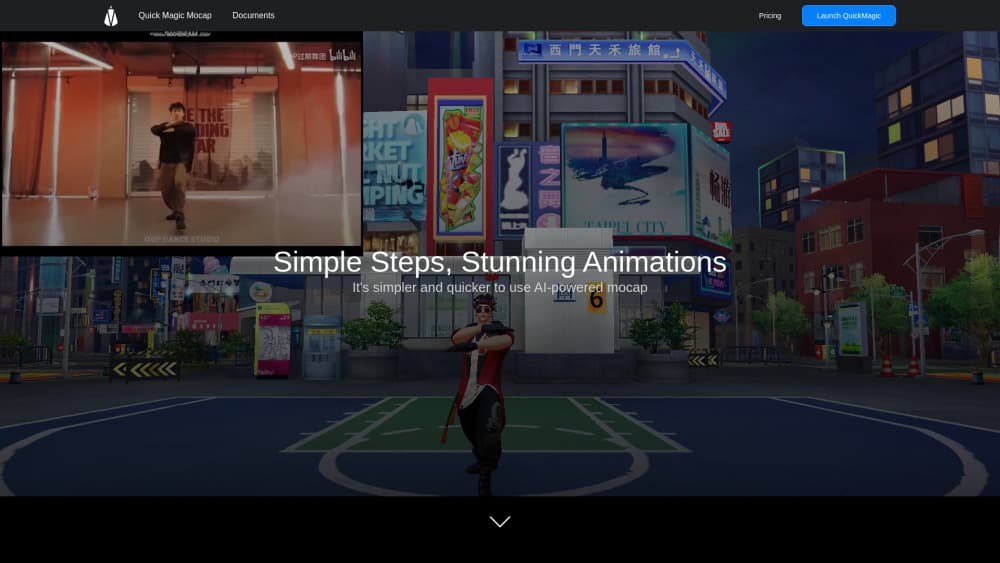
QuickMagic is a browser-based AI motion capture tool that turns single-camera video or a text prompt into editable 3D animation for Blender, Unreal Engine, Unity, and MMD.
About QuickMagic
What Is QuickMagic
QuickMagic is a web app for markerless mocap, capturing human movement without a suit, markers, or a studio full of cameras. You upload footage shot on a phone or webcam, and the system estimates body, hand, and facial motion frame by frame. The output is an animation file you can open in your own 3D software.
The problem it solves is cost and setup. A traditional optical capture session means renting a stage, hiring technicians, and booking talent for a day. QuickMagic collapses that into a browser upload. Indie developers, VTuber creators, and small animation teams use it to get usable motion in minutes, then clean it up in Cascadeur, MotionBuilder, or the built-in Motion Editor.
The limits matter as much as the features. Results depend on how visible your subject is, how much motion blur the footage has, and whether the camera moves. Fast spins, floor contact, and two people overlapping will need manual cleanup. Processing happens in the cloud on a credit system, so long clips and high frame rates eat your balance faster.
Getting Started
- Sign up at quickmagic.ai. The Free plan needs no card and includes 50 V-Coins, 30-second clips, and FBX export.
- Pick a workflow. Video to Motion takes an MP4, MOV, AVI, or WebM file, while Text to Motion takes a written description of the action.
- Choose the subject count and capture options. Body tracking is standard, hand and facial motion are selectable where the workflow supports them.
- Preview the result, then fix drift, foot sliding, or jitter in the Motion Editor or your own 3D tool.
- Export as FBX, BVH, BIP, C4D, or VMD, or use a preset for Unreal, Unity, Mixamo, iClone, Roblox, or MMD.
Product Information
A quick look at QuickMagic's pricing, supported platforms, and performance.
Best for
The users, tasks, and scenarios where this tool fits best.
Users
- Indie game developers
- VTuber and MMD creators
- Animation students
- Robotics and research teams
Tasks
- Turning a phone clip into a game locomotion set
- Drafting a performance from a written prompt
- Adding finger detail to a body capture
- Building previs for a short film
Scenarios
- Filming in a bedroom or garage
- Testing a shot before booking a mocap stage
- Iterating inside an engine
Key features
Video to Motion
This is the core workflow. You upload ordinary footage and QuickMagic estimates full-body or upper-body movement, with hand and facial options where the workflow allows. Static and moving camera clips are both accepted, and you get controls for pose, frame rate, and motion cleanup before export.
Text to Motion
Type a description of an action and the tool generates an editable motion draft. It suits storyboards, prototypes, and content where you need a plausible body moving on screen rather than a polished performance. You preview it, export it, and refine it elsewhere.
Motion Editor
A Beta module that takes natural-language commands to adjust animation, runs quality diagnostics, and keeps edits reversible. Think of it as a first cleanup pass for foot sliding and jitter before you open a dedicated animation tool.
Multi-Subject Capture
The number of people you can track in one clip depends on your plan: one on Free, two on Basic, three on Pro, four on Max, six on Studio. Interactions work best when nobody leaves the frame or stays hidden behind another person for long.
Export Presets for 3D Pipelines
Paid video workflows list FBX, BVH, BIP, C4D, and VMD, plus presets for Unreal, Unity Animation, Mixamo, Character Creator and iClone, Roblox, and OnlyFace. A matching file extension does not guarantee a matching skeleton, so check bone mapping, scale, and frame rate on import.
Humanoid Robot Motion References
QuickMagic also produces human-motion references for simulation, behavior prototyping, and imitation-learning work, with presets for supported Unitree models. This is a niche use, but it is unusual to find it in a consumer mocap tool.
Pros and cons
Pros
- No suit, markers, or multi-camera rig, so a phone and a window are enough to start.
- Text to motion covers the gap when you have no footage and no actor.
- Export presets reach the tools small teams actually use, including Unreal, Unity, Blender pipelines, iClone, and MMD.
- Free plan includes FBX export, which lets you test the whole chain before paying.
- Robot motion references open a second use case for research and simulation work.
Cons
- Free plan caps clips at 30 seconds and gives 50 V-Coins with no clearly stated renewal, so it runs out fast.
- Commercial use is excluded on Free and only starts at Basic, which matters if you plan to sell the animation.
- Foot sliding, spins, and floor contact usually need cleanup in another tool, so budget editing time per clip.
- API access sits in separate packages, so paying for Studio does not get you programmatic use.
Frequently asked questions
It converts video or a text prompt into editable 3D character motion. Animators use it for game locomotion, previs, VTuber content, and MMD videos, and researchers use it to build humanoid robot motion references.
Related content
Explore related tools, skills, and articles for QuickMagic.
QuickMagic Alternatives

ngram 2.0
ngram · Video · Marketingngram 2.0 is an AI video generator for teams. It turns a prompt, a screen recording, or a product URL into a narrated explainer, product demo, or AI avatar video, and every scene stays editable.

OpenScreen 2
OpenScreen (open-source project) · Video · ProductivityOpenScreen 2 is a free, open-source screen recorder and demo video editor for Windows, macOS, and Linux, with automatic zooms, styled frames, local captions, and agent edits.

Skreno
Skreno · Video · ProductivitySkreno is a browser screen recorder that captures a tab, a window or your whole display, then attaches AI transcripts, summaries and console logs to one share link.