

Quino
ExamAI · Productivity · Leaning
Quino is an AI learning management system from ExamAI. It grades handwritten and online exams in about 14 seconds, writes quizzes from your notes, and runs courses, lessons and diplomas.
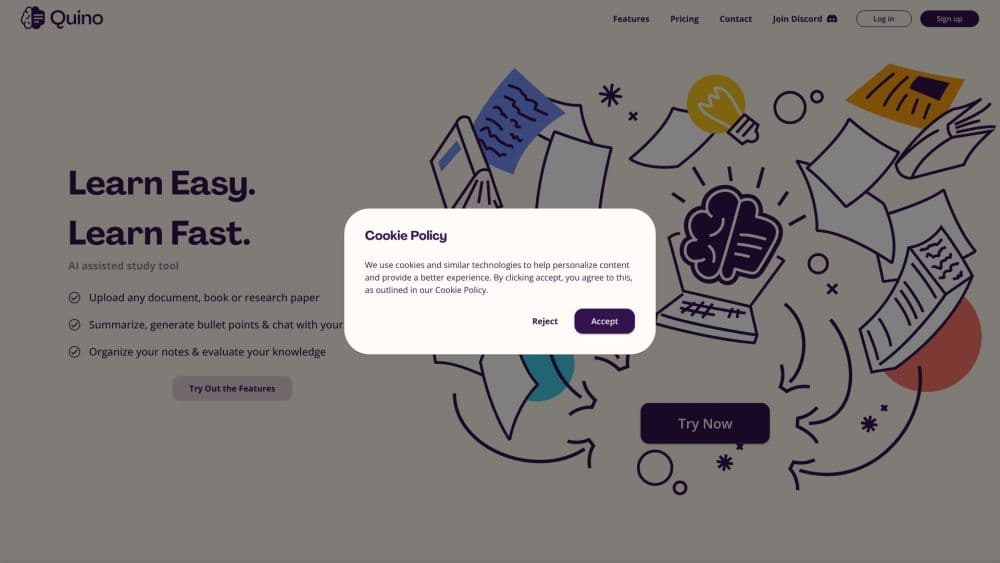
About Quino
What Is Quino
Quino is a learning management system built around one job: grading every exam, by hand or online, without the stack of paper. It comes from ExamAI, a company based in Berkeley, California that launched the product in 2023 and now works with educators in more than 50 countries. Schools compare it to Gradescope for the paper grading and to Canvas or Moodle for the course side, which is why it's usually described as an LMS for colleges that grades. The pitch is that a school gets courses, lessons, exams, a gradebook and diplomas in one account, and the AI handles the repetitive part of assessment.
The problem it targets is familiar to anyone who teaches, and it's the reason colleges keep looking for an AI grader that handles paper. Writing exam questions, marking papers and writing feedback eats the hours that were supposed to go to planning and to students. A generous estimate puts the weekly saving at around 10 hours, per the company's own figures. Treat that as a marketing number rather than an audited result. Quino is AI grading software first and a course platform second.
The main limitation is who it's for. Quino sells to institutions on a per student, per month basis, so an individual learner who wants a study assistant is not the buyer. Reading is strong across handwriting types and equations, but a rushed scrawl with heavy crossing out still needs a human check.
Getting Started
- Book a pilot through the institutions page. Google Cloud sponsors pilots for schools in the United States, so the first term costs nothing, and the Quino team sets up the institution and trains faculty.
- Build or import your course. Add the syllabus, the learning outcomes and the notes, textbooks or slide decks the AI should write from.
- Create an exam. Ask Quino to draft questions from your notes, then edit them and attach a rubric, or upload a rubric you already use.
- Run the assessment. Project the test on a board, have students answer in their notebooks and upload photos from their phones, or publish an online exam in the locked window for remote classes.
- Review and release grades. Every score comes with a per question explanation, and you adjust any mark before students see it.
Product Information
A quick look at Quino's pricing, supported platforms, and performance.
Best for
The users, tasks, and scenarios where this tool fits best.
Users
- College professors
- High school teachers
- Teaching assistants and graders
- Department heads and academic administrators
Tasks
- Grading handwritten exams
- Writing quizzes from lecture notes
- Running online exams with integrity checks
- Mapping a course to learning outcomes
- Issuing verifiable diplomas and certificates
Scenarios
- Returning midterm results before the next class
- Keeping a Moodle or Canvas workflow
- Teaching in a language that is not English
- Running a pilot before an institutional decision
Key features
Photo Based Grading of Handwritten Exams
Students write answers in their own notebooks and photograph the pages from their phones, up to three images per question. Quino reads print, rushed cursive and pencil working, equations and diagrams included, then marks each answer against the rubric you set. The company puts the turnaround at about 14 seconds per exam, which is where the Gradescope alternative comparison starts to matter. Feedback arrives per question, naming what earned credit and what to add, and a teacher can accept, adjust or move to the next paper with one tap. No photocopies, no stack of blue books to carry home.
AI Quiz and Rubric Generation From Your Notes
Think of it as an AI quiz generator that stays inside your syllabus. You upload the notes, textbook chapter or slide deck you actually taught from, and Quino drafts questions at multiple choice, short answer or essay level, with a mark scheme attached to each. That keeps the quiz on your syllabus instead of on the model's general knowledge. You edit every question before publishing, and can ask for more items in plain language. It also covers course guides and lesson material, which the platform builds around your program's learning outcomes rather than a generic template.
Online Exams With Anti Cheating Controls
Remote exams run inside a locked, full screen window. Pasting is blocked, switching tabs or opening another app submits the exam immediately, and the webcam maps the student's face to flag someone looking away or leaving the frame. Every incident lands in an integrity log with the time and the reason. The system records evidence; it does not accuse. A human still decides what a flag means, which is the right split for academic policy.
Full Learning Management System
Quino isn't only a grader, and that's what separates it from a standalone AI grader. Courses, lessons, the gradebook, diplomas, a resource library and an admin portal are included at no extra charge, along with iOS and Android apps. Diplomas carry a verification page so employers can confirm a credential. Analytics cover every course, with score distributions, the hardest questions ranked by average score and a list of students who need support.
Multilingual Platform and Exam Translation
Exams, feedback and the platform interface work in 10 languages, and a question can be presented to students in their own language while the teacher keeps the original. That's a practical fit for international programs, language schools and bilingual high schools, where the assessment is often the last place a translation gap shows up.
Moodle and Canvas Interoperability
Where a school keeps its existing LMS, Quino works alongside it. Rosters sync from Moodle, a Moodle assignment can be imported so the AI grades it against your rubric, and marks can be pushed back to the source system. That makes it a practical Canvas alternative or Moodle alternative for a department that wants AI assessment without a full migration first.
Pros and cons
Pros
- Handwritten exam grading that reads equations and messy working, with per question feedback rather than a bare score.
- The LMS side, courses, lessons, gradebook, diplomas and mobile apps, is included in the per student price instead of sold as a separate license.
- Questions are generated from your own notes and textbooks, which keeps assessments aligned with what you taught.
- Final marks stay with the instructor, and the rubric breakdown makes adjusting a score a matter of seconds.
- A free, Google Cloud sponsored pilot removes the usual procurement step for United States institutions.
Cons
- There's no individual plan. A single teacher who isn't backed by an institution can't simply sign up and pay monthly.
- The platform is built around United States institutions and English first. Pricing is quoted in dollars and the commercial focus is American colleges and schools.
- Pricing scales down with volume, from about $4 per student for small schools to around $1 for 10,000 or more, so small departments pay the most per seat.
- Face mesh proctoring depends on a working webcam and a stable connection, and students on older laptops may run into trouble mid exam.
Frequently asked questions
Quino is a learning management system for schools and colleges, and its core job is grading exams. A teacher projects a test, students write in their notebooks and send photos, and the platform marks each answer against a rubric with written feedback. It also writes quizzes from course notes, runs online proctored exams, keeps a gradebook and issues verifiable diplomas.
Related content
Explore related tools, skills, and articles for Quino.
Quino Alternatives

Swms
Swms AI · Writing · Productivity · BusinessSwms is an AI safety compliance tool that turns a plain description of a job into ready-to-use safety documents. Describe your project, trade, and known hazards, and it writes a safe work method statement, job hazard analysis, safe work procedure, RAMS, or safety data sheet in seconds. It also ships with Oscar, a chat assistant that answers workplace safety questions in any language. Teams in construction, mining, transport, and warehousing use it to cut the paperwork that usually eats into a workday.

Wordly AI Translation
Wordly · Voice & Language · ProductivityWordly AI Translation is a real-time AI translation and captioning platform built for meetings, conferences, and events. It delivers live translation, captions, transcripts, and summaries in more than 60 languages, and attendees join by scanning a QR code or opening a link instead of using dedicated headsets. The platform works with Zoom, Microsoft Teams, Google Meet, and Webex, and it's designed for organizations that want multilingual access without hiring human interpreters for every session. Simple as that.

Rows
Rows (Superhuman) · Productivity · BusinessRows is an AI spreadsheet and data analysis tool that imports live data from more than 50 sources, then lets you work with it using plain language instead of SQL queries or nested formulas. You can pull numbers out of PDFs, connect ad platforms, databases, and bank accounts, and ask the AI to build reports, merge datasets, or set up models that recalculate themselves. It runs in the browser, works like a spreadsheet, and now sits under the Superhuman umbrella.