

Raccoon AI
Raccoon AI · Coding · Productivity
Raccoon AI is a collaborative AI agent platform that turns a plain sentence into finished work. You describe an app, a presentation, a report, or a workflow, and the agent plans it in the open, builds it inside a real cloud workspace, and ships it to a live link or your own domain. It runs on a cloud computer with files, a live app preview, a database, and an image canvas, so the output is something you can keep and reuse rather than a throwaway answer. For anyone who wants to automate work across Gmail, Drive, GitHub, and 50+ other connectors, it acts inside your real accounts with permissions you control per tool.
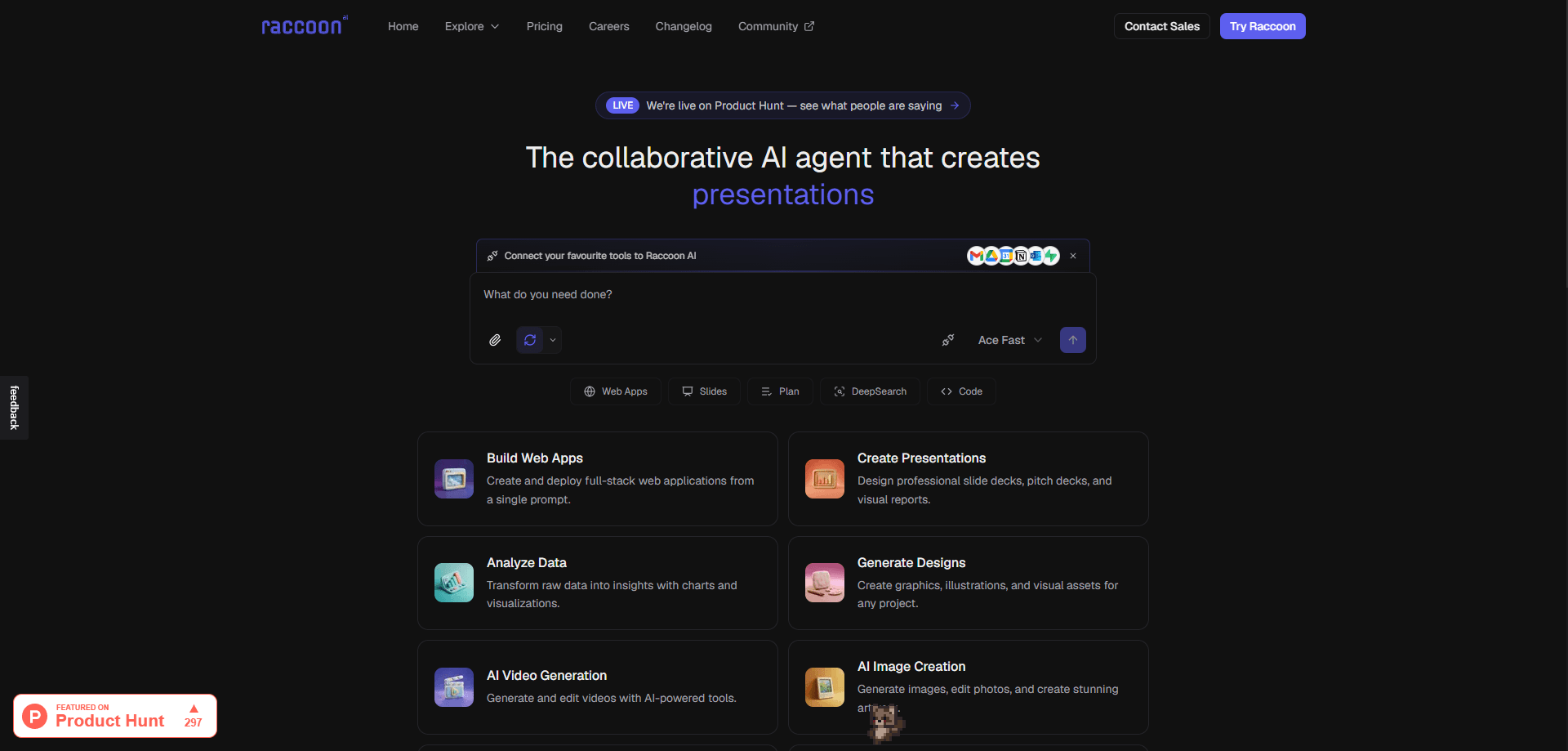
About Raccoon AI
What Is Raccoon AI
Raccoon AI is an AI agent workspace built for people who'd rather describe an outcome than assemble it step by step. Instead of chatting with a model and copying the answer somewhere else, you hand it a goal and watch it set up its own cloud computer, lay out a checklist, and work through the whole thing where you can see it.
The platform solves a specific frustration: most AI tools stop at text. Raccoon writes, designs, and codes, then publishes the result. It connects to your existing stack, so it can pull the current pricing sheet from Drive, open a pull request on GitHub, or schedule something in Calendar without you shuttling data between tabs. The prompt-to-app workflow means a launch page or an internal tool is minutes away, not a sprint.
The main limitation is that it's a hosted web product, not a locally installed app. Heavy projects consume usage limits that scale with your plan, and some advanced models, custom domains, and larger context windows sit behind paid tiers. If your work runs on a company-managed machine with no browser, you can't bring Raccoon to it. The free plan is real but capped at one concurrent task. That cap bites. Want a second build running at the same time? You'll pay for it.
Getting Started
- Sign up at raccoonai.tech and start with the free plan, no configuration needed before your first build.
- Describe what you want in plain words, or attach a file, sketch, or screenshot as the brief.
- Connect the tools you already use, such as Gmail, Google Drive, GitHub, or a custom MCP server, and switch on the skills you've taught it.
- Watch the plan appear as a live checklist, then jump in to steer, rewind a step, or fork a new path whenever you want.
- Publish to a shareable link or deploy to your own domain, and come back later to find everything right where you left it.
Product Information
A quick look at Raccoon AI's pricing, supported platforms, and performance.
Best for
The users, tasks, and scenarios where this tool fits best.
Users
- Solo builders and indie founders
- Marketers and content teams
- Operations and admin staff
Tasks
- Building a web app from a sentence
- Generating presentations and reports
- Automating cross-tool workflows
- Prototyping internal tools
Scenarios
- Turning a rough idea into a shipped page the same afternoon
- Writing a report that needs fresh sources
- Recurring inbox and file chores
- Exploring two directions at once
Key features
One-line prompt to shipped project
Raccoon works from plain language, and it accepts far more than typed text. You can say it out loud, sketch it on a pad, or drop in a PDF, PNG, or screenshot, and it treats all of it as the brief. No prompt-craft to learn. Nothing to configure before you start. That lowers the barrier for people who know what they want but not how to ask an AI for it.
A built-in cloud workspace
The agent spins up its own cloud computer for each project, complete with files, a live app preview, an embedded database, and an image canvas. It returns more than text to relocate. It builds the actual artifact in place, so a web app, a designed page, and its data all live together and stay editable.
Plans out loud, never a black box
Every run is laid out as a live checklist you can watch and adjust. As the agent works, each reasoning step, search, and action is visible rather than hidden behind a spinner. No black box. You can jump in mid-flight, point at an element, leave a note, or change direction, and it folds your input in without restarting from scratch. Why does that matter? Because watching the work happen is how you catch a wrong turn before it compounds.
50+ connectors and MCP support
Raccoon connects to Gmail, Outlook, Google Drive, Calendar, Sheets, GitHub, Notion, and Supabase out of the box, plus a browsable library of 50+ managed connections and any custom MCP server. It works inside your real accounts with per-tool action allow-lists, so you can let the agent read a mailbox without granting it permission to send. A Slack app and a Chrome extension extend the same reach.
Reusable, editable skills
A skill is a SKILL.md file that packages your know-how: a name, trigger conditions, required connectors, guardrails, and any bundled files or scripts. You build one by describing it, uploading an archive, or importing from a public repository, then read, edit, or remove it inline. Guardrails are the point here. They're enforced by the platform, not left to the model's goodwill. Because SKILL.md is an open standard read by 30+ tools, skills you already built elsewhere usually run here, gaining those guardrails along the way.
Persistent, personal workspace
Raccoon remembers your preferences and context across sessions, and the whole computer stays intact between visits, including files, data, and running servers. Come back days later and the project is where you left it. Nothing to rebuild. That continuity is what turns it from a one-off assistant into something closer to a permanent workspace that gets a little more yours each time.
Parallel subagents
For bigger jobs, the main agent can send out helper subagents for parallel or focused work. Each one runs in its own session you can open and inspect, and they share the same files, which keeps long projects from stalling on a single thread of execution. It matters more than it sounds. Long tasks stall fast when everything queues behind one step at a time.
Pros and cons
Pros
- Turns a plain-language brief into a working app, deck, or report, so you skip the setup that usually comes before real work.
- Runs inside your own accounts through 50+ connectors, letting it act on live data instead of a pasted-in snapshot.
- Per-tool allow-lists and skill guardrails are enforced by the platform, which makes granting access less of a gamble.
- You can steer, rewind, or fork a run while it's happening, so a wrong turn doesn't mean starting over.
- The workspace persists across sessions, keeping files, data, and running servers intact between visits.
Cons
- It's a hosted web product, so there's no offline or self-hosted option and a browser is mandatory.
- The free plan allows just one concurrent task and modest usage limits, which stalls parallel work.
- Better models, custom domains, and the largest context windows are locked to higher paid tiers.
- It runs agents inside your real accounts, so a misconfigured allow-list can widen access more than you intended.
Frequently asked questions
It's used to turn a short brief into finished work: web apps, presentations, reports, and cross-tool workflows. You describe the goal in plain language and the agent plans, builds, and ships it inside a cloud workspace.
Related content
Explore related tools, skills, and articles for Raccoon AI.
Raccoon AI Alternatives
Forefront
Forefront · CodingForefront is a web platform for building with open-source AI. It lets you fine-tune leading open-source language models on your own data, evaluate how they perform, and run them through an API or export them to host yourself. Developers who want the convenience of a closed-source platform but insist on owning their models and data are the target audience here.

Startkit
StartKit.AI · CodingStartkit is a boilerplate for building AI SaaS and AI wrapper products. Think of it as an AI startup boilerplate with the boring parts already wired up: authentication, Stripe and Lemon Squeezy payments, usage limits, transactional email, and an AI API starter that talks to OpenAI, Anthropic, Groq, or Llama. You clone the repo, set your price, and start on the part of your product that people actually pay for. It's Next.js under React and Tailwind, so most of the boilerplate code already feels familiar.
Testim
Tricentis · CodingTestim is an AI-powered test automation platform for building and running end-to-end tests across web, mobile, and Salesforce applications. It leans on machine learning to keep tests stable when an interface changes, so teams spend less time fixing broken selectors. Not bad for an automated testing tool you can start using today. You create tests by recording actions in a browser, then optionally add JavaScript when you need more control. It's a solid pick for busy QA teams.