

Radiant
Supernormal Technologies, Inc. · Productivity
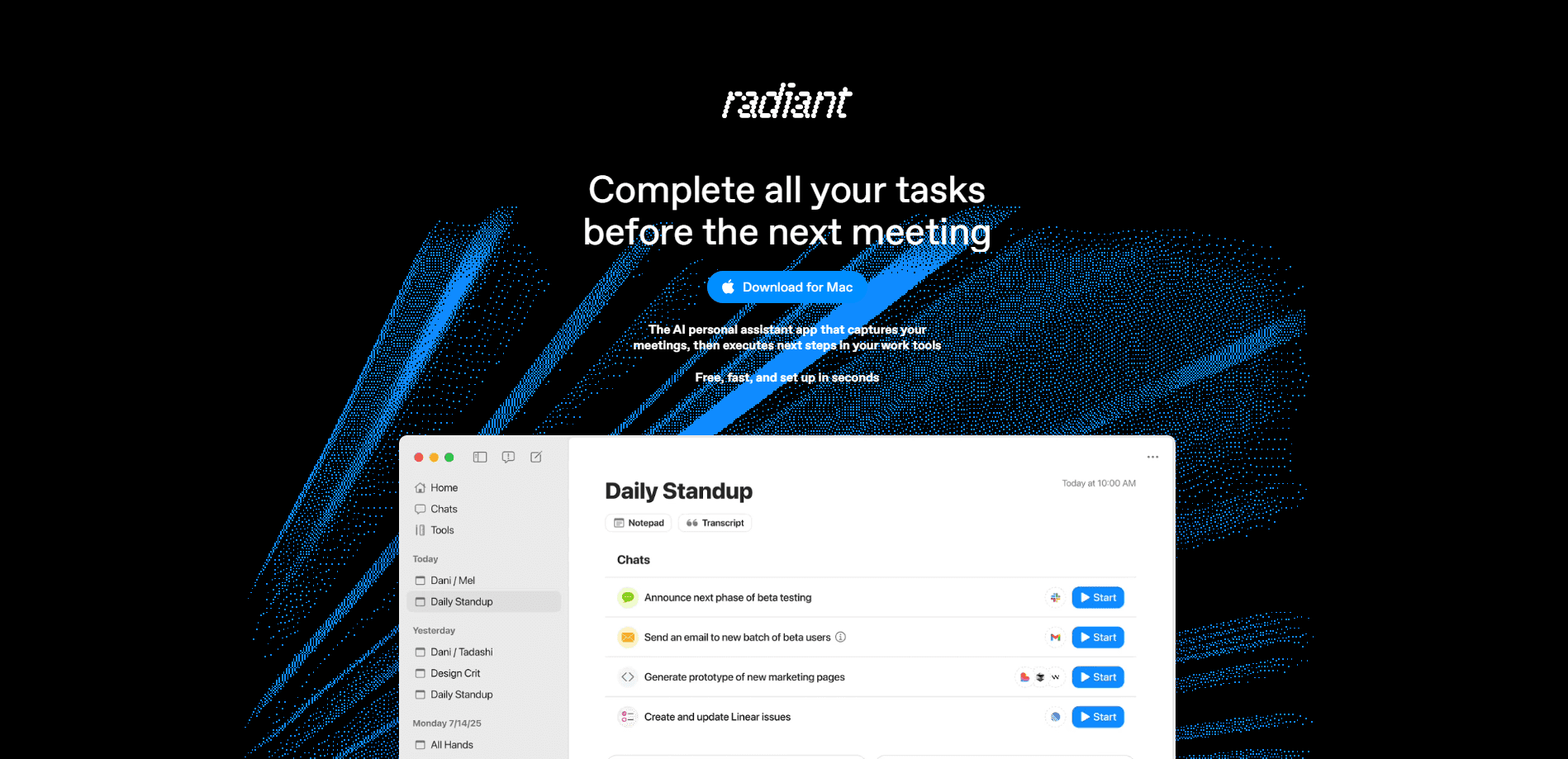
Radiant is an AI meeting notetaker that records and summarizes your calls from your own computer, without a bot appearing in the meeting. It runs on Mac and Windows, captures the conversation in the background, and then uses the transcript as context to produce follow-up work like slides, emails, and documents. It suits people who live in back-to-back meetings and want the busywork handled automatically, and it leans on a credit system rather than a flat subscription.
About Radiant
What Is Radiant
Radiant is a desktop AI assistant built around meeting capture. The idea is straightforward: instead of a bot joining your call and announcing itself, the app listens through your computer's audio. Nothing shows up in the participant list, and the meeting stays as it was. Once the call ends, the transcript becomes raw material you can hand to AI agents.
The problem it tackles is the gap between having a meeting and doing something with it. Notes get written late, action items get lost, and follow-up emails pile up. Radiant closes that gap by keeping a clean record of what was said and letting you generate the deliverables directly from it.
The limits are worth knowing up front. It's a desktop app, so there's no phone version to fall back on. The Mac build needs Apple Silicon and macOS 14.4.1 or later, and Windows needs version 11 or newer. Feature generation runs on credits, so heavy users will hit the paid tiers quickly. And because it listens through your machine, it only captures meetings you're actually in.
Getting Started
- Download the desktop app for Mac or Windows and sign in with Google or your work email.
- Follow the setup flow: connect your calendar, grant audio permissions, and pick your language. It usually takes under two minutes.
- Join a meeting as you normally would. The app captures notes in the background with no bot in the call.
- After the meeting, open Radiant and prompt an agent to build what you need, like a summary, a follow-up email, or a slide deck.
- Connect the MCP integration if you want your meeting context to flow into other work tools.
Product Information
A quick look at Radiant's pricing, supported platforms, and performance.
Best for
The users, tasks, and scenarios where this tool fits best.
Users
- Managers and team leads
- Sales and client-facing staff
- Consultants and freelancers
Tasks
- Turning a meeting into a slide deck
- Writing follow-up emails
- Capturing notes without a visible bot
Scenarios
- Back-to-back meetings
- Post-meeting cleanup
- Connecting meetings to other tools
Key features
Bot-Free Meeting Capture
Radiant records through your computer's audio rather than sending a bot into the call. That means no awkward "Radiant has joined the meeting" notice and no change to the participant list. The app runs quietly in the background while you talk. It only works for meetings you're present in, since it listens through your own machine.
Automatic Notes and Summaries
When a meeting starts, the app takes notes on its own. You don't press record or paste a transcript later. The result is a clean record of the conversation that's ready to use as soon as the call ends. Accuracy depends on audio quality and a working microphone, so a quiet room helps.
Agents for Post-Meeting Work
Radiant's real pitch isn't the transcript, it's what you do with it. After a call you prompt an agent to produce deliverables: presentations, follow-up emails, documents, and calendar invites. The meeting context feeds the output, so the drafts reflect the actual discussion instead of a blank-page guess.
MCP Integration
The app supports an MCP connection that links your meeting context to other tools. If you already run a workflow across several apps, this is how Radiant fits in rather than becoming one more silo. It's aimed at people who want meetings to feed the rest of their stack automatically.
Credit-Based Plans
Radiant runs on a credit model. The free tier gives 5 daily credits and 15 monthly credits, enough to test the notetaker and a few agent runs. Paid Team and Business tiers add more credits, rollover, shared seats, and admin controls. Heavy users should treat credits as the real cost driver.
Pros and cons
Pros
- No bot joins your call, so meetings stay unchanged
- Notes start automatically when a meeting begins
- Turns transcripts into slides, emails, and docs
- Runs on both Mac and Windows desktops
- Free tier is enough to test the core notetaker
Cons
- Desktop only, with no mobile app
- Mac build requires Apple Silicon and a recent macOS
- Credit limits add up fast for frequent heavy use
- Only captures meetings you're personally in
Frequently asked questions
It takes meeting notes from your computer without a bot joining the call, then lets you generate follow-up work like slides and emails from the transcript.
Related content
Explore related tools, skills, and articles for Radiant.
Radiant Alternatives

Swms
Swms AI · Writing · Productivity · BusinessSwms is an AI safety compliance tool that turns a plain description of a job into ready-to-use safety documents. Describe your project, trade, and known hazards, and it writes a safe work method statement, job hazard analysis, safe work procedure, RAMS, or safety data sheet in seconds. It also ships with Oscar, a chat assistant that answers workplace safety questions in any language. Teams in construction, mining, transport, and warehousing use it to cut the paperwork that usually eats into a workday.

Wordly AI Translation
Wordly · Voice & Language · ProductivityWordly AI Translation is a real-time AI translation and captioning platform built for meetings, conferences, and events. It delivers live translation, captions, transcripts, and summaries in more than 60 languages, and attendees join by scanning a QR code or opening a link instead of using dedicated headsets. The platform works with Zoom, Microsoft Teams, Google Meet, and Webex, and it's designed for organizations that want multilingual access without hiring human interpreters for every session. Simple as that.

Rows
Rows (Superhuman) · Productivity · BusinessRows is an AI spreadsheet and data analysis tool that imports live data from more than 50 sources, then lets you work with it using plain language instead of SQL queries or nested formulas. You can pull numbers out of PDFs, connect ad platforms, databases, and bank accounts, and ask the AI to build reports, merge datasets, or set up models that recalculate themselves. It runs in the browser, works like a spreadsheet, and now sits under the Superhuman umbrella.