

Radiant Imaging Labs
Radiant Imaging Labs · Image
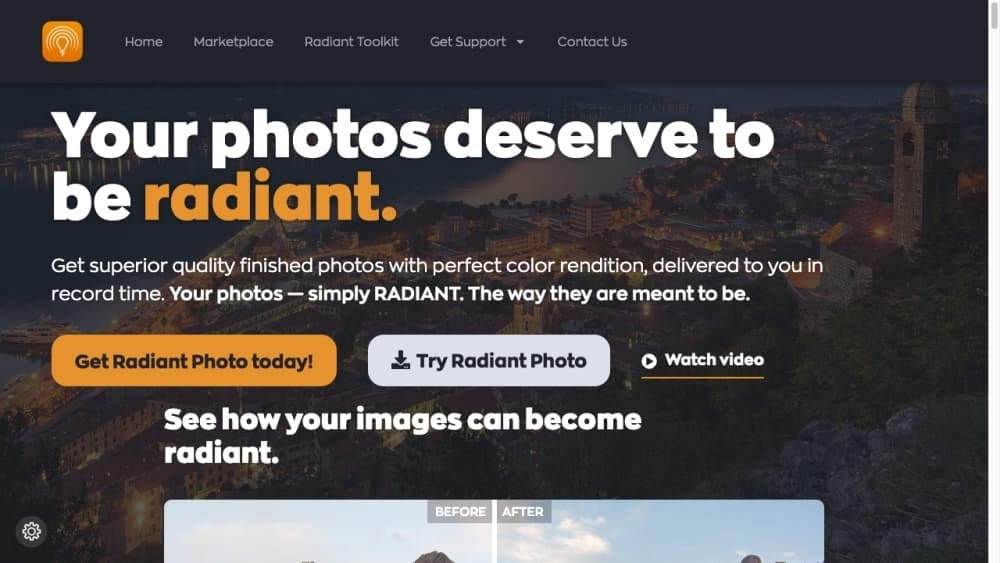
Radiant Photo 2 by Radiant Imaging Labs is a desktop AI photo editor that fixes exposure, color, and detail pixel by pixel, running offline as a standalone app or a Photoshop and Lightroom plugin.
About Radiant Imaging Labs
What Is Radiant Imaging Labs
Radiant Imaging Labs is a photography software company best known for Radiant Photo, an AI photo editor built around a narrow promise: make the pixels you already shot look right, fast. The company was founded by photographers and is led by Elia Locardi, and its editing engine descends from the Perfectly Clear image science used by photo labs for bulk print correction.
That background explains the design. Radiant Photo 2 opens a photo, reads what is in the frame, and applies smart corrections before you touch a slider. Most edits land in one to three minutes. The target user is someone who shoots a lot of photos and does not want to rebuild every image by hand.
The biggest limitation is scope. Radiant is a finishing and correction tool for photo editing software work, not a compositing or design suite. There is no generative fill, no object removal, and no layer stacking. Anything structural still belongs in Photoshop or a dedicated retoucher.
Getting Started
- Download the free trial from the Radiant Imaging Labs site for Windows or macOS, or install the plugin build for Photoshop or Lightroom Classic.
- Open an image from your library, memory card, or plugin host and let scene detection suggest a starting point.
- Adjust the smart editing sliders, or open the advanced tools and color grading panel for finer control.
- Export a single file or run a smart batch over a folder, then keep editing later because every change stays non-destructive.
Product Information
A quick look at Radiant Imaging Labs's pricing, supported platforms, and performance.
Best for
The users, tasks, and scenarios where this tool fits best.
Users
- Event and wedding photographers
- Hobbyists who shoot on a phone or a mirrorless camera
- Birders and wildlife shooters
Tasks
- Rescuing underexposed and backlit shots
- Preparing a print run
- Finishing after a heavy edit elsewhere
Scenarios
- Clearing a weekend of travel photos before they pile up
- Studio portrait sessions
- Selling stock or print work where generative edits are not allowed
Key features
Assistive AI Without Generation
Radiant Photo 2 uses AI to judge and correct pixels you already captured, and the company explicitly avoids generative models. Nothing is invented, no clouds get added, no faces get rebuilt. For photographers who need authentic files for editorial or print clients, that constraint matters more than any novelty feature.
Scene Detection and Workflows
The app reads a frame on load and sorts it into portrait, scenic, bird, or pet categories, then applies matching develop settings. The optional workflow modules go deeper with genre-trained presets and tools, and the Birds module alone carries 94 recognized scenes. You need the base application to run any of them.
Per-Pixel Tone and Color Correction
Radiant Tone analyzes each pixel independently and blends the corrected values back into their neighbors, so bright passages recover without losing shadow detail. Radiant Color removes casts and lifts dull skies. In practice this is the feature most users notice first, because a flat phone photo comes out looking like it was shot on better gear.
Non-Destructive Editing With Sidecars
Every adjustment stays editable, and sidecar files let you start work from a memory card and finish later on another machine. Automatic saving means a crash does not cost you the session. Round-trip editing through Photoshop, Lightroom Classic, and Apple Photos keeps the workflow you already use.
Portrait Tools
Face Light brightens faces found automatically, and the portrait toolset covers skin smoothing, eye enhancement, contouring, and teeth whitening. The controls are tuned to stay subtle, which suits headshots and family sessions where heavy retouching reads badly at print size.
Smart Batch Export
The standalone app processes whole folders at once with consistent settings, including drag and drop of subfolders. That is the feature that changes the economics of volume work: a wedding gallery that took an evening to grade can come down to a coffee break.
16-Bit Live Effects and Film Emulations
Adjustments run through a 16-bit pipeline with live previews, so stacking film looks and color grades does not introduce banding. Twenty-six film emulations and a black and white tool with zone control sit in the color grading panel for creative passes.
Pros and cons
Pros
- Fast first pass: most images reach a usable result in one to three minutes, which is the whole pitch for photographers on deadline.
- No generative AI: files stay authentic, so editorial and stock clients accept them without disclosure issues.
- Runs offline: no cloud upload, no subscription, and the software works on a laptop on location.
- Fits existing tools: plugins for Photoshop, Lightroom Classic, Corel PaintShop Pro, and Apple Photos mean no workflow rebuild.
- One-time purchase with a 30-day money-back guarantee and a 30-day full trial.
Cons
- Not a replacement for a full editor: no layers, no compositing, and no object removal, so structural work still needs Photoshop.
- Workflow modules cost extra: genre tools like Birds and Pets are separate purchases at $79 each, which pushes a complete setup toward $349.
- Interface density grows with version 2: the advanced mode packs many panels, and the optional workflow modules add their own sections.
Frequently asked questions
The company is known for Radiant Photo, a RAW photo editor built on the Perfectly Clear image science engine used by print labs, plus a family of mobile camera apps for portraits, pets, birds, and landscapes.
Related content
Explore related tools, skills, and articles for Radiant Imaging Labs.
Radiant Imaging Labs Alternatives

X Ray Interpreter
X-ray Interpreter · ImageX Ray Interpreter is a web-based AI radiology tool that turns X-rays, CT scans, MRI, ultrasound, and PET images into plain-language reports. You upload a scan, get a preliminary X-ray interpretation in moments, then ask follow-up questions if something needs explaining. It works as a second opinion and a learning aid, not as a medical diagnosis.

Aieasypic
AIEasyPic · ImageAIEasyPic is an AI image generator that turns plain text prompts into finished artwork in seconds. You can also train custom models on your own photos, swap faces in existing images, and create short video clips from text, all from a browser. It suits casual creators who want quick visuals and hobbyists who want to build a personal model without touching any code.

Chargen
Chargen · ImageChargen is an AI character generator and worldbuilding toolkit built for Dungeons & Dragons and other tabletop RPGs. It turns a one-line idea into a painted character portrait, spins up NPCs, monsters, maps and encounters from the same session, and keeps every creature's details close at hand. The tabletop RPG art side runs on a credit system called Gold, while the text generators stay free for everyone.