
RAGNA Desktop
Sven Stadhouders · Chatbot
RAGNA Desktop is a private AI chatbot for Windows that runs open GGUF models on your own PC, answers questions about your PDFs and notes, and edits text without uploading files to the cloud.
About RAGNA Desktop
What Is RAGNA Desktop
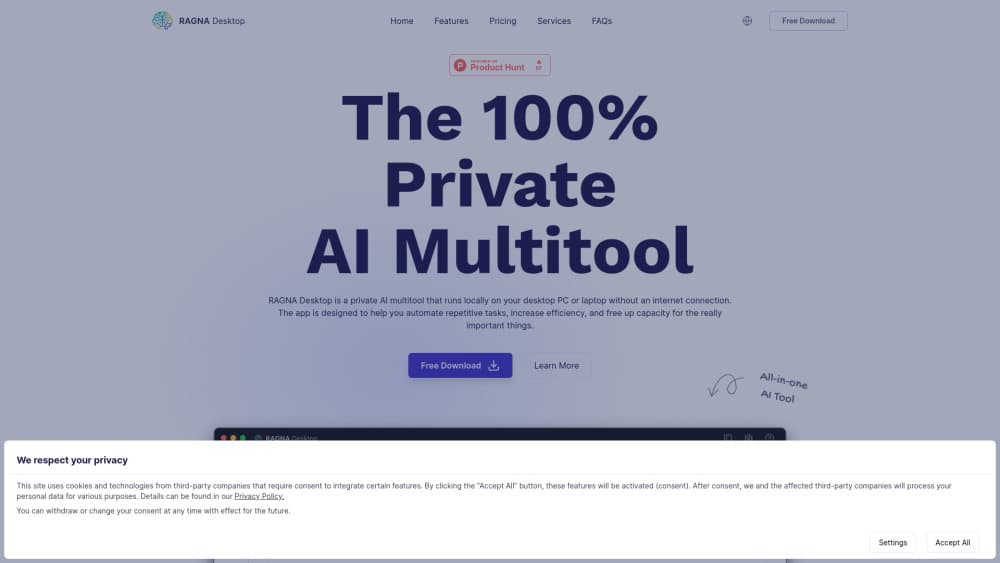
RAGNA Desktop is a local LLM app from developer Sven Stadhouders that packs a local language model, a document index, and a text editor into one window. Everything runs on your machine. Pull the network cable and the chat still answers.
The pitch is simple. Most AI tools ask you to paste confidential material into someone else's server. RAGNA keeps the model and the files in the same place, which matters for contracts, medical notes, internal reports, and anything under a confidentiality clause. It also means no per-message fees and no quota.
The tradeoff is your hardware. Model quality depends on the RAM and GPU you already own, and a laptop with 8GB of memory will feel slow on long documents. RAGNA works with locally run models only, so ChatGPT and Claude are out. You pick from curated downloads or bring your own GGUF file.
One more thing to check before you commit. As of late 2026 the ragna.app domain redirects to the founder's consulting site, so the official installer may no longer be reachable. Verify availability first.
Getting Started
- Download the installer from the official RAGNA site and run it on a Windows PC with at least 8GB of RAM.
- Open the model manager and pull a curated GGUF model, or point the app at a model file you already downloaded from Hugging Face.
- Create a knowledge base, then drag your PDFs, Word files, or Markdown notes into it and let the app index them.
- Ask a question in the chat panel and open the cited passages to confirm the answer against the source text.
- Switch to the AI text editor for rewriting, summarizing, or translating passages you paste in.
Product Information
A quick look at RAGNA Desktop's pricing, supported platforms, and performance.
Best for
The users, tasks, and scenarios where this tool fits best.
Users
- Privacy-focused professionals
- Solo researchers and students
- Small teams without a data platform
Tasks
- Chat with PDFs
- Drafting and rewriting
- Contract and policy review
Scenarios
- Air-gapped or restricted networks
- Regulated industries
- Field and travel work
Key features
Local Model Manager
The app ships with a download manager for curated GGUF models, so you can pick a small model for a weak laptop or a larger one for a workstation. Any GGUF file from Hugging Face works too, which means the model lineup is not locked to the vendor. Swapping models takes a few clicks and no reinstall.
Chat With Your Documents
Point RAGNA at a folder of PDFs, DOCX files, TXT notes, or Markdown, and it builds a searchable index on your drive. Answers come back with the passages they were drawn from, so you can check the source instead of trusting the wording. This is the feature that turns the app from a chat window into an AI document analysis tool.
Offline AI Assistant
The chat assistant runs entirely on your machine. Turn off Wi-Fi and it keeps working, which is the whole point of the product. Response speed tracks your hardware: a modern CPU with 16GB of RAM handles everyday questions well, while long documents on an 8GB laptop will test your patience.
AI Text Editor
A built-in editor rewrites, shortens, translates, and reformats text you paste in. It covers the small jobs that usually send people back to a browser tab: tightening an email, turning bullet points into prose, or cleaning up a machine translation. Everything happens locally, so pasted client material stays put.
Custom Assistants and Settings
You can save assistants with their own instructions and reuse them for recurring jobs, such as a summarizer for meeting notes or a rewriter for client emails. Retrieval depth, temperature, and interface options are exposed in settings, which helps when answers feel too loose or too rigid.
API Server for Automation
Paid editions expose an API server, so RAGNA can plug into workflow software and handle text steps inside a larger process. The app itself focuses on text-heavy daily work, and the API is the escape hatch when you need the same model behind an automated pipeline.
Pros and cons
Pros
- Data stays on the device, which removes the vendor review that blocks most cloud AI tools in regulated teams.
- No message quotas or per-token billing once the model is downloaded.
- Model choice is open: curated downloads or any GGUF file you already own.
- Document answers cite the source passages, so checking the output takes seconds.
- The free Basic plan covers unlimited messages for one user, enough to test the workflow properly.
Cons
- Local models trail frontier cloud models on hard reasoning, so complex analysis needs a second pass.
- Hardware decides the experience. Below 16GB of RAM, large PDFs index slowly and answers arrive late.
- Windows only, so Mac and Linux users have no native build.
- The official site now redirects elsewhere, which makes downloads and support hard to confirm.
Frequently asked questions
No for daily use. Chat, document indexing, and text editing run offline once the model is downloaded. You need a connection to fetch a model or install an update, and the update step is manual by design.
Related content
Explore related tools, skills, and articles for RAGNA Desktop.
RAGNA Desktop Alternatives

Knocket
Knocket (Tencent RTC team) · Productivity · Business · ChatbotKnocket is a free live chat and contact page tool that lets visitors message you from your website, app, or a shareable link, with every reply handled from Telegram or one inbox.
Agibot
Agibot · Productivity · AI Assistant · ChatbotAgibot is a personal AI agent for Mac that keeps running after you close the window, runs routines on a schedule, and works from Telegram or Slack with your own API keys.

Melete
Melete · Productivity · AI Assistant · ChatbotMelete is an AI workspace for teams where agents research, draft, and act in Slack, Notion, Linear, and GitHub. Shared memory and approval gates keep people in control.