

Raisen.org
Raisen.org · Image
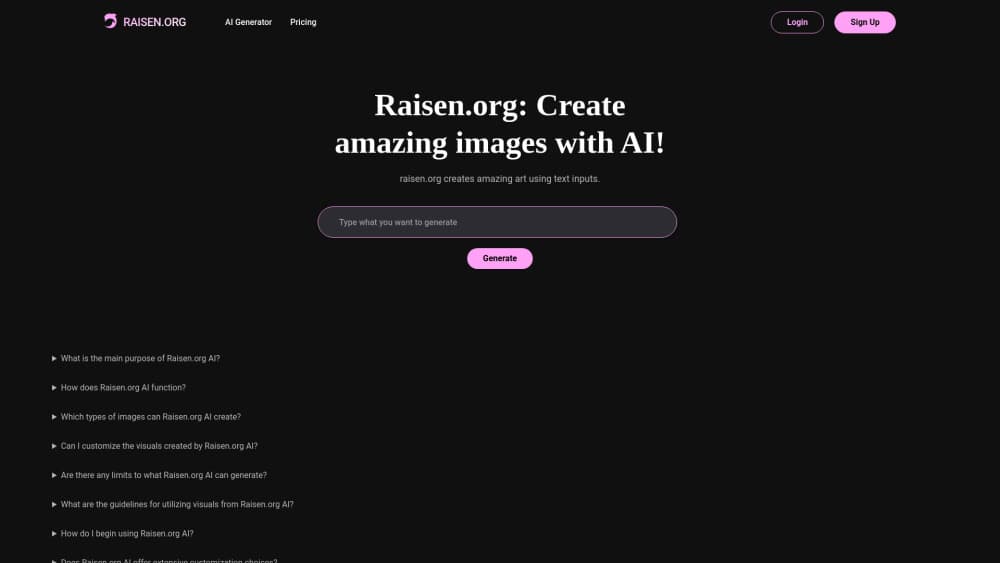
Raisen is an AI interview prep and hiring platform. Job seekers get resume scoring and voice mock interview practice, while hiring teams screen candidates through one shareable link.
About Raisen.org
What Is Raisen
Raisen is a web app that treats interview preparation as a two-sided problem. Candidates upload a resume, answer role-specific questions, and rehearse spoken answers with an AI interviewer. Hiring teams use the same engine to run first-round screens without booking a call.
The candidate side centers on two tools. Resume Questionnaire parses a CV, asks follow-up questions about the experience it finds, and scores the result against a target role. Interview Challenge turns those answers into a spoken conversation, then comments on structure, wording, and tone.
Recruiters get a lighter workflow. You write your own questions or let the platform draft them, share one invite link, and read score breakdowns, summaries, and transcripts afterward. The limits are worth knowing up front: everything runs in a browser, there's no mobile app, no public API, and no human interviewer in the loop.
Getting Started
- Create a free account with an email address and pick the candidate or hiring path.
- Candidates upload a resume and name a target role. Hiring teams create a campaign and add questions.
- Work through the question set, or share the invite link so applicants can join with a name and email.
- Read the score breakdown, written feedback, and transcript, then repeat the sections that scored low.
Product Information
A quick look at Raisen.org's pricing, supported platforms, and performance.
Best for
The users, tasks, and scenarios where this tool fits best.
Users
- Job seekers in active interview cycles
- Career changers
- Recruiters at small companies
- First-time hiring managers
Tasks
- Resume review before applying
- Mock interview practice
- Screening applicants in volume
- Preparing answers about job changes
Scenarios
- Two days before an onsite
- Hiring for one role with a long applicant list
- Practicing for a switch into a new field
Key features
Resume Questionnaire
The tool reads your resume and turns it into a question set. Instead of generic prompts, it asks about the specific projects, tools, and timeframes it found in the document. Answers feed a role-based score, so the feedback points at the gap between what you wrote and what the target job expects.
Voice Interview Challenge
Interview Challenge runs a spoken mock interview in the browser. You answer out loud, the AI follows up, and the session ends with feedback on how you structured each response. This is the closest thing on the platform to real voice interview practice, and it exposes problems that written rehearsal hides, such as rambling openings.
Tone and Delivery Feedback
Feedback covers more than the words. The platform comments on pacing, filler words, and how confident an answer sounds. Treat it as a rough signal rather than a personality test: tone analysis in any AI tool is approximate, and a flat delivery can still be a correct answer.
AI Score Breakdowns for Hiring Teams
Recruiters see a scored summary per candidate instead of a raw recording. Each breakdown ties a number to specific answers, and the full transcript sits underneath so you can check the reasoning. That matters when a score looks wrong, because you can read the answer that produced it.
One Link Candidate Screening
A campaign produces a single invite link. Applicants join with a name and email, answer the question set on their own time, and never need an account created by you. For a candidate screening tool, that removal of back-and-forth scheduling is the main practical gain.
Pitch Deck Creation
Raisen lists executive-style deck generation with slide export and storytelling prompts. The feature is marked coming soon on the official site, so treat it as a roadmap item. Nothing on the current site shows how the output looks, and there's no price attached to it yet.
Pros and cons
Pros
- Covers both sides of hiring, so a candidate and a recruiter can use the same product without separate subscriptions.
- Voice sessions run in the browser with no install, which makes short daily practice realistic.
- Score breakdowns link back to transcripts, so hiring decisions aren't based on an opaque number.
- The free plan currently has no card requirement and no stated usage cap.
- Resume questions are generated from the actual document, which keeps practice specific to your history.
Cons
- No mobile app and no API, so practice is tied to a desktop or mobile browser session.
- AI scoring reflects patterns in interview answers, not a hiring manager's judgment, and it can penalize unconventional but valid answers.
- Pitch Deck Creation isn't live yet, which leaves one of the three advertised tools unusable.
- The free-forever wording is explicitly temporary, so pricing could change without much notice.
Frequently asked questions
Raisen prepares people for job interviews and helps employers screen applicants. Candidates get resume-based questions and spoken mock interviews, while hiring teams get scored answers and transcripts from a shared link.
Related content
Explore related tools, skills, and articles for Raisen.org.
Raisen.org Alternatives

X Ray Interpreter
X-ray Interpreter · ImageX Ray Interpreter is a web-based AI radiology tool that turns X-rays, CT scans, MRI, ultrasound, and PET images into plain-language reports. You upload a scan, get a preliminary X-ray interpretation in moments, then ask follow-up questions if something needs explaining. It works as a second opinion and a learning aid, not as a medical diagnosis.

Aieasypic
AIEasyPic · ImageAIEasyPic is an AI image generator that turns plain text prompts into finished artwork in seconds. You can also train custom models on your own photos, swap faces in existing images, and create short video clips from text, all from a browser. It suits casual creators who want quick visuals and hobbyists who want to build a personal model without touching any code.

Chargen
Chargen · ImageChargen is an AI character generator and worldbuilding toolkit built for Dungeons & Dragons and other tabletop RPGs. It turns a one-line idea into a painted character portrait, spins up NPCs, monsters, maps and encounters from the same session, and keeps every creature's details close at hand. The tabletop RPG art side runs on a credit system called Gold, while the text generators stay free for everyone.