

Ralv Alpha
Ralv · Coding
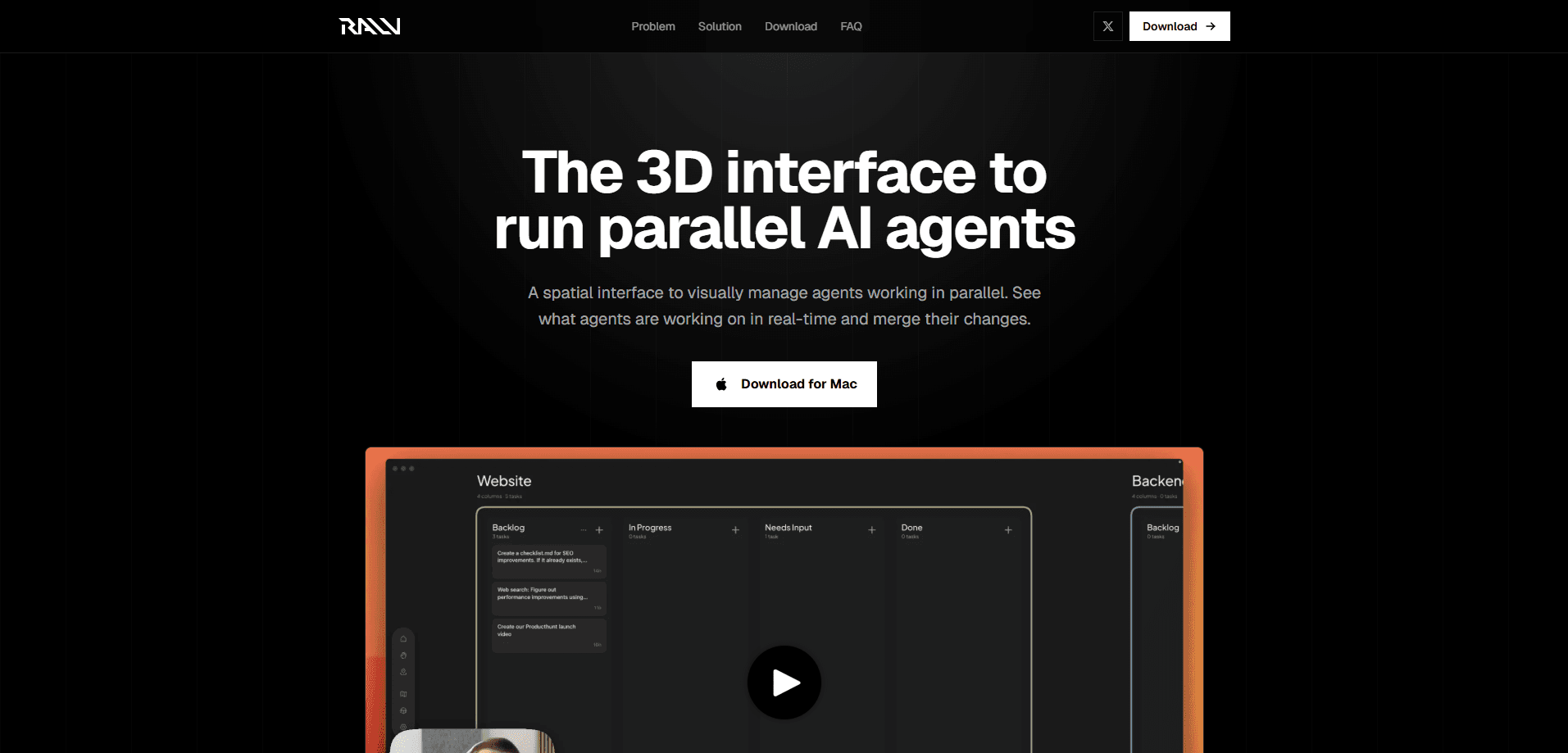
Ralv Alpha is a 3D agent interface for running AI coding agents in parallel. It's a spatial way to orchestrate AI agents: instead of tracking them in a flat terminal list, you see every one on a zoomable canvas, get a visual alert when one needs input, and click straight into its work. Think of it as a multi-agent dashboard for macOS, aimed first at developers who already juggle several agents at once.
About Ralv Alpha
What Is Ralv Alpha
Ralv Alpha is a desktop interface for orchestrating AI agents. It treats them like units on a strategy map rather than rows in a list. You zoom out to see everything running. You pan across the canvas to spot one that's waiting on you. And you drill into a single agent when you want the details. Simple as that.
The problem it targets is familiar to anyone who's run more than a couple of agents. Cursor, Claude Code, Codex, and similar tools all manage agents through a one-dimensional list. That's fine for one or two. Past that, you lose track of which agent is stuck, which one finished, and which one needs a decision from you before it can move forward. It gets messy fast.
There's a real limit here. Ralv is in alpha, and the build only supports Apple Silicon Macs, so Intel Macs and Windows or Linux machines can't run it yet. Why does that matter? Because plenty of developers still work on an Intel Mac or a Windows PC, and for them the current release is simply off the table. It's also an interface layer, not a model, so you still bring your own Claude Code or Codex subscription for the actual work.
Getting Started
- Download the Ralv alpha for macOS from the official site at ralv.ai.
- Confirm you're on an Apple Silicon Mac, since the alpha supports those machines only.
- Open the app and connect your existing Claude Code or Codex subscription.
- Start or assign coding tasks to multiple agents.
- Use zoom to survey all agents, pan to catch input alerts, and click any agent to inspect its work.
Product Information
A quick look at Ralv Alpha's pricing, supported platforms, and performance.
Best for
The users, tasks, and scenarios where this tool fits best.
Users
- Developers running several coding agents at once
- Team leads who want visibility into agent work
- Solo builders experimenting with multi-agent workflows
Tasks
- Monitoring parallel coding agents
- Reviewing agent output before merging
- Keeping a persistent mental map of many tasks
Scenarios
- A sprint where you've delegated several files or features to separate agents and need to keep them straight.
- Long-running agent tasks where you step away and want a clear alert when your input is required.
- Early exploration of multi-agent workflows before committing to a heavier setup.
Key features
Spatial Canvas for Parallel Agents
Everything runs on a single 3D canvas you can zoom and pan. Zoom out and you see every agent working at once. This is the core idea borrowed from real-time strategy games, where large numbers of units stay manageable because the view scales with them instead of forcing you to scroll through a list that grows longer with every task you hand off. For you, it means adding a fifth or tenth agent doesn't bury the others under a scrolling list you'll never finish reading.
Visual Alerts for Input Requests
When an agent needs a decision, Ralv signals it on the canvas rather than hiding the request inside a log file you'd have to open and read line by line to notice. Pan across the view and you can tell at a glance which agent is blocked and which one is still working. That cuts the back-and-forth of opening each session to check status. No more guessing.
One-Click Drill-Down
Clicking an agent opens its work so you can read what it's doing without leaving the interface. You stay in the same mental space instead of switching windows. As we understand it, this is where merge review happens, letting you compare changes from a single agent before you accept them. One click, full context.
Works With Your Existing Subscriptions
Ralv doesn't replace your agents. It sits on top of tools you already pay for. The site notes you can use existing Claude Code or Codex subscriptions with it. So there's no second bill for model access. Your tokens, your provider, and your existing subscriptions all stay exactly the same as before you installed it.
Built Around Persistent State
Chat windows reset your context when you move on. A spatial layout keeps position and status visible, so returning to a task takes a glance, not a re-read. That matters more as the number of agents grows past what a list can hold cleanly. Position becomes memory.
Pros and cons
Pros
- Makes many parallel agents readable at once, which a flat list struggles to do past a few sessions.
- Visual alerts surface blocked agents without opening each one.
- Works with existing Claude Code or Codex subscriptions, so no extra model cost.
- Free alpha, so testing the workflow carries no price risk.
Cons
- Only runs on Apple Silicon Macs, so Intel Mac, Windows, and Linux users are left out for now.
- It's an alpha, which means rough edges and a feature set that's still filling in.
- No API is documented on the official site, so automation and custom integrations aren't an option yet.
Frequently asked questions
It gives you a spatial interface for running and monitoring multiple AI coding agents at once. You see all of them on one canvas, get alerts when one needs input, and click into any agent to review its work.
Related content
Explore related tools, skills, and articles for Ralv Alpha.
Ralv Alpha Alternatives
Forefront
Forefront · CodingForefront is a web platform for building with open-source AI. It lets you fine-tune leading open-source language models on your own data, evaluate how they perform, and run them through an API or export them to host yourself. Developers who want the convenience of a closed-source platform but insist on owning their models and data are the target audience here.

Startkit
StartKit.AI · CodingStartkit is a boilerplate for building AI SaaS and AI wrapper products. Think of it as an AI startup boilerplate with the boring parts already wired up: authentication, Stripe and Lemon Squeezy payments, usage limits, transactional email, and an AI API starter that talks to OpenAI, Anthropic, Groq, or Llama. You clone the repo, set your price, and start on the part of your product that people actually pay for. It's Next.js under React and Tailwind, so most of the boilerplate code already feels familiar.
Testim
Tricentis · CodingTestim is an AI-powered test automation platform for building and running end-to-end tests across web, mobile, and Salesforce applications. It leans on machine learning to keep tests stable when an interface changes, so teams spend less time fixing broken selectors. Not bad for an automated testing tool you can start using today. You create tests by recording actions in a browser, then optionally add JavaScript when you need more control. It's a solid pick for busy QA teams.