

Raphael AI
Raphael AI · Image
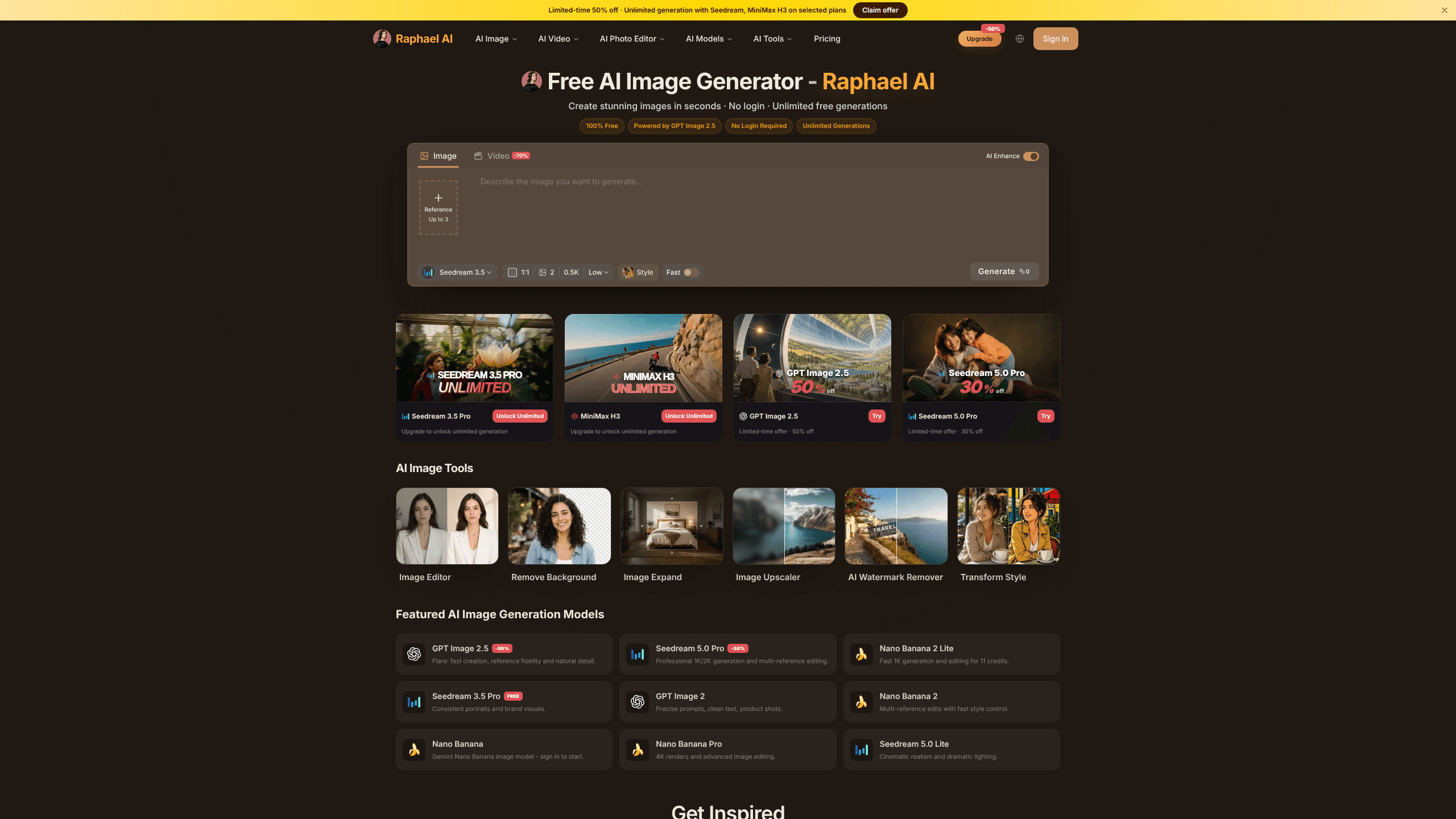
Raphael AI is a web-based unlimited AI image generator that turns a text prompt into a finished picture in seconds. It does that without asking you to sign up or pay. The tool has built a following on one promise: unlimited free generations, backed by a zero data retention policy and full commercial rights to whatever you make. It runs in any modern browser, including mobile. There's nothing to install, and no GPU to worry about.
About Raphael AI
What Is Raphael AI
Raphael AI is an online AI art generator built around a simple idea: remove every gate between a person and an image. You open the site, type what you want to see, and the picture appears. No account, no credit card, no daily quota staring back at you from a counter.
The product launched in early 2025 and quickly leaned on a single selling point that most competitors can't match. Midjourney wants a subscription. The big chat assistants cap their free image tools after a handful of tries. Raphael does neither. Its first version ran on the FLUX.1-Dev model, which handles detail and text rendering far better than the older diffusion models most people remember. Since then the team added a routing layer that picks among several newer models depending on your prompt. A photo-realistic request and an anime request don't get pushed through the same pipe.
The tradeoff is real, and worth saying plainly. A free product has to pay for its own compute somehow, and right now nobody outside the company knows how long unlimited stays unlimited. Server speed also drops at peak hours, so you'll wait longer for a result when the site is busy. The site itself doesn't keep your prompts or your images, which is genuinely good for privacy, but it also means there's no gallery to recover a picture you forgot to download.
Getting Started
- Open raphael.app in your browser. There's no sign-up step, so skip straight to the prompt box.
- Type a description of the image you want. Write in English for the most reliable results, and be specific about subject, lighting, and mood.
- Pick your settings if you want them, such as canvas shape, style, or color tone. Leaving them on default works fine for a first try.
- Hit generate and wait a few seconds. You can upload a reference image to guide the result if you already have a look in mind.
- Download the image when you're happy with it. Save it locally, because Raphael doesn't store it for you.
Product Information
A quick look at Raphael AI's pricing, supported platforms, and performance.
Best for
The users, tasks, and scenarios where this tool fits best.
Users
- Content creators
- Students and beginners
- Small business owners
Tasks
- Turning a written idea into a first draft image
- Quick background and object edits
- Making social media graphics
- Exploring visual styles
Scenarios
- Late-night brainstorming sessions
- Building a batch of images for one project
- Working from a phone or tablet
- Prototyping a concept before paying for a designer
Key features
Unlimited Free Image Generation
The core offer is that you can generate as many images as you want without hitting a paywall or a credit limit. For people who learn by iterating, that changes the whole workflow. Instead of carefully spending five attempts, you can run twenty and keep the one that works. The catch is speed at busy times, not quantity. So what does "unlimited" actually mean here? No counter, no credit wall, no daily reset.
Multi-Model Routing
Raphael doesn't tie itself to a single engine. The site routes your prompt to whichever model handles it best, drawing from options like FLUX.1-Dev, Nano Banana 2 and Pro, Qwen-Image, Seedream, and Z-Image. A prompt asking for crisp text inside an image gets treated differently from one asking for a soft portrait. That's the point. You don't pick the model yourself, which keeps things simple but also means you can't force a specific one.
AI Photo Editor
Beyond making images from scratch, you can edit an existing one by describing the change. The text to image flow handles the first pass; this one handles the cleanup. Ask to swap a background, recolor an object, or shift the lighting, and the tool applies it while trying to keep the rest of the frame intact. It supports follow-up edits, so you can refine a result across a few rounds rather than starting fresh each time.
Reference Image Input
When words aren't enough, you can upload an image to steer the output. This helps when you want a consistent character, a specific composition, or a style match across several generations. It's the difference between describing a look and showing the tool the look you already have.
Style and Canvas Controls
You get hands-on control over the shape and feel of an image. Canvas ratios cover the usual needs, from square avatars to widescreen banners and tall phone wallpapers, and you can adjust style, color, and lighting before you generate. These settings matter most for people producing images for a specific slot, like a thumbnail or a social post.
Image Expansion and Upscaling
If an image is framed too tight, the expand tool adds content to the edges in the direction you choose. That way a portrait can become a wide banner without a hard crop. Generated results can also be upscaled for a cleaner, higher-resolution export. Both are the kind of fix that usually sends people to a separate editing app.
Commercial-Use Rights
Raphael states that images you create belong to you and can be used for personal or commercial purposes. For freelancers and small teams, that removes a licensing headache that comes with many free tools. Check the terms yourself before a major commercial campaign, since usage rules can change.
Pros and cons
Pros
- No account needed, which means you can go from landing on the site to a finished image in under a minute.
- No generation cap, so you can iterate freely instead of rationing attempts.
- Zero data retention keeps your prompts and images off the servers after use.
- Clean commercial rights let you use the output in client and marketing work.
- Model routing quietly picks a strong engine per prompt, so quality holds up across very different requests.
Cons
- There's no gallery, so an image you didn't download is gone for good.
- Speed can drop noticeably at peak times, and you'll wait longer for results.
- English prompts work better than other languages, which adds a step for non-English speakers.
- There's no dedicated mobile app yet, so phone users rely on the browser version.
- The free model depends on the company's funding, and it could change without much warning.
Frequently asked questions
It's free to use right now, with no subscription and no credit system. The honest caveat is sustainability: a product this generous has to be paid for somehow, and the company hasn't committed to keeping it free forever. Use it while it's free, but don't build a business that depends on that staying true.
Related content
Explore related tools, skills, and articles for Raphael AI.
Raphael AI Alternatives

X Ray Interpreter
X-ray Interpreter · ImageX Ray Interpreter is a web-based AI radiology tool that turns X-rays, CT scans, MRI, ultrasound, and PET images into plain-language reports. You upload a scan, get a preliminary X-ray interpretation in moments, then ask follow-up questions if something needs explaining. It works as a second opinion and a learning aid, not as a medical diagnosis.

Aieasypic
AIEasyPic · ImageAIEasyPic is an AI image generator that turns plain text prompts into finished artwork in seconds. You can also train custom models on your own photos, swap faces in existing images, and create short video clips from text, all from a browser. It suits casual creators who want quick visuals and hobbyists who want to build a personal model without touching any code.

Chargen
Chargen · ImageChargen is an AI character generator and worldbuilding toolkit built for Dungeons & Dragons and other tabletop RPGs. It turns a one-line idea into a painted character portrait, spins up NPCs, monsters, maps and encounters from the same session, and keeps every creature's details close at hand. The tabletop RPG art side runs on a credit system called Gold, while the text generators stay free for everyone.