

Rash Detector: Skin Scanner
I Lov Guitars Inc. · Image · AI Detection
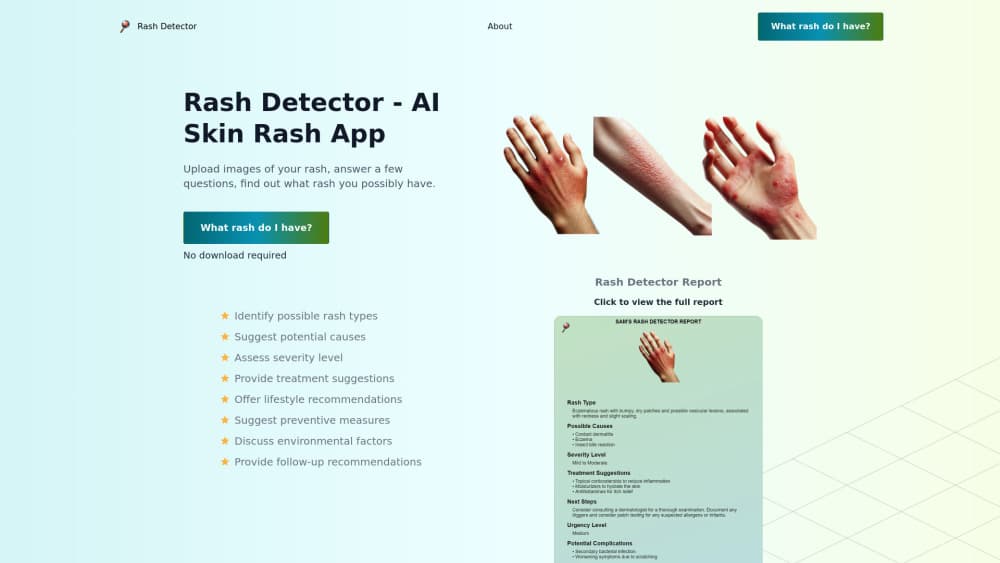
Rash Detector is an AI skin scanner that analyzes three photos of a rash and returns a plain-language report on possible causes, severity and next steps.
About Rash Detector: Skin Scanner
What Is Rash Detector
Rash Detector is a web and Android tool that turns a phone camera into a first-pass skin rash checker. You snap or upload three photos of the area that's bothering you, tap a button, and get a report back in around a minute. The developer is I Lov Guitars Inc., based in Scarborough, Ontario, and the product runs both in the browser and as an Android app.
The gap it tries to fill is the stretch between noticing a rash and getting a dermatologist's appointment. Wait times are long in a lot of places. Most people aren't sure whether a patch of red skin is a mosquito bite or something worth a callback. The report doesn't diagnose anything. It gives you a read on what the pattern looks like, how urgent it seems, and whether a professional visit is worth booking.
That framing matters, because the site is careful about what it claims. Rash Detector describes itself as educational, not medical, and says plainly that it isn't a substitute for professional advice, diagnosis or treatment. A 2025 study in Cureus tested several consumer skin apps, Rash Detector included, against a diverse set of skin images and found overall diagnostic accuracy around 22 percent. Treat this as a triage aid and a way to track changes, not a replacement for a clinician.
The practical limits are straightforward. It needs decent photos, so poor lighting or a hard-to-reach spot weakens the read. It covers visible skin patterns, not bloodwork or history. And it works best as a record you build over time, since comparing a fresh scan against a week-old one tells you more than either alone.
Getting Started
- Create an account on the website or install the Android app, then sign in to reach the scanning tool.
- Snap or upload three photos of the area you're concerned about, aiming for even light and a close but steady shot.
- Tap "Generate My Report" and wait roughly a minute for the analysis to run in the cloud.
- Read the report: a possible issue with a confidence score, a risk assessment, and a plain-language summary of what the model noticed.
- Save the time-stamped report to your account, then scan again later and compare to see whether the rash is settling or spreading.
Product Information
A quick look at Rash Detector: Skin Scanner's pricing, supported platforms, and performance.
Best for
The users, tasks, and scenarios where this tool fits best.
Users
- People with a new rash and no clear answer
- Anyone tracking a chronic condition like eczema or psoriasis
- Parents spotting a rash on a child
- Travelers and campers
Tasks
- Getting an early heads-up on a rash
- Documenting skin changes
- Comparing scans over time
- Learning about a condition
- Deciding whether to escalate
Scenarios
- A patch appears on your arm and you can't tell if it's an allergic reaction or ringworm
- A child's rash shows up on a Friday evening when the clinic is closed
- You're midway through a course of treatment and want to know if it's working
- You've had the same recurring rash for months and keep forgetting details at appointments
Key features
Three-Photo Scanning
Rash Detector asks for three photos of the affected area rather than one. Why three? Multiple angles give the model more to work with on texture and spread. That's the difference between a guess and a pattern worth looking at. You can snap the shots in the app or upload existing images.
Plain-Language Analysis Report
The output isn't a wall of medical jargon. You get a possible issue with a confidence score, a risk assessment covering urgency, and a short summary of what the model saw in the texture, color and visible pattern. It stays readable. Someone with no medical training can read it and know what to do next.
Condition Information and Treatment Context
Each report comes with evidence-based notes on likely causes, common treatments and prevention. That turns a single image into a small lesson on the condition, which is useful when you're trying to understand what you're looking at rather than just label it.
Detected Abnormalities List
Alongside the headline finding, the app itemizes everything it noticed. You see the full picture instead of one dominant guess, which helps when a rash has more than one thing going on. It's also a fair reminder. How much interpretation is still on you? A lot of it.
Progress Tracking Over Time
Reports are saved to your account with timestamps, so comparing a new scan against a previous one shows whether the area is improving or changing. For anyone managing a recurring condition, that comparison is often more telling than any single report. Week to week, it adds up.
Private Cloud Analysis
The analysis runs in the cloud with encryption, and the site says only you control your data. Image links are kept secure and can be viewed or shared at any time, which matters for skin photos you'd rather not have sitting in a random photo stream.
Web and Android Access
Rash Detector works in a browser and as an Android app, so you can run a scan from a laptop after an appointment or from your phone in the moment. No download is required. That keeps the barrier low for a one-off check.
Pros and cons
Pros
- Fast turnaround: three photos and about a minute gets you a readable report, no questionnaire to fill out.
- Inexpensive early step: a quick AI skin rash analyzer can help you decide whether a clinic visit is warranted before you book one.
- Tracks change over time: time-stamped reports let you compare scans instead of relying on memory.
- Useful background material: condition notes on causes, treatments and prevention come with each report.
- Works on web and Android, so you don't need to install anything for a single scan.
Cons
- Not a diagnosis: the site itself says it's educational only, and independent testing found consumer skin apps have low accuracy, so a doctor's opinion still matters.
- Photo quality drives results: a blurry or badly lit shot weakens the analysis, and the report only reads visible skin patterns.
- Public pricing isn't listed, so you'll need to contact the vendor to know what the paid tier costs.
- No API, which limits anyone hoping to plug the analysis into their own system.
Frequently asked questions
It's an AI skin rash analyzer for web and Android that reads three photos of a rash and returns a plain-language report on possible causes, urgency and next steps. The developer is I Lov Guitars Inc.
Related content
Explore related tools, skills, and articles for Rash Detector: Skin Scanner.
Rash Detector: Skin Scanner Alternatives

X Ray Interpreter
X-ray Interpreter · ImageX Ray Interpreter is a web-based AI radiology tool that turns X-rays, CT scans, MRI, ultrasound, and PET images into plain-language reports. You upload a scan, get a preliminary X-ray interpretation in moments, then ask follow-up questions if something needs explaining. It works as a second opinion and a learning aid, not as a medical diagnosis.

Aieasypic
AIEasyPic · ImageAIEasyPic is an AI image generator that turns plain text prompts into finished artwork in seconds. You can also train custom models on your own photos, swap faces in existing images, and create short video clips from text, all from a browser. It suits casual creators who want quick visuals and hobbyists who want to build a personal model without touching any code.

Chargen
Chargen · ImageChargen is an AI character generator and worldbuilding toolkit built for Dungeons & Dragons and other tabletop RPGs. It turns a one-line idea into a painted character portrait, spins up NPCs, monsters, maps and encounters from the same session, and keeps every creature's details close at hand. The tabletop RPG art side runs on a credit system called Gold, while the text generators stay free for everyone.