

ReactVision Studio
ReactVision, Inc. · Video
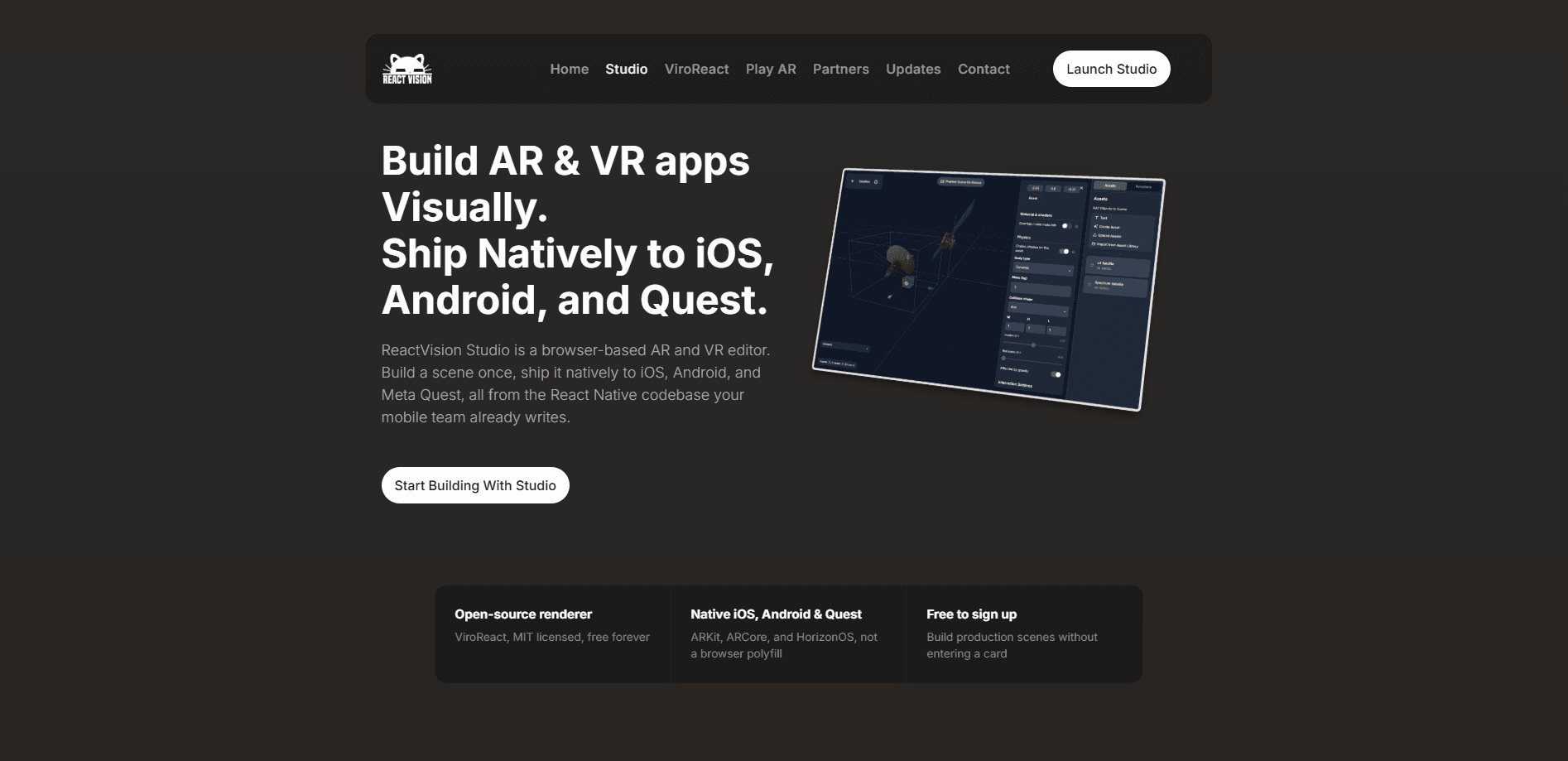
ReactVision Studio is a browser-based AR and VR editor for teams building spatial apps on React Native. You drag components onto a canvas, describe what you want to an AI agent, preview the result live on a phone or headset with StudioGo, then ship it inside your app through ViroReact, the open-source renderer. It's the quickest way to build AR apps visually without leaving the React Native codebase. One scene runs natively on iOS, Android, and Meta Quest, no second toolchain required.
About ReactVision Studio
What Is ReactVision Studio
Studio is the visual editor that sits inside the wider ReactVision stack, which a team called ReactVision, Inc. builds around React Native. Instead of learning a game engine or writing 3D code, you assemble scenes from components and let a built-in agent handle the repetitive parts. That agent creates scenes from a prompt, generates and places assets, wires up physics and animation, and sets geospatial anchors, all inside your project.
The problem it solves is fragmentation. Cross-platform XR development usually means picking an engine, learning its own language, and keeping a separate project in sync with your app. Studio takes the opposite route: scenes are React components, so the React Native codebase your team already writes is the same one that reaches phones and headsets. The tradeoff is real. You're committed to the React Native and ViroReact stack, and the editor is a managed product rather than an open-source one, so the platform side carries whatever pricing ReactVision sets.
Confirmation gates most of the risk. Nothing destructive or billable happens without your approval. The agent runs a formal confirmation step before deleting anything, removing a placement, or starting a paid AI generation. You see the change and the credit cost before it happens.
Getting Started
- Open Studio in your browser and sign in to your ReactVision account.
- Create a project and a scene, or ask the AI agent to spin one up from a short description.
- Build on the canvas: place components, attach assets, and add physics, animation, or triggers with the agent's help.
- Link StudioGo on your phone or headset to preview every change live in AR or VR.
- Drop the StudioSceneNavigator component into your React Native app so ViroReact loads the finished scene at runtime.
Product Information
A quick look at ReactVision Studio's pricing, supported platforms, and performance.
Best for
The users, tasks, and scenarios where this tool fits best.
Users
- React Native developers
- Mobile teams without a 3D specialist
- Designers and prototypers
Tasks
- Building an AR shopping or product-preview scene
- Shipping a mixed-reality experience on Meta Quest
- Adding AR to an existing app
Scenarios
- A small studio prototyping an AR feature for a client demo on a tight timeline.
- An e-commerce team testing whether a virtual try-on is worth pursuing.
- A training or field-service app where geospatial anchors tie instructions to a physical location.
Key features
AI agent for scene building
The AI agent XR editor is the feature people notice first. It works from plain language: describe the experience you want and it creates scenes, generates and places assets, and sets geospatial anchors inside your project. You stay in control of the direction; the agent does the legwork.
Live device preview with StudioGo
Linking StudioGo to a project mirrors every editor change onto your phone or headset in AR within about a second. That's the loop that matters most. You find out what a scene actually looks like on real hardware before you've committed it to the app. A desktop render tells you nothing about how it feels in your hand.
One scene, native rendering everywhere
Studio outputs a single scene format, and ViroReact renders it natively on each platform using that platform's own runtime: ARKit on iOS, ARCore on Android, and HorizonOS on Meta Quest. No re-authoring. No shader rewrites. No separate VR project. Write the scene once and it lands everywhere the stack supports.
Open-source renderer under a managed platform
ViroReact is MIT licensed and free forever, so the renderer itself has no license to buy. Studio, cloud anchors, geospatial anchors, asset hosting, and environment testing are the managed parts, which is where any cost to your team would come from.
Runtime loading in your app
A single component, StudioSceneNavigator, drops a finished scene into any React Native app. Because ViroReact loads the scene at runtime, you can update content without rebuilding and resubmitting the app. Why does that matter? Content teams ship changes on their own schedule instead of waiting on an app-store review.
Cloud and geospatial anchors built in
Studio ships with cloud and geospatial anchors, so a scene can hold its position across sessions and devices, or tie itself to a real-world location. That support matters for anything that needs persistence beyond one device. Skip it and your scene forgets where it was.
Confirmation before costly actions
Anything destructive or billable waits for a yes. The agent confirms before it deletes, removes a placement, or runs a paid generation, showing you the change and the credit cost first.
Pros and cons
Pros
- Scenes live in the React Native project your team already ships, so there's no second engine to install or keep in sync.
- The AI agent handles scene graphs and asset placement, which lowers the barrier for teams without a 3D artist.
- One scene reaches iOS, Android, and Meta Quest natively, cutting duplicate work across platforms.
- StudioGo previews changes on real devices quickly, catching problems early.
- ViroReact is MIT licensed, so the renderer carries no licensing cost.
Cons
- You're tied to the React Native and ViroReact stack, so teams on Unity or Unreal won't get much from it.
- Studio is a managed product, not open source. Browser access and platform services depend on ReactVision's pricing and availability.
- AI generations can cost credits, and approvals add a step to an otherwise fast workflow.
- Anchor and hosting services run in ReactVision's cloud, which puts the infrastructure outside your control.
Frequently asked questions
It's a browser-based editor for building AR and VR scenes that ship inside React Native apps. You assemble a scene visually, preview it on a device, then load it through the open-source ViroReact renderer on iOS, Android, and Meta Quest.
Related content
Explore related tools, skills, and articles for ReactVision Studio.
ReactVision Studio Alternatives

ngram 2.0
ngram · Video · Marketingngram 2.0 is an AI video generator for teams. It turns a prompt, a screen recording, or a product URL into a narrated explainer, product demo, or AI avatar video, and every scene stays editable.

OpenScreen 2
OpenScreen (open-source project) · Video · ProductivityOpenScreen 2 is a free, open-source screen recorder and demo video editor for Windows, macOS, and Linux, with automatic zooms, styled frames, local captions, and agent edits.

Skreno
Skreno · Video · ProductivitySkreno is a browser screen recorder that captures a tab, a window or your whole display, then attaches AI transcripts, summaries and console logs to one share link.