

ReadMeeting
ReadMeeting · Productivity
ReadMeeting is an AI meeting assistant that records, transcribes, and summarizes your meetings automatically. It joins calls on Zoom, Google Meet, Microsoft Teams and Webex with a single click, then turns each conversation into a searchable summary with clear action items. It's built for anyone who juggles back-to-back calls and keeps losing track of what was decided. That's the whole pitch.
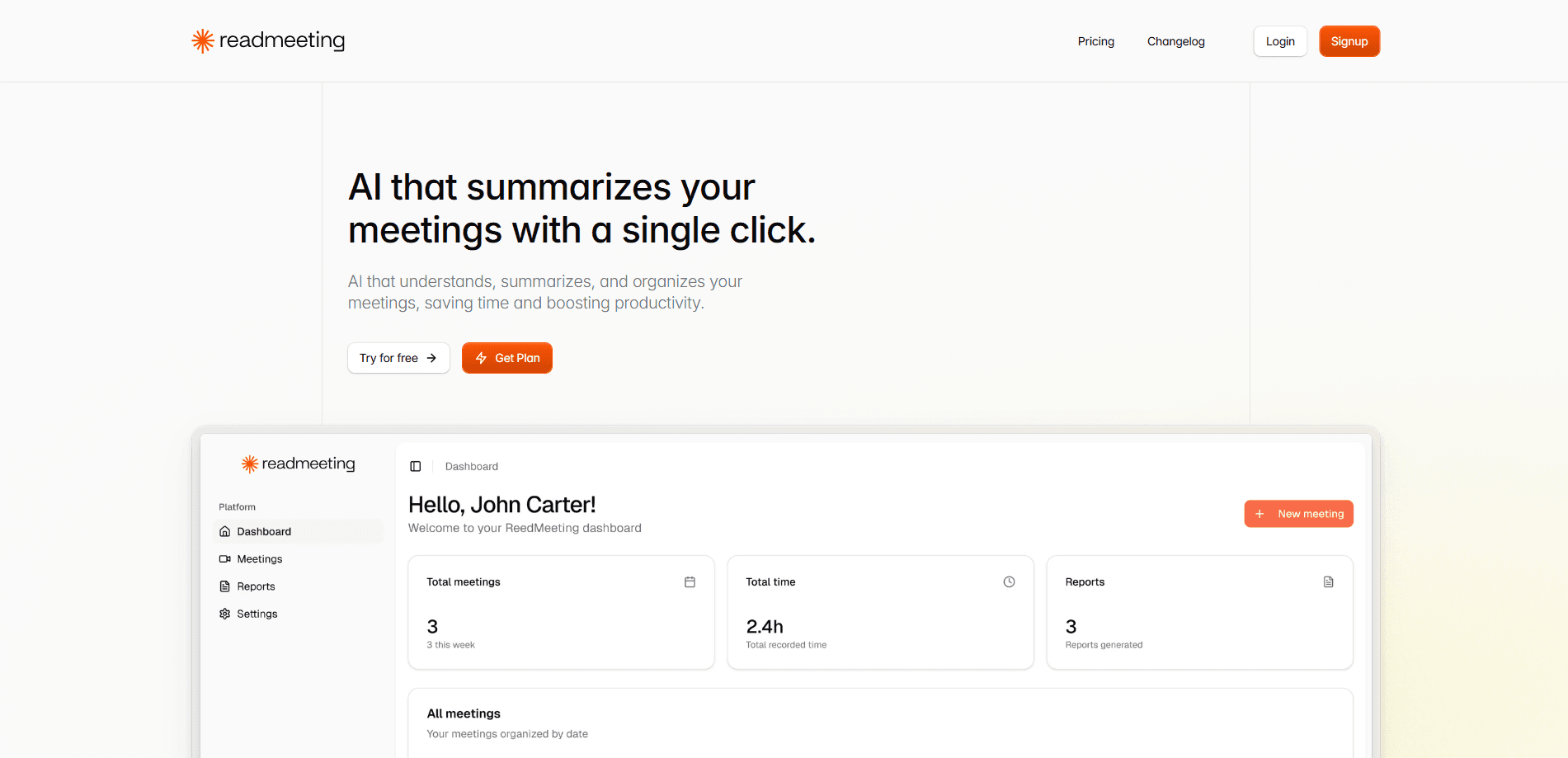
About ReadMeeting
What Is ReadMeeting
ReadMeeting is a cloud-based meeting assistant that handles the note-taking for you. You connect a calendar or start a recording, and the tool listens in, identifies who said what, and produces a written record you can actually use.
The problem it solves is simple: most people leave a meeting with a vague memory and no reliable record of the decisions or deadlines, which means follow-ups get missed and deadlines quietly slip past. Raw transcripts rarely help, because nobody reads a 40-minute wall of text. Nobody. ReadMeeting focuses on the summary instead, pulling out outcomes and follow-up tasks so you can skip the replay.
The main limit is accuracy on messy audio. Crosstalk, heavy accents and noisy rooms still trip up the transcription. That's true of every tool in this category. It's also a web-first service, so the experience is smoother on desktop than on a phone.
Getting Started
- Create a free account on the ReadMeeting website and sign in.
- Connect your Google or Outlook calendar so the assistant can see upcoming calls.
- Set it to auto-join meetings, or hit record manually before an in-person conversation.
- Let the assistant capture the call while you stay focused on the discussion.
- Open the finished summary to review decisions, action items and the full transcript.
Product Information
A quick look at ReadMeeting's pricing, supported platforms, and performance.
Best for
The users, tasks, and scenarios where this tool fits best.
Users
- Managers who run daily syncs
- Sales staff on client calls
- Recruiters screening candidates
- Students recording lectures
Tasks
- Capturing action items
- Writing follow-up emails
- Reviewing what was agreed
- Documenting in-person talks
Scenarios
- A week of back-to-back calls where you can't take notes during every one.
- A client kickoff where you need exact commitments and deadlines on record.
- An interview loop where you want to compare candidates by what they actually said.
Key features
One-Click Recording Across Meeting Platforms
ReadMeeting joins Zoom, Google Meet, Microsoft Teams and Webex calls without extra setup once your calendar is connected. You can also record in-person conversations from a phone, which covers the meetings that never had a link. The result is one place for every conversation, online or off.
Automatic Transcription With Speaker Detection
The assistant transcribes the audio and separates speakers, so a four-person call doesn't read as one long monologue. Accuracy holds up well on clear audio. It drops when people talk over each other. When the transcript is clean, finding a specific quote is a matter of scanning rather than replaying.
AI Summaries With Action Items
Instead of a wall of text, you get a short overview, the decisions reached, and tasks with owners attached. A summary of a project kickoff reads like "team agreed to ship the beta by the 15th; Priya owns the QA pass." That's the level of detail most people actually need from a meeting record, and it's specific enough to act on without asking anyone to clarify later.
Search Across Past Meetings
Once you have a month of calls stored, you can type a name or keyword and jump straight to the exact moment it was discussed, which turns "I think we covered this somewhere" into a finished answer in seconds. This is where the tool earns its keep over time. The value grows as your archive grows. It beats scrolling through notes or digging through a thread to find one deadline.
Calendar Integration and Auto-Join
Connecting Google or Outlook calendar lets ReadMeeting detect scheduled calls and join them automatically. You don't have to remember to hit record. The meeting just shows up in your list. For recurring syncs, that automation saves a prompt every single week.
Pros and cons
Pros
- Summaries are short and list clear owners and deadlines
- Speaker detection works well on clean audio
- Search across past meetings is fast and genuinely useful
- Handles Zoom, Meet, Teams, Webex and in-person recording
- Free tier is usable enough to test a full meeting cycle
Cons
- Transcription accuracy drops with crosstalk or heavy accents
- The free plan's limits arrive sooner than you'd expect on a heavy week
- Mobile reading feels cramped, so desktop is the better place to review notes
Frequently asked questions
It records your meetings, transcribes them, and produces a summary with decisions and action items. Think of it as an AI note-taker that works across Zoom, Google Meet, Microsoft Teams and Webex, plus in-person conversations.
Related content
Explore related tools, skills, and articles for ReadMeeting.
ReadMeeting Alternatives

Swms
Swms AI · Writing · Productivity · BusinessSwms is an AI safety compliance tool that turns a plain description of a job into ready-to-use safety documents. Describe your project, trade, and known hazards, and it writes a safe work method statement, job hazard analysis, safe work procedure, RAMS, or safety data sheet in seconds. It also ships with Oscar, a chat assistant that answers workplace safety questions in any language. Teams in construction, mining, transport, and warehousing use it to cut the paperwork that usually eats into a workday.

Wordly AI Translation
Wordly · Voice & Language · ProductivityWordly AI Translation is a real-time AI translation and captioning platform built for meetings, conferences, and events. It delivers live translation, captions, transcripts, and summaries in more than 60 languages, and attendees join by scanning a QR code or opening a link instead of using dedicated headsets. The platform works with Zoom, Microsoft Teams, Google Meet, and Webex, and it's designed for organizations that want multilingual access without hiring human interpreters for every session. Simple as that.

Rows
Rows (Superhuman) · Productivity · BusinessRows is an AI spreadsheet and data analysis tool that imports live data from more than 50 sources, then lets you work with it using plain language instead of SQL queries or nested formulas. You can pull numbers out of PDFs, connect ad platforms, databases, and bank accounts, and ask the AI to build reports, merge datasets, or set up models that recalculate themselves. It runs in the browser, works like a spreadsheet, and now sits under the Superhuman umbrella.