

reap
reap · Video
reap is an AI video editor that turns long videos and webinars into clips, animated captions, dubbed versions and translated subtitles, then automates the workflow with API, CLI and MCP.
About reap
What Is reap
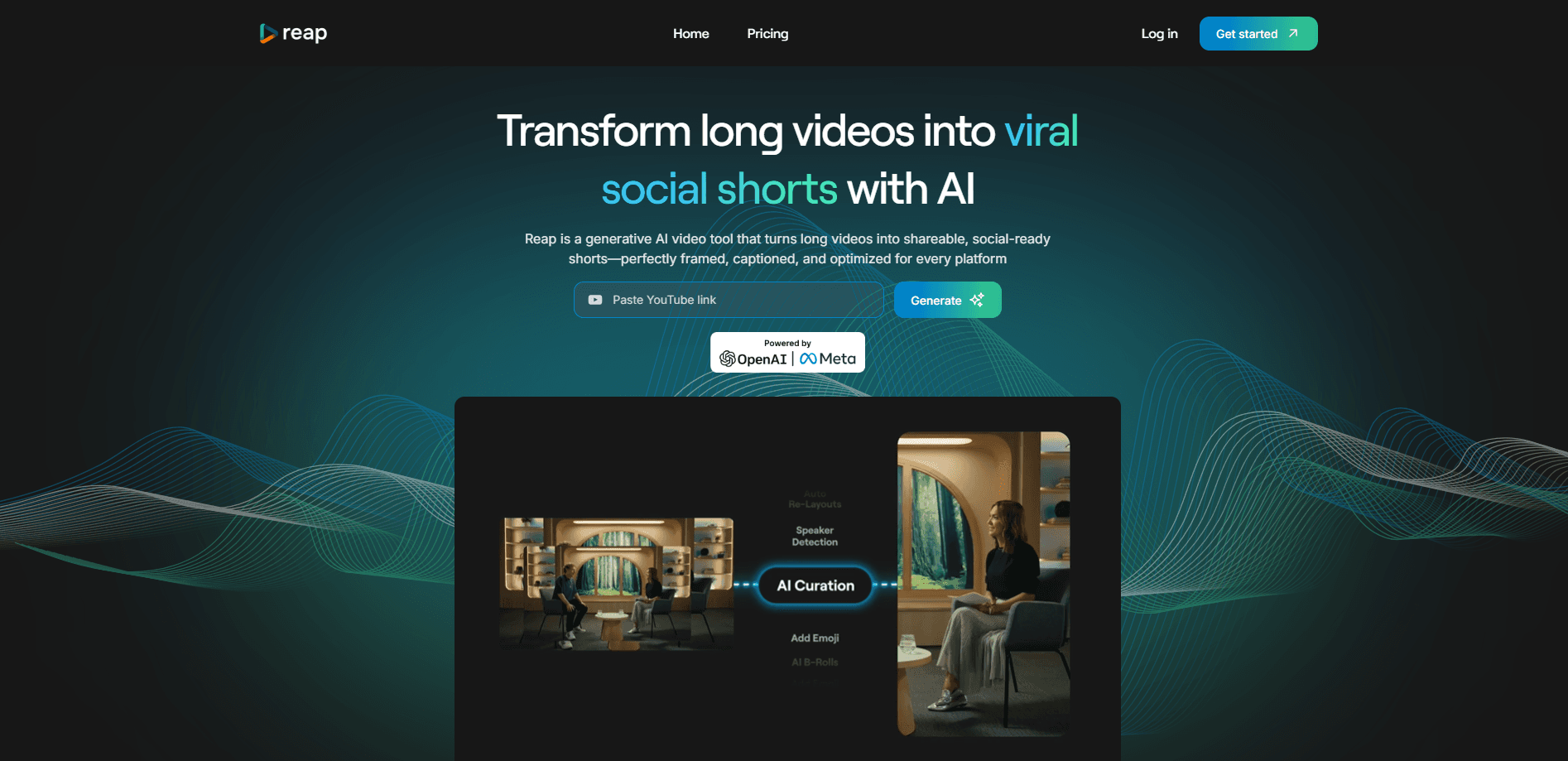
reap is an AI video editor that turns one long recording into many publish-ready pieces. It works on the video you already have, whether that's a podcast, a webinar, an interview or a lecture, and it finds the moments worth keeping. From there it cuts clips, adds animated captions, reframes them for vertical platforms and can dub or translate the result into another language.
The problem it targets is specific. A single hour of footage can hold a dozen clips worth posting, but pulling them out by hand takes most of a working day. reap does the first pass, using several signals at once, such as faces, vocal tone, pauses and pacing, to score the moments that tend to travel. The idea is to cut the manual hunting, not the editorial judgment.
reap also puts the automation on the same footing as the editor. Every paid plan includes REST API, CLI and MCP access, so a workflow can clip, caption, translate, dub and publish without anyone clicking through the app. Yet there are limits. reap leans on spoken content, so silent b-roll footage or music videos give it little to work with. Video imports cap at 5 GB on free and 10 GB on paid plans, and the free tier is watermarked.
Getting Started
- Sign up at app.reap.video and pick a plan, or start on the free tier, then bring in a video from an upload or a link to YouTube, Twitch, X or Vimeo.
- Either let the multi-signal AI pick the strongest moments, or use prompt-first clipping to tell it what to look for, such as every pricing mention or every hot take.
- Style the clips with one of the 50+ animated caption presets, apply auto-reframing for vertical formats, and fix any line in the text-based editor.
- Translate subtitles or add an AI dub, then publish straight to TikTok, Reels, Shorts, LinkedIn, X or Facebook, or schedule ahead in the content calendar.
Product Information
A quick look at reap's pricing, supported platforms, and performance.
Best for
The users, tasks, and scenarios where this tool fits best.
Users
- Content creators
- Podcasters and interviewers
- Social media managers running several accounts
- Agencies and developers
Tasks
- Turning one long video into many clips
- Adding animated captions in many languages
- Dubbing a video for another market
- Automating reuse through an API
Scenarios
- Repurposing a webinar for social
- Growing an audience outside English
- Keeping a team's output on brand
- Building a repeatable content pipeline
Key features
Prompt-first AI clipping
Instead of guessing at highlights, you tell reap what you want. This AI clipping tool works by instruction rather than by chance. Ask it to find every product mention, every hot take or every answer about pricing, and it generates clips by intent or topic. Multi-signal analysis reads faces, vocal tone, pauses and pacing to rank the moments, and an AI Virality Score offers a rough signal on which ones stand out. That turns clipping into a directed task rather than a lucky draw.
AI dubbing in 80+ languages
reap creates a language-ready version of a video without anyone re-recording it. The AI clones the original voice with natural intonation and pacing across 80+ languages, so one recording can reach audiences that do not share its first language. For creators who post in one language and want to test others, this is the feature that does the heavy lifting.
Subtitles and romanized captions in 100+ languages
Captions cover 100+ languages, and reap goes past the handful most tools support. It handles romanized scripts such as Hinglish, Romanized Urdu, Arabizi and Romanized Bengali, which is how many people actually type and read on social media. Auto-formatted captions ship sized for TikTok, Reels and Shorts, so a clip arrives ready for each feed.
API, CLI and MCP access
Every paid plan includes REST API, CLI and MCP access. There is no enterprise gate and no per-minute surcharge. The same content automation API that runs in the app can run from a terminal, from your own product or from an AI assistant through MCP, and it connects with n8n, Zapier and Make. Clip, caption, translate, dub and publish, then: all of it is scriptable and none of it is locked in the editor.
Text-based video editing
reap transcribes a video and then lets you edit by working on the text. Delete a sentence or rearrange a paragraph and the video cuts follow. It is the fastest way to fix a mistake or tighten a rambling passage, because you never scrub a timeline to find the spot. Editing reads more like editing a document than a video.
Speaker detection and auto-reframing
The AI tracks each speaker in real time and keeps the active person centered in vertical format. Multi-speaker podcasts, interviews and panels stay in frame without manual cropping, and the output can take the shape each platform wants, such as 9:16, 16:9, 1:1 or 4:5. Dynamic layout switching moves between single-crop, zoom-out and split views as the scene changes.
Brand templates and team workspace
Fonts, colors, intros, outros and caption styles lock into reusable brand templates, so output stays consistent no matter who makes it. The Team Studio workspace lets you invite members, assign admin or member roles, and share projects, assets and publishing queues across clients and campaigns. Studios can run up to 3 seats on the Studio plan and unlimited seats on Enterprise.
Social publishing and content calendar
reap connects TikTok, Instagram Reels, YouTube Shorts, LinkedIn, Facebook and X, and manages publishing from one place. It handles each platform's aspect ratio, duration and caption rules on its own, then lets you schedule weeks ahead with the built-in content calendar. AI-suggested posting times are built in as well.
Pros and cons
Pros
- The workflow covers the whole job. Clipping, captions, dubbing, translation, editing and publishing all sit in one tool, so you do not have to stitch several apps together.
- API, CLI and MCP access is in every paid plan from $9.99/month. That is unusual in a category where automation is often enterprise-only or charged per minute.
- Caption and dubbing coverage is wide. 100+ caption languages and 80+ dubbing languages, plus romanized scripts, reach audiences that most rivals leave out.
- Prompt-first clipping gives you control. Directing the AI by topic or intent beats sorting through random highlight picks.
Cons
- It leans on spoken content. Silent footage, music videos or anything without meaningful speech give the multi-signal AI little to work with.
- Free exports carry a watermark and cap at 720p, so anyone posting publicly will want a paid plan fast.
- Multi-video merge is still in private beta, so that feature may not be ready for a production workflow.
- The mobile experience is browser-only for now. Native iOS and Android apps are set to arrive in Q3 2026, so phone editing is a stopgap until then.
Frequently asked questions
reap is an AI video editor that turns long videos into short clips with animated captions, AI dubbing and translated subtitles. It also exposes the same steps through REST API, CLI and MCP, so the clipping and publishing can run automatically rather than by hand.
Related content
Explore related tools, skills, and articles for reap.
reap Alternatives
Griffin by Tavus
Tavus · Voice & Language · Video · ChatbotGriffin by Tavus is the first Human Interaction Model: a full-duplex, video-to-video system that watches, listens, and answers during a live video call in real time.

Syllaby AI Avatar 2.0
Syllaby · Video · MarketingSyllaby AI Avatar 2.0 turns a script into a presenter-led video with a reusable AI avatar, natural voice, B-roll and automatic subtitles, all in one browser workflow.

Vitra.ai
Vitra.ai · Voice & Language · Video · MarketingVitra.ai is an agentic content platform that creates, translates, reviews, and publishes video, images, documents, and app content in 120 languages from one shared brief.