

RecCloud
Wondershare · Video
RecCloud is a browser-based online video editor from Wondershare that handles subtitles, transcription, video translation and text-to-speech in one place.
About RecCloud
What Is RecCloud
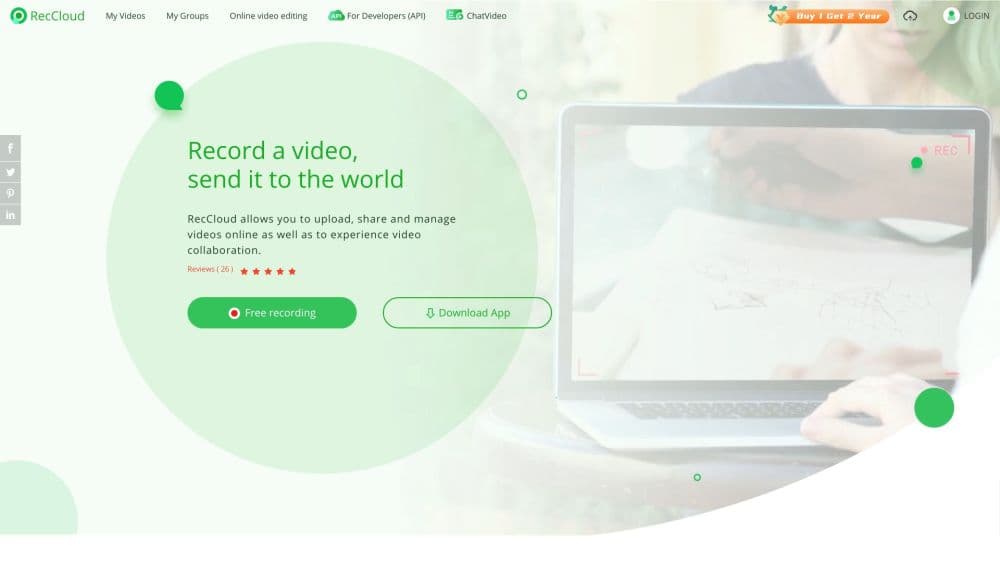
RecCloud is an online video editor and AI video and audio toolkit built by Wondershare, the company behind Filmora and PDFelement. You upload a file, pick a task, and the platform returns captions, a transcript, a dubbed track or a narration. There's no software to install, and the same account works on web, mobile and tablet.
The product targets people who deal with spoken audio but don't edit video for a living. Teachers caption lecture recordings, creators subtitle short clips, and small teams transcribe meetings. Doing the same work by hand takes hours, so the appeal is straightforward: hand a file to the AI subtitle generator and get subtitles back in minutes.
The biggest limitation is the credit system. Every AI feature burns credits, membership credits expire when your plan ends, and separately bought credits last one year at most. Heavy users on a Basic or Pro plan can run out faster than expected.
Getting Started
- Go to reccloud.com and create a free account with an email address or a social login.
- Pick a tool from the product menu, such as the AI Subtitle Generator or AI Speech to Text, then upload a local video or audio file.
- Start the AI task and wait for the platform to transcribe, translate or generate the output. Short clips finish quickly.
- Review the result, fix any words the speech recognition got wrong, and adjust subtitle styling if you plan to burn captions in.
- Download the file or export just the subtitle track. Free users can export without a watermark on several tools.
Product Information
A quick look at RecCloud's pricing, supported platforms, and performance.
Best for
The users, tasks, and scenarios where this tool fits best.
Users
- Online educators
- Short video creators
- Meeting note takers
Tasks
- Subtitle generation
- Video translation with voiceover
- Text-to-speech narration
- Screen recording
Scenarios
- Republishing a popular clip for a foreign audience
- Turning a webinar into a written recap
- Producing faceless short dramas and animations
Key features
AI Subtitle Generator
This is the tool most people arrive for. It transcribes a video, times the captions and lets you style them before export. AI translation reaches 99 languages, and you can keep the original on-screen text or remove it for a clean look.
AI Speech to Text
Upload a recording or speak in real time and this video transcription tool returns a transcript you can polish, summarize or translate. It handles meetings, lectures and interviews, with dialogue separation for multi-speaker files. The transcript is the raw material for nearly every other feature.
AI Video Translator
Video translation bundles two jobs into one pass: it generates captions in the target language and adds a voiceover. The AI picks a matching voice tone, including regional accents, so the dubbed result sounds less robotic than a flat reading.
AI Text to Speech
Type or paste text and the platform reads it back in multiple languages and voice styles, from standard narrators to cartoon characters. It's the cheapest way to add narration to a slideshow or audiobook when you aren't ready to hire a voice actor.
AI Text to Video and Video Generation Agent
Enter a prompt and the generation agent writes a script, builds scenes, adds voiceover and lays down background music. This suits short dramas, animations and marketing clips where you want a finished video without filming anything.
Cross-Platform Access and Cloud Storage
One membership unlocks the mobile, tablet and desktop versions, so a task started on a phone can be picked up later on a laptop. Finished files sit in cloud storage ready to share with a link.
Pros and cons
Pros
- Runs in a browser, so you caption and translate video without installing editing software.
- The AI Subtitle Generator supports 99 translation languages and handles dual-language captions.
- One account works across browser, iOS and Android without a separate purchase.
- Desktop and mobile screen recording come built in, useful for tutorials.
- The platform holds ISO/IEC 27001, ISO/IEC 27701 and GDPR compliance statements.
Cons
- Credits expire: membership credits vanish when a plan ends, and bought credits last only one year.
- Commercial use is restricted, since profit-making projects need the Business membership.
- Speech recognition still needs a manual pass on noisy audio or heavy accents, so plan review time.
Frequently asked questions
RecCloud is an online platform for turning audio and video into text and other formats. Its main jobs are generating subtitles, transcribing speech, translating videos with voiceover and converting text into natural speech.
Related content
Explore related tools, skills, and articles for RecCloud.
RecCloud Alternatives

Vadu AI
Vadu AI · Image · VideoVadu AI is a web-based AI video generator that turns written prompts or still images into short clips, and it can also generate images on its own. You type what you want, pick a model and style, and the platform renders the result in minutes. A free plan covers light testing, while paid tiers run from $9 to $77.40 per month based on how many credits you burn.

Mykaraoke Video
MyKaraoke Video · VideoMykaraoke Video is an online karaoke video maker and lyric video maker that turns any song into a finished, lyrics-synced video right in your browser. It handles the slow part for you. The AI pulls vocals out of the mix and locks the lyrics to the beat, then lets you customize background, fonts, and colors before exporting in 1080p MP4. If you make lyric videos for social media, party nights, or music promotion, it skips the software installs and manual timing work entirely. Want a karaoke video generator that doesn't eat your whole evening? That's the pitch here.

Finalframe
Finalframe · VideoFinalframe is a set of free, browser-based tools for grabbing exact frames out of a video clip. Its best-known feature, the Final Frame Extractor, lets you extract the last frame of any video so you can use it as the starting image for AI video tools like Luma Dream Machine, Runway, or Kling. Want to keep a clip going? That last frame is your starting point. The tool runs locally in your browser, needs no sign-up, and costs nothing. A separate paid AI video-generation app from the same team is currently offline while it's rebuilt.