

Receiptsai
PMC Technologies OÜ · Productivity · Business
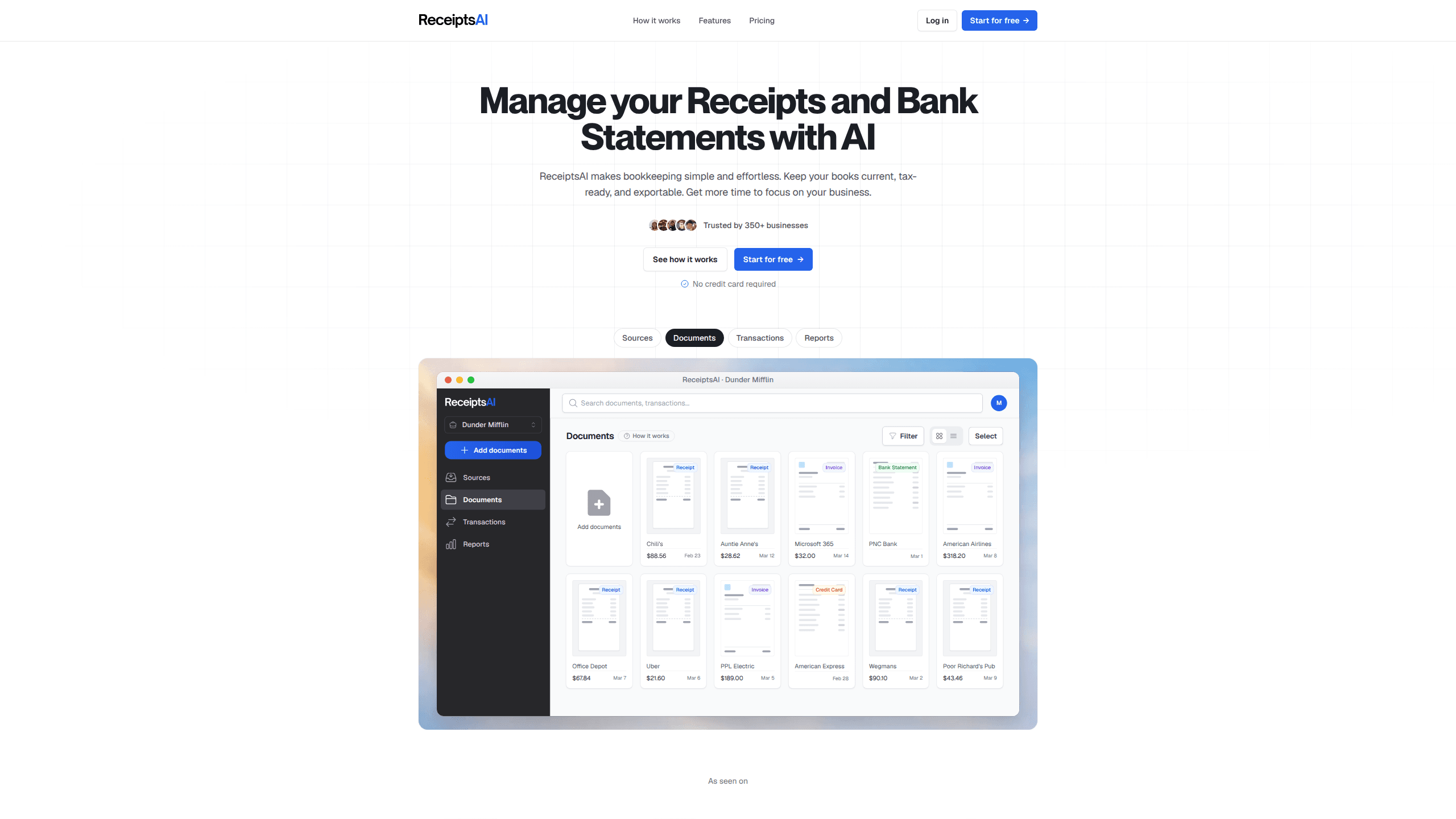
Receiptsai is AI bookkeeping software that turns receipts, invoices, and bank statements into organized, exportable data. You upload documents or forward them by email. The app pulls out the amounts, merchants, dates, and taxes on its own. Freelancers and small businesses use it to automate bookkeeping and keep their books current, without sitting down for a weekly cleanup that eats a whole evening. It runs in the browser. Start free with 30 credits, then decide if you want to pay.
About Receiptsai
What Is Receiptsai
Receiptsai is a web app built by PMC Technologies OÜ for people who hate doing the books. It reads the documents you already collect, extracts the details that matter, and sorts everything into categories you can export to a spreadsheet or hand to an accountant.
The pitch is simple: capture as you go, stay tax-ready, skip the manual keying. The company says 350+ small businesses have pushed more than 100,000 documents through it. That's a modest user base. It isn't a giant enterprise platform. Small teams and solo operators get the most out of it, and it works well as a freelancer bookkeeping app for anyone who'd rather not spend their weekends reconciling receipts against bank statements or hiring a bookkeeper just to stay current.
The main limit is scope. Receiptsai handles document capture, extraction, and export. It isn't full accounting software. You won't close your books or file taxes inside it, and it expects English-language documents, which rules it out if you work in another language.
Getting Started
- Sign up at the web app with an email address, no credit card needed. Your account is tied to that email, and you log back in with a link sent to your inbox.
- Set up a workspace for your business and connect a mailbox if you want receipts to land in your books automatically.
- Upload receipts and invoices as JPG, JPEG, or PNG, and bank statements as PDF. Or email them to your dedicated forwarding address.
- Review the extracted fields side by side with the original document, then fix anything the AI got wrong.
- Export the organized data to a spreadsheet, or leave it in the app for your accountant to pull when tax season arrives.
Product Information
A quick look at Receiptsai's pricing, supported platforms, and performance.
Best for
The users, tasks, and scenarios where this tool fits best.
Users
- Freelancers
- Small business owners
- Bookkeepers and accountants
- Teams with employees
Tasks
- Scanning and extracting receipt data
- Matching receipts to bank statements
- Converting bank statements
- Categorizing business expenses
- Renaming files
- Preparing tax-ready records
Scenarios
- A freelancer who collects receipts on the go and wants them filed without a weekly pile-up.
- A small shop owner separating business and personal spending across two workspaces.
- A bookkeeper juggling several clients who needs a fast way to convert statements.
- A business trip where receipts would otherwise sit unfiled for weeks.
- An employee forwarding a photo of a receipt to a company inbox instead of using a tool.
Key features
AI Receipt and Invoice Extraction
Receiptsai reads your documents and pulls out 50+ data fields, including merchant details, amounts, dates, taxes, line items, and payment methods that you'd otherwise key in one by one at the end of every month. The company claims 99%+ accuracy. Trust it anyway? Spot-check a batch first. The receipt scanner supports PDF, JPG, JPEG, and PNG, and handles multiple currencies.
Email Forwarding
Every user gets a forwarding address, so you can email receipts to [email protected] and have them land in your books. Paid plans let you connect a Gmail or Outlook mailbox with a forwarding rule set up once. On Premium+, employees can send documents in without seeing the app at all. No logins to chase.
Automatic Categorization
The app sorts expenses on its own and lets you build custom rules for the way your business works. Starter includes 30 categories, while Premium and Premium+ raise that to 100 across workspaces. It's the part that saves the most repetitive clicking each month, and the rules keep paying off long after you set them up.
Receipt Matching
Premium plans match bank transactions with their receipts automatically, which closes the gap where a charge shows up on your statement but has no paper trail behind it when your accountant starts asking questions. Ever spent an afternoon hunting for one missing receipt? This is the feature to look at.
Reports and Exports
You can generate expense reports, monthly summaries, and spending charts, then export receipts and PDFs as structured spreadsheet data. That makes expense tracking something you review instead of something you reconstruct by hand. The export is what most people actually need. It feeds straight into whatever accounting software you already use.
Multi-Currency Handling
Foreign receipts get converted to your currency at the latest exchange rates on the Starter plan, so you always see a current figure rather than a stale one. Premium upgrades this to historical conversion, using the exchange rate from each document's own date, which gives you more accurate books when you buy abroad, settle the card weeks later, and need the numbers to line up with what the bank actually charged you.
Privacy Controls
Before any document reaches the AI, you can hide sensitive words and phrases. The company says it uses AES-256 encryption and doesn't store credit card details, processing payments through Stripe instead. You can also delete your data. Once you do, the company says it's gone for good.
Pros and cons
Pros
- The free tier gives you 30 credits with no credit card, enough to judge whether the extraction quality works for your documents.
- Email forwarding means you can file receipts from your phone in seconds, without opening the app.
- Automatic receipt matching on paid plans saves the tedious job of reconciling statements by hand.
- Pricing is low for the category, starting at $12/mo, with a 30-day money back guarantee.
- Data exports are structured, so the output drops into spreadsheets and accounting tools without reformatting.
Cons
- No public API, so you can't wire Receiptsai into a custom workflow or another app.
- It only reads English documents, which blocks anyone whose receipts are in another language.
- Credits are metered per page, so heavy months can burn through your plan faster than you'd expect.
- It isn't full accounting software, so you'll still need another tool to close your books and file taxes.
Frequently asked questions
It's AI bookkeeping software that reads your receipts, invoices, and bank statements, extracts the key fields, and organizes them into categories you can export. Think of it as the capture-and-organize layer that sits before your accounting software.
Related content
Explore related tools, skills, and articles for Receiptsai.
Receiptsai Alternatives

Swms
Swms AI · Writing · Productivity · BusinessSwms is an AI safety compliance tool that turns a plain description of a job into ready-to-use safety documents. Describe your project, trade, and known hazards, and it writes a safe work method statement, job hazard analysis, safe work procedure, RAMS, or safety data sheet in seconds. It also ships with Oscar, a chat assistant that answers workplace safety questions in any language. Teams in construction, mining, transport, and warehousing use it to cut the paperwork that usually eats into a workday.

Wordly AI Translation
Wordly · Voice & Language · ProductivityWordly AI Translation is a real-time AI translation and captioning platform built for meetings, conferences, and events. It delivers live translation, captions, transcripts, and summaries in more than 60 languages, and attendees join by scanning a QR code or opening a link instead of using dedicated headsets. The platform works with Zoom, Microsoft Teams, Google Meet, and Webex, and it's designed for organizations that want multilingual access without hiring human interpreters for every session. Simple as that.

Rows
Rows (Superhuman) · Productivity · BusinessRows is an AI spreadsheet and data analysis tool that imports live data from more than 50 sources, then lets you work with it using plain language instead of SQL queries or nested formulas. You can pull numbers out of PDFs, connect ad platforms, databases, and bank accounts, and ask the AI to build reports, merge datasets, or set up models that recalculate themselves. It runs in the browser, works like a spreadsheet, and now sits under the Superhuman umbrella.