
Redactify
Redactify · Video
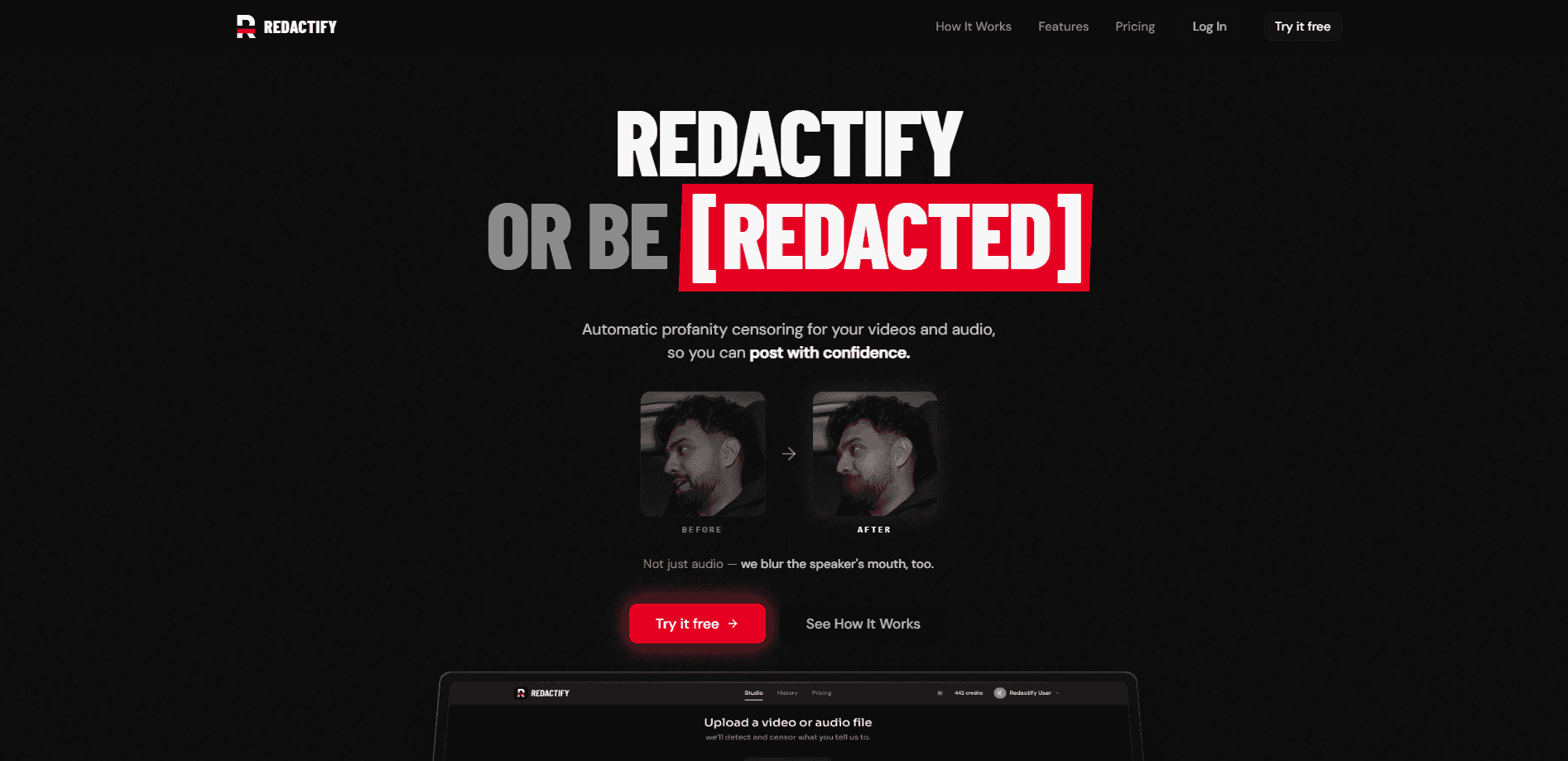
Redactify is a profanity censor tool for video and audio that listens to your footage, flags offensive words, and applies clean, platform-ready censorship in one pass. It targets creators, podcasters, and social teams who want to publish without a surprise takedown. You upload a file, review what it caught, and export a version that's safe for ads and family-friendly feeds. So why drag a clip through a manual scrub when the detector can do the first pass for you? Mouth-blurring is included too, so a lip-reader can't just read the word you removed.
About Redactify
What Is Redactify
Redactify is a web-based censorship tool that finds profanity in your video or audio and removes it automatically. Instead of scrubbing a timeline by ear, you let the detector scan the file, then approve or adjust the words it caught. The pitch is simple: keep the take, lose the swearing.
The tool exists because most editors treat censoring as manual labor. You spot the swear, cut it, and drop in a bleep to bleep out swearing. Then you hope you didn't miss one three minutes later, which is exactly the kind of slow, error-prone job that a dedicated profanity censor tool is meant to erase for good. Redactify flips that by making detection the first step and the edit the second.
Its standout trick is mouth-blurring. When a word is censored, Redactify can blur the speaker's mouth so viewers can't simply read the missing word on their lips. The main limit is scope. This is a censorship and redaction tool, not a full video editor, and if you need transitions, color grading, or multitrack audio, you'll still finish in your normal editor before you publish.
Getting Started
- Open Redactify in your browser and create an account.
- Upload the video or audio file you want to censor.
- Let the detector scan the clip and list the words it found.
- Review the flagged words, then keep, remove, or adjust each one.
- Apply the censorship, optionally enable mouth-blurring, and download the clean export.
That's the whole loop. Quick and clean.
Product Information
A quick look at Redactify's pricing, supported platforms, and performance.
Best for
The users, tasks, and scenarios where this tool fits best.
Users
- Video creators
- Podcasters
- Social media managers
Tasks
- Censor profanity in video before it goes live
- Cleaning a podcast episode
- Preparing a family-friendly cut
Scenarios
- Uploading gameplay commentary where reactions get colorful under pressure.
- Reworking a livestream VOD before the platform flags it.
- Building a client-safe version of a testimonial or interview clip.
Key features
Automatic Profanity Detection
Redactify scans your audio and flags offensive words for you, so you aren't replaying a two-hour clip to find four swears. Automatic profanity detection runs on the spoken track. That means it catches words whether or not you remember saying them. Then you review the list and decide what stays and what goes.
Mouth-Blurring Censorship
When a word is censored, the tool can blur the speaker's mouth on screen. A plain bleep leaves the word readable to anyone who watches lips, and blurring closes that gap for content aimed at younger viewers or governed by tight ad guidelines. One more layer. Cheap insurance.
Platform-Ready Censorship
The output is built to clear common publishing rules rather than just muffle sound, so the censored version is meant to pass the kinds of automated checks that flag strong language on major video and social platforms. Think of a video censor pass that doubles as a content moderation tool. You get a file you can upload without a second cleanup trip. No re-editing. No guesswork.
Single-Pass Workflow
Upload, scan, review, export. The whole loop stays in one browser window, so you don't bounce between a detector, an editor, and an audio tool. That's it. No app-hopping. For creators who publish often, a shorter path between a raw take and a clean upload is the real selling point, far more than any single feature.
Word-Level Review
You keep control over the final cut, and Redactify shows each flagged word so you can approve the obvious ones and ignore a false positive, like a name that sounds like a swear. Not perfect. Not blind either. It beats raw automation, because censorship you can't override is worse than useless.
Pros and cons
Pros
- Detection-first workflow saves the manual scrub through long clips.
- Mouth-blurring adds a layer that a bleep alone can't cover.
- Runs in the browser, so there's no heavy install for a quick censor job.
- Keeps you in the loop with word-level review instead of blind automation.
Cons
- It's a censorship tool, not a full editor, so final polishing still happens elsewhere.
- Detection quality depends on the audio being clear; heavy background noise can produce missed words or false flags.
- Pricing and plan limits aren't spelled out clearly on the public site, so you may need to check inside the app.
Frequently asked questions
It finds profanity in your video or audio and censors it for you. You upload a file, review the words it flagged, then export a clean version. It's built for publishing, not for creative editing.
Related content
Explore related tools, skills, and articles for Redactify.
Redactify Alternatives

ngram 2.0
ngram · Video · Marketingngram 2.0 is an AI video generator for teams. It turns a prompt, a screen recording, or a product URL into a narrated explainer, product demo, or AI avatar video, and every scene stays editable.

OpenScreen 2
OpenScreen (open-source project) · Video · ProductivityOpenScreen 2 is a free, open-source screen recorder and demo video editor for Windows, macOS, and Linux, with automatic zooms, styled frames, local captions, and agent edits.

Skreno
Skreno · Video · ProductivitySkreno is a browser screen recorder that captures a tab, a window or your whole display, then attaches AI transcripts, summaries and console logs to one share link.