
Reelmind
XIENX INC · Video
ReelMind is an AI video generator and creation platform where you generate, edit, remix and share cinematic clips across models like Kling 3.0, Seedance 2.5 and Grok Imagine.
About Reelmind
What Is ReelMind
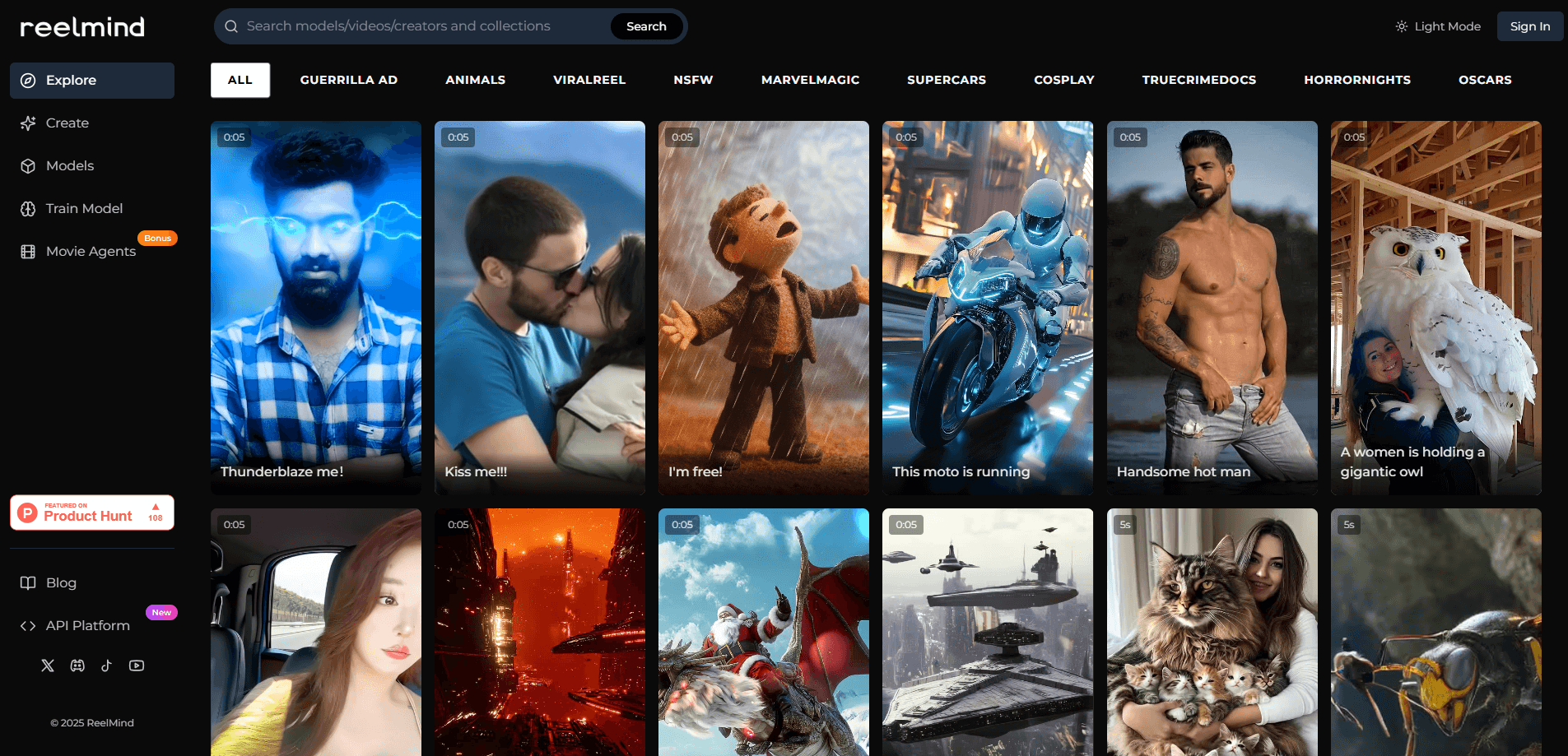
ReelMind is a web platform built around AI video. You type a prompt or drop in an image, pick a model, and get a clip back. The difference from a single-model tool is that ReelMind puts several model families in one place, so you can compare outputs and switch without juggling separate accounts.
The site runs a community layer on top of generation. Every video can be published, remixed and passed around, which turns one clip into a starting point for dozens of variations. There's also a Studio for commissioned work and a developer API for teams that want direct access.
The main limit is knowing which model to reach for. Each family handles motion, length and audio differently, and ReelMind doesn't hide that behind a single button. You get more control, but you also make more decisions.
Getting Started
- Create an account with an email address or a third-party login, then sign in.
- Open the create page and pick a model family, such as a video model for motion or an image model for stills.
- Enter a text prompt, or upload an image for image-to-video and video-to-video work.
- Generate the clip, then refine it with editing tools or remix an existing community video.
- Publish your result to the community, or generate an API key to call the models from your own app.
Product Information
A quick look at Reelmind's pricing, supported platforms, and performance.
Best for
The users, tasks, and scenarios where this tool fits best.
Users
- Independent creators
- Social video makers
- Small studios and freelancers
- Developers
Tasks
- Turning a script or prompt into a short cinematic clip
- Animating a still image
- Restyling or extending an existing clip
- Generating supporting stills and effects
- Wiring generation into an app
Scenarios
- Testing ideas quickly
- Building a content pipeline
- Selling production work
- Exploring what AI video can do
Key features
Multiple Video Model Families in One Place
ReelMind hosts several model families side by side, including Seedance 2.5, Kling 3.0, Grok Imagine, Vibe Motion and MiniMax. Because they sit in one workspace, you can compare motion quality, clip length and pricing without opening separate sites. Each model has its own strengths, so picking the right one takes a little learning.
Remix and Community Workflow
Every published video doubles as a template. You can open another creator's clip, remix it, and push your version back into the feed. That keeps ideas circulating and speeds up iteration. It also means you need to check the license and credit terms before reusing someone else's work.
Text, Image and Video Input Modes
Generation isn't limited to text. You can start from an image for image-to-video, work from an existing clip for video-to-video, or generate stills and effects with image models. Matching the input mode to what you already have saves time, and it's the fastest way to get a usable result out of a rough idea.
Studio for Commissioned Production
Studio is the commercial side of ReelMind. It's set up for commissioning and producing AI films, commercials and short series, with open projects and payout handling. It suits people who can already deliver finished work rather than casual users trying a prompt or two.
DeepSeek Harness for Agent and Tool Workflows
The DeepSeek Harness adds an agent runtime that streams results and connects to language models, MCP tools and token-based billing. It's aimed at builders who want generation to run inside an automated workflow rather than through manual clicks in the browser.
Developer API with Model-Level Pricing
ReelMind runs an AI video API alongside an MCP server and a CLI, all pointed at a single base URL with API keys you manage from your account. Pricing is tracked per model and per second, so costs scale with what you actually generate. Examples listed on the site include Seedance 2.0 at roughly $0.15 per second and MiniMax H3 at about $0.012 per second.
Pros and cons
Pros
- Several video and image models in one workspace, so you can compare and switch without extra subscriptions.
- A remix-first community that turns published clips into reusable starting points.
- Both a browser interface for hands-on creation and an API, MCP server and CLI for automation.
- Per-second, per-model pricing that lets you match cost to the job.
- A Studio arm for turning AI video skills into paid commission work.
Cons
- Choosing among many models adds a learning curve; results vary a lot between them.
- Membership and credit pricing aren't shown as fixed tiers on the public pages, so you confirm costs at checkout.
- Reusing community videos depends on license and credit terms, which puts the responsibility on you.
- The platform leans on hosted third-party models, so output quality and availability track those providers.
Frequently asked questions
You generate AI videos and images from text, images or existing clips, then edit, remix and publish them. You can also commission work through Studio or call the models through the API.
Related content
Explore related tools, skills, and articles for Reelmind.
Reelmind Alternatives

ngram 2.0
ngram · Video · Marketingngram 2.0 is an AI video generator for teams. It turns a prompt, a screen recording, or a product URL into a narrated explainer, product demo, or AI avatar video, and every scene stays editable.

OpenScreen 2
OpenScreen (open-source project) · Video · ProductivityOpenScreen 2 is a free, open-source screen recorder and demo video editor for Windows, macOS, and Linux, with automatic zooms, styled frames, local captions, and agent edits.

Skreno
Skreno · Video · ProductivitySkreno is a browser screen recorder that captures a tab, a window or your whole display, then attaches AI transcripts, summaries and console logs to one share link.