

ReelMuse AI
Deloris AI · Video
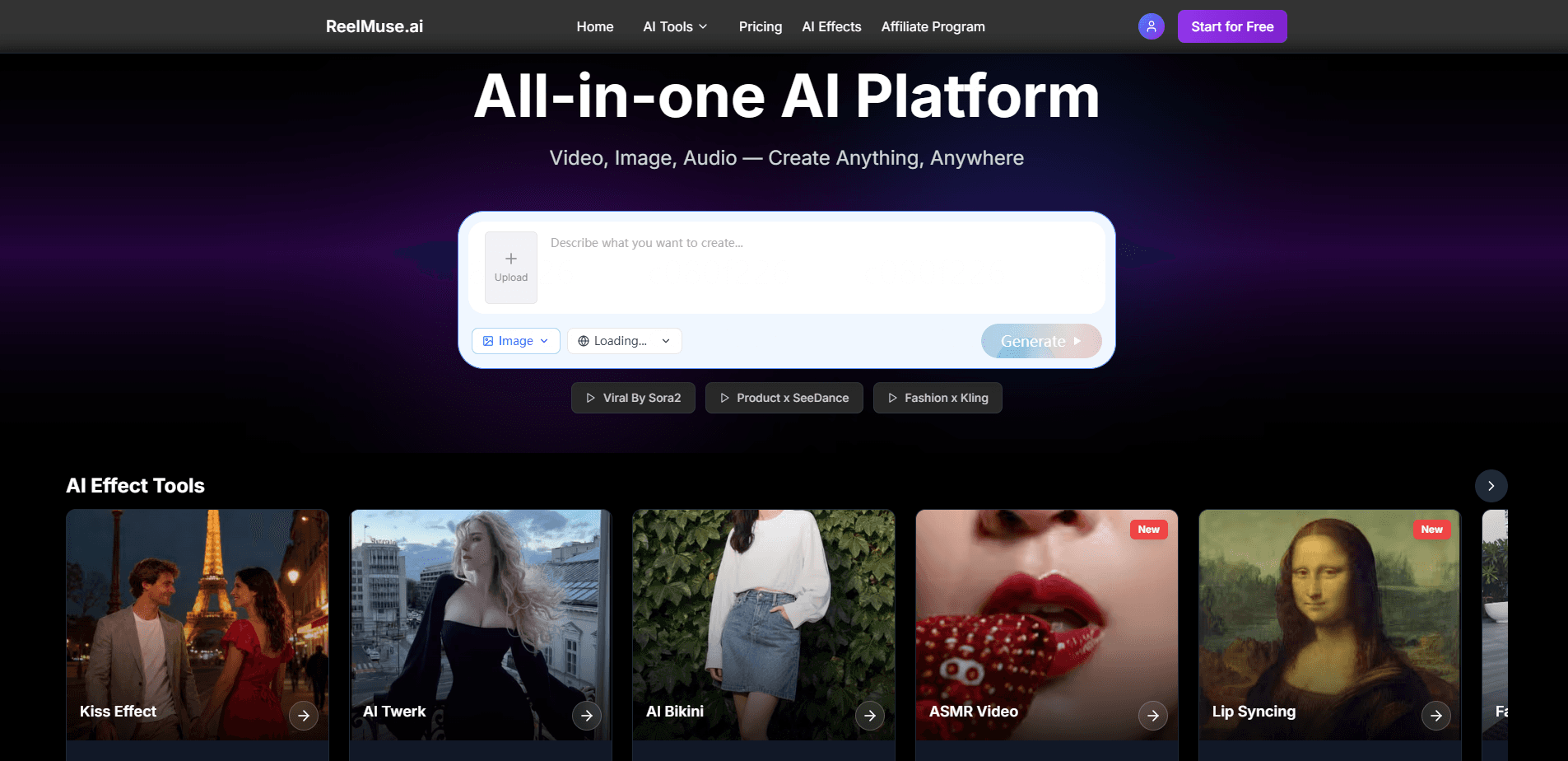
ReelMuse AI is a web platform for turning everyday photos and clips into short AI videos. You upload an image, pick an effect like AI kiss, lip sync, or face swap, and it hands back a share-ready clip in minutes. It leans on a growing library of one-click effects and finishing tools built for TikTok, Reels, and Shorts rather than for full editing suites.
About ReelMuse AI
What Is ReelMuse AI
ReelMuse AI is an all-in-one AI video platform aimed at people who want social-ready clips without learning an editing workflow. The core idea is simple. One or two photos go in, a chosen effect does the work, and a short video comes out. The effects skew playful. Kiss, lip sync, dance, figurine, and Ghibli-style looks all show up as first-class options on the homepage.
It's built for first-time creators, not pros. There's no timeline to scrub, no keyframes to set, and no prompt-writing skill required. That lowers the bar for anyone who just wants the trend-of-the-week format without hiring an editor or learning a full tool.
The catch is control. Because everything runs through preset effects, you get fast results but limited room to fine-tune movement, timing, or camera work. If you need frame-level precision, this isn't the tool for it. It's also worth noting the products is web-based, so there's no dedicated mobile app to install.
Getting Started
- Open reelmuse.ai in a browser and start with the free trial, no special gear needed.
- Upload one or two photos from your phone or computer to feed the effect.
- Pick an effect such as kiss, lip sync, face swap, or figurine-style animation.
- Let the platform generate the clip; most creations finish in a few minutes.
- Download the result and post it to TikTok, Reels, or Shorts.
Product Information
A quick look at ReelMuse AI's pricing, supported platforms, and performance.
Best for
The users, tasks, and scenarios where this tool fits best.
Users
- Casual social media creators who want trending formats fast, as long as preset effects cover the look they need.
- Beginners with no editing background who'd rather pick an effect than learn a full editor.
- Small businesses and solo marketers making quick promo clips from existing product photos.
Tasks
- Turning a portrait into an AI kiss or lip sync generator clip for a reel.
- Making a face swap video or figurine-style transformation for fun, shareable posts.
- Adding motion to a still image with image-to-video effects.
Scenarios
- Riding a viral trend the week it peaks, where speed matters more than polish.
- Filling a short-form content calendar on a tight budget without an editor.
- Testing a concept with a quick clip before committing to a full production.
Key features
One-Click AI Effects
The headline feature is a library of preset effects you apply without touching a timeline. AI kiss video, lip sync, dance, and face swap formats are all there, along with figurine and Ghibli-style looks. You pick one, feed it a photo, and get a clip back. The trade-off is that every result stays within the bounds of that preset, so you can't push it far beyond what the effect was designed to do.
Image-to-Video Generation
ReelMuse AI animates still images rather than asking you to shoot new footage. That matters if your best content is already sitting in your camera roll. A single photo can become a moving clip, which saves the whole step of recording, stabilizing, and cutting video yourself. If all you have is a portrait and a trend to match, that's often the entire production you need.
Powered by Third-Party Video Models
The platform runs on top of established video foundation models rather than a single in-house engine. In practice, that means output quality tracks whatever the underlying models can do, and it can shift as those models get updated. It also means ReelMuse's job is mostly the interface and effects layer, not the generation itself.
Built-In AI Editing Tools
Beyond one-click effects, there's a set of finishing tools for cleanup, enhancement, audio isolation, and video finishing. These are lighter than what a dedicated editor offers, but they let you tidy a clip before posting instead of exporting and switching apps.
Short-Form Ready Output
Everything is shaped for vertical, short-form platforms. It works like a lightweight TikTok video maker. Clips drop straight into TikTok, Instagram Reels, or YouTube Shorts without reformatting. Need widescreen or long-form video instead? This isn't aimed at you.
No-Skill Onboarding
The workflow is upload, choose, generate. There's no prompt engineering and no editing vocabulary to learn first. That's the real draw here: you can go from zero experience to a posted clip in one sitting, which is exactly what most beginner tools in this space get wrong.
Pros and cons
Pros
- Fast turnaround, with most effects producing a share-ready clip in minutes.
- Low learning curve suits people with no editing or prompt-writing experience.
- Runs in a browser, so there's nothing to install and it works across devices.
- Output is formatted for short-form platforms like TikTok, Reels, and Shorts.
- A free trial lets you test effects before paying.
Cons
- Preset effects limit fine control over movement, timing, and framing.
- Generation quality depends on third-party models and can vary by effect.
- No dedicated mobile app, which is awkward for phone-first creators.
- Pricing isn't shown clearly on the public site, so you may need to sign up to see plan details.
Frequently asked questions
You can make short AI videos from photos, including AI kiss clips, lip sync videos, face swaps, dance videos, and figurine or Ghibli-style transformations. It also handles image-to-video motion for turning a still photo into a moving clip.
Related content
Explore related tools, skills, and articles for ReelMuse AI.
ReelMuse AI Alternatives

ngram 2.0
ngram · Video · Marketingngram 2.0 is an AI video generator for teams. It turns a prompt, a screen recording, or a product URL into a narrated explainer, product demo, or AI avatar video, and every scene stays editable.

OpenScreen 2
OpenScreen (open-source project) · Video · ProductivityOpenScreen 2 is a free, open-source screen recorder and demo video editor for Windows, macOS, and Linux, with automatic zooms, styled frames, local captions, and agent edits.

Skreno
Skreno · Video · ProductivitySkreno is a browser screen recorder that captures a tab, a window or your whole display, then attaches AI transcripts, summaries and console logs to one share link.