

Reelze
REELZE LTD · Video
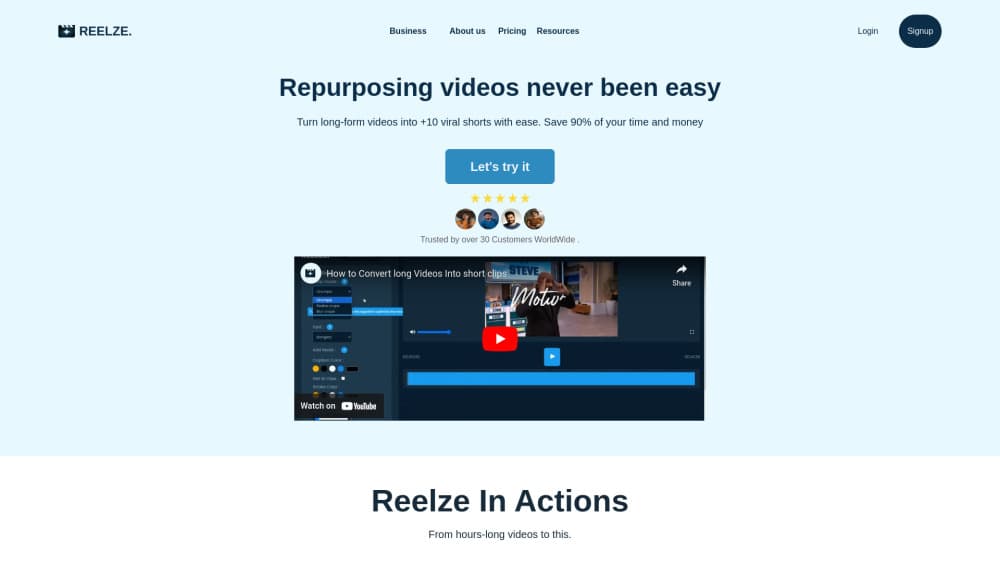
Reelze is an AI video app that turns a written script or idea into faceless vertical shorts for Reels, TikTok, and YouTube Shorts, with template scenes, AI voiceover, and multi-language output.
About Reelze
What Is Reelze
Reelze is a browser and mobile app for making short videos without appearing on camera. You pick a template, paste a script, choose a voice and a language, and the tool assembles a vertical clip with narration and on-screen text.
The product is a short-form video tool in the same corner of the market as other faceless video generators. What separates it is the language layer. The same script can be rendered in more than one language with a different voice, which suits creators running several regional accounts from one laptop.
The catch is scope. Reelze is a template-driven tool, so the visual variety you get depends on the scene library, and a script that needs bespoke footage will feel boxed in. There's also very little public documentation, which makes trial and error part of the process. Compared with a full editor, an AI shorts maker like this one trades control for speed, and that trade is the whole point.
Getting Started
- Create a Reelze account on the web or install the app on iOS or Android.
- Choose a template that matches the format you want, such as a list video, a story clip, or a quote short.
- Paste your script or describe the topic, then pick a voice and a language from the available options.
- Preview the generated short, adjust the text and scenes, then export it for the platform you're posting to.
Product Information
A quick look at Reelze's pricing, supported platforms, and performance.
Best for
The users, tasks, and scenarios where this tool fits best.
Users
- Faceless creators
- Social media marketers
- Small business owners
Tasks
- Turning a listicle into a short
- Dubbing a script for another market
- Filling a posting calendar
- Repurposing a long recording
Scenarios
- A motivational or history channel that never shows a presenter and needs steady daily uploads.
- A agency producing localized ad variants for clients in several countries on a tight deadline.
- A side project testing whether short-form traffic is worth the effort before investing in a camera setup.
Key features
Faceless Templates
Reelze builds videos from preset scene layouts rather than a blank timeline. Each template defines the pacing, text placement, and background style, so you fill in a script and get a finished-looking short without touching keyframes. The tradeoff is repetition: viewers who watch several of your videos will notice the same visual rhythm.
Script to Voiceover
The text to video shorts flow starts with narration you type, and the tool reads it in an AI voice. No microphone, no retakes, no room noise. For a faceless channel, this removes the main reason people give up on video, which is the discomfort of recording their own voice.
Multiple Voice Options
The voice library covers different tones and genders, and you can change the voice per project rather than locking one to the account. That matters when a channel runs two series that should not sound identical, or when a client wants a specific delivery style.
Multi-Language Output
Reelze supports generating the same short in more than one language. You keep one script and swap the language and voice, which is faster than rewriting for each market. Check the pronunciation on names and technical terms before publishing, since AI voices still stumble on unfamiliar words.
Fast Export for Vertical Platforms
Rendered videos come out in a vertical frame sized for Instagram Reels, TikTok, and YouTube Shorts. The workflow ends with a download, so you post through each platform's own uploader rather than scheduling inside Reelze.
Clip Repurposing
Reelze's launch listing describes a second workflow: feeding in a longer recording and getting back short clips with captions and hashtags. It's useful for podcast or interview material that already exists. Treat it as a companion feature rather than the core product, since the faceless template flow is what the app is built around.
Pros and cons
Pros
- Script-first workflow means you can produce a short without a camera, a microphone, or a face on screen.
- Language switching on the same script cuts the work of running several regional accounts.
- Template pacing handles the editing decisions most beginners get stuck on, such as scene length and text timing.
- Works on web, iOS, and Android, so a draft started on a laptop can be finished on a phone.
- Entry pricing starts below most subscription video editors, which keeps the test cheap.
Cons
- The template library sets the visual ceiling. Anything that needs original footage or custom motion graphics won't fit.
- Public documentation is thin, so pricing details, export limits, and voice counts are easier to confirm inside the app than before signing up.
- AI narration still mispronounces unusual names and technical terms, which means a listen-through before every publish.
- No public API is documented, so teams that want to generate videos from their own systems have no integration path.
Frequently asked questions
Reelze is an AI video app for making faceless short-form videos. You supply a script, choose a template, voice, and language, and the tool renders a vertical clip for social platforms. It's aimed at creators who want to post without appearing on camera.
Related content
Explore related tools, skills, and articles for Reelze.
Reelze Alternatives

ngram 2.0
ngram · Video · Marketingngram 2.0 is an AI video generator for teams. It turns a prompt, a screen recording, or a product URL into a narrated explainer, product demo, or AI avatar video, and every scene stays editable.

OpenScreen 2
OpenScreen (open-source project) · Video · ProductivityOpenScreen 2 is a free, open-source screen recorder and demo video editor for Windows, macOS, and Linux, with automatic zooms, styled frames, local captions, and agent edits.

Skreno
Skreno · Video · ProductivitySkreno is a browser screen recorder that captures a tab, a window or your whole display, then attaches AI transcripts, summaries and console logs to one share link.