

Refont
Refont · Image
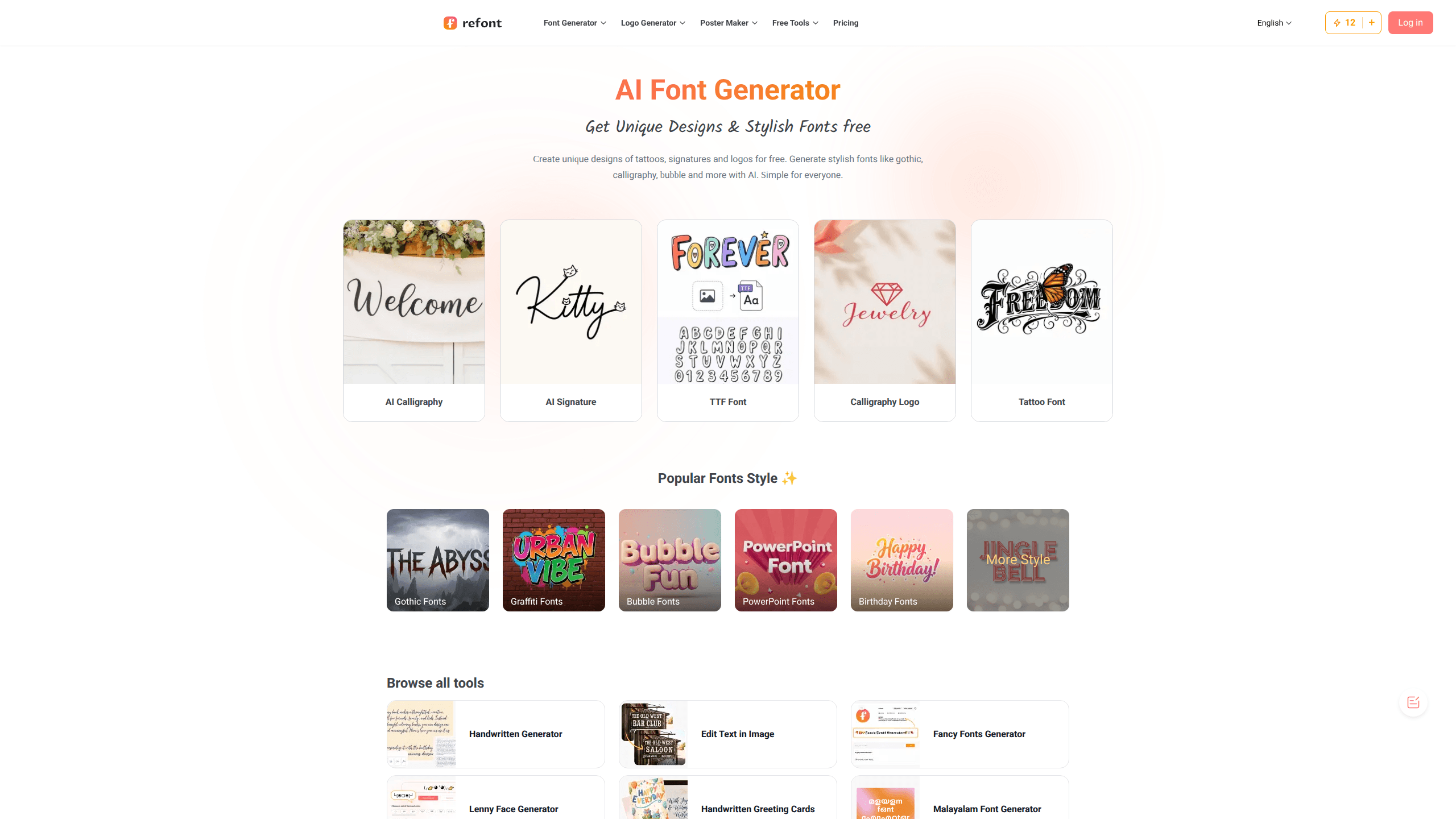
Refont is a free AI font generator that turns plain text into styled type for tattoos, signatures, logos, and social posts. The flow is simple. You type a word or name, pick a style like gothic, bubble, or calligraphy, and download the result as an image. It runs in the browser with no login, so anyone from a student to a shop owner can start in seconds.
About Refont
What Is Refont
Refont is an online font generator built around a simple idea: you should be able to make decorative text without learning typography. Type a name or phrase, pick a style, and get a finished design you can download. It covers the styles people actually search for, including calligraphy, gothic, bubble, graffiti, and fancy text.
The tool also handles the practical side, so you can generate a one-stroke signature, mimic real handwriting for greeting cards, or build a calligraphy logo for a brand without opening a design suite or paying for a font license on top of the subscription you already forgot about. Credits run the AI jobs, and there's a daily free allowance on top.
The main limit is that everything happens in a browser. There's no desktop app or mobile app. Output also depends on the prompt and style you pick, so results vary, and you'll sometimes regenerate a few times before one looks right.
Getting Started
- Open refont.ai in any browser. No account or login is required to test the tools.
- Pick a generator from the tool list, such as the AI Signature Generator, Calligraphy Fonts Generator, or Handwriting Generator.
- Type the text you want to convert, then choose a style, font look, and background.
- Generate the design and preview it. Regenerate if the first result misses the mark.
- Download the image as a JPG or PNG. Paid credits add faster processing and more generations.
Product Information
A quick look at Refont's pricing, supported platforms, and performance.
Best for
The users, tasks, and scenarios where this tool fits best.
Users
- Students
- Small business owners
- Social media managers
- Tattoo seekers
Tasks
- Designing calligraphy logos
- Creating a personal signature
- Making handwritten notes
- Styling social captions
Scenarios
- Quick branding for a small Etsy shop
- Personalizing a gift
- Prepping a design mockup
Key features
Calligraphy Font Generator
This generator converts your text into artistic calligraphy, including cursive and styles inspired by famous calligraphers, so you can build invites, calligraphy logos, and digital artwork from a typed phrase instead of a blank canvas. You don't need any typography background to use it, since the AI handles the lettering.
AI Signature Generator
Refont builds clean one-stroke signatures with an AI signature generator. It supports English and European-language styles, plus an Art Signature mode for more stylized branding use. Who is this for? Anyone who wants a consistent signature for contracts, artwork, and professional materials without practicing a pen stroke for weeks.
Handwriting Generator
The handwriting engine produces natural, human-like writing instead of a generic script font. It pairs with the Handwritten Greeting Cards tool, so you can generate letters, notes, and cards that read as authentic handwriting. That's useful for personal messages where a printed font would feel cold.
Fancy Text and Emoji Styles
Beyond formal lettering, Refont covers trendy and expressive text, including fancy fonts, emoji-style text, and Lenny Face effects that make a caption or chat message stand out from the default system type everyone else is using. These are meant for captions, memes, and chat messages. It's the playful side of the tool. It takes seconds to try a style.
Tattoo Font Styles
The tattoo font path lets you preview lettering in gothic, script, and other bold styles before you book an artist, so you can show up with a clear reference image instead of describing a vague idea and hoping the artist reads your mind. It's a preview tool. A tattoo artist still does the real line work.
Credit-Based Access
Refont runs on credits. The free tier gives 15 credits a day, enough for roughly three AI image generations. Paid packs are one-time purchases that never expire, so you can buy a pack now and still have the balance sitting there months later when a new project suddenly needs a logo, a signature, or a stack of handwritten cards for a small event.
Pros and cons
Pros
- Free tier with 15 credits a day, and no login needed to start, so you can test styles before paying.
- Wide style range in one place: calligraphy, gothic, bubble, graffiti, signatures, and handwriting.
- One-time credit packs that never expire. No monthly lock-in if you only design now and then.
- Standard JPG and PNG downloads work on the free tier.
- Covers both serious design work like logos and casual output like fancy text for social posts.
Cons
- Browser-only, so there's no mobile or desktop app and you need a connection to work.
- The daily free allowance is small at 15 credits, which works out to about three image generations a day.
- Output quality varies by prompt and style, so you may need several tries to get a usable result.
- The site doesn't publish a public API, so you can't wire the generator into your own tools.
Frequently asked questions
Refont is an AI font generator for creating styled text, including calligraphy, signatures, handwriting, and tattoo lettering. You use it to make logos, personal signatures, handwritten notes, and fancy text for social media, all from a browser.
Related content
Explore related tools, skills, and articles for Refont.
Refont Alternatives

X Ray Interpreter
X-ray Interpreter · ImageX Ray Interpreter is a web-based AI radiology tool that turns X-rays, CT scans, MRI, ultrasound, and PET images into plain-language reports. You upload a scan, get a preliminary X-ray interpretation in moments, then ask follow-up questions if something needs explaining. It works as a second opinion and a learning aid, not as a medical diagnosis.

Aieasypic
AIEasyPic · ImageAIEasyPic is an AI image generator that turns plain text prompts into finished artwork in seconds. You can also train custom models on your own photos, swap faces in existing images, and create short video clips from text, all from a browser. It suits casual creators who want quick visuals and hobbyists who want to build a personal model without touching any code.

Chargen
Chargen · ImageChargen is an AI character generator and worldbuilding toolkit built for Dungeons & Dragons and other tabletop RPGs. It turns a one-line idea into a painted character portrait, spins up NPCs, monsters, maps and encounters from the same session, and keeps every creature's details close at hand. The tabletop RPG art side runs on a credit system called Gold, while the text generators stay free for everyone.