

ReleaseDock
ReleaseDock · Chatbot
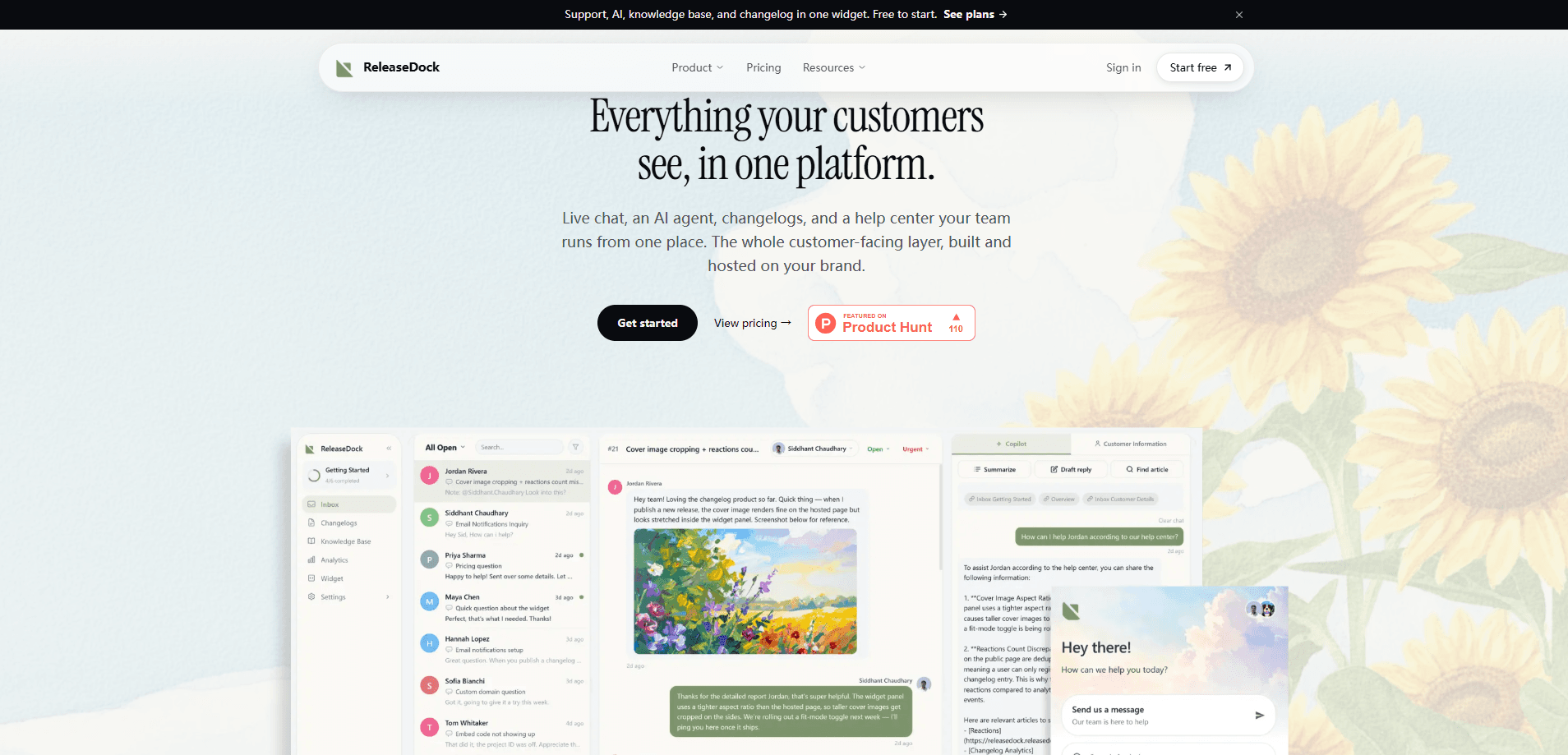
ReleaseDock is an embeddable support widget that runs live chat, an AI support agent, a searchable help center, and a product changelog behind a single launcher. You add one script tag to your site, and your users get answers without leaving the page. It's built for small product and support teams that want one tool instead of stitching together a chat app, a knowledge base, and a release notes page.
About ReleaseDock
What Is ReleaseDock
ReleaseDock is a hosted support platform that ships as a widget you drop into an existing website. Instead of running a chat tool, a docs site, and a changelog as three separate products, you get all three from one dashboard and one embed. The widget is isolated from your site's own styles, so it doesn't inherit or break your CSS.
The pitch is consolidation. Most teams pay for a live chat subscription, a docs platform, and a changelog app. Then they wire them together. ReleaseDock replaces the stack with one subscription and no integrations to glue. It also runs a help center on your own domain, with DNS and SSL handled for you.
The trade-off is scope. ReleaseDock is a support and communication layer. It's not a full customer relationship platform. Need advanced CRM features, complex automation builders, or deep reporting on revenue? This isn't that tool.
Getting Started
- Create a free account from the ReleaseDock site.
- Copy the embed script and paste it into your site's HTML, usually right before the closing body tag.
- Import the docs and help articles you already have, or start writing them inside the dashboard.
- Point your help center at a subdomain you control so pages load from your own domain.
- Open the widget on your live site, test the AI agent with a few real customer questions, and adjust the answers it can cite.
Product Information
A quick look at ReleaseDock's pricing, supported platforms, and performance.
Best for
The users, tasks, and scenarios where this tool fits best.
Users
- Solo founders and small product teams
- Support leads at early-stage SaaS companies
Tasks
- Answering pre-sale questions
- Publishing product updates
- Cutting repeat support tickets
Scenarios
- A new feature launch
- Weekend or off-hours coverage
Key features
Single-Launch Widget
One launcher opens live chat, AI answers, help articles, and product updates in the same panel. Users don't juggle tabs or hunt for your docs site, and you don't maintain separate buttons for each function. The embed is isolated from your site's styles, so it looks consistent across pages.
AI Agent With Cited Answers
The AI agent answers common questions and shows where each answer comes from. It pulls from your own documentation rather than guessing. That matters for trust. Users can check the source. You correct the docs, not the model. It clears the repetitive questions, so your team spends time on the ones that actually need a person.
Help Center on Your Own Domain
Your knowledge base runs from your own subdomain, with DNS and SSL configured for you. Pages look like part of your product, not a third-party tool, which keeps the brand consistent and keeps the SEO value on your domain. There's no static site to build or host.
Support Inbox With Copilot
Anything the AI agent can't resolve lands in one shared inbox. A Copilot helps your team draft replies in seconds, so agents aren't writing each response from scratch. It keeps chat history, tickets, and context in one place rather than scattered across tools.
Changelog and Announcements
You publish product updates from the same dashboard and they appear in the widget. Users see what shipped the moment they open it. Most teams forget to maintain a changelog. Here it's part of the support surface.
Pros and cons
Pros
- One subscription and one embed replace a chat tool, a docs platform, and a changelog app.
- The AI agent cites its sources, so users can verify answers instead of trusting a black box.
- The help center lives on your own domain with DNS and SSL handled for you.
- The widget is style-isolated, so it won't clash with your existing site design.
Cons
- There's no public API listed, so you can't build custom integrations or pull support data into other systems.
- Pricing isn't published on the site, which makes it hard to budget before you talk to sales.
- It's a support and communication layer only. Teams that need CRM features or advanced automation will need another tool alongside it.
Frequently asked questions
It combines live chat, an AI support agent, a self-serve help center, and a changelog into one embeddable widget. You install it with a single script tag and manage everything from one dashboard.
Related content
Explore related tools, skills, and articles for ReleaseDock.
ReleaseDock Alternatives

Knocket
Knocket (Tencent RTC team) · Productivity · Business · ChatbotKnocket is a free live chat and contact page tool that lets visitors message you from your website, app, or a shareable link, with every reply handled from Telegram or one inbox.
Agibot
Agibot · Productivity · AI Assistant · ChatbotAgibot is a personal AI agent for Mac that keeps running after you close the window, runs routines on a schedule, and works from Telegram or Slack with your own API keys.

Melete
Melete · Productivity · AI Assistant · ChatbotMelete is an AI workspace for teams where agents research, draft, and act in Slack, Notion, Linear, and GitHub. Shared memory and approval gates keep people in control.