

Remem AI
Spectrum Labs Limited Company · Productivity · Leaning
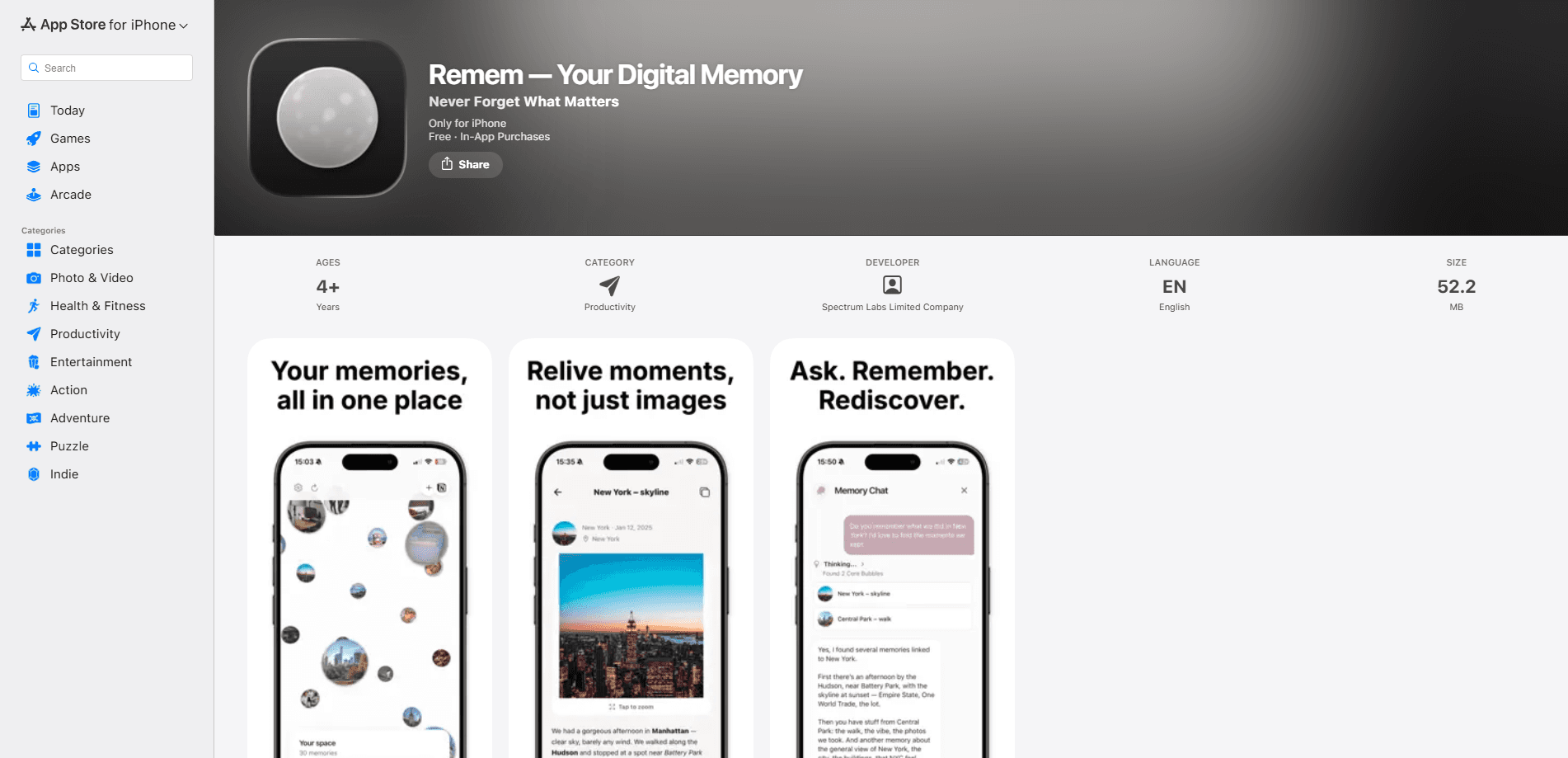
Remem AI is an AI memory assistant app for iPhone that helps you capture the moments, ideas, and conversations you want to keep, then find them again when they matter. It mixes text notes, photos, and documents into one personal memory archive, tags entries with location, and uses AI to organize and resurface what you saved. A subscription is required to use the app.
About Remem AI
What Is Remem AI
Remem AI is a personal memory app built around a simple idea: the things worth remembering usually aren't files, they're context. Instead of dumping photos and notes into separate buckets, it asks you to attach meaning to each entry, so a memory keeps its story along with its content.
The app targets people who feel like their best ideas and moments slip away. You can log a thought, a photo, or a document, describe why it matters, and let AI tag and sort it into a searchable archive. So how is that different from a notes app? The pitch is closer to an AI journaling app than to a cloud storage drive.
The catch is that it isn't free to use. Remem AI requires an active subscription, and it runs only on iPhone and iPad. That's a real constraint if you're on Android or hoping for a free personal memory archive.
Getting Started
- Download Remem AI from the App Store on an iPhone or iPad running iOS 15.1 or later.
- Create an account and pick a subscription tier, either Core or Pro, with weekly or monthly billing.
- Save your first memory by adding text, a photo, or a document, then write a short note about what it means.
- Let the AI organize the entry and add location tagging so you can recall where the moment happened.
- Use smart search to pull a memory back up by keyword, place, or theme.
Product Information
A quick look at Remem AI's pricing, supported platforms, and performance.
Best for
The users, tasks, and scenarios where this tool fits best.
Users
- Journalers who want reflection to take seconds, since you can log a thought and add context without a full writing session
- Creatives and founders who lose good ideas between meetings and need a fast place to park them
- Notion users on the Pro plan, who can push memories into an existing workspace instead of maintaining a second system
Tasks
- Capturing a conversation or insight before it fades, with notes and emotional context attached
- Building a searchable archive of life events, from a meaningful trip to a decision you want to revisit later
- Tagging and finding memories by location, so you can recall where something happened, not just when
Scenarios
- End of a busy day, when you want to dump the day's moments into one place and move on. Takes minutes.
- Looking back months later for "that idea I had about the project," using smart search instead of scrolling photo albums
- Keeping a private memory log where you control what's stored and shared, rather than posting to a social feed
Key features
AI Memory Organization and Insights
Remem AI works as an AI note organizer as much as a memory log. It sorts what you save and surfaces patterns you might miss on your own. You add a memory, and the app groups it with related entries and generates insights. The value shows up over time, once there's enough saved for the AI to work with.
Multi-Format Capture
You can store photos, text, and documents in a single digital memory app. That's the point. Instead of splitting them across a photo library, a notes app, and a cloud drive, you keep the visual and the meaning in one entry. That combination is what makes a memory searchable later.
Location Tagging
Every memory can carry the place it happened. That extra field turns "a nice dinner last spring" into something you can find by city. It's a small feature. It pays off most for travel, events, and anything tied to a specific place.
Smart Memory Search
Search works across the archive by keyword and theme. You ask a question, and you get the matching entry back. This is the feature that decides whether the app earns a spot on your home screen. Slow, vague search kills the whole point of an archive.
Notion Integration (Pro)
Pro subscribers can connect Remem AI to Notion. That matters if your notes and projects already live there. It keeps a personal memory archive from becoming another silo you have to check separately.
Privacy-First Storage
The app says your memories stay yours and aren't shared by default, with no public feed. For a life logging app, that's the right default. Whether it's enough depends on your tolerance for trusting a small developer with personal material. That's a question only you can answer.
Pros and cons
Pros
- Combines AI organization with plain capture, so logging a memory stays quick
- Handles photos, text, and documents in one place instead of scattering them across apps
- Location tagging adds context that most note apps skip entirely
- Notion integration on the Pro plan fits existing workflows for heavy Notion users
- Smart search makes the archive useful months later, not just a graveyard of entries
Cons
- No free plan, so you have to pay before you can judge whether the AI features are worth it
- iPhone and iPad only, which rules out Android and desktop users
- The app is new and has no user ratings yet, so real-world reliability is still unproven
- Reviewers and store data offer no independent performance testing to lean on
Frequently asked questions
Remem AI is an AI memory assistant for storing and rediscovering personal moments, ideas, and documents. You capture an entry, add context, and later find it through smart search. Think of it as a private memory archive rather than a public journal. That's the whole idea.
Related content
Explore related tools, skills, and articles for Remem AI.
Remem AI Alternatives

Swms
Swms AI · Writing · Productivity · BusinessSwms is an AI safety compliance tool that turns a plain description of a job into ready-to-use safety documents. Describe your project, trade, and known hazards, and it writes a safe work method statement, job hazard analysis, safe work procedure, RAMS, or safety data sheet in seconds. It also ships with Oscar, a chat assistant that answers workplace safety questions in any language. Teams in construction, mining, transport, and warehousing use it to cut the paperwork that usually eats into a workday.

Wordly AI Translation
Wordly · Voice & Language · ProductivityWordly AI Translation is a real-time AI translation and captioning platform built for meetings, conferences, and events. It delivers live translation, captions, transcripts, and summaries in more than 60 languages, and attendees join by scanning a QR code or opening a link instead of using dedicated headsets. The platform works with Zoom, Microsoft Teams, Google Meet, and Webex, and it's designed for organizations that want multilingual access without hiring human interpreters for every session. Simple as that.

Rows
Rows (Superhuman) · Productivity · BusinessRows is an AI spreadsheet and data analysis tool that imports live data from more than 50 sources, then lets you work with it using plain language instead of SQL queries or nested formulas. You can pull numbers out of PDFs, connect ad platforms, databases, and bank accounts, and ask the AI to build reports, merge datasets, or set up models that recalculate themselves. It runs in the browser, works like a spreadsheet, and now sits under the Superhuman umbrella.