

Remodex
Emanuele Di Pietro · Coding
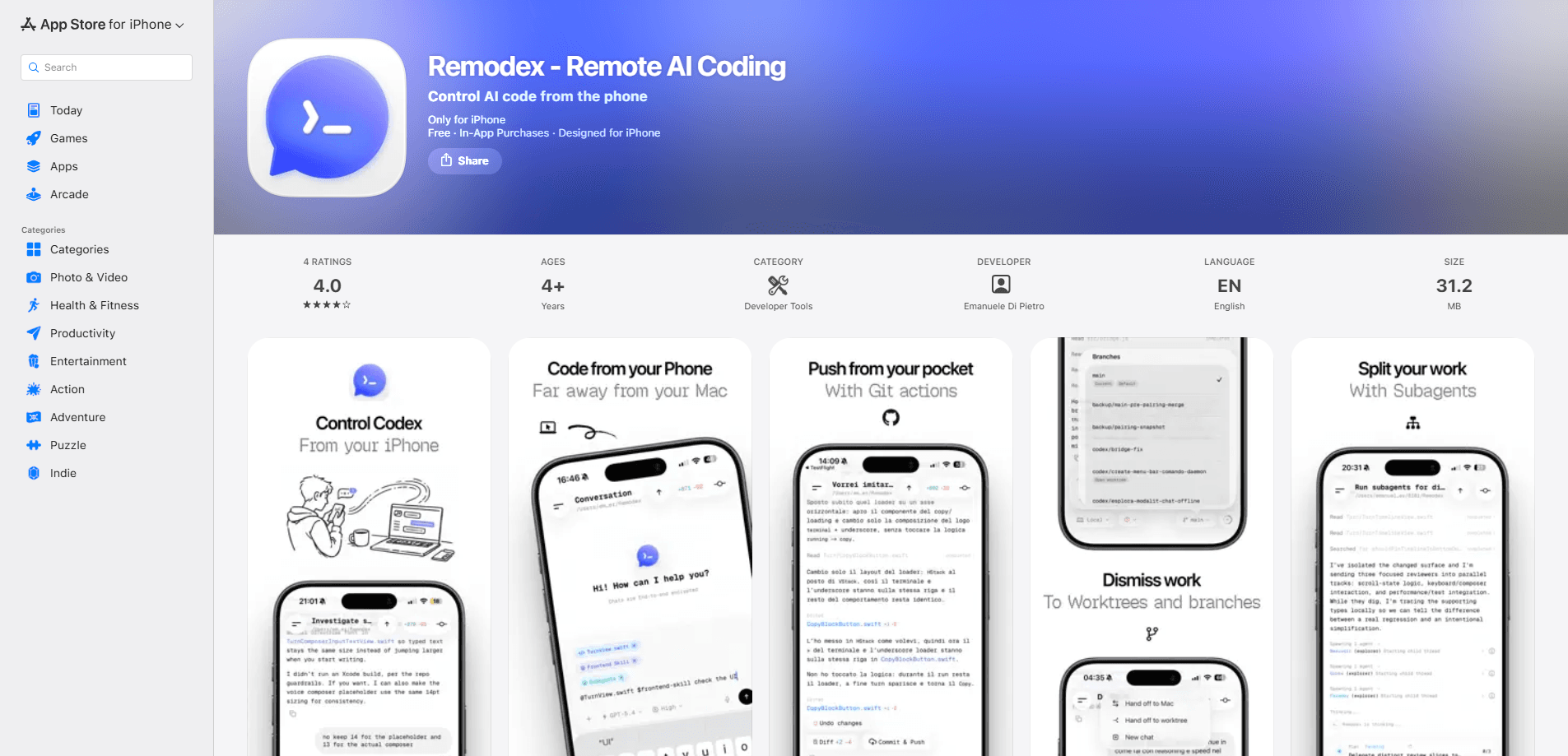
Remodex is a free iOS app that turns your iPhone into a remote control for Codex running on your Mac. Start Codex on your desktop, pair once by scanning a QR code, and you can chat with the agent, watch live runs, approve work, and push git changes while the runtime and your repos stay on the Mac. It's built for developers who leave their desk mid-task but still want to steer the work. Short on time? The pairing takes about a minute.
About Remodex
What Is Remodex
Remodex is a companion app for developers who run Codex on a Mac and want to keep working from their phone. The heavy lifting doesn't move. Your Codex runtime, your repos, and your workspace actions all stay on the Mac. The iPhone app is a secure window into that session. It pairs with your Mac once through a QR code, then reconnects to the same trusted machine without making you scan again.
The problem it solves is the gap between starting a task and finishing it. You kick off a bug hunt on your Mac, then step away, and the agent either stalls waiting for input or pushes code you haven't reviewed. A remote coding agent like this closes that gap, and it fits a broader shift toward remote AI coding where the agent runs on a desktop and the human steers from a phone. You can follow live replies, send follow-ups, and run git commands from anywhere with a connection. Sessions are end-to-end encrypted, and the app is open source under Apache 2.0, so the code behind the pairing is public.
There are limits worth knowing up front. You need a Mac running Codex and an iPhone on iOS 18.6 or newer, so Android users are out. The app itself is free, but Codex still needs its own OpenAI account and billing. And this is remote control, not coding on your phone. The phone sends instructions and reviews output. It doesn't become an editor.
Getting Started
- Install and start Codex on your Mac, then open Remodex on your iPhone.
- On the Mac, open the pairing screen and show the QR code.
- Scan the QR code with your phone to pair Mac with iPhone once.
- Pick the Codex session you want to follow and send your first prompt.
- Use the git actions or the built-in terminal to commit, push, or move a task forward.
Product Information
A quick look at Remodex's pricing, supported platforms, and performance.
Best for
The users, tasks, and scenarios where this tool fits best.
Users
- Developers running Codex on a Mac
- Freelancers and solo builders who leave the desk often
- Teams with a fixed build machine
Tasks
- Approving risky actions
- Sending follow-up prompts
- Git housekeeping
Scenarios
- Kicking off a refactor before a meeting and checking progress from the hallway. No trip back to the desk.
- Watching a long test run while out to dinner, then pushing the fix when it passes.
- Finishing a small change from the couch when the laptop is across the room.
Key features
QR pairing that sticks
A mobile Codex client lives or dies by its setup, and this one keeps it short. Remodex links your iPhone to your Mac once with a QR code. After that first scan, the phone remembers the machine and reconnects to it as a trusted device, so you're not re-pairing every time you sit down. That matters when you switch between phone and desktop several times a day. It just works.
Live session view
You see Codex replies and active runs as they happen. Instead of polling for a finished job, you watch the agent work through a task and jump in the moment it goes off track. Follow-ups land in the same thread, so you never lose your place in the conversation.
Git actions on the go
The app exposes everyday git moves like commit, push, pull, and branch switching. For a quick fix from your phone, you can land the change without going back to the terminal. Handy. It's the small stuff that used to force a trip to the desk.
Built-in SSH terminal
A terminal ships inside the app, so you can run commands on the paired machine directly. It covers the cases where a git button isn't enough and you need a raw shell. This is what makes the phone feel like a real control surface rather than a read-only viewer.
Pairs with your camera and voice
You can attach photos from the camera or library and use voice transcription to dictate prompts, which lets you capture a whiteboard sketch or a long stack trace and send it straight to the agent as context instead of typing every character by hand. Voice input helps when you're walking and only have a hand free.
Local-first and open source
Your runtime, repos, and workspace actions stay on the Mac, and the phone communicates over an end-to-end encrypted paired session. The project is open source under Apache 2.0, published by Emanuele Di Pietro, so the pairing and transport code can be inspected by anyone. How much should you trust a remote-control app for your machine? Reading the source is a fair way to decide.
Pros and cons
Pros
- Free, with no subscription to keep the app working.
- Local-first design keeps code and credentials on your Mac instead of a third-party server.
- QR pairing means a one-time setup, not a login ritual on every launch.
- Useful feature set for a companion app: live runs, git actions, SSH terminal, and voice input.
Cons
- iPhone only. There is no Android version, so a large share of mobile developers can't use it.
- It needs Codex already running on a Mac that stays awake, which rules out laptop-only workflows where the machine sleeps.
- The app handles control and review, not editing. You still need a real machine for anything beyond small changes.
- Some early reviews mention UI jitter and sluggish rendering with large message histories, which is worth watching if you run very long sessions.
Frequently asked questions
It connects your iPhone to Codex running on your Mac so you can monitor, steer, and continue a coding session from your phone. If you've been searching for a way to control Codex from iPhone without a laptop in front of you, this is the core use case. The agent keeps running on the Mac, while the phone sends prompts and reviews results.
Related content
Explore related tools, skills, and articles for Remodex.
Remodex Alternatives
Forefront
Forefront · CodingForefront is a web platform for building with open-source AI. It lets you fine-tune leading open-source language models on your own data, evaluate how they perform, and run them through an API or export them to host yourself. Developers who want the convenience of a closed-source platform but insist on owning their models and data are the target audience here.

Startkit
StartKit.AI · CodingStartkit is a boilerplate for building AI SaaS and AI wrapper products. Think of it as an AI startup boilerplate with the boring parts already wired up: authentication, Stripe and Lemon Squeezy payments, usage limits, transactional email, and an AI API starter that talks to OpenAI, Anthropic, Groq, or Llama. You clone the repo, set your price, and start on the part of your product that people actually pay for. It's Next.js under React and Tailwind, so most of the boilerplate code already feels familiar.
Testim
Tricentis · CodingTestim is an AI-powered test automation platform for building and running end-to-end tests across web, mobile, and Salesforce applications. It leans on machine learning to keep tests stable when an interface changes, so teams spend less time fixing broken selectors. Not bad for an automated testing tool you can start using today. You create tests by recording actions in a browser, then optionally add JavaScript when you need more control. It's a solid pick for busy QA teams.