

Renovate AI : House Design
Trial and Error, Inc. (Renovate AI) · Image
Renovate AI is an AI home design app that turns one photo of a room, exterior, or yard into a photorealistic renovation preview in about ten seconds.
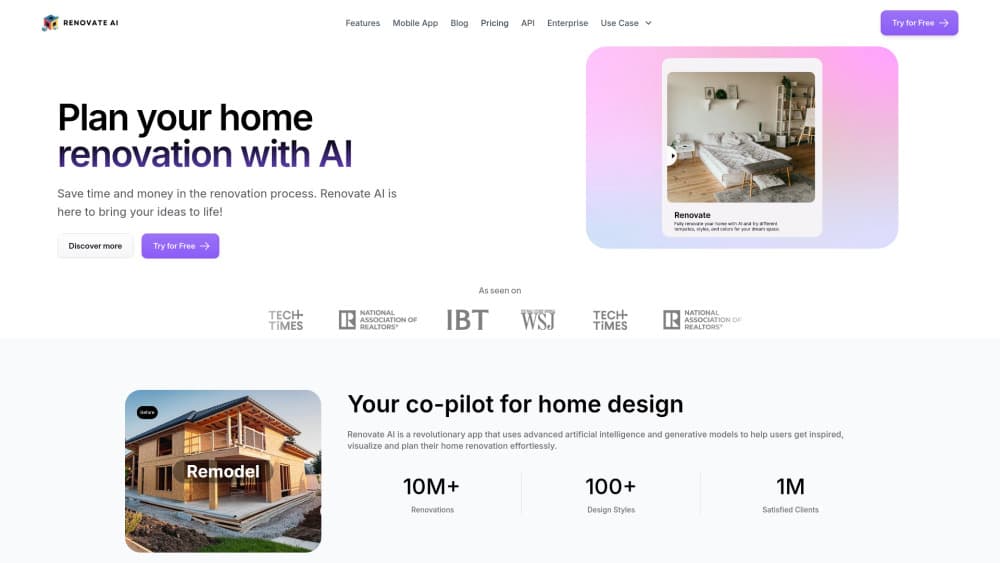
About Renovate AI : House Design
What Is Renovate AI
Renovate AI is a home renovation visualization tool built for people who can't picture the result. You upload a photo of your own space, choose a style or describe the change you want, and the app returns that same room with the change applied. It runs in a browser, on iPhone, and on Android, and the company says it has generated more than 20 million designs for roughly 2.5 million users.
The appeal is speed and specificity. A wall color, a different sofa, new siding, or a furnished empty bedroom all show up on your photo instead of a stock showroom. That makes it useful for a homeowner weighing a repaint, for an agent who needs a listing to look lived in before the shoot, and for anyone comparing AI interior design ideas without hiring a designer.
The limits matter just as much. Output is a concept image, not a drawing set. There are no measurements, no material takeoffs, and no guarantee that a bold layout change can be built. Treat it as a way to shortlist directions, then hand the shortlist to someone who measures.
Pricing runs on credits. You get five renders without an account, then paid plans start at $15 per month for Hobbyist, $29 for Pro, and $99 for Max. Yearly billing drops those to $5, $10, and $33 per month. The cheaper tiers keep the core redesign tools, while virtual staging, exterior work, landscaping, paint previews, and cleanup sit behind Pro.
Getting Started
- Open the web studio or install the iOS or Android app. The five free renders work without signing up, which is enough to judge one room.
- Upload a photo taken straight on, with the whole wall or facade in frame and even light. A crooked phone shot produces a crooked render.
- Pick a tool: Renovate for a full room, Wall Paint for one surface, Virtual Staging for an empty space. Then choose a style or type the change in plain words.
- Compare the result with the original, adjust the wording of your request, and regenerate. Every new variation uses one credit.
Product Information
A quick look at Renovate AI : House Design's pricing, supported platforms, and performance.
Best for
The users, tasks, and scenarios where this tool fits best.
Users
- Homeowners planning a remodel
- Real estate agents and short-term rental hosts
- Contractors and interior designers
Tasks
- Choosing a paint or siding color
- Furnishing an empty listing
- Turning a sketch or a flat elevation into something a client can read
- Sanity-checking a budget
Scenarios
- A Saturday decision about whether to repaint the living room. One photo and a few style options settle the argument faster than three paint chips on the wall.
- A listing that goes live before the furniture arrives. Staging the empty rooms gives buyers something to look at on day one.
- A client meeting with two facade options on the table. Renders let the conversation move from taste to cost in one sitting.
Key features
Photo to render in about ten seconds
The core Renovate tool takes one photo and one instruction and returns a finished image quickly enough to try another idea on the spot. In practice you can walk through six or seven directions in a single sitting. That pace is the reason the tool works for comparison shopping rather than one-off inspiration.
Ten tools that each change one thing
Separate tools handle full room redesign, virtual staging, exterior transformation, landscaping, wall paint, exterior paint, object cleanup, sketch conversion, elevation rendering, and upscaling to 4K. Splitting the work keeps a paint test from rearranging your furniture at the same time. The tradeoff is a few extra clicks to find the right tool for each job.
A style library with premium options
The style picker covers the usual range, from modern and mid-century to farmhouse and coastal, with a smaller set reserved for Pro and Max. You can also type a description instead of picking a preset, which is how most people get a result that fits an odd room. Premium styles are worth the upgrade only if the free set feels repetitive.
Cost estimation tied to real furniture
On Pro, the app attaches prices to the pieces it places and totals them into a renovation estimate. Items come with retailer names, so a sofa shows a price from a store you can actually buy from. Estimates save automatically, which helps when you compare two versions of the same room a week apart.
Team seats and a commercial license
Max adds a commercial license for client work, three included seats at $25 per extra seat, a shared workspace, and support for 50 of your own materials. For a small studio, that combination is the difference between a useful demo and a billable deliverable. Personal plans are licensed for personal use, so paid client work on Hobbyist or Pro is out of bounds.
API and MCP access
The company sells a REST API that accepts an image URL and a written instruction, then returns a rendered image. There's also an MCP server, so Claude, ChatGPT, Cursor, or any MCP client can call the same endpoints from a chat window. Pricing for API credits sits outside the consumer plans, so builders should request a quote.
Pros and cons
Pros
- Renders arrive in seconds, so comparing ten directions takes minutes rather than an afternoon.
- The same tools work on web, iOS, and Android, and projects carry across devices.
- Staging, exterior, landscaping, and paint previews live in one app instead of four subscriptions.
- Cost estimation on Pro ties furniture to real retailers, which makes a budget conversation concrete.
- The REST API and MCP server give developers a path to put renovation visualization inside their own product.
Cons
- Every variation costs a credit, so curiosity has a price, and the five free renders disappear in one session.
- Renders are concepts without measurements, and bold layout changes can look plausible while being unbuildable, which means you still need a professional to check them.
- Commercial use requires Max at $99 per month, so freelancers doing paid client work on Pro are technically outside the license.
- Detail drift happens on busy rooms, where trim, handles, or window frames can change slightly, so don't use a render as a reference for ordering hardware.
Frequently asked questions
It previews renovation ideas on a photo of your own space. You can test a room redesign, a paint color, new siding, landscaping, or staged furniture and see the result before spending money.
Related content
Explore related tools, skills, and articles for Renovate AI : House Design.
Renovate AI : House Design Alternatives

Tractionwave
TractionWave · Image · MarketingTractionWave is an AI attention heatmap tool for static ads. Upload a PNG or JPG and it returns predicted attention, ranked hotspots, and fixes before you spend budget.

Imejis.io
Imejis.io · Image · MarketingImejis.io is an AI design studio for agents and marketing teams. Describe an image in plain words, and it writes the copy, builds the layout, reflows it to every size, then exports a finished file.

Layoutr
Van Dijk Ontwikkeling · Image · China AILayoutr is a browser floor plan tool that scales your own plan, places furniture at true size, shows the room in 3D and renders it with AI.