

Repaint
Repaint · Image · Coding
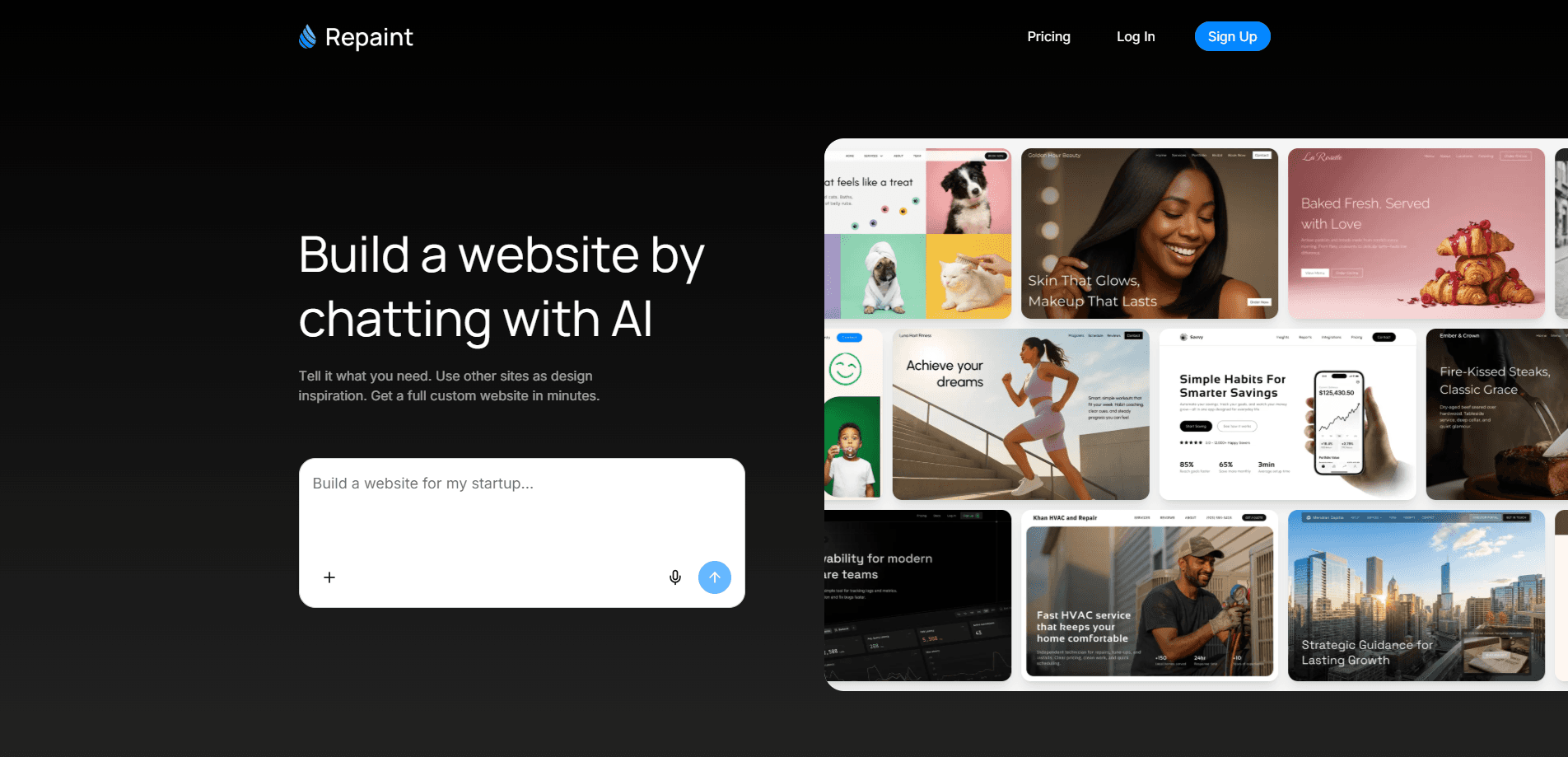
Repaint is an AI website builder that designs a complete, multi-page website from a conversation. You describe your business and what you want, and it generates a full site instead of dropping you into a drag-and-drop editor. It can also pull content from any public website or social profile and rebuild it as a fresh design. Think of it as a no-code website builder where the interface is just a chat box. If you need a working site fast, Repaint trades manual control for speed.
About Repaint
What Is Repaint
Repaint is a web-based AI website generator built around one idea: you talk, it builds. If you've ever wanted to build a website with AI instead of a template, this is the whole pitch. Rather than starting from a blank canvas or a template, you tell Repaint what the site is for, and it produces a finished design with pages, sections, and layout already in place. From there, you keep editing by asking for changes in plain language.
The product covers three main jobs. You can generate a site from scratch off your own instructions, redesign an existing one by importing content from any public website, or pull in material from social profiles and files. Everything stays editable through chat, so you never touch code or a layout grid, which is a real difference from a traditional drag-and-drop builder that makes you place every block yourself. That's the appeal for founders and small teams who care more about shipping than about pixel-perfect control.
Why chat and not a drag-and-drop editor? Because it removes the biggest blocker for beginners. You describe the change, Repaint makes it. Simple.
There are limits worth knowing up front. The pricing plans are tied to weekly AI usage rather than to the number of sites, and everyone in a workspace shares one pool of usage. Heavy builders may burn through the included allowance and need to wait for a reset or buy extra credits. And because the design comes from AI, getting an exact look often means iterating in chat, which can take a few rounds.
Not a dealbreaker. Just know the meter is running.
Getting Started
- Sign up at repaint.com and create a workspace for your project.
- Choose how to start: generate from scratch, import content from a public website, or pull in social profiles and files.
- Describe what the site is for and what you want on it, then let Repaint generate the first draft.
- Review the pages and request changes in chat, like moving a section or rewording a block, until it matches what you need.
- Publish on a Repaint subdomain, or connect a custom domain on a paid plan.
Product Information
A quick look at Repaint's pricing, supported platforms, and performance.
Best for
The users, tasks, and scenarios where this tool fits best.
Users
- Solo founders
- Small business owners
- Marketers and freelancers
Tasks
- Generating a site from scratch
- Redesigning an existing website
- Importing social and file content
Scenarios
- Launching a product page before an event and needing something presentable in an afternoon.
- Moving an outdated site that no longer matches the brand to a cleaner design without rebuilding it page by page.
- Testing a handful of layout directions for the same business before committing to one.
Key features
Chat-Based Editing
The backbone of Repaint is a chat interface that edits the whole site. You ask for a change, like shortening the hero text or moving the testimonials, and it applies it to the design. No design or coding experience is needed, which is the main reason non-designers pick it over traditional builders that demand you learn their interface first. The trade-off is that exact control comes through iteration rather than direct manipulation. One catch: it responds to how you phrase things.
Generate a Complete Site
Instead of assembling pages yourself, you describe the business and Repaint designs a full website with the pages it thinks you need, covering the home page, service sections, and the supporting pages a small business usually wants. Because the design is generated end to end, the sections stay visually consistent across pages. It's built for speed: many sites go from brief to draft without a single layout decision from you. Fast.
Redesign an Existing Website
Repaint can take content from any public website, regardless of how that site was built, and generate a new design around it. That turns a redesign into a content-import task instead of a rebuild. Handy when you like your copy but hate your current look, or when you want a head start on a new project. It also doubles as an AI site redesign shortcut. Import, restyle, adjust in chat. That's it. No code required at any step, which is the point of the whole tool.
Import Socials and Files
Beyond websites, Repaint pulls in content from social profiles and uploaded files. If your business lives mostly on social media, this lets the site start with the material you already have rather than forcing you to write it all again, which saves hours when you don't have a content library ready. Handy.
Custom Domains on Paid Plans
The free plan publishes on a Repaint subdomain with Repaint branding. Plus and Pro add custom domains and remove the branding. That matters. Without a custom domain, the site reads as a demo rather than a finished product, so most people upgrade before sharing it publicly. Worth the money for a real launch.
Pros and cons
Pros
- Builds a multi-page site from a description, so you skip layout and template work.
- Edits happen in chat, so no design or coding skills are required. Anyone can start.
- Imports content from any public website, which makes redesigns fast.
- Free plan needs no credit card and supports unlimited websites.
- Useful starting point for testing several design directions cheaply.
Cons
- Plans are capped by weekly AI usage that the whole workspace shares, so heavy building can hit the limit.
- Exact design control takes back-and-forth in chat, which can feel slower than dragging elements.
- Custom domains and branding removal come with a paid plan, so a public launch isn't free.
Frequently asked questions
Repaint is an AI website builder that creates multi-page websites from a chat conversation. You describe what you want, and it generates the design, then lets you keep editing by asking for changes in plain language. It also imports content from existing sites and social profiles.
Related content
Explore related tools, skills, and articles for Repaint.
Repaint Alternatives

X Ray Interpreter
X-ray Interpreter · ImageX Ray Interpreter is a web-based AI radiology tool that turns X-rays, CT scans, MRI, ultrasound, and PET images into plain-language reports. You upload a scan, get a preliminary X-ray interpretation in moments, then ask follow-up questions if something needs explaining. It works as a second opinion and a learning aid, not as a medical diagnosis.

Aieasypic
AIEasyPic · ImageAIEasyPic is an AI image generator that turns plain text prompts into finished artwork in seconds. You can also train custom models on your own photos, swap faces in existing images, and create short video clips from text, all from a browser. It suits casual creators who want quick visuals and hobbyists who want to build a personal model without touching any code.

Chargen
Chargen · ImageChargen is an AI character generator and worldbuilding toolkit built for Dungeons & Dragons and other tabletop RPGs. It turns a one-line idea into a painted character portrait, spins up NPCs, monsters, maps and encounters from the same session, and keeps every creature's details close at hand. The tabletop RPG art side runs on a credit system called Gold, while the text generators stay free for everyone.