

Resonoon
Resonoon · Coding · Marketing
Resonoon is a workspace for building AI chatbots and voice assistants that answer customer questions, act on connected systems and pass hard cases to people, with tickets, a CRM and analytics in the same place.
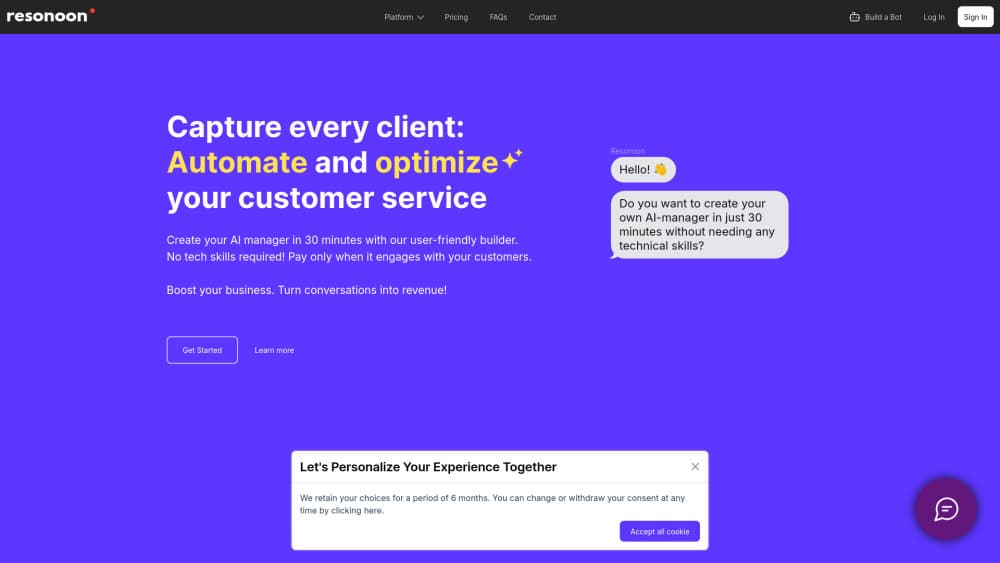
About Resonoon
What Is Resonoon
Resonoon is a platform for customer experience automation, sold by Resonoon itself. You build AI agents that talk to customers over chat, email, phone and messaging apps, then watch every conversation from one dashboard. An agent is a module you set up once: you pick its role, goal, tone of voice and languages, feed it your own knowledge, and connect it to the systems it needs to read or change.
What sets Resonoon apart from a plain chatbot is the support desk built around it. Conversations land in a shared inbox. They turn into tickets when someone has to investigate, and they sit next to a light CRM that stores customer history, notes and past actions. You can start small, with one agent on one channel, and grow into a team of agents across support, sales and onboarding without switching tools.
Two limits are worth knowing before you start. The agents only use knowledge you approve, so a thin knowledge base means thin answers, and you keep it current. And voice runs on minutes: the free tier covers bots and conversations, but phone minutes are billed in packs, so call-heavy teams should plan for the paid voice volume.
Getting Started
- Paste your website link and let Resonoon draft agents in minutes, or fill a short form about your company and pick each agent's role, goal and one-sentence instruction
- Add up to 300 FAQ pairs, upload documents and URLs, set brand colors and chat style, then preview answers and approve them
- Link CRM, billing, helpdesk and data sources, and decide what each agent can read and which actions it can take, like plan changes or bookings
- Launch to web chat, email, voice, WhatsApp, Telegram or Slack, then track intents, answers and outcomes from one dashboard
Product Information
A quick look at Resonoon's pricing, supported platforms, and performance.
Best for
The users, tasks, and scenarios where this tool fits best.
Users
- Support teams drowning in repetitive tickets
- Small companies without a full support desk
- Onboarding and sales teams
- Teams serving customers in many countries
Tasks
- Customer support automation
- Voice call handling
- Lead qualification and sales
- Ticket management
- Appointment and plan actions
Scenarios
- An e-commerce team lets an agent handle order tracking and returns, and drops the queue of repeat questions
- A clinic agent books visits synced with a calendar, so the front desk stops juggling calls
- A travel brand gives an agent live flight and rebooking questions during disruptions, when call centers overload
- A fintech support group routes payment questions to an agent and keeps disputes for human reviewers
- A SaaS company puts an agent on onboarding to shorten the time new users need before they activate
Key features
AI Chatbot for Business
The chatbot answers across chat, email and social channels from one knowledge base you control. It reads from the FAQ pairs, documents and URLs you approve, which is why a well-fed agent stays on script and one running on scraps starts guessing. When it can't resolve something, it hands off with the full thread attached, so the customer never repeats themselves. For teams, the practical win is coverage. The same agent answers at 3am as at 3pm, in the same tone. It doubles as helpdesk software and a chat front end.
AI Voice Assistant for Business
Voice agents handle inbound and outbound calls with natural speech, and they matter most where customers still pick up the phone: bookings, delays, cancellations. The agent can check a calendar, confirm a change and read back the result, so a call ends with something done rather than a promise. Voice runs on minutes, sold in packs of 800, 2500 or 6000, which suits steady call volume better than the occasional spike.
Team Workspace for AI Agents
Everything sits in one place. You set up agents, link them to data, watch performance and share knowledge bases with the rest of the team. Each agent has a role, so support, sales and onboarding agents live side by side without stepping on each other. The workspace is built for people who aren't engineers, and advanced setup stays open through API keys and webhooks when someone needs it.
Tickets and Shared Inbox
Conversations land in inboxes, which are workflows you define: separate ones for payments, account checks or VIP cases. Inside an inbox a conversation can become a ticket with an owner, a priority, structured fields and attached files, tracked from first message to solved. When a chat needs another team, a ticket is created straight from the dialogue and keeps the whole history linked, so nothing gets retyped.
A CRM Built for Support Teams
Resonoon stores customer profiles, conversation history, notes and past actions in one record, sitting next to the tickets you already work. An agent about to answer can see what the customer asked last week and what was done about it. The CRM is deliberately light: enough context to resolve faster, without the weight of a full sales suite nobody on support will maintain.
No-Code Setup With Real Integrations
Setup is no-code. You link a CRM, billing tool, helpdesk or internal data source and set what each agent may read and which actions it may take, like changing a plan or checking an order. Under the hood, agents work through secure API connections, and teams with stricter rules can reach further customization with API keys and webhooks or move to a self-hosted instance.
One Agent, Over 100 Languages
A single agent serves customers in over 100 languages. Replies go back in the customer's language, while your team reads each conversation translated into English or another default you choose. That removes the usual workaround of separate bots per market, and it means a small team can look multilingual without hiring for it.
Pros and cons
Pros
- Agents answer only from knowledge you approve, which cuts invented answers
- Chat, email, voice, WhatsApp, Telegram and Slack run from one workspace
- Built-in tickets, inboxes and a light CRM remove a separate support tool
- One agent handles over 100 languages, so global coverage doesn't need extra bots
- Set up by pasting a website link, and no-code AI agents go live after a few forms
Cons
- Voice is billed per minute in packs, so heavy callers pay beyond the base plan
- Free tier suits bots and conversations, and real volume pushes teams to paid plans
- Agents are only as good as the knowledge you feed them, so the base needs upkeep
- Self-hosted deployment costs a real infrastructure investment and maintenance
- Pricing starts around €299/mo for the full package, steep for very small teams
Frequently asked questions
Resonoon is a platform for AI chatbots and voice assistants that automate customer support, sales and onboarding. It combines conversational AI agents with a shared inbox, ticket management, a light CRM and analytics, all in one workspace, and it works as a conversational AI platform rather than a single chatbot. Agents answer questions, take actions in connected systems and hand complex cases to people.
Related content
Explore related tools, skills, and articles for Resonoon.
Resonoon Alternatives
Forefront
Forefront · CodingForefront is a web platform for building with open-source AI. It lets you fine-tune leading open-source language models on your own data, evaluate how they perform, and run them through an API or export them to host yourself. Developers who want the convenience of a closed-source platform but insist on owning their models and data are the target audience here.

Startkit
StartKit.AI · CodingStartkit is a boilerplate for building AI SaaS and AI wrapper products. Think of it as an AI startup boilerplate with the boring parts already wired up: authentication, Stripe and Lemon Squeezy payments, usage limits, transactional email, and an AI API starter that talks to OpenAI, Anthropic, Groq, or Llama. You clone the repo, set your price, and start on the part of your product that people actually pay for. It's Next.js under React and Tailwind, so most of the boilerplate code already feels familiar.
Testim
Tricentis · CodingTestim is an AI-powered test automation platform for building and running end-to-end tests across web, mobile, and Salesforce applications. It leans on machine learning to keep tests stable when an interface changes, so teams spend less time fixing broken selectors. Not bad for an automated testing tool you can start using today. You create tests by recording actions in a browser, then optionally add JavaScript when you need more control. It's a solid pick for busy QA teams.