

revid.ai
Revid AI · Video
Revid AI turns a script, link, or prompt into a finished short-form video with AI visuals, voiceover, captions, and direct publishing to TikTok, YouTube, Instagram, and X.
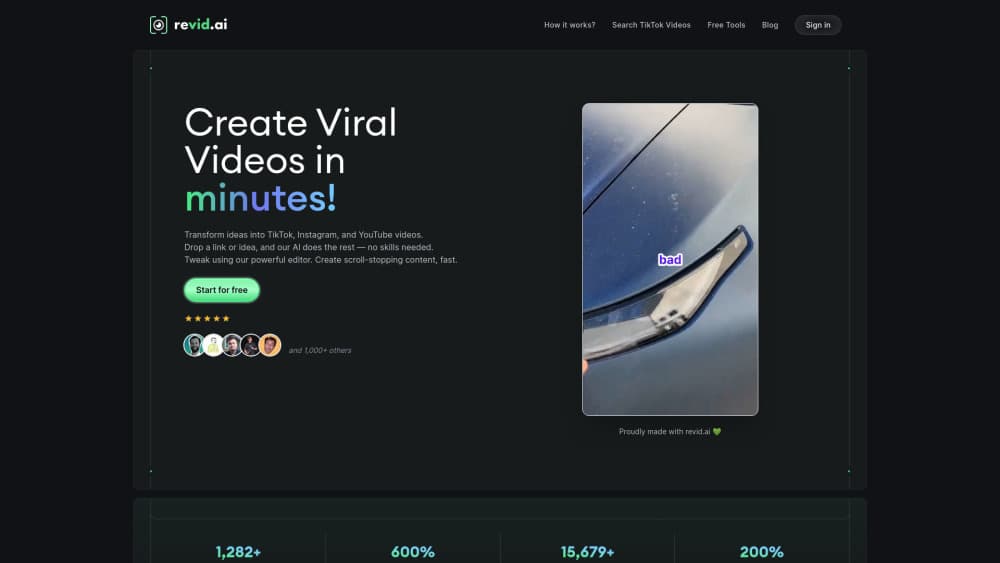
About revid.ai
What Is Revid AI
Revid AI is a browser-based video production platform for people who post short videos often and don't want to cut them by hand. You hand it a script, a prompt, an article link, or a podcast file, and it returns a complete vertical video with generated visuals, an AI voice, captions, music, and a timeline you can adjust.
The company started in Paris in 2023 under the name Typeframes and relaunched as Revid in April 2024. The pitch is a closed loop: find a format that already performs in your niche, turn it into a script, render the video, publish it, then read the numbers. TikTok, YouTube, Instagram, and X publishing all happen inside the same workspace.
The limits matter as much as the feature list. Everything runs on credits, and heavier visual models burn through them faster, so a 30-second clip costs about 40 credits on Pro moving images or several hundred with a premium model like Veo 3 or 4K Seedance. Output quality also tracks the script you feed in. Revid won't rescue a vague idea.
Getting Started
- Create an account with an email address. No credit card is needed to test the generator with the free credits.
- Click Create in the left sidebar, then pick a starting point: a script, a prompt, a URL, an audio file, or one of the 100+ tool presets.
- Choose visuals, a voice, captions, and music. The editor shows the estimated credit cost before you render.
- Generate the video, adjust scenes, timing, and text in the timeline, then export or publish to a connected social account.
Product Information
A quick look at revid.ai's pricing, supported platforms, and performance.
Best for
The users, tasks, and scenarios where this tool fits best.
Users
- Founders and small teams without an editor
- Faceless YouTube channel operators
- Musicians and indie artists
Tasks
- Turning a blog post or podcast into clips
- Making UGC-style ads
- Building a daily short-form series
- Localizing voiceovers
Scenarios
- Testing hooks before committing to a format
- Running a channel alongside a full-time job
- Product launch week
Key features
Script to Video in One Workflow
A script becomes scenes, voiceover, captions, and a final cut without leaving the browser. Line breaks force a new scene, and text in brackets guides the visuals without being spoken aloud. Revid treats text to video as a first draft of the whole cut, not a single clip.
Viral Search and Channel Watcher
Revid indexes around 2.77 million short videos and lets you search formats that already perform in a niche. Channel Watcher follows creators you care about, so new posts arrive as ideas rather than algorithmic noise. You still have to judge whether a format fits your audience.
Timeline Editor With Real Controls
Every render opens in the AI video editor, a multi-track timeline where you can trim scenes, swap media, rewrite captions, change voices, and re-time the music. Exports run up to 4K, and a 4K export costs 10 extra credits. Beginners can publish without touching it, while picky editors get enough control to fix a bad frame.
Voices in 70+ Languages
Voice generation runs through ElevenLabs with filters for gender, age, accent, and use case. Speed ranges from 0.7x to 1.2x, and stability can be set to stable, balanced, or expressive. Voice cloning is available, while designing a voice from a text description sits on the Elite plan.
Auto-Mode and Direct Publishing
Connect TikTok, YouTube, Instagram, and X, and Revid posts finished videos without a manual export. Auto-Mode workers handle recurring jobs, and each plan includes a set number of them. Post stats flow back into the dashboard, which is how the loop closes.
API, MCP Server, and CLI
Every major capability is available outside the browser through a REST API, an MCP server with 30 tools, and an npm CLI. Developers can render videos from their own apps, and coding agents can drive the platform directly. Access comes with all paid plans instead of being sold as an add-on.
Pros and cons
Pros
- One subscription covers script writing, visuals, voice, captions, editing, and publishing, which replaces three or four separate tools.
- The viral video library hands you a starting format instead of a blank prompt box.
- Voice output across 70+ languages sounds natural, and cloning keeps a channel consistent.
- Direct publishing with post stats shows which hooks actually worked.
- API, MCP, and CLI access on every paid tier suits teams that automate content.
Cons
- Credits disappear faster than new users expect, and premium models like Veo 3 or 4K Seedance can eat a month of credits in a few videos.
- Visual quality varies by model and prompt, so a weak script still produces a weak video.
- The timeline editor is dense. Expect an hour of poking around before it feels quick.
- It runs in a browser only, with no desktop app and no offline mode.
Frequently asked questions
Revid AI is an AI video generator that builds short-form videos from text, links, audio, or a prompt, then publishes them to social platforms. Typical uses are TikTok and Shorts content, product ads, music videos, and automated channel runs.
Related content
Explore related tools, skills, and articles for revid.ai.
revid.ai Alternatives
Griffin by Tavus
Tavus · Voice & Language · Video · ChatbotGriffin by Tavus is the first Human Interaction Model: a full-duplex, video-to-video system that watches, listens, and answers during a live video call in real time.

Syllaby AI Avatar 2.0
Syllaby · Video · MarketingSyllaby AI Avatar 2.0 turns a script into a presenter-led video with a reusable AI avatar, natural voice, B-roll and automatic subtitles, all in one browser workflow.

Vitra.ai
Vitra.ai · Voice & Language · Video · MarketingVitra.ai is an agentic content platform that creates, translates, reviews, and publishes video, images, documents, and app content in 120 languages from one shared brief.