

RightNow AI
RightNow · Coding
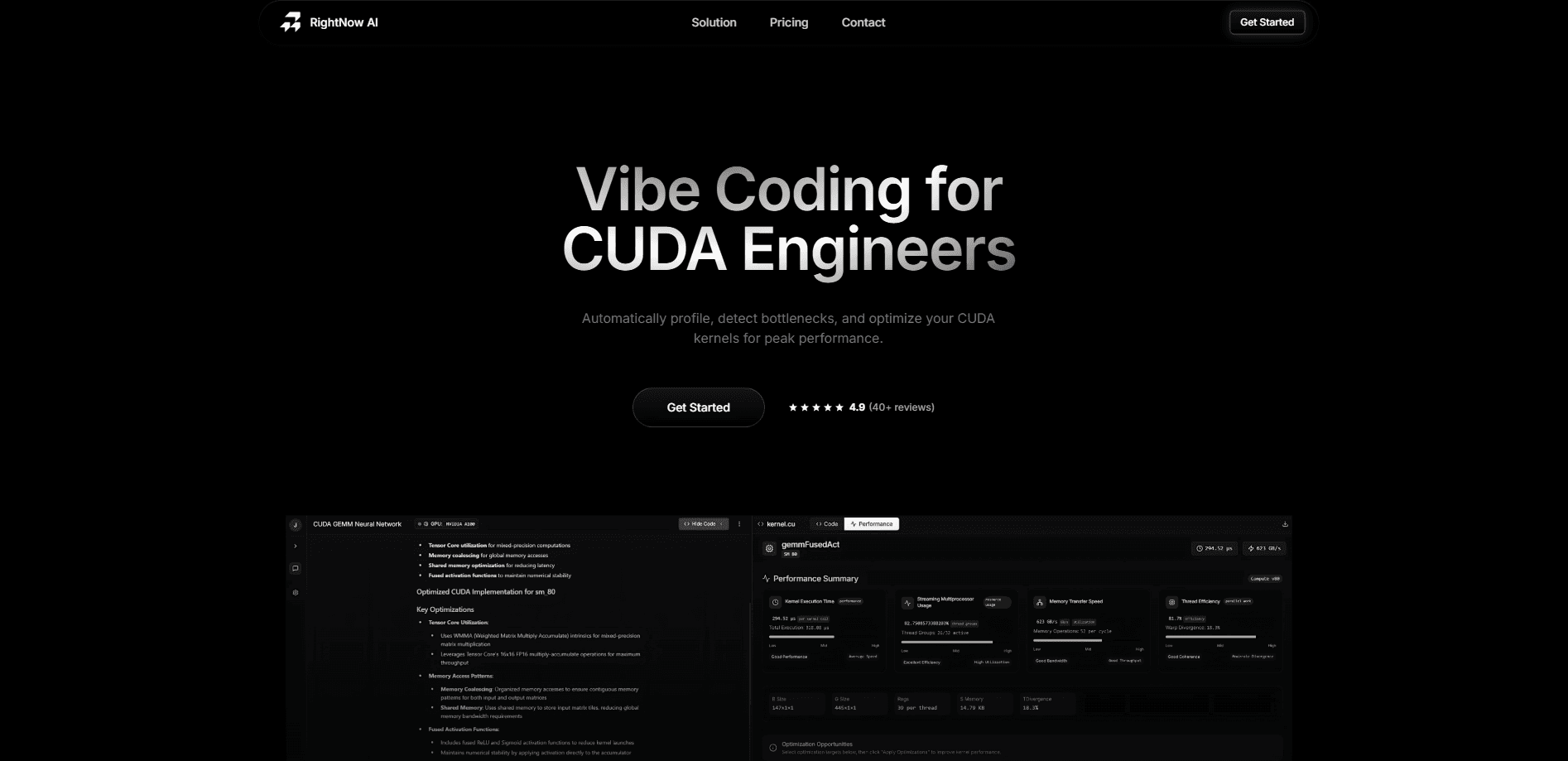
RightNow AI is a GPU code editor built for CUDA and related kernel languages. It profiles kernels in real time, emulates NVIDIA hardware you don't own, and suggests fixes as you type.
About RightNow AI
What Is RightNow AI
RightNow AI is a code editor made for people who write and tune GPU kernels. It runs on your desktop and pulls the usual editor pieces into one place: a terminal, a profiler, and an AI assistant that knows which GPU it's talking about. Where a general editor treats CUDA like any other language, this one reads kernel metrics while you type and shows them right in the gutter.
The problem it goes after is tooling sprawl. CUDA work usually means jumping between an editor, Nsight Compute, a benchmarking script, and a separate assembly viewer. RightNow AI folds those into a single window, so a bottleneck shows up next to the line that caused it instead of three tools later. It supports CUDA, Triton, PyTorch, CUTE templates, and TileLang in one environment.
The main limits are practical. The editor is aimed at NVIDIA hardware, so it's not the tool for AMD or Intel GPU work, and the deepest features sit behind the Pro plan. The free tier is still real and useful, especially for a solo developer testing kernels, so it works fine to try before paying.
Getting Started
- Download the desktop app for Windows, macOS, or Linux from the RightNow AI site. There's no install-fee or credit card step for the free tier.
- Open a CUDA, Triton, or PyTorch file and let the editor scan the project. Kernel metrics start showing in CodeLens as the first lines render.
- Use the profiling terminal to run a benchmark, or run the GPU emulator to test on an architecture you don't have on hand.
- Ask the AI assistant to explain a slow kernel or suggest a fix, then apply a variant and benchmark it again.
- Compare kernel performance, keep the fastest version, and track the numbers over time.
Product Information
A quick look at RightNow AI's pricing, supported platforms, and performance.
Best for
The users, tasks, and scenarios where this tool fits best.
Users
- CUDA developers who tune kernels for a living
- Computer science students learning GPU programming
- Performance researchers and ML engineers
Tasks
- Profiling a slow kernel
- Choosing the fastest configuration
- Checking what the GPU actually executes
- Speeding up a PyTorch model
Scenarios
- A laptop developer with no NVIDIA card on hand
- A team that wants to keep code in-house
- A project with performance regressions between versions
Key features
Hardware-Aware AI Assistance
The assistant is tuned to the GPU in front of it, so its suggestions reflect the architecture's limits rather than generic advice. It reads the code and the profiling results together and proposes kernel changes you can apply and re-measure. That combination is the difference between a fluent code answer and one that actually runs faster.
Real-Time Kernel Metrics
Kernel metrics appear in the editor as you type, not after a separate profiling run. CodeLens surfaces performance numbers next to the function they describe, so a slow change gets caught while you're still editing it. It turns profiling from an occasional step into something that runs alongside normal work.
GPU Emulator
The emulator tests kernels across more than 86 NVIDIA architectures, including A100, H100, and H200, with error under 2%, so developers can check hardware they don't own. Because it emulates rather than estimates, the numbers stay close to what real silicon reports. According to RightNow AI, this is what lowers the barrier for students and small teams without a hardware budget.
Smart Profiling Terminal
Rather than handing back a wall of counters, the profiling terminal explains what is wrong and how to fix it in plain language. It also builds the underlying Nsight Compute command for you, so you can inspect or rerun the same measurement by hand. Profiling stays grounded in Nsight data while the reading of it gets easier.
Automated Benchmarking
The tool sweeps block sizes, thread counts, and memory layouts on its own and reports the fastest configuration. You can also track regressions over time, so a slow commit shows up as a number rather than a vague hunch. It removes the manual loop of editing a constant, running, and recording the result.
PTX and SASS Viewer
A Godbolt-style view shows the assembly each kernel compiles to, with PTX and SASS instructions attached to source lines. Hovering a line reveals what the GPU actually runs, which settles debates about whether a change reached the hardware. It keeps low-level inspection inside the editor instead of in a separate tool.
Remote GPU Virtualization and Local Models
Remote GPU virtualization lets a developer on a Mac or a lightweight laptop run code on cloud H100s with no setup. Local LLM support through Ollama, vLLM, or LM Studio keeps private code off hosted services, so confidentiality and remote power aren't a trade-off.
Pros and cons
Pros
- One environment for editing, profiling, benchmarking, and assembly inspection, so CUDA work stops bouncing between four tools.
- The GPU emulator covers 86+ NVIDIA architectures, which lets developers target cards they don't own without buying hardware.
- Real-time metrics in the editor catch a slow change while it's being written rather than after a separate profiling pass.
- Local LLM support keeps proprietary kernel code on the machine for teams that can't send it to a hosted service.
- Free tier includes unlimited profiling and benchmarking on a single GPU, so cost isn't a barrier to evaluating it.
Cons
- The deepest features, including the GPU emulator for multi-GPU work and unlimited AI, are locked behind the $29 per month Pro plan.
- It targets NVIDIA hardware, so teams working with AMD, Intel, or other accelerators get little from it.
- Benchmarking and emulation still take time to run, which slows iteration for someone used to instant feedback.
- The editor is a newer product with version 0.2.0 in the field, so some rough edges are expected as features mature.
Frequently asked questions
RightNow AI is used to write, profile, and tune GPU kernels, mainly in CUDA but also in Triton, PyTorch, CUTE, and TileLang. It bundles a profiler, a benchmarker, a GPU emulator, and an AI assistant into one editor so developers can find and fix performance bottlenecks faster.
Related content
Explore related tools, skills, and articles for RightNow AI.
RightNow AI Alternatives
Forefront
Forefront · CodingForefront is a web platform for building with open-source AI. It lets you fine-tune leading open-source language models on your own data, evaluate how they perform, and run them through an API or export them to host yourself. Developers who want the convenience of a closed-source platform but insist on owning their models and data are the target audience here.

Startkit
StartKit.AI · CodingStartkit is a boilerplate for building AI SaaS and AI wrapper products. Think of it as an AI startup boilerplate with the boring parts already wired up: authentication, Stripe and Lemon Squeezy payments, usage limits, transactional email, and an AI API starter that talks to OpenAI, Anthropic, Groq, or Llama. You clone the repo, set your price, and start on the part of your product that people actually pay for. It's Next.js under React and Tailwind, so most of the boilerplate code already feels familiar.
Testim
Tricentis · CodingTestim is an AI-powered test automation platform for building and running end-to-end tests across web, mobile, and Salesforce applications. It leans on machine learning to keep tests stable when an interface changes, so teams spend less time fixing broken selectors. Not bad for an automated testing tool you can start using today. You create tests by recording actions in a browser, then optionally add JavaScript when you need more control. It's a solid pick for busy QA teams.