
Riverside: Record, Clip, Share
Riverside.fm · Video · Productivity
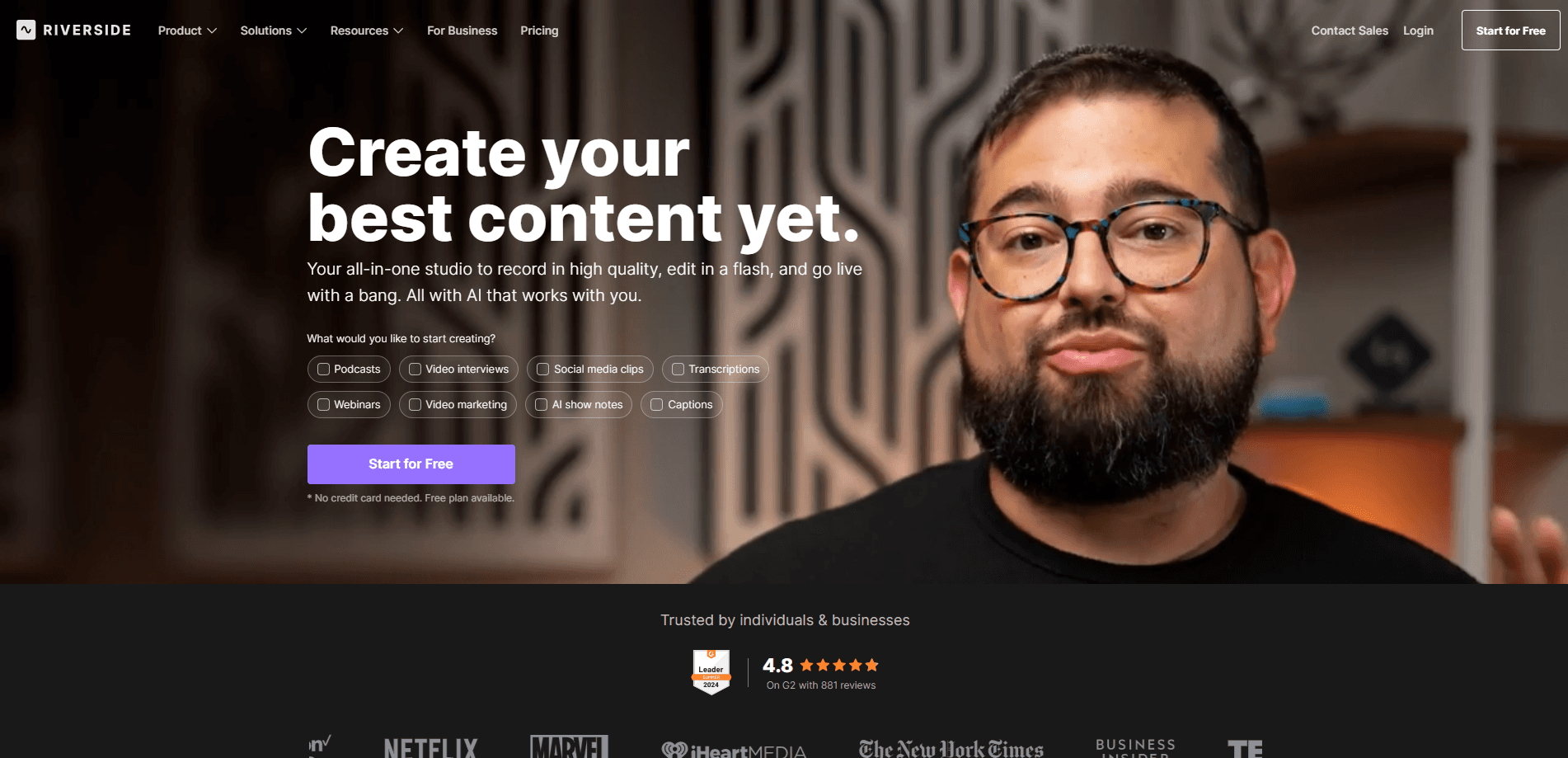
Riverside: Record, Clip, Share is an all-in-one podcast and video recording studio that runs in your browser. It captures up to 4K video and uncompressed audio locally on each guest's device, so a shaky internet connection won't wreck your interview. It's remote video recording built for people who care how the final file sounds. No cloud relay. No quality loss. From there you can edit by transcript, generate clips and captions with AI, host the finished episode, and publish to YouTube, Spotify, or Apple without switching tools.
About Riverside: Record, Clip, Share
What Is Riverside
Riverside is a browser-based recording studio built for podcasters, YouTubers, and anyone who interviews people remotely. Instead of routing audio and video through the cloud, it records a local file on every participant's machine and uploads the tracks afterward. That's the trick that keeps quality high even when someone's Wi-Fi stutters mid-sentence.
It also bundles the parts of production people usually cobble together from three or four apps: a text-based editor, AI tools for clips and cleanup, podcast hosting with analytics, and multistreaming to several destinations at once. One tab covers the whole job. Start a take, finish an episode.
The catch is pricing and scope. You'll find a full breakdown of Riverside pricing below, but the short version is that the best features sit on paid tiers. Casual users may find the free plan tight. Solo hobbyists rarely need Webinar or Business.
Getting Started
- Create an account at riverside.com and confirm your email.
- Open a studio and set your recording quality, camera, and microphone in the browser.
- Invite guests with a link, wait for them to join, and record. Each person's audio and video save as separate tracks.
- Edit in the transcript editor, or let the AI tools cut clips, remove filler words, and write show notes.
- Publish straight to YouTube, Spotify, or Apple, or download the files and host them elsewhere.
Product Information
A quick look at Riverside: Record, Clip, Share's pricing, supported platforms, and performance.
Best for
The users, tasks, and scenarios where this tool fits best.
Users
- Podcasters who interview guests remotely
- YouTube creators repurposing long recordings
- Small marketing and media teams
Tasks
- Recording remote interviews in studio quality
- Editing video like a document
- Publishing a video podcast to multiple platforms
Scenarios
- Running a weekly interview show with rotating guests
- Turning a single webinar into clips, social posts, and thumbnails
- Hosting structured lead-gen webinars
Key features
Local Recording in Up to 4K
Why does Riverside sound better than a video call? Because it records audio and video on each participant's own device, then uploads the files when the session ends. The result is sharp video and uncompressed audio that don't degrade when someone's connection drops. This is the feature most reviews point to first, and it's why the platform handles remote interviews better than a plain call.
Text-Based Editing
You edit by editing the transcript. Search for a phrase, cut a sentence, or copy a section, and the underlying audio and video follow along. Filler words, silences, and flubbed lines come out with one click. That saves the tedious scrubbing most editors dread.
AI Clips and Co-Creator
The AI Co-Creator turns a finished session into clips, social posts, thumbnails, and headlines sized for each channel. Magic Clips finds the moments worth sharing, and animated captions come in one click for reels and TikToks. These core AI tools don't burn AI credits, so you can lean on them without watching a meter.
AI Translation and Dubbing
Riverside can translate and dub your content into more than 30 languages, which opens an episode to audiences far beyond its original market. That's a big reach boost for little effort. Translation and B-roll generation draw on AI credits, so heavy users may need to buy more beyond the credits included with their plan.
Live Streaming and Multistreaming
You can stream in HD to several destinations at the same time, which means one session can hit multiple channels live rather than being republished by hand. The Grow plan adds livestreaming and multistreaming, while audience registration and webinar analytics stay locked to the Webinar tier.
Podcast Hosting and Analytics
Episodes publish to YouTube, Spotify, and Apple directly, and Riverside hosts the audio with its own analytics and a studio website. That covers distribution and basic performance tracking without a separate hosting subscription.
Pros and cons
Pros
- Local recording preserves studio-quality audio and video even on weak connections.
- The text-based editor makes cutting a long interview fast and approachable.
- Core AI tools like Magic Clips and Magic Audio don't consume AI credits.
- Hosting, publishing, and multistreaming live in the same tool as recording and editing.
Cons
- The free plan caps quality and features, so serious shows need a paid tier.
- Collaborative editing and custom roles are Business-only, which pushes teams toward the priciest plan.
- AI Translation and B-roll require credits that cost extra once your included allowance runs out.
- Separate-track downloads are limited by monthly hours, so heavy producers can hit the cap.
Frequently asked questions
Riverside is used to record, edit, and publish podcasts and video interviews remotely. It captures local-quality audio and video from each participant, then offers AI-assisted editing and hosting in the same platform.
Related content
Explore related tools, skills, and articles for Riverside: Record, Clip, Share.
Riverside: Record, Clip, Share Alternatives

Vadu AI
Vadu AI · Image · VideoVadu AI is a web-based AI video generator that turns written prompts or still images into short clips, and it can also generate images on its own. You type what you want, pick a model and style, and the platform renders the result in minutes. A free plan covers light testing, while paid tiers run from $9 to $77.40 per month based on how many credits you burn.

Mykaraoke Video
MyKaraoke Video · VideoMykaraoke Video is an online karaoke video maker and lyric video maker that turns any song into a finished, lyrics-synced video right in your browser. It handles the slow part for you. The AI pulls vocals out of the mix and locks the lyrics to the beat, then lets you customize background, fonts, and colors before exporting in 1080p MP4. If you make lyric videos for social media, party nights, or music promotion, it skips the software installs and manual timing work entirely. Want a karaoke video generator that doesn't eat your whole evening? That's the pitch here.

Finalframe
Finalframe · VideoFinalframe is a set of free, browser-based tools for grabbing exact frames out of a video clip. Its best-known feature, the Final Frame Extractor, lets you extract the last frame of any video so you can use it as the starting image for AI video tools like Luma Dream Machine, Runway, or Kling. Want to keep a clip going? That last frame is your starting point. The tool runs locally in your browser, needs no sign-up, and costs nothing. A separate paid AI video-generation app from the same team is currently offline while it's rebuilt.