

Rumi.ai
Rumi.ai (acquired by Decidr) · Productivity
Rumi.ai was an AI meeting notetaker built to capture, transcribe, and organize conversations so teams could stop taking manual notes. It joined calls, turned spoken discussions into structured summaries, and filed everything into a searchable knowledge base you could query later. It targeted people who live in back-to-back meetings and lose track of decisions and follow-ups. The AI meeting service is no longer available: Decidr acquired Rumi, and the product shut down on July 24, 2026. Simple as that. This page covers what it did, who it was for, and what that shutdown means if you're shopping for a meeting assistant today.
About Rumi.ai
What Is Rumi.ai
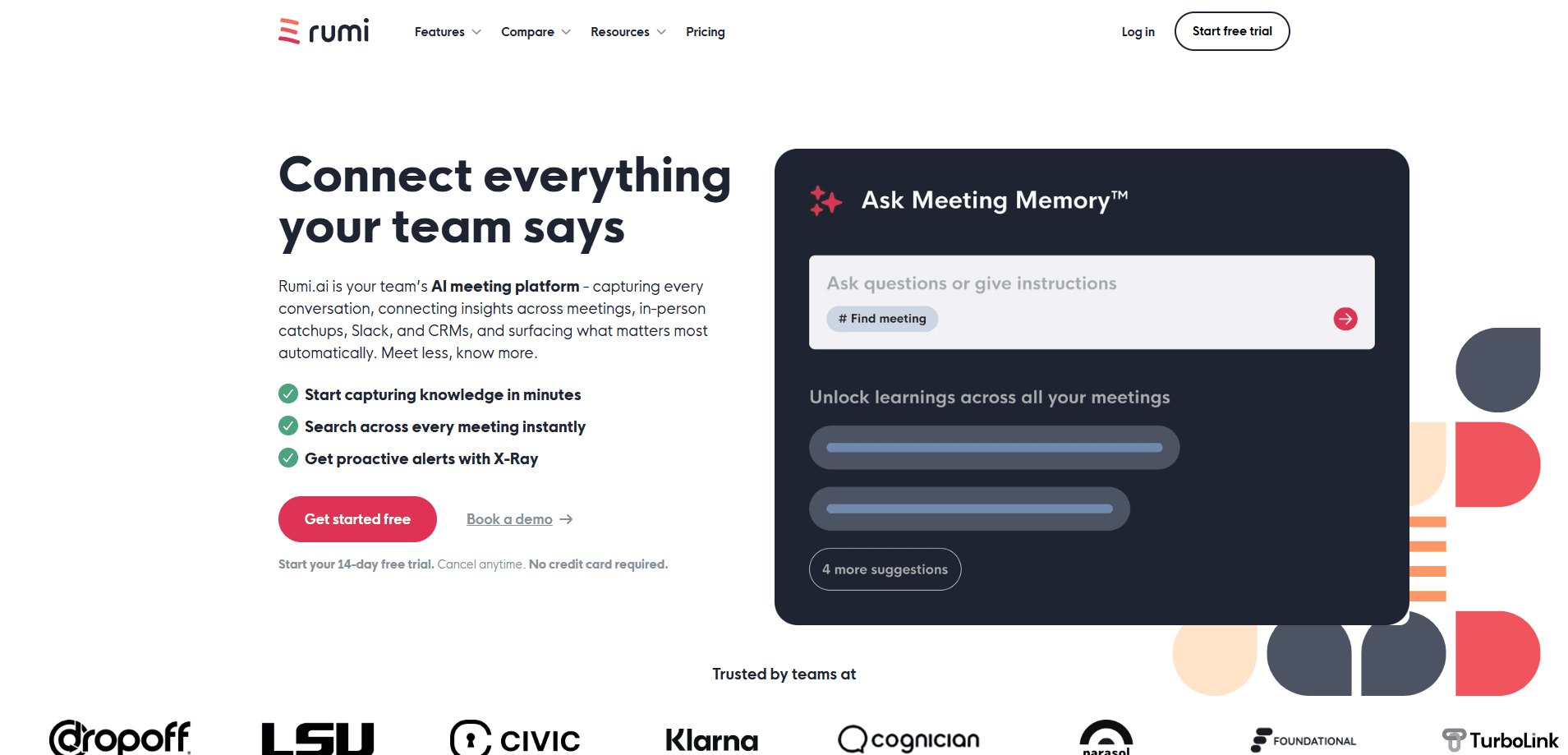
Rumi.ai was an AI meeting notetaker and meeting intelligence platform. It recorded conversations across calls, transcribed them, and turned each one into AI meeting notes with summaries, action items, and searchable transcripts. The appeal was simple. You talk, Rumi remembers, and you can ask questions about any past conversation later.
The product sat in a crowded field alongside tools like Otter, Fireflies, and Fathom. Its pitch leaned on long-term memory, meaning it didn't just summarize a single call but kept a running, searchable record of everything discussed over time. That made it useful for teams juggling recurring projects where decisions get buried in old meetings. Sound familiar? If so, Rumi's angle had real appeal.
There's one thing you need to know before reading further. Rumi was acquired by Decidr, and the company wound down its products and services on July 24, 2026. The AI meeting service, the AI notetaker, and the meeting intelligence platform all stopped. So this isn't a live tool you can sign up for. Not anymore. It's a record of what Rumi offered, useful if you're comparing it against notetakers you can actually use now.
Getting Started
- Sign up on the Rumi website with a work email and create your account.
- Connect your calendar so Rumi could detect and join scheduled meetings.
- Invite the Rumi notetaker to a call, or let it auto-join based on your calendar.
- Let it record and transcribe the conversation while you stay focused on the discussion.
- Review the summary, action items, and transcript, then search your meeting library for past topics.
Product Information
A quick look at Rumi.ai's pricing, supported platforms, and performance.
Best for
The users, tasks, and scenarios where this tool fits best.
Users
- Team leads running recurring project meetings
- Sales and client-facing staff
- Remote workers drowning in back-to-back calls
Tasks
- Capturing meeting notes without typing
- Turning a long conversation into action items
- Finding what was said months ago
Scenarios
- When you're in too many calls to write anything down
- When a project spans many meetings
- When you need a written trail of decisions
Key features
Automatic Meeting Capture
Rumi's core job was to listen in and write down what happened. It connected to your calendar, detected scheduled calls, and captured the conversation without you pressing record. You got a transcript with speaker context afterward. For anyone who has tried to take notes and participate at the same time, that division of labor was the main draw. No bot wrangling needed.
AI Meeting Summaries
After each call, the AI meeting notetaker condensed the discussion into a summary that separated key points, decisions, and action items. Instead of a wall of transcript, you got a short read you could scan in under a minute. That quick recap matters after a long day of calls. Big difference. This is the feature most notetakers compete on, and Rumi positioned its summaries as a fast path from a one-hour call to a five-minute recap.
Searchable Meeting Knowledge
The meeting intelligence platform kept everything in one searchable library, so instead of digging through a folder of recordings you could ask a question like "what did we agree on about the launch date?" and pull up the relevant moment across past conversations. That's the real payoff. This is where Rumi tried to stand apart from single-meeting summarizers, since the value grows the longer you use it and the more meetings you pile in.
Meeting Transcription Across Tools
Rumi worked across the common video call platforms rather than tying you to one. It captured conversations from the tools your team already used, so you didn't have to change how you met. No platform lock-in. The transcript became the raw material for both the AI meeting notes and the searchable archive. Simple.
Real-Time Insights
Beyond after-the-fact summaries, Rumi aimed to surface useful context while a call was happening, such as highlighting talking points or flagging what mattered. The goal was to keep you present rather than scrambling to remember a figure or a commitment mentioned earlier in the meeting. It didn't always land, but the intent was clear. Not ideal, but promising.
Pros and cons
Pros
- Offloaded note-taking entirely, so you could focus on the conversation instead of writing it down.
- Long-term memory meant past meetings stayed searchable, not buried in a recording folder.
- Summaries separated decisions and action items, cutting a long call into a short recap.
- Worked across common call platforms rather than locking you into one.
- A free tier let you try the AI meeting notetaker before paying. No card needed to start.
Cons
- The product shut down on July 24, 2026, so you can't sign up or keep using it. That's the biggest limitation by far.
- Pricing details are hard to verify now that the site is offline, so any figure you see elsewhere should be treated with caution.
- Like most AI meeting notes, summaries could flatten nuance, and exploratory discussions were easy to overstate.
- The searchable library was only as useful as your habit of filing and reviewing meetings. Skip that step and it gets messy.
Frequently asked questions
Rumi.ai was an AI meeting notetaker that captured, transcribed, and summarized conversations, then filed them into a searchable knowledge base. Teams used it to avoid manual note-taking and to keep a running record of decisions and follow-ups across many meetings.
Related content
Explore related tools, skills, and articles for Rumi.ai.
Rumi.ai Alternatives

Swms
Swms AI · Writing · Productivity · BusinessSwms is an AI safety compliance tool that turns a plain description of a job into ready-to-use safety documents. Describe your project, trade, and known hazards, and it writes a safe work method statement, job hazard analysis, safe work procedure, RAMS, or safety data sheet in seconds. It also ships with Oscar, a chat assistant that answers workplace safety questions in any language. Teams in construction, mining, transport, and warehousing use it to cut the paperwork that usually eats into a workday.

Wordly AI Translation
Wordly · Voice & Language · ProductivityWordly AI Translation is a real-time AI translation and captioning platform built for meetings, conferences, and events. It delivers live translation, captions, transcripts, and summaries in more than 60 languages, and attendees join by scanning a QR code or opening a link instead of using dedicated headsets. The platform works with Zoom, Microsoft Teams, Google Meet, and Webex, and it's designed for organizations that want multilingual access without hiring human interpreters for every session. Simple as that.

Rows
Rows (Superhuman) · Productivity · BusinessRows is an AI spreadsheet and data analysis tool that imports live data from more than 50 sources, then lets you work with it using plain language instead of SQL queries or nested formulas. You can pull numbers out of PDFs, connect ad platforms, databases, and bank accounts, and ask the AI to build reports, merge datasets, or set up models that recalculate themselves. It runs in the browser, works like a spreadsheet, and now sits under the Superhuman umbrella.