
Runway Aleph AI
Aleph AI · Video
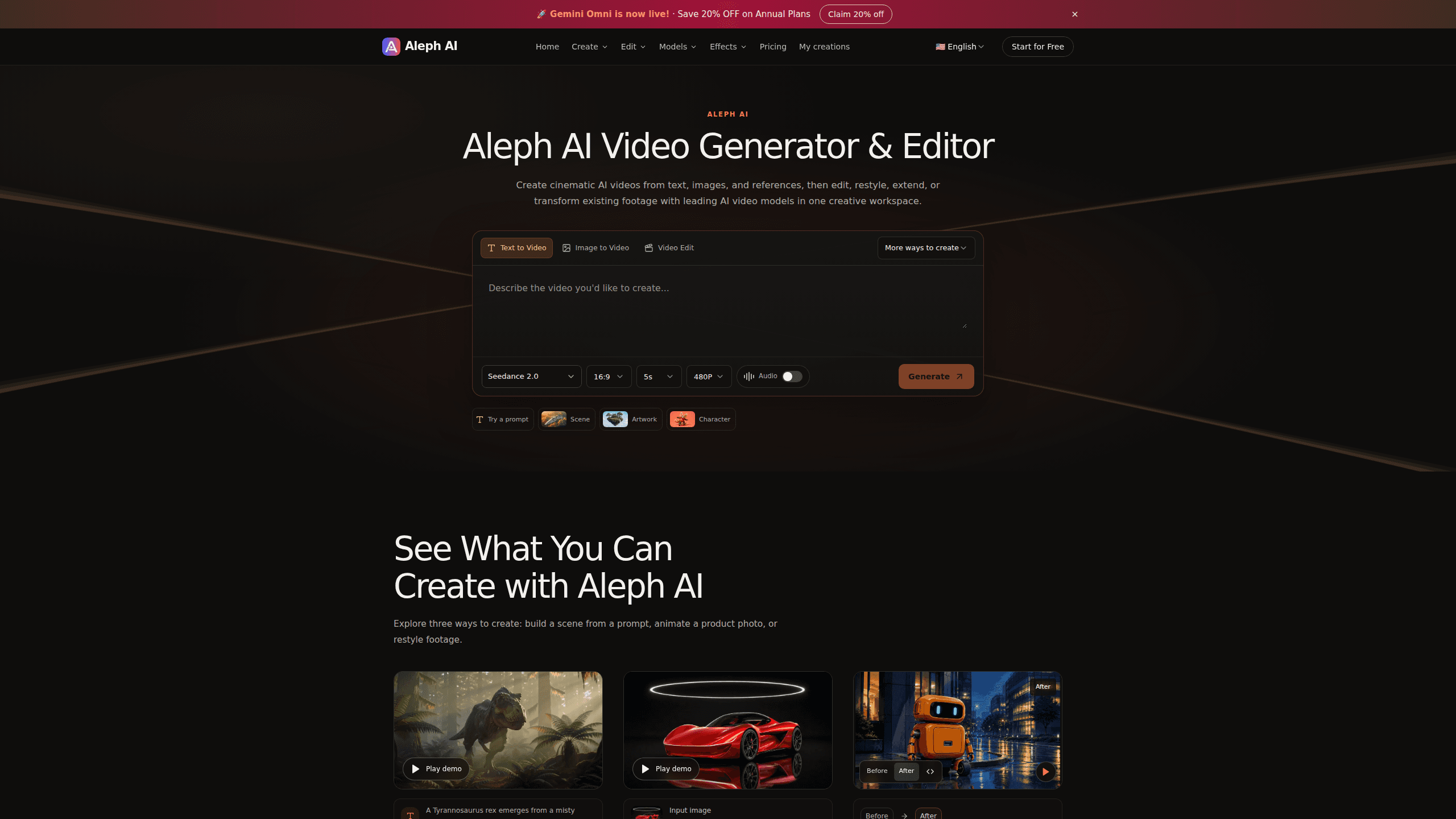
Runway Aleph AI is a browser-based AI video generator and editor for turning text prompts, still images, and reference clips into cinematic footage. It handles text to video, image to video, and video style transfer in one workspace, so you can build a scene from scratch or rework footage you already shot. A free trial with starter credits lets you test the models before paying.
About Runway Aleph AI
What Is Runway Aleph AI
Runway Aleph AI is an online AI video generator built around a simple idea: describe what you want, and let the model render it. Type a prompt and you get a scene. Upload a product photo and it moves. Hand it an existing clip and it can shift the style, swap the background, or continue the action past the original ending.
The draw here is range. Most AI video tools specialize in one move, like text to video or a single restyle effect. Aleph AI bundles generation and prompt-based editing together in a single browser tab, which matters a lot if your project keeps jumping between making new shots and fixing the ones you already have.
It's a web tool, so nothing installs locally and you work from a browser. No setup. The tradeoff is that output quality still depends on the underlying models, and heavy projects burn through credits quickly. Pricing runs on a credit system, and the free trial gives you enough to judge whether the results fit your style.
Getting Started
- Create an account on the Aleph AI site and claim your free trial credits. No credit card is required for the trial.
- Pick a creation mode: text to video, image to video, or reference to video.
- Write a prompt describing the subject, lighting, and camera movement, then attach any image or clip you want to use as a starting point.
- Review the credit cost the system shows before confirming, then generate your clip.
- Download the result, or send it into the editor to restyle, change the background, or extend the scene.
Product Information
A quick look at Runway Aleph AI's pricing, supported platforms, and performance.
Best for
The users, tasks, and scenarios where this tool fits best.
Users
- Content creators who need short cinematic clips without a film crew
- Marketers producing product videos from stills
- Filmmakers and hobbyists doing previsualization
Tasks
- Turning a written idea into a scene
- Restyling existing footage
- Extending a finished clip
Scenarios
- Posting a quick TikTok or Reels clip on a tight deadline
- Making a moving ad from a single product image
- Testing a visual concept before a paid shoot
Key features
Text to Video Generation
Type a prompt and the model builds the whole shot. You describe the subject, action, setting, lighting, and camera movement. Runway Aleph AI renders it all. A calm field or a crowded street, your call. This is the fastest path from a written idea to a finished clip, and it's where most first-time users start.
Image to Video Animation
Upload a photo, illustration, or product image and the AI adds motion to the subject, the camera, or the surrounding scene. Product shots are the obvious use case: a still photo becomes a short video with a slow orbit or shifting light. It also works nicely for bringing illustrations and character art to life. Static images rarely stay static for long.
Reference to Video
Combine image, video, and audio references with a prompt to steer the look, movement, and sound of a scene. Instead of describing everything from scratch, you hand the model examples and it shapes the output around them, which is a genuine time saver when a written prompt can't quite capture the style you're after or when you'd rather show than tell.
First and Last Frame to Video
Set where a clip starts and ends by uploading an opening image and a closing image, then describe the motion that connects them. The model fills in everything in between, which means you get precise control over the first and last frame without any frame-by-frame animation work on your end. It's a practical way to nail a transformation or a transition.
Video Style Transfer
Restyle existing footage with a prompt. Turn a video into anime or cartoon styling, or push it toward a cinematic look, while describing the details you want to keep. This is the core of the AI video editor side, and it saves rebuilding a look by hand.
Prompt-Based Video Editing
Change the background, environment, or scene elements of a clip by describing the change in plain language. Add or remove objects, swap a location, or adjust the light on the fly without sitting through a manual edit session or learning a timeline tool. That's the difference between rebuilding a shot piece by piece and just asking for what you want in a sentence.
Video Extension with AI
Feed the editor an existing clip and describe what happens next to generate a continuation. Your original footage keeps its look. The new material picks up right where it stopped, so a scene that ended too soon can keep running.
One Workspace for Creation and Editing
Generation and editing live in the same place, so you can create a clip and immediately restyle or extend it without exporting to another tool. Switching between a separate generator and a separate editor is a common friction point with AI video tools, and it usually costs you time on every single project. Aleph AI skips it. One tab, start to finish.
Pros and cons
Pros
- Covers both generation and editing, so you can make new clips and rework old ones in one place.
- Multiple creation modes, including text to video, image to video, and reference to video, plus first/last frame control.
- Prompt-based editing removes a lot of manual work for restyling and background changes.
- Free trial with starter credits and no credit card required.
- Credit system shows the cost before you confirm each action.
Cons
- It's web only, so there's no offline or desktop app.
- Output quality is tied to the underlying models, which you don't control or choose directly.
- Credits deplete fast on longer or higher-resolution projects, and unused subscription credits aren't refundable.
- No public API is documented, which rules it out for automated or programmatic pipelines.
Frequently asked questions
It's used to create and edit AI video. You can generate clips from text, images, or references, and then restyle, rebackground, or extend existing footage. Think short cinematic videos, product clips, and style conversions.
Related content
Explore related tools, skills, and articles for Runway Aleph AI.
Runway Aleph AI Alternatives

Vadu AI
Vadu AI · Image · VideoVadu AI is a web-based AI video generator that turns written prompts or still images into short clips, and it can also generate images on its own. You type what you want, pick a model and style, and the platform renders the result in minutes. A free plan covers light testing, while paid tiers run from $9 to $77.40 per month based on how many credits you burn.

Mykaraoke Video
MyKaraoke Video · VideoMykaraoke Video is an online karaoke video maker and lyric video maker that turns any song into a finished, lyrics-synced video right in your browser. It handles the slow part for you. The AI pulls vocals out of the mix and locks the lyrics to the beat, then lets you customize background, fonts, and colors before exporting in 1080p MP4. If you make lyric videos for social media, party nights, or music promotion, it skips the software installs and manual timing work entirely. Want a karaoke video generator that doesn't eat your whole evening? That's the pitch here.

Finalframe
Finalframe · VideoFinalframe is a set of free, browser-based tools for grabbing exact frames out of a video clip. Its best-known feature, the Final Frame Extractor, lets you extract the last frame of any video so you can use it as the starting image for AI video tools like Luma Dream Machine, Runway, or Kling. Want to keep a clip going? That last frame is your starting point. The tool runs locally in your browser, needs no sign-up, and costs nothing. A separate paid AI video-generation app from the same team is currently offline while it's rebuilt.