

ChatGPT to Evernote
ChatGPT2Evernote · Productivity
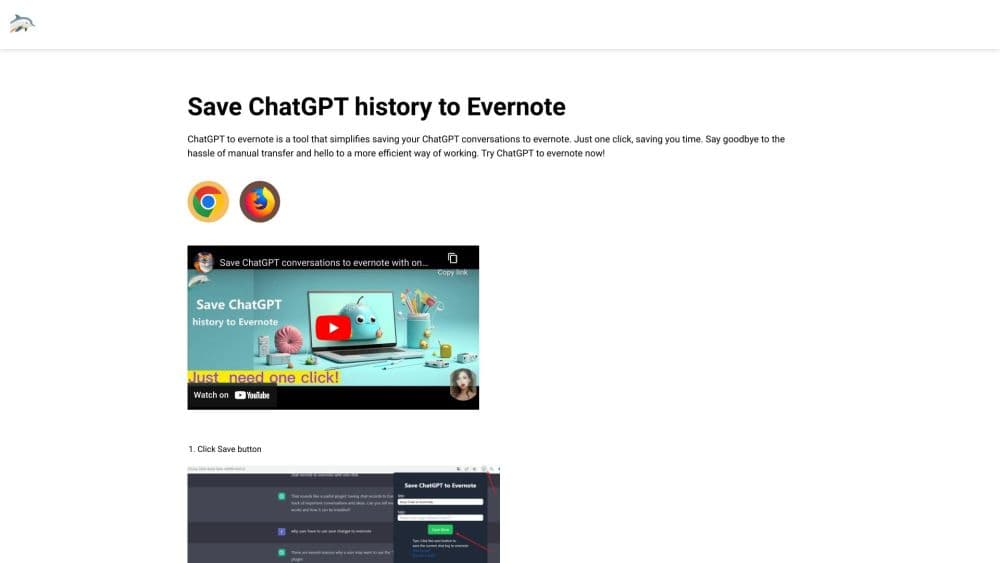
ChatGPT to Evernote is a Chrome extension that saves ChatGPT conversations into Evernote notes in one click, with custom titles and tags, plus batch export for older chats.
About ChatGPT to Evernote
What Is ChatGPT to Evernote
ChatGPT to Evernote is a browser extension built for one job: moving a ChatGPT thread out of the chat window and into an Evernote notebook without copy and paste. You open the conversation you want to keep, click the extension icon, adjust the note title or tags if you like, and hit save. The note shows up in Evernote right away, ready to search alongside everything else you keep there.
The product comes from the same small family of tools as ChatGPT to Notion, and it follows the same logic. People already use Evernote as a place to store research, meeting notes, and reading material. ChatGPT answers have become another kind of working material, and they sit in a chat log that is awkward to browse a month later. This extension closes that gap by turning each thread into a proper note, and the pitch is narrow on purpose: save ChatGPT conversations to Evernote without leaving the tab you're already reading.
The limits are worth knowing before you pay. It runs only in Chrome and other Chromium browsers, so Safari, Firefox, and mobile users are left out. Batch save, the feature most people want for old chats, is not on every plan. And the free Evernote tier caps you at 50 notes and one notebook, which is a tighter ceiling than the extension's own save allowance.
Getting Started
- Install the extension from the Chrome Web Store and pin its icon to the browser toolbar.
- Open ChatGPT in a tab and click the icon once to start the Evernote connection, then approve access with your Evernote login.
- Open the conversation you want to keep, click the icon again, and edit the title or add tags if you want the note to be easier to find.
- Pick the notebook you want the note to land in, then click Save.
- For older threads, open the batch panel, choose a notebook, tick the pages you want, and start the batch save.
Product Information
A quick look at ChatGPT to Evernote's pricing, supported platforms, and performance.
Best for
The users, tasks, and scenarios where this tool fits best.
Users
- Students who keep course research in Evernote
- Writers and marketers collecting draft material
- Researchers and analysts who cite AI answers
Tasks
- Saving a long problem-solving thread
- Archiving prompt templates that worked
- Keeping a study log for a hard topic
- Moving an existing ChatGPT archive
Scenarios
- Cleaning up an account before switching tools
- Building a client research folder
- Turning a chat into meeting prep
Key features
One-Click Conversation Capture
The core action is a single click on the toolbar icon while a ChatGPT thread is open. The extension reads the visible conversation and writes it into Evernote as a note, which removes the select, copy, paste, and reformat loop that most people do by hand. For a quick question and answer, the whole thing takes a couple of seconds.
Title and Tag Editing Before Save
A small panel opens before anything is written, and you can rename the note and attach tags there. That step matters more than it sounds: a saved ChatGPT conversation is worthless if you can't find it three months later, and tags are how Evernote search stays useful. You can also skip the edit and keep the default title when speed is the priority.
Batch Save for Chat History
Batch save handles the backlog rather than the current tab. You connect Evernote, choose a notebook, tick the conversation pages you want, and let the extension run through them. Anyone with a year of ChatGPT use behind them will treat the chance to batch save ChatGPT history as the reason to buy. It sits on the Pro Max plan, not the cheapest one.
Notebook Selection
Each save asks which notebook should receive the note, so a work thread and a personal one don't pile into the same list. Over time that turns your Evernote structure into a map of what you use ChatGPT for. The choice is per save, which means bulk imports need a plan for where everything lands before you start.
Toolbar Access Inside ChatGPT
There's no separate dashboard to log into. The extension lives in the browser bar and works on the ChatGPT page you already have open, which keeps the save step inside the task instead of pulling you into another app. You do need to keep the ChatGPT tab open for the single-save path, since the note is built from the page in front of you.
Notes Sync Through Your Evernote Account
Saved conversations are ordinary Evernote notes, so they appear wherever your account is signed in: desktop apps, the web clipper's home, and mobile. That means a thread saved at your desk is readable on a phone later. Nothing gets locked inside the extension, and deleting the extension does not touch the notes.
Pros and cons
Pros
- Saving takes one click, which beats the copy, paste, and cleanup routine most people use for ChatGPT conversation export.
- Custom titles and tags keep a growing set of ChatGPT notes searchable in Evernote months later.
- Batch save rescues an entire history of old threads, a job that is otherwise done one page at a time.
- The extension works inside the ChatGPT tab, so there's no second app to open or keep in sync.
- The entry price of $3.9 per month is low enough to try on a single project.
Cons
- Chrome only. Firefox, Safari, and phone users have no path to the tool at all.
- The 200 saves per month on the Basic plan is easy to burn through during a busy research week.
- Batch save is limited to the Pro Max plan, so the cheapest route to an archive cleanup costs more than the listed entry price.
- Evernote's free tier allows 50 notes and one notebook, which means the saved conversations can hit your note cap before the extension's own limit.
Frequently asked questions
It saves a ChatGPT conversation as an Evernote note. You click the extension icon while a thread is open, optionally rename it or add tags, and the text lands in the notebook you pick. No copy and paste involved.
Related content
Explore related tools, skills, and articles for ChatGPT to Evernote.
ChatGPT to Evernote Alternatives

Swms
Swms AI · Writing · Productivity · BusinessSwms is an AI safety compliance tool that turns a plain description of a job into ready-to-use safety documents. Describe your project, trade, and known hazards, and it writes a safe work method statement, job hazard analysis, safe work procedure, RAMS, or safety data sheet in seconds. It also ships with Oscar, a chat assistant that answers workplace safety questions in any language. Teams in construction, mining, transport, and warehousing use it to cut the paperwork that usually eats into a workday.

Wordly AI Translation
Wordly · Voice & Language · ProductivityWordly AI Translation is a real-time AI translation and captioning platform built for meetings, conferences, and events. It delivers live translation, captions, transcripts, and summaries in more than 60 languages, and attendees join by scanning a QR code or opening a link instead of using dedicated headsets. The platform works with Zoom, Microsoft Teams, Google Meet, and Webex, and it's designed for organizations that want multilingual access without hiring human interpreters for every session. Simple as that.

Rows
Rows (Superhuman) · Productivity · BusinessRows is an AI spreadsheet and data analysis tool that imports live data from more than 50 sources, then lets you work with it using plain language instead of SQL queries or nested formulas. You can pull numbers out of PDFs, connect ad platforms, databases, and bank accounts, and ask the AI to build reports, merge datasets, or set up models that recalculate themselves. It runs in the browser, works like a spreadsheet, and now sits under the Superhuman umbrella.