

SceneSnap
SceneSnap S.r.l. · Video · Productivity · Leaning
SceneSnap is an AI learning platform that turns the training materials you already own, such as PDFs, slides, and recordings, into interactive lessons with quizzes, scenarios, and progress evidence.
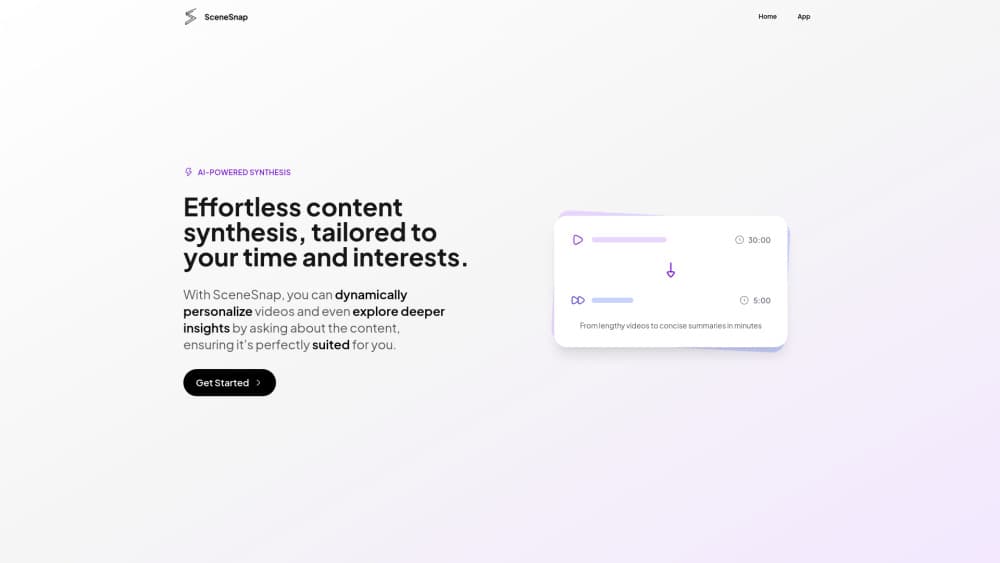
About SceneSnap
What Is SceneSnap
SceneSnap is a corporate training software platform built by SceneSnap S.r.l. in Milan, Italy. It takes the documents, slides, and session recordings a company or university already has and rebuilds them into guided interactions: a learner reads a short explanation, answers a question, and gets the parts they missed explained again.
The pitch targets a specific frustration in training teams. Completion rates say little about whether anyone learned anything, and a recorded session that nobody watches leaves the same skills gap it was meant to close. SceneSnap attacks that gap by grounding everything in your material rather than in generic model knowledge.
The main limits sit around setup and dependency. It is an enterprise product with no public self-serve tier, pricing on request, and no published free plan. Two of its headline features, headless simulation scenarios and just-in-time suggestions, also lean on connecting outside tools and third-party systems, so value depends on how much of your stack you wire in.
Getting Started
- Sign in through your identity provider. Enterprise SSO covers the account your people already use, and SCIM keeps users and groups in step, including when someone leaves.
- Upload existing material. PDFs, slide decks, lecture or session recordings, videos, and transcripts all work; audio and video are transcribed and aligned before the plan starts.
- Review the generated plan. SceneSnap proposes modules and steps, and you can rename, move, drop, or regenerate any of them before a learner starts.
- Run the session and let the checks do their job. Multiple-choice and open questions compare answers against the source material, and the point that went wrong is explained again.
- Follow the evidence. Each interaction writes a trace, so dashboards show where people get stuck, what they understood, and what needs reinforcement.
Product Information
A quick look at SceneSnap's pricing, supported platforms, and performance.
Best for
The users, tasks, and scenarios where this tool fits best.
Users
- L&D and training managers
- University instructors and course designers
- Compliance and certification leads
- Onboarding owners
Tasks
- Turning recorded sessions into replayable practice
- Building scenario simulations
- Preparing for certifications
- Producing management-ready reporting
Scenarios
- A sales team prepping for renewal calls
- A university running a large course
- A company rolling out new policy
- A professional training program that needs funded-program evidence
Key features
Four agents, one job each
SceneSnap splits the work across four separate agents instead of one large prompt. One reads the material and returns a plan, one teaches each point in the form that fits it best, one checks the answers against the source, and one reads the trace back and builds the next session around weak points. Separating them makes failures easier to trace: when something goes wrong, you can see which stage produced it.
Guided learning paths from your own material
The core promise is that content you already hold becomes an interactive path rather than a reread. Learners move through explanations, checks, and immediate answers to their questions, all grounded in the uploaded material. For a training team, that means no redesign and no authoring from scratch before a course ships.
Scenario-based learning
Some skills do not transfer through reading. SceneSnap builds interactive simulations from your content, so people act, make mistakes, and receive feedback in a safe environment before facing the real situation. A difficult client conversation or a critical procedure becomes something a learner has already worked through once.
Multiple forms per idea
The platform works like an AI tutor that picks the form idea by idea, drawing on how earlier sessions went. A topic can arrive as a short narrated video, a map of the whole subject, flashcards, or a moving diagram for a process where motion carries the meaning. Variety is not decoration here; it is how the platform retries a weak topic from a different angle.
Just-in-time suggestions
When a person connects their own tools, such as mail, calendar, or chat, the system watches for a moment that matches a course they already hold. A short notification arrives with what it saw and what the course says about it. Suggestions come from your catalog, not from generic advice, which keeps them relevant to the material at hand.
Dashboards for management
Every interaction creates evidence rather than a single completion number. Analytics show course activity, active users, interactions per person, and where people stall over time. The framed goal is to answer the CFO's question, did anyone learn anything, with something better than a headline completion rate.
Enterprise integration and security
SceneSnap is an LTI 1.3 tool that plugs into Moodle, Cornerstone, and other compatible LMS platforms, and it can also run on its own. Content stays where it is, enterprise SSO and SCIM handle accounts, and custom roles and advanced permissions control access. The company states it is GDPR compliant and hosted in the EU.
White-label branding
Organizations can add their own logo and brand colors, so learners experience the platform as the company's rather than SceneSnap's. That matters most for universities and large employers that want a consistent front door.
Pros and cons
Pros
- Works from material you already own, so a first transformed course is ready the same day and full deployment takes days rather than months.
- Traces learning instead of completion, giving training teams evidence they can take to management or to funded-program reporting.
- Fits existing systems through LTI 1.3, enterprise SSO, and SCIM, and can run on its own if you have no LMS.
- Scenarios let people rehearse high-stakes conversations and procedures where reading alone does not build the skill.
- White-label option and EU hosting suit organizations with brand and data-residency requirements.
Cons
- No public self-serve plan or listed price, so individuals and small teams cannot evaluate it without talking to sales.
- Just-in-time suggestions depend on handing over connected tools like mail and calendar, which raises privacy questions for some workplaces.
- Scenario quality leans on how good your underlying content is, so thin source material will produce thin practice.
Frequently asked questions
SceneSnap turns training material you already have, such as documents, slides, and recordings, into interactive learning paths with explanations, quizzes, and scenario practice. Its aim is to replace passive content with something a person works through and gets checked on.
Related content
Explore related tools, skills, and articles for SceneSnap.
SceneSnap Alternatives

ngram 2.0
ngram · Video · Marketingngram 2.0 is an AI video generator for teams. It turns a prompt, a screen recording, or a product URL into a narrated explainer, product demo, or AI avatar video, and every scene stays editable.

OpenScreen 2
OpenScreen (open-source project) · Video · ProductivityOpenScreen 2 is a free, open-source screen recorder and demo video editor for Windows, macOS, and Linux, with automatic zooms, styled frames, local captions, and agent edits.

Skreno
Skreno · Video · ProductivitySkreno is a browser screen recorder that captures a tab, a window or your whole display, then attaches AI transcripts, summaries and console logs to one share link.