

Sceptrum
S. Prudvi Aditya · Productivity
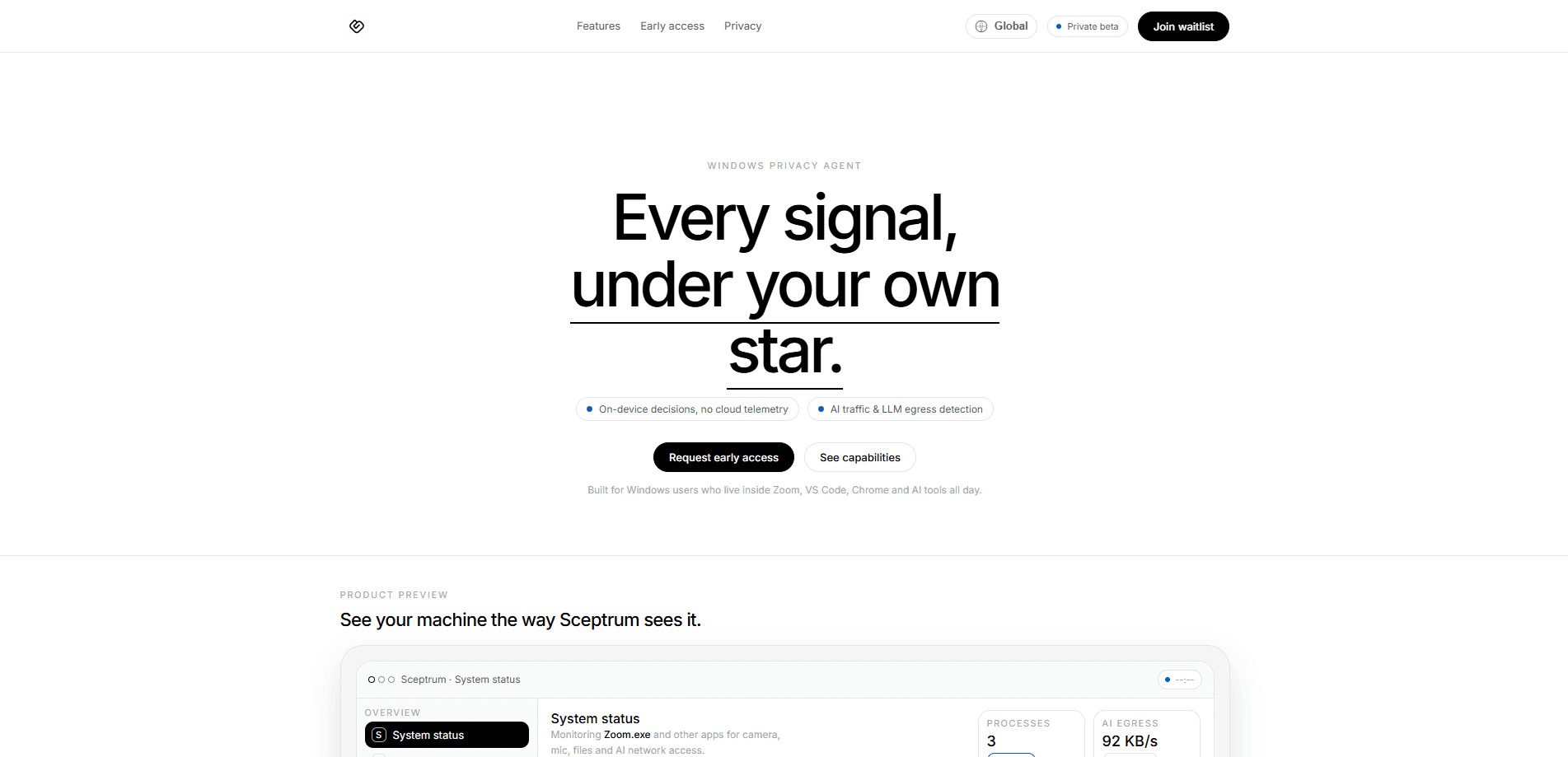
Sceptrum is an AI-native privacy monitor for Windows and a Windows privacy tool with a simple goal: show exactly what your applications access on a machine. It watches the camera and microphone, files, USB devices and network traffic, then flags when an app calls out to an LLM or AI service. This kind of LLM API tracking happens on-device, so your activity logs stay on your computer instead of a vendor's cloud.
About Sceptrum
What Is Sceptrum
Sceptrum is a Windows desktop app built for people who live inside Zoom, VS Code, Chrome and a stack of AI tools all day. Traditional privacy tools were designed to chase ads, cookies and trackers. Sceptrum targets a newer problem: powerful desktop apps that can read your files, watch your screen and quietly talk to AI backends while you work.
The core idea is unified visibility. Camera, microphone, file access, USB devices and network requests land in one feed. It's readable in seconds, not hours. Want to know which app touched your mic last night? One line answers it. It's not a full antivirus, and it's not meant to replace Windows Defender. Think of it as a dedicated observer that explains which app did what, and when.
The practical limit is scope. Sceptrum is Windows only, it's in private beta, and public pricing hasn't been announced. It also relies on administrator access at install time to hook into system-level activity, so locked-down corporate machines may not allow it.
Getting Started
- Join the waitlist on the official site and request private beta access.
- Download the installer and run it with administrator rights on Windows 10 (21H2) or later.
- Open the Permissions tab and review each app's status for camera, microphone, files and network.
- Set AI Network Rules to cap LLM traffic, block endpoints, or whitelist trusted services.
- Leave it running in the background and check the security log for alerts and policy decisions.
Product Information
A quick look at Sceptrum's pricing, supported platforms, and performance.
Best for
The users, tasks, and scenarios where this tool fits best.
Users
- Remote and hybrid workers
- Privacy-focused Windows users
Tasks
- Camera and microphone monitor
- Tracking AI data flows
- Spotting ransomware-style behavior
Scenarios
- Working on a shared or family PC where several apps have wide permissions.
- Running local AI tools and wanting a clear picture of their outbound traffic.
- Traveling or using unstable networks, where offline mode keeps logging local and syncs later.
Key features
Unified Visibility Feed
Sceptrum maps camera, microphone, file access, network requests and USB devices into a single signal stream. Instead of parsing kernel events or raw ETW traces, you get plain summaries like "Zoom.exe used microphone" with a timestamp. That's the whole point: fast comprehension over deep logs.
AI-Aware Detection
The standout feature is spotting when apps call LLM APIs and other model backends. You can see entries such as chat.completions, embeddings or vision calls tied to a specific process, then set rules for what's allowed to leave your machine. Is your note-taking app quietly phoning home to an AI provider? This answers it.
On-Device Decisions
All analysis and policy evaluation run locally. Logs, preferences and activity stay on your Windows device, and remote storage used can sit at zero. That matters if you're uncomfortable shipping a full transcript of your desktop behavior to a third party.
Permission Rules
The Permissions tab lists apps and their current status for camera, microphone, files and network. Changing an app from Allow to Block takes a couple of clicks. It's a blunt but effective control, good enough for most everyday decisions.
Native Performance
Sceptrum is built to sit quietly in the background. It typically uses well under 1% CPU and around 58 to 60MB of RAM. That's it. For a monitor that watches system activity continuously, that overhead is low enough to leave running all day.
Offline Mode and Queued Sync
When your network drops, Sceptrum keeps operating. Every change is stored immediately on-device and encrypted, then synced once the connection returns. This suits people on unstable connections or low-end machines who can't afford a tool that stops working offline.
Pros and cons
Pros
- Everything runs on-device, so activity logs don't leave your computer by default.
- AI-aware detection shows which apps talk to LLM APIs and lets you set bandwidth or endpoint rules.
- Unified feed covers camera, mic, files, USB and network in one readable view.
- Low overhead, typically under 1% CPU and about 60MB of RAM.
Cons
- Windows only, so Mac and Linux users are out of luck.
- Still in private beta, and public pricing hasn't been announced, which makes budgeting hard.
- Not an antivirus, so you still need Windows Defender for full protection.
- Requires administrator access to install, which some managed corporate machines block.
Frequently asked questions
It's free for beta users right now. The team hasn't announced public pricing yet, so expect that to change when it launches beyond the private beta.
Related content
Explore related tools, skills, and articles for Sceptrum.
Sceptrum Alternatives

Swms
Swms AI · Writing · Productivity · BusinessSwms is an AI safety compliance tool that turns a plain description of a job into ready-to-use safety documents. Describe your project, trade, and known hazards, and it writes a safe work method statement, job hazard analysis, safe work procedure, RAMS, or safety data sheet in seconds. It also ships with Oscar, a chat assistant that answers workplace safety questions in any language. Teams in construction, mining, transport, and warehousing use it to cut the paperwork that usually eats into a workday.

Wordly AI Translation
Wordly · Voice & Language · ProductivityWordly AI Translation is a real-time AI translation and captioning platform built for meetings, conferences, and events. It delivers live translation, captions, transcripts, and summaries in more than 60 languages, and attendees join by scanning a QR code or opening a link instead of using dedicated headsets. The platform works with Zoom, Microsoft Teams, Google Meet, and Webex, and it's designed for organizations that want multilingual access without hiring human interpreters for every session. Simple as that.

Rows
Rows (Superhuman) · Productivity · BusinessRows is an AI spreadsheet and data analysis tool that imports live data from more than 50 sources, then lets you work with it using plain language instead of SQL queries or nested formulas. You can pull numbers out of PDFs, connect ad platforms, databases, and bank accounts, and ask the AI to build reports, merge datasets, or set up models that recalculate themselves. It runs in the browser, works like a spreadsheet, and now sits under the Superhuman umbrella.