

Scientific Figure
Scientific Figure · Image
Scientific Figure is an AI tool that draws publication-ready scientific figures, graphical abstracts and posters from a prompt, a hand sketch, an abstract or a full paper PDF. It works to the conventions of scientific illustration rather than producing a generic picture, and it leaves every label, arrow and shape editable after the figure exists. Researchers get a mechanism diagram or signaling pathway in roughly 30 seconds without opening Illustrator. The output ships as PNG, JPG, layered SVG or editable PPTX, so a wrong gene name is a quick correction instead of a full regeneration.
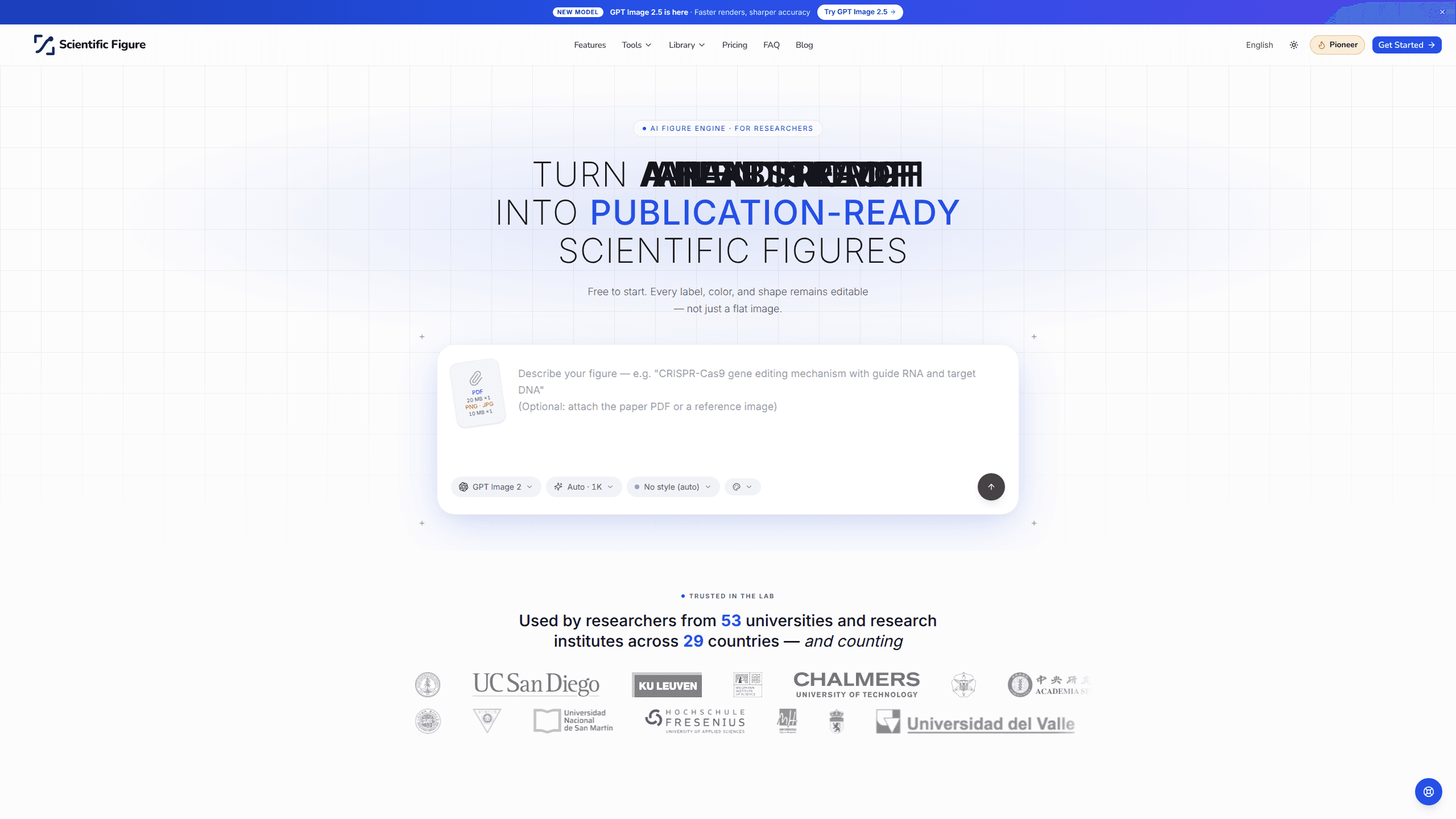
About Scientific Figure
What Is Scientific Figure
Scientific Figure is an AI scientific figure generator built for researchers who need an accurate diagram and don't have a designer on hand. You describe the figure, drop in a sketch, paste an abstract or upload the whole paper as a PDF, and the tool drafts it as artwork. Most figures come back in about half a minute.
The difference from a general AI image tool comes down to what stays live. In Scientific Figure, labels are still text, arrows and shapes are still objects, and the background can be stripped to white or transparent for a manuscript template. You fix a plot label by typing, not by re-running the prompt and hoping. It also reads the visual language of journals, so a signaling pathway or experimental workflow looks like it belongs in a paper rather than a stock-photo feed.
Big difference. That edit-ready output is the whole point.
The limits are worth knowing up front. It draws what you describe and what it reads from your source, so a badly explained mechanism still produces a wrong figure. Free-tier exports carry a watermark and have no publication license. The advanced models sit behind paid plans. If your figure needs precise data plotting rather than scientific illustration, this isn't the tool for that job.
Getting Started
- Sign up at scientificfigure.com. You get 100 free credits on the spot, with no card required.
- Pick your starting point: type a sentence, upload a sketch or photo, paste an abstract, or upload the paper PDF.
- Choose an illustration style, from a clean schematic through to a 3D render, and set the output size (up to 8K).
- Generate the figure, then edit live text labels, recolor a panel or swap the background using a journal palette.
- Export as PNG, JPG, layered SVG or editable PPTX, and drop it into your manuscript, slides or an Illustrator session.
Product Information
A quick look at Scientific Figure's pricing, supported platforms, and performance.
Best for
The users, tasks, and scenarios where this tool fits best.
Users
- PhD students facing a revise-and-resubmit
- Labs with no design budget
- Educators building lecture slides
- Science communicators and medical writers
Tasks
- Mechanism diagrams and signaling pathways
- Graphical abstracts
- Conference posters
- Journal-palette recoloring
Scenarios
- Submitting under a deadline
- Working away from a design machine
- Reusing a rough whiteboard sketch
- Final formatting passes
Key features
Text, Image and Reference Inputs
You can start a figure from almost anything you already have. Type a sentence or paste an abstract, upload a photo or whiteboard sketch, or hand over the whole paper as a PDF. That last option reads the document and drafts artwork from it, which saves retyping a mechanism you already wrote out in prose. Not bad for a first pass.
Live, Editable Output
Nothing is baked into pixels. Labels, legends and callouts stay as live text, and arrows, colors and shapes stay as movable objects. If a gene name is wrong, you retype it. If one panel needs a redraw, you redraw that panel and leave the rest alone. This is the main reason it behaves differently from a plain image generator.
Journal-Ready Export Formats
The same figure can leave as a lossless PNG at its own resolution, a smaller JPG for upload caps, a layered SVG that stays vector in Illustrator or Inkscape, or an editable PPTX you can retype in PowerPoint or Keynote. Choosing the format after the fact means the figure fits whatever the next step needs. No re-export gymnastics.
Resolution and Palette Control
Output goes up to 8K, and the tool reaches 600+ DPI at single-column width, which clears the bar most journals set. You can recolor the whole figure to Nature, Science, NEJM, The Lancet, JAMA or the colorblind-safe Okabe-Ito palette, so it matches a target journal without manual color picking.
One Pipeline, Many Figure Types
The same engine draws a four-panel explainer, a conference poster, a graphical abstract, a mechanism diagram, a signaling pathway or an experimental workflow. Dedicated pages exist for narrower jobs like PRISMA flow diagrams, phylogenetic trees, 96-well plate templates and box plots, so you're not rebuilding a workflow each time.
Nine Illustration Styles
Styles range from a clean schematic to a fully rendered 3D look. You pick one before generating rather than prompting your way toward it, which keeps a set of figures visually consistent across a paper or a poster. Pick once, reuse often.
Pros and cons
Pros
- Figures come back in about 30 seconds, which fits tight submission windows.
- Editable labels and objects mean a small fix stays small instead of forcing a full regenerate.
- SVG and PPTX exports keep text as text, so downstream edits in Illustrator or PowerPoint actually work.
- Built-in journal palettes, including Okabe-Ito, handle colorblind-safe formatting without extra work.
- Four input modes cover nearly every starting point, from a sentence to a full PDF.
Cons
- Free-plan exports are watermarked and carry no publication license, so anything you plan to publish needs a paid tier.
- Advanced models (FLUX, Seedream, Nano Banana) sit behind an upgrade, which limits the free plan to the GPT model.
- It draws schematics well but isn't a data-plotting tool, so stats charts still need dedicated software.
- Output quality depends on how clearly you describe the mechanism; a vague source produces a vague figure.
Frequently asked questions
It's an AI tool that turns a text prompt, sketch, abstract or paper PDF into a publication-ready scientific figure, such as a mechanism diagram, graphical abstract or conference poster. Most figures generate in about 30 seconds, and every element stays editable afterward.
Related content
Explore related tools, skills, and articles for Scientific Figure.
Scientific Figure Alternatives

X Ray Interpreter
X-ray Interpreter · ImageX Ray Interpreter is a web-based AI radiology tool that turns X-rays, CT scans, MRI, ultrasound, and PET images into plain-language reports. You upload a scan, get a preliminary X-ray interpretation in moments, then ask follow-up questions if something needs explaining. It works as a second opinion and a learning aid, not as a medical diagnosis.

Aieasypic
AIEasyPic · ImageAIEasyPic is an AI image generator that turns plain text prompts into finished artwork in seconds. You can also train custom models on your own photos, swap faces in existing images, and create short video clips from text, all from a browser. It suits casual creators who want quick visuals and hobbyists who want to build a personal model without touching any code.

Chargen
Chargen · ImageChargen is an AI character generator and worldbuilding toolkit built for Dungeons & Dragons and other tabletop RPGs. It turns a one-line idea into a painted character portrait, spins up NPCs, monsters, maps and encounters from the same session, and keeps every creature's details close at hand. The tabletop RPG art side runs on a credit system called Gold, while the text generators stay free for everyone.