

ScoreApp: Advanced Quiz Funnel Marketing | Quiz Software
ScoreApp · Marketing
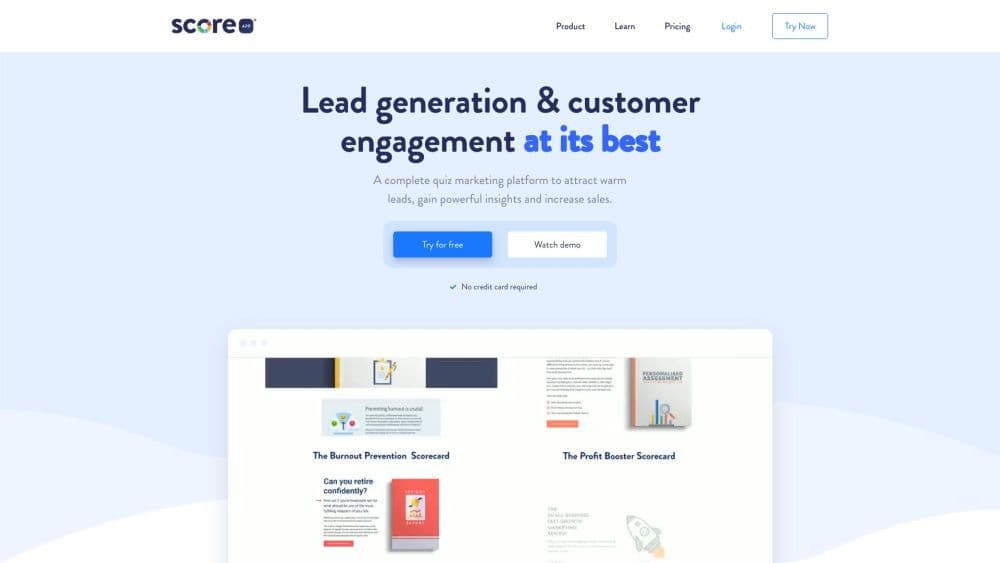
ScoreApp is an AI quiz funnel builder that turns scored quizzes into qualified leads. You build a scorecard, send personalized results, and push contacts to your CRM tools.
About ScoreApp: Advanced Quiz Funnel Marketing | Quiz Software
What Is ScoreApp
ScoreApp is a no-code platform for building quiz funnels that support lead generation. A business creates a scored quiz called a scorecard, invites people to answer it, and delivers a personalized result page that reflects each respondent's answers. Instead of a plain contact form, the visitor gets a graded outcome and a reason to share an email address.
The platform tracks every response as a customer profile with a score, a category, and the answers behind them. Marketing teams use this to qualify and segment leads automatically, then follow up with tailored content or a sales conversation. The company reports more than 151,000 users and an average Trustpilot rating of 4.8, and it positions the product around the idea that quizzes earn attention better than static forms.
The main constraint is scope. ScoreApp builds quiz funnels and the reporting around them, but it is not a full CRM, an email service, or a website builder. You still connect the tools that handle mail and sales, and paid tiers are needed for heavier use. The free plan caps you at one live scorecard with a small monthly response limit, so testing is easy but running a real campaign means upgrading.
Getting Started
- Sign up at scoreapp.com with no credit card required, which puts you on the free Pro tier.
- Start the AI quiz builder or pick a ready-made template, then write the questions and set the answer-scoring.
- Choose score tiers, then design the personalized result pages that respondents see after finishing.
- Publish the scorecard, connect your CRM or email tool, and share the landing page link.
- Track responses in the dashboard and push qualified leads into your follow-up workflow.
Product Information
A quick look at ScoreApp: Advanced Quiz Funnel Marketing | Quiz Software's pricing, supported platforms, and performance.
Best for
The users, tasks, and scenarios where this tool fits best.
Users
- Small business owners
- Marketing teams and agencies
- Coaches and consultants
Tasks
- Generating qualified leads
- Segmenting an audience
- Running a webinar or waitlist signup
Scenarios
- Launching a first lead magnet on a tight budget
- Qualifying inbound traffic before a sales call
- Testing which questions convert best
Key features
AI quiz builder and marketing assistant
ScoreApp includes an AI builder that drafts quiz questions and an AI assistant that helps shape the funnel copy. You can start from a blank scorecard or a template and let the assistant fill in a first version, which cuts the time before a quiz is live.
Score-based dynamic results
Instead of one generic thank-you page, ScoreApp shows results based on each respondent's total. You set score tiers and each tier gets its own content, with charts, percentages, or a score out of 10. Personalized result pages are the reason people finish the quiz and the reason the data is worth capturing.
Landing pages and drag-and-drop sections
You build the quiz and its result pages from a library of more than 50 designed sections, with custom branding and your own domain on higher tiers. It is a visual editor, so no coding is needed to match the quiz to a brand.
Lead scoring and audience segmentation
Every response becomes a scored profile, and the platform groups respondents into audiences you define. Marketing teams use this to separate high-intent leads from browsers and to trigger different follow-up for each group.
Integrations and automation
ScoreApp connects to popular CRMs, email platforms, and marketing tools, with over 3,000 apps reachable through direct integrations or Zapier. Connections carry scores and answers into your existing workflow, so leads arrive with context attached.
Analytics and reporting
The dashboard reports key metrics such as leads per day, landing-page conversion, and question performance. You can filter and export response data, store UTM parameters, and view individual responses in detail, which points to which questions and pages need work.
Pros and cons
Pros
- No-code builder with AI drafting, so a first quiz funnel goes live without design or development help.
- Dynamic, scored result pages give respondents a real outcome rather than a flat confirmation.
- Automatic scoring and segmentation move qualified leads forward without manual sorting.
- Broad integration coverage, including 3,000 apps via Zapier, fits most existing CRM setups.
Cons
- The free plan allows only one live scorecard and a small monthly response cap, so real campaigns need a paid tier.
- Paid plan prices are not published. You request a quote or run the diagnostic, which slows budgeting.
- It is not a full CRM or email platform. You keep paying for those tools and wiring them together.
Frequently asked questions
ScoreApp builds quiz funnels that generate leads. A business creates a scored quiz, delivers a personalized result to each respondent, and captures their details as a qualified lead. It replaces static forms with an interactive assessment.
Related content
Explore related tools, skills, and articles for ScoreApp: Advanced Quiz Funnel Marketing | Quiz Software.
ScoreApp: Advanced Quiz Funnel Marketing | Quiz Software Alternatives

Tractionwave
TractionWave · Image · MarketingTractionWave is an AI attention heatmap tool for static ads. Upload a PNG or JPG and it returns predicted attention, ranked hotspots, and fixes before you spend budget.

OpenSEO - AI Visibility
EveryApp · Coding · Marketing · BusinessOpenSEO is an open source SEO platform for keyword research, backlinks, rank tracking, site audits, and AI visibility, with usage-based pricing and MCP access for AI agents.

Plugins Radar
Plugins Radar · Marketing · BusinessPlugins Radar tracks where your ChatGPT plugin ranks in directory and in-chat search, which competitors outrank it and what changed, with hourly checks on 9,885 listings.