

Scribo AI - Generative AI for Knowledge Sharing
Scribo AI · Productivity · Marketing
Scribo AI is a no-code AI platform for building assistants that search and summarize your own documents, so teams find answers without digging through folders.
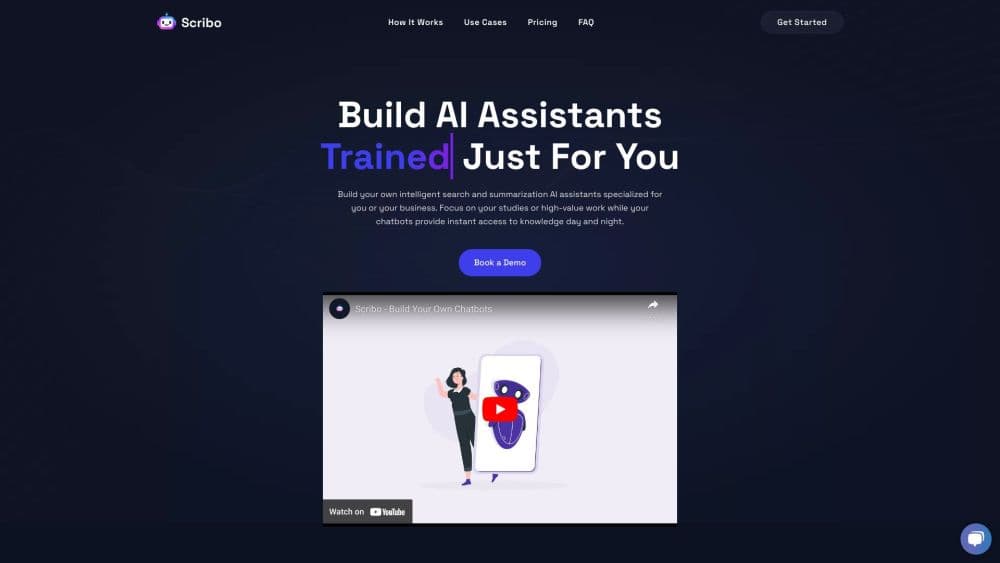
About Scribo AI - Generative AI for Knowledge Sharing
What Is Scribo AI
Scribo AI was a no-code AI platform built for knowledge sharing. You upload the material your team already has, such as internal documents, sales reports, or course notes, and the product turns it into an AI assistant that answers questions in plain language. The assistants lean on search and summarization rather than open-ended chat, which keeps their output tied to your files.
The problem it aimed at is familiar. Company knowledge sits in drives, PDFs, and chat threads, and the person who wrote it is often the only one who can find it. A Scribo AI assistant reads that material once, then answers the same question for everyone at any hour. Teams also used it as an AI chatbot builder for customer-facing help, pointing the bot at product docs instead of writing scripted replies.
Two limits matter. The quality of every answer depends on the documents you feed in, so messy or outdated files produce confident wrong answers. And the product's status has changed: the scribo.ai domain now redirects to ZetaLoop, an AI meeting notes tool from the same team. Anyone evaluating it today should confirm availability before planning a rollout.
Getting Started
- Create an account on scribo.ai and pick the assistant type you need: internal search, summarization, or a customer-facing bot.
- Upload source material. Scribo AI accepted PDFs, documents, spreadsheets, and notes, and you could connect tools such as a CRM so the assistant pulled live records.
- Tune the assistant's role and tone, then test it with questions your team actually asks.
- Publish the assistant to a share link or embed it in a site, and refine answers as gaps show up.
Product Information
A quick look at Scribo AI - Generative AI for Knowledge Sharing's pricing, supported platforms, and performance.
Best for
The users, tasks, and scenarios where this tool fits best.
Users
- Small teams without a data team
- Sales teams
- Teachers and course creators
- Support teams
Tasks
- Finding a policy or contract clause
- Summarizing long reports
- Onboarding new hires
- Answering customer questions
Scenarios
- A five-person startup with no knowledge manager
- A course launch with a long reading list
- A sales handover
Key features
Document-Grounded Answers
Scribo AI answers from the files you upload, not from general model memory. Each response ties back to source material, so you can check a claim before you repeat it. That grounding is the main reason teams trusted it with internal questions.
No-Code Assistant Builder
You build an assistant in a few screens: name it, describe its role, add sources, then test. No prompt engineering and no code. It was aimed at operations and sales staff, not developers.
Search and Summarization Modes
The platform split retrieval from summarization. One mode finds the passage you need, the other condenses several documents into a short brief. Both run against the same knowledge sharing library.
Data Source Connections
Beyond file uploads, Scribo AI connected to CRM systems and management tools so an assistant could read live records. That kept answers current, provided the connected tool was kept clean.
Response Tuning
You could correct an answer and have the assistant hold that correction for similar questions. This is how teams fixed recurring mistakes without rebuilding the whole assistant.
Shareable Assistants
Finished assistants went out as a link or an embedded widget on a site. Colleagues or customers used them without an account of their own.
Pros and cons
Pros
- Setup takes an afternoon, not a sprint, because there's no code and no pipeline to maintain.
- Answers cite your own documents, which makes verification quick.
- It handles internal search and customer-facing questions with the same builder.
- Course material and sales collateral work as sources without reformatting.
Cons
- There's no public price list, so budgeting starts with a sales conversation.
- Answer quality collapses on messy or outdated files. Someone has to own document hygiene.
- The scribo.ai site now points to a different product, so availability is unclear for new buyers.
- Thin public documentation means teams lean on vendor support for edge cases.
Frequently asked questions
It builds AI assistants that search and summarize a company's own documents. You upload files, then the assistant answers questions from them.
Related content
Explore related tools, skills, and articles for Scribo AI - Generative AI for Knowledge Sharing.
Scribo AI - Generative AI for Knowledge Sharing Alternatives

Swms
Swms AI · Writing · Productivity · BusinessSwms is an AI safety compliance tool that turns a plain description of a job into ready-to-use safety documents. Describe your project, trade, and known hazards, and it writes a safe work method statement, job hazard analysis, safe work procedure, RAMS, or safety data sheet in seconds. It also ships with Oscar, a chat assistant that answers workplace safety questions in any language. Teams in construction, mining, transport, and warehousing use it to cut the paperwork that usually eats into a workday.

Wordly AI Translation
Wordly · Voice & Language · ProductivityWordly AI Translation is a real-time AI translation and captioning platform built for meetings, conferences, and events. It delivers live translation, captions, transcripts, and summaries in more than 60 languages, and attendees join by scanning a QR code or opening a link instead of using dedicated headsets. The platform works with Zoom, Microsoft Teams, Google Meet, and Webex, and it's designed for organizations that want multilingual access without hiring human interpreters for every session. Simple as that.

Rows
Rows (Superhuman) · Productivity · BusinessRows is an AI spreadsheet and data analysis tool that imports live data from more than 50 sources, then lets you work with it using plain language instead of SQL queries or nested formulas. You can pull numbers out of PDFs, connect ad platforms, databases, and bank accounts, and ask the AI to build reports, merge datasets, or set up models that recalculate themselves. It runs in the browser, works like a spreadsheet, and now sits under the Superhuman umbrella.