

Search Candy
SearchCandy Labs · Coding · Business
Search Candy is a hosted retrieval layer for AI agents from SearchCandy Labs. Its Temporal Graph Memory returns exact document passages with the file and version attached, and it makes no LLM calls.
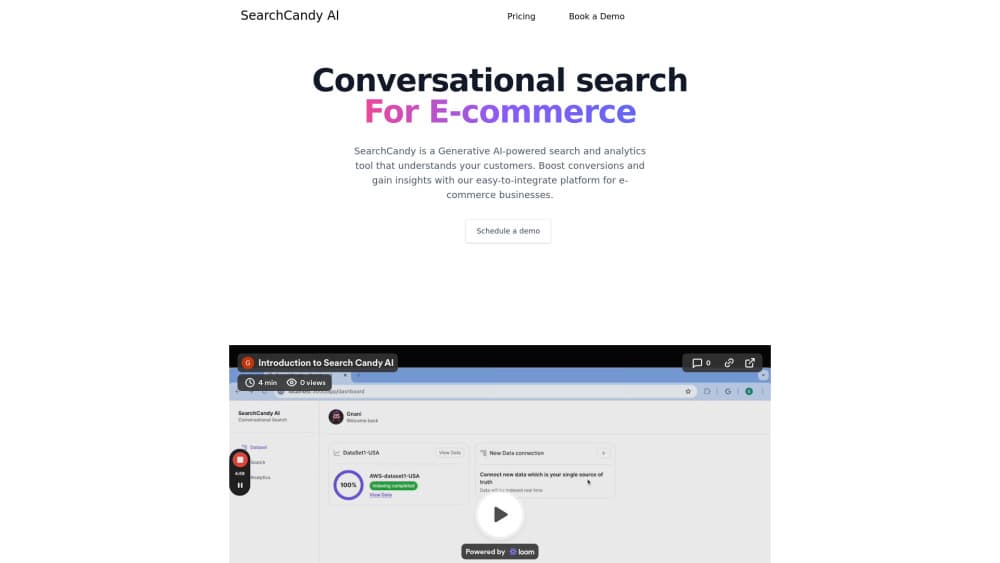
About Search Candy
What Is Search Candy
Search Candy is a document retrieval service built for AI agents. SearchCandy Labs sells it as a replacement for the chunking step in a standard retrieval pipeline. You upload text and Markdown files, the system builds what the company calls a Temporal Graph Memory (TGM), and your agent asks questions against that graph.
The problem it targets is traceability. In a conventional vector store, documents get split into fixed size chunks, a chunk can start mid-sentence, and the answer rarely tells you which file it came from. Search Candy keeps one cluster per file, cuts passages at sentence boundaries, and hands back the original wording with a file name and version number on every result. Ask where an answer came from and you get a source, not a similarity score.
The limit is scope. This is plumbing for developers who already run an agent, not a chat product. There's no generative model inside the retrieval engine, so Search Candy won't draft an answer for you. It also reads text and Markdown only at the moment, and the company handles other formats during onboarding.
Getting Started
- Book a 30 minute call through the SearchCandy Labs site and bring the questions your AI must get right.
- Get your account set up by the team, then log in with the emailed link.
- Add your text or Markdown files and collect a receipt for each one.
- Connect the Python library and point it at your own embedding model if you want to keep the one you already use.
- Query from your agent and read the returned passage, file name, and version.
Product Information
A quick look at Search Candy's pricing, supported platforms, and performance.
Best for
The users, tasks, and scenarios where this tool fits best.
Users
- Developers building AI agents
- Teams sitting on a large policy or contract library
- Support and documentation leads
Tasks
- Backing answers with quotes
- Answering two-step questions
- Auditing what an AI saw last month
- Replacing chunk size tuning
Scenarios
- A first retrieval prototype
- Contract review across revisions
- Handing evidence to a support agent
Key features
Document Graph Instead of Chunks
Search Candy organizes each uploaded file as its own cluster and keeps short files whole. Longer documents break into passages at sentence ends, and every passage stays tied to its file. That structure is what makes a citation possible: the result knows which document it came from because it never lost that link.
Second Pass Retrieval
When one fact points to another, the engine searches again using the passage it just found. On HotpotQA, a public set of 7,405 two-step questions, Search Candy says every passage it needed appeared in its top 20 results 98.4% of the time, against 94.8% for plain search on the same documents. Treat those numbers as vendor results and test them on your own questions.
Version History per File
Document version history is the part most teams underestimate. Every revision of a file stays in the graph. You can ask about a past day and get the same passages your agent got then, word for word. For teams that answer questions about policies, prices, or contracts, that turns "what did the AI see in March" into a query instead of a guess.
Verbatim Passages With a Source
Results come back as the original text, never a rewrite, each one labelled with its file and version. Search Candy also flags questions it can't support with a not_covered signal, which is useful when a wrong answer costs more than no answer.
No LLM Inside the Retrieval Loop
The retrieval engine calls no language model, so searching your documents doesn't add token bills. Your agent still writes the answer with its own model. For a high volume internal assistant, that split keeps retrieval costs flat as query counts grow.
Hosted Setup and Your Own Embeddings
SearchCandy Labs runs the service, so there's nothing to deploy. You can bring an existing embedding model instead of adopting theirs, and a Python library handles the connection. The tradeoff is that hosting, permissions, and cloud choice are the vendor's call for now.
Pros and cons
Pros
- Every result carries a file name and version, so citation checks take seconds.
- No chunk size, overlap, or splitter settings to tune before you get usable results.
- Version history answers questions about a past date, which most vector stores can't do at all.
- The retrieval engine makes no LLM calls, so document volume doesn't turn into token spend.
- The published benchmark page includes the caveats and the cases where the vendor only ties the baseline.
Cons
- Only text and Markdown files work today, so PDFs and scanned contracts need conversion during onboarding.
- No SOC 2 report, no permission controls, and no self-hosted option yet, which rules it out for regulated buyers right now.
- Access starts with a sales call and pricing is private, so you can't evaluate it alone on a Sunday night.
- On Search Candy's own BEIR test it ties LangChain's standard setup, so the real gain is traceability and multi-hop retrieval, not better top-10 recall.
Frequently asked questions
It's the structure Search Candy builds from your files. Each document becomes its own cluster with its versions stacked behind it, and passages sit inside that cluster instead of in a shared pile of chunks. The point is to keep the link between a passage and its source intact.
Related content
Explore related tools, skills, and articles for Search Candy.
Search Candy Alternatives
Forefront
Forefront · CodingForefront is a web platform for building with open-source AI. It lets you fine-tune leading open-source language models on your own data, evaluate how they perform, and run them through an API or export them to host yourself. Developers who want the convenience of a closed-source platform but insist on owning their models and data are the target audience here.

Startkit
StartKit.AI · CodingStartkit is a boilerplate for building AI SaaS and AI wrapper products. Think of it as an AI startup boilerplate with the boring parts already wired up: authentication, Stripe and Lemon Squeezy payments, usage limits, transactional email, and an AI API starter that talks to OpenAI, Anthropic, Groq, or Llama. You clone the repo, set your price, and start on the part of your product that people actually pay for. It's Next.js under React and Tailwind, so most of the boilerplate code already feels familiar.
Testim
Tricentis · CodingTestim is an AI-powered test automation platform for building and running end-to-end tests across web, mobile, and Salesforce applications. It leans on machine learning to keep tests stable when an interface changes, so teams spend less time fixing broken selectors. Not bad for an automated testing tool you can start using today. You create tests by recording actions in a browser, then optionally add JavaScript when you need more control. It's a solid pick for busy QA teams.