

Seedance 2.0 AI
ByteDance · Video
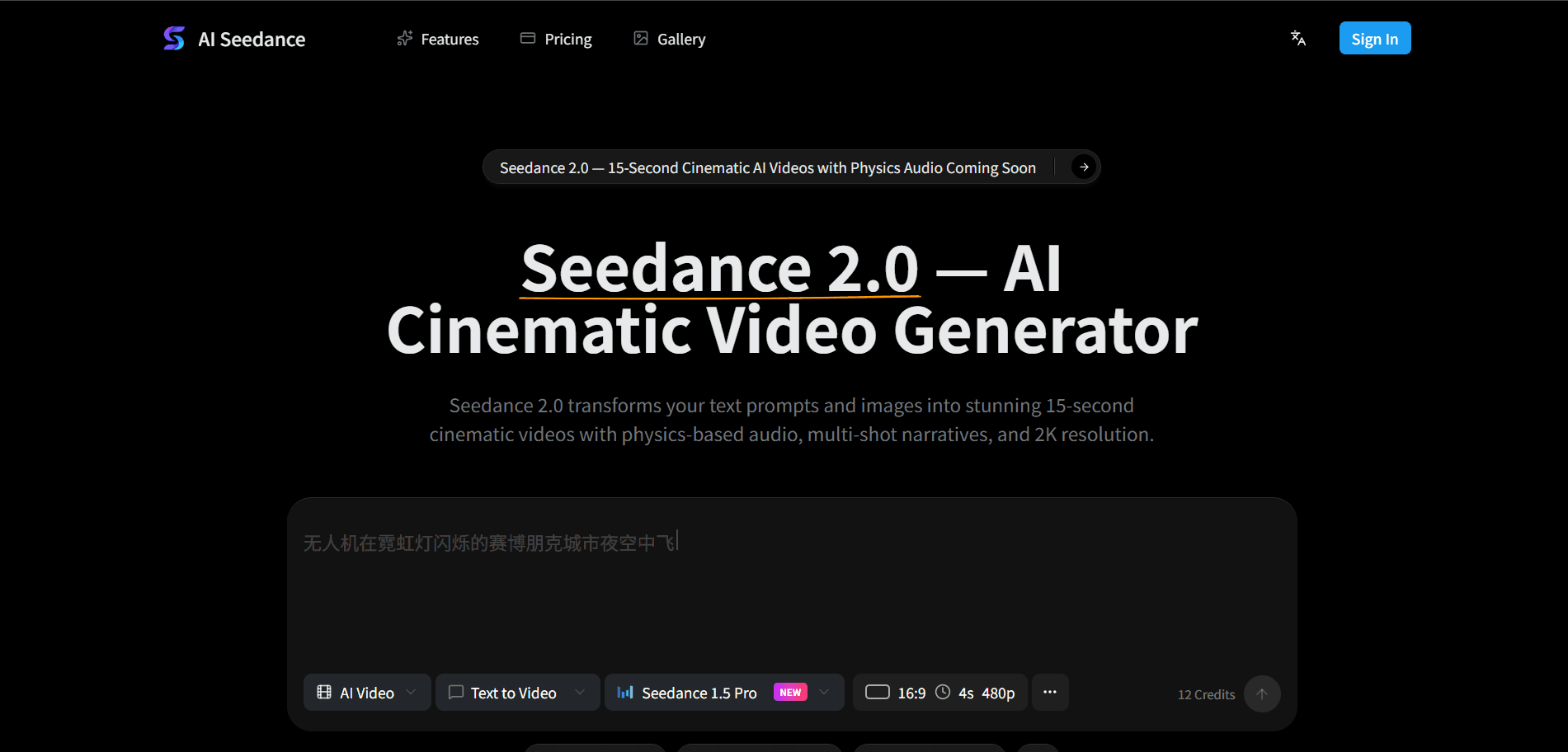
Seedance 2.0 is a multi-modal AI video generator from ByteDance that turns text, images, video and audio into cinematic clips up to 15 seconds long. It pairs physics-based motion with synchronized sound and a character-locking system called World ID, so the same face and outfit hold together across multiple shots. The ai-seedance.org platform wraps the Seedance 2.0 model in a browser workspace with credit-based plans, making text to video and image to video generation available without local hardware.
About Seedance 2.0 AI
What Is Seedance 2.0
Seedance 2.0 is the latest model in ByteDance's Seedance family, and it works less like a clip generator and more like a director you hand a script to. Give it a written scene, or drop in up to 12 reference files, and it builds a coherent multi-shot sequence with camera moves, dialogue and background sound in one pass. The main draw is that everything arrives together instead of as separate pieces you stitch in an editor.
The biggest problems it targets are the two that have dogged AI video for years. One is characters that change face between shots. The other is audio that never quite lines up with the picture. Its World ID feature keeps a protagonist consistent across every shot, and its Acoustic Physics Fields generate sound that reacts to the scene. A footstep sounds different on carpet than it does on marble.
The limits are worth knowing up front. Clips top out at 15 seconds, so anything longer needs stitching across several generations. You also need an account on a platform that runs the model, and heavier use burns through credits fast. Plan around it.
Getting Started
- Open ai-seedance.org in a browser and create a free account. New users get 30 credits to test the model.
- Write your video prompt in natural language, describing characters, actions, mood and camera movement, or upload an image to animate. Prompts support up to 800 characters.
- Pick your settings, including resolution, aspect ratio, duration and visual style. Seedance 2.0 handles several ratios from 16:9 to 9:16.
- Hit generate and let the model build the clip with synchronized audio and multi-shot transitions. Preview it and tweak the prompt if something looks off.
- Download your watermark-free MP4 in up to 2K resolution and share it to social platforms or drop it into your own workflow.
Product Information
A quick look at Seedance 2.0 AI's pricing, supported platforms, and performance.
Best for
The users, tasks, and scenarios where this tool fits best.
Users
- Content creators who need a steady stream of short clips for TikTok, Instagram and YouTube, since 15-second cinematic AI video is the model's native output.
- Marketers and small brands that want multiple ad variants from a single product image, with the caveat that they'll need a paid plan for volume.
- Filmmakers and VFX artists building pre-viz sequences from a script, because multi-shot narration with camera control fits storyboard work.
Tasks
- Text to video generation for turning a written scene into a watchable clip without any camera.
- Image to video animation that gives a still photo or illustration motion and sound.
- Character-consistent series, where World ID holds the same look across recurring episodes.
Scenarios
- Producing a batch of social media posts before a product launch.
- Turning lesson concepts into animated explainer videos with narration for classroom use.
- Testing ad concepts quickly before committing budget to a full shoot.
Key features
Text to Video Generation
You describe a scene in plain language and Seedance 2.0 returns a multi-shot video with camera movement, character interaction and complex environments. Prompts run up to 800 characters, which is enough room to specify action, lighting and pacing in one go. It's the fastest path from an idea to something you can watch. No camera. No crew.
Acoustic Physics Fields
This is the feature that sets Seedance 2.0 apart from older models. Sound is generated as part of the scene rather than layered on afterward, so footsteps change with the surface under them and dialogue carries the echo of the room. For creators who hate doing audio work in post, that removes a whole step. It's a big deal.
World ID Character Lock
World ID keeps a character's identity fixed across every frame and every shot. That means your protagonist looks the same at second 1 and second 55, with matching face, outfit and proportions. Anyone building episodic content with a recurring lead will notice the difference immediately. Same face. Same outfit. Every shot.
Multi-Shot Cinematic Narratives
A single prompt gets broken into several shots rather than one continuous take: a wide establishing view, a close-up, a tracking shot and a reveal. Transitions and pacing come built in. This is what makes the output feel like a scene instead of a looping clip. The difference is obvious.
2K Resolution and 24 FPS
Videos render at up to 2K resolution and a cinema-standard 24 frames per second. You can generate clips from 4 to 15 seconds, and quality stays steady across the full duration thanks to temporal attention handling. That's enough resolution for social edits and rough production use.
Multi-Modal Input
Seedance 2.0 accepts text, images, video and audio as inputs, up to 12 reference files per generation. You can point it at a still frame, reference a camera move from a clip, or feed in a music track to set the rhythm. Control over style and motion gets much finer when you mix inputs. More inputs, more control.
RESTful API Access
The platform exposes a RESTful API, so developers can wire video generation into their own apps and automation tools. The site names integrations with n8n and CapCut. For teams that want to automate ad generation at scale, the API is the practical route.
Pros and cons
Pros
- Synchronized audio is generated with the picture, so there's no separate sound pass.
- World ID keeps characters consistent across shots, which solves a common headache in AI video.
- Multi-modal input supports up to 12 reference files for tighter control over style and motion.
- Output reaches 2K at 24 FPS, which holds up for social and light production work.
- A RESTful API enables automated generation for developers and teams.
Cons
- Clips max out at 15 seconds, so longer stories need several generations joined together.
- Credit-based pricing means heavy use gets expensive, and credits run out faster at higher resolutions.
- Generation can be slow when traffic is heavy, and some platforms queue requests during peak times.
Frequently asked questions
You can create short cinematic videos from text or images, including product ads, animated explainers, character-driven series and music-style clips. The model handles multi-shot sequences with synchronized audio, so a single prompt can produce a scene rather than a single looping shot. What kind of clip do you get? A watchable one, most of the time.
Related content
Explore related tools, skills, and articles for Seedance 2.0 AI.
Seedance 2.0 AI Alternatives

ngram 2.0
ngram · Video · Marketingngram 2.0 is an AI video generator for teams. It turns a prompt, a screen recording, or a product URL into a narrated explainer, product demo, or AI avatar video, and every scene stays editable.

OpenScreen 2
OpenScreen (open-source project) · Video · ProductivityOpenScreen 2 is a free, open-source screen recorder and demo video editor for Windows, macOS, and Linux, with automatic zooms, styled frames, local captions, and agent edits.

Skreno
Skreno · Video · ProductivitySkreno is a browser screen recorder that captures a tab, a window or your whole display, then attaches AI transcripts, summaries and console logs to one share link.