

seedance2 AI
seedance2 AI · Video
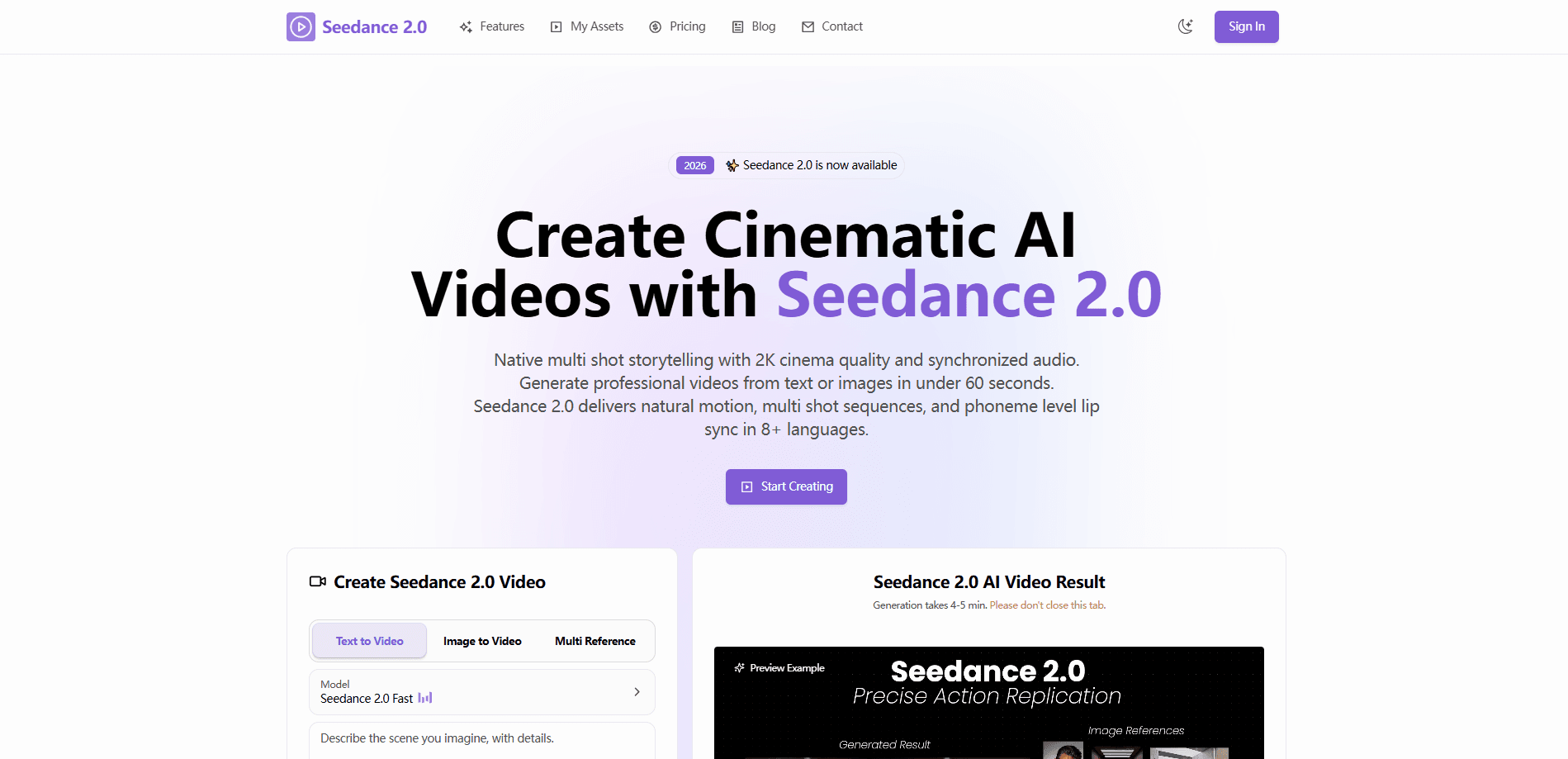
seedance2 AI is a web based AI video generator built around the Seedance 2.0 model. It covers text to video and image to video in one place. Both turn your input into short cinematic clips, keeping characters and visual style consistent across multiple shots. You get 2K output, synchronized audio and up to twelve second sequences, so it fits social clips, ads and story driven content without a film crew. That's the pitch, anyway.
About seedance2 AI
What Is seedance2 AI
seedance2 AI is an online platform for AI video creation. It runs the Seedance 2.0 model, which generates video from text prompts or uploads and handles motion, camera work and audio in one pass. The focus is narrative: instead of a single isolated clip, the tool builds multi shot sequences that hold the same character and atmosphere across scene changes.
The main problem it solves is production cost. A creator who needs a short film style sequence normally books a camera, a set and a voice actor, then spends a full day on setup before shooting a single frame. That's expensive. Here, you describe the scene, pick a format, and the model returns a finished clip in under a minute for most prompts.
There are limits worth knowing upfront. Clips run 5 to 12 seconds, so long form video means stitching several generations together. Download links expire after 24 hours, which means you need to save work promptly. And credit based pricing means heavy experimentation costs real money. So who is this actually for?
Getting Started
- Create an account on the seedance2 AI website and open the generation workspace.
- Write a prompt describing your scene, or upload an image to animate, and choose an aspect ratio like 16:9 or 9:16.
- Turn on the audio, web search or multi shot options if your project needs them.
- Click Generate and wait for the video to render.
- Download the clip right away, since hosted links expire within 24 hours.
Product Information
A quick look at seedance2 AI's pricing, supported platforms, and performance.
Best for
The users, tasks, and scenarios where this tool fits best.
Users
- Social media creators who need short cinematic clips without a production crew, as long as they're comfortable with credit based costs.
- Small brands producing ad or product footage on a tight budget, if the 5 to 12 second clip length fits their format.
- Storytellers who want connected shots with a consistent character, since multi shot generation is the tool's core strength.
Tasks
- Turning a text prompt into a finished video
- Animating a still photo
- Building multi shot sequences
- Adding synchronized audio
Scenarios
- Producing daily social posts
- Early concept testing
- Localizing marketing clips
Key features
Multi Shot Storytelling
This is the feature that separates Seedance 2.0 from most AI video tools. One run returns a full sequence of connected shots. Characters, mood and lighting stay consistent even when the scene changes. Watchers won't spot the seams. If you're building a short narrative, you don't have to fight the model to keep the same person recognizable from shot to shot.
Natural Motion Synthesis
The model handles movement with a decent grip on physical realism. Subtle things like a facial expression and bigger things like an action sequence both come out looking believable rather than rubbery. There's a real difference between motion that merely plays smoothly and motion that obeys weight, momentum and contact with whatever surface the subject happens to be standing on. This sits closer to the second. It rarely looks fake.
Image to Video
Upload a photo and the tool animates it. The subject's features, style and lighting all stay in place. Pacing runs on its own, so you don't have to time keyframes by hand, and that alone removes the most tedious part of animating a still by traditional means. Trust me, that saves a lot of fiddling when you just want a still to breathe.
Synchronized Audio
Audio isn't a separate step here. Voice, sound effects and background music are generated with the picture, and lip sync works across more than eight languages. For a talking head clip or a narrated scene, that removes an entire editing pass, and anyone who has spent an afternoon matching mouth movements to a dubbed track will appreciate how much time that saves. Big time saver.
Flexible Output Formats
Videos render at up to 2K resolution and fit common ratios: 16:9, 9:16, 4:3, 3:4, 21:9 and 1:1. Clips run 5 to 12 seconds. The range covers everything from a cinematic wide shot to a vertical phone screen, so the same project can target several platforms without a second round of rendering or a separate crop step. One render, many formats.
Prompt Understanding
Complex prompts with multiple subjects and camera moves are interpreted fairly accurately, which matters more than it sounds because most generators quietly drop the second subject or freeze the camera when the prompt asks for both. The model picks up on action combinations that simpler generators tend to flatten into a single static moment. Not ideal for truly abstract directions, but strong on concrete scenes.
Style Range
The look can be photorealistic, anime or stop motion. The model follows direct style instructions rather than nudging everything toward one house aesthetic, so a brand with a fixed visual identity can trust that its clips will still look like its clips, even when the subject or the setting changes between shots. That flexibility matters more than the feature list suggests.
Pros and cons
Pros
- Multi shot generation keeps characters and style consistent across connected scenes.
- Audio, including multilingual lip sync, is generated with the video instead of added later.
- Up to 2K resolution with six common aspect ratios covers most platforms.
- No watermarks and a commercial use license on paid plans.
- Image to video holds subject features and lighting well.
Cons
- No free plan, so testing the tool costs money from the start.
- Clips cap at 12 seconds, which means longer videos need several generations stitched together.
- Download links expire after 24 hours, so you'll lose renders you don't save in time.
Frequently asked questions
It's an AI video generator for turning text prompts and images into short cinematic clips. People use it for social content, ads, concept visuals and story driven sequences that need consistent characters across shots.
Related content
Explore related tools, skills, and articles for seedance2 AI.
seedance2 AI Alternatives

ngram 2.0
ngram · Video · Marketingngram 2.0 is an AI video generator for teams. It turns a prompt, a screen recording, or a product URL into a narrated explainer, product demo, or AI avatar video, and every scene stays editable.

OpenScreen 2
OpenScreen (open-source project) · Video · ProductivityOpenScreen 2 is a free, open-source screen recorder and demo video editor for Windows, macOS, and Linux, with automatic zooms, styled frames, local captions, and agent edits.

Skreno
Skreno · Video · ProductivitySkreno is a browser screen recorder that captures a tab, a window or your whole display, then attaches AI transcripts, summaries and console logs to one share link.