

SeedVideo
SeedVideo · Video
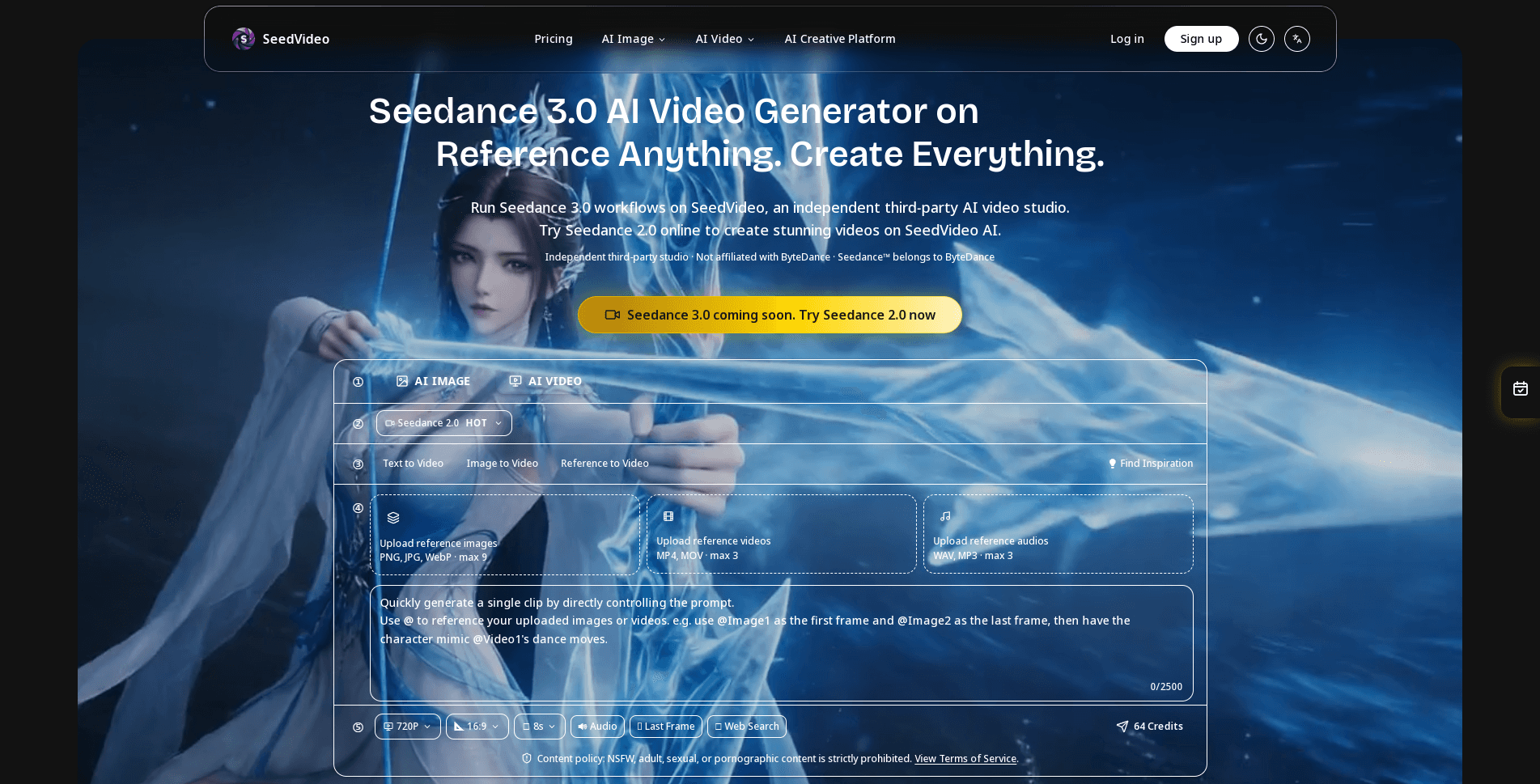
SeedVideo is an independent AI video studio built around ByteDance's Seedance 3.0 model. It runs Seedance workflows in one web workspace. Start from text or an image, add video and audio references, and get a cinematic clip without touching any code. No timeline, no render farm. Think of it as multi-modal AI video handled by pointing rather than prose. The pitch is control. You point at what you want to reference instead of writing a long prompt and hoping.
About SeedVideo
What Is SeedVideo
SeedVideo is a third-party studio site that wraps one specific model, Seedance 3.0. It's not ByteDance's own product, and the site says so plainly. What you get is a guided workspace for that model: text-to-video, image-to-video, multi-reference generation, audio generation, and light editing, all in the browser.
The main problem it solves is consistency. Most AI video tools drift between frames, so faces, clothing, and props change shot to shot. SeedVideo leans on reference control to hold those things steady. That matters if you're building anything longer than a single glamour shot.
The biggest limit is that you're renting someone else's model. Pricing shifts with credits and usage. Output quality depends on Seedance 3.0 itself, and features can change when the underlying model updates. Read the provider's own terms before you commit to a paid plan.
So who is it actually for? Mostly people who care about consistency and motion more than a long feature list.
Getting Started
- Create a free account on the SeedVideo site, which comes with trial credits for a few test renders.
- Choose your mode: text to video, image to video, or a multi-reference setup.
- Upload any references you want to lock down, such as a character photo, a motion clip, or a music track.
- Write a short prompt describing the scene and camera movement, then name each reference so the model knows what to follow.
- Generate a short test clip first, adjust the prompt or references, then scale up to the final render.
Product Information
A quick look at SeedVideo's pricing, supported platforms, and performance.
Best for
The users, tasks, and scenarios where this tool fits best.
Users
- Short-video creators
- Small e-commerce sellers
- Indie animators
Tasks
- Turning a photo into a moving clip
- Matching a camera move
- Adding sound to silent footage
- Extending an existing clip
Scenarios
- Testing a concept before paid production
- Social posts that need a hook in the first two seconds
- Product demos for a small shop
- Storyboarding a longer video
Key features
Multi-Modal Reference Input
SeedVideo accepts text, images, video, and audio as inputs at the same time. You can hand it a face for identity, a clip for motion, and a track for rhythm, then let the model combine them. That's the core of the product. It's what separates a reference-driven workflow from a prompt-only one.
Reference Anything by Pointing
Instead of describing a camera move or a character in words, you point at the source. Reference motion, effects, camera behavior, scenes, or sounds straight from uploaded material. Then describe what you want in plain language. It's a smaller gap between what you picture and what you get. Less guesswork.
Frame-to-Frame Consistency
Faces, clothing, text, scenes, and visual style hold steady across the whole clip. No character drift. No style flipping between frames. This is the feature most likely to decide whether SeedVideo works for your project, because consistency is exactly where most AI video tools fall apart, especially once a clip runs past a few seconds and the camera starts to move.
Built-In Audio Generation
The workspace can generate context-aware sound effects and background music on its own, or sync video to a track you upload. That means you don't have to export to a separate audio tool just to get a first pass, and beat-timed edits become possible without aligning everything by hand, which is the kind of busywork that eats an afternoon before you've rendered a single usable frame.
Precise Motion and Camera Control
SeedVideo can replicate complex choreography, cinematic camera moves, and action sequences from a reference video. You show the tool what you want rather than spelling it out in detail. For anyone who's fought with prompt wording to get a specific move, this is the part that saves time.
Video Extension and Editing
Extend an existing video, merge several clips, or edit just one segment. You can swap a character, add an element, or change an action while keeping the rest of the footage intact. It's a light editing layer, not a full editor, but it covers the common "fix this one part" job.
Text to Video and Image to Video
Describe a scene in natural language and get a clip, or upload a photo and animate it with realistic motion. These two modes cover most first projects. Image to video is usually the more controllable entry point. A strong starting frame anchors everything that follows.
Supporting Image Tools
SeedVideo also ships image utilities for preparing references: prompt-based photo editing, multi-image fusion, and style transfers that you can feed straight into the video workflow. They exist to prepare your reference material, not to replace a full design suite, but they save a round trip to another app when your starting image isn't quite right.
Pros and cons
Pros
- Reference-driven control beats prompt-only tools when you need a specific motion or character to carry through.
- Strong frame-to-frame consistency makes longer, multi-shot clips more usable.
- Audio generation and beat sync are built into the same workspace, so you skip a separate tool.
- Free trial credits let you test Seedance 3.0 output before spending anything.
- Text-to-video and image-to-video cover the common starting points without setup.
Cons
- Pricing runs on credits and varies by resolution, length, and priority, so costs are hard to predict before you generate.
- It's a third-party wrapper around a closed ByteDance model, so you depend on their terms and their update schedule.
- No public API is documented, which rules it out for anyone who needs programmatic access.
- Output quality is capped by Seedance 3.0 itself, so you can't tune beyond what the model offers.
Frequently asked questions
SeedVideo is an independent web studio for running ByteDance's Seedance 3.0 model. It handles text-to-video, image-to-video, reference control, audio, and light editing in one place. It's not an official ByteDance product, and the site makes that clear.
Related content
Explore related tools, skills, and articles for SeedVideo.
SeedVideo Alternatives

ngram 2.0
ngram · Video · Marketingngram 2.0 is an AI video generator for teams. It turns a prompt, a screen recording, or a product URL into a narrated explainer, product demo, or AI avatar video, and every scene stays editable.

OpenScreen 2
OpenScreen (open-source project) · Video · ProductivityOpenScreen 2 is a free, open-source screen recorder and demo video editor for Windows, macOS, and Linux, with automatic zooms, styled frames, local captions, and agent edits.

Skreno
Skreno · Video · ProductivitySkreno is a browser screen recorder that captures a tab, a window or your whole display, then attaches AI transcripts, summaries and console logs to one share link.