

SeeVido AI
SeeVido AI · Video
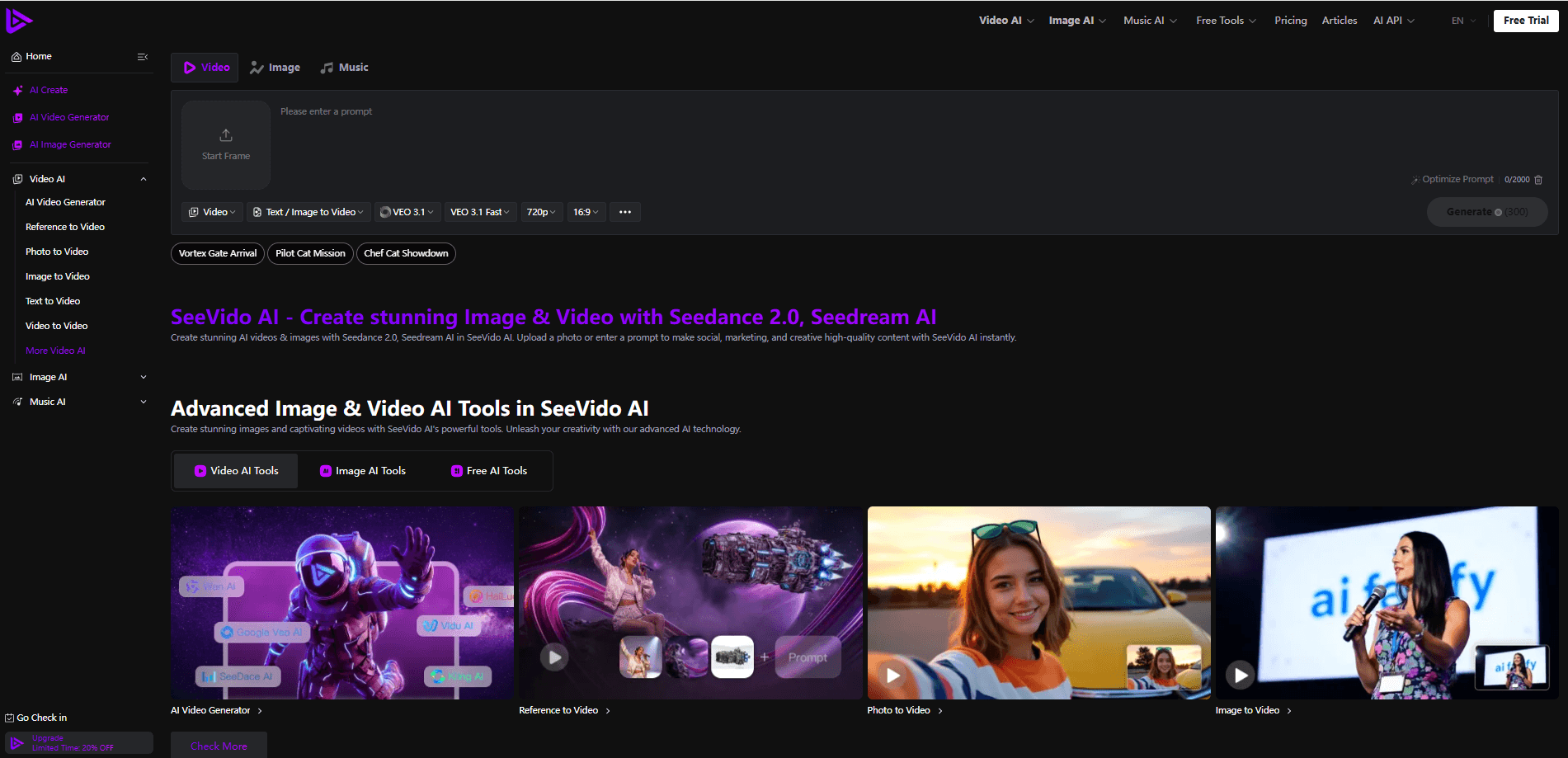
SeeVido AI is a browser-based creative studio that turns text prompts, reference clips, and uploaded photos into short AI videos and images. It runs on Seedance 2.0 and Seedream models and packs the common video jobs into one place: reference-to-video, photo-to-video, image-to-video, text-to-image, and simple music generation. You don't install anything. You open a page, describe what you want or drop in a photo, and the platform handles the rest.
About SeeVido AI
What Is SeeVido AI
SeeVido AI is a web platform built for people who want AI video and image generation without juggling five different tools. It leans on ByteDance's Seedance video models and Seedream image models, and it wraps them in a friendly interface aimed at social posts, marketing clips, and quick creative experiments. The pitch is simple: describe it or upload it, and get a usable result in seconds or minutes.
The site states that uploads are deleted within 24 hours, which matters if you're working with photos of real people. New accounts get 40 credits, and a daily check-in adds 20 more, so you can test the core tools without paying. The catch is that free generations run on limited models and a shared queue, so they can be slower and less flexible than paid runs.
SeeVido AI isn't a full editing suite. It doesn't try to replace Premiere or CapCut for frame-by-frame work. It's a generation tool. Its value is speed and convenience, not fine control. Need precise trimming, multi-track audio, or color grading? You'll still finish the job somewhere else.
Getting Started
- Go to seevido.com and sign in or create an account.
- Claim your 40 starter credits, then check in daily for 20 more.
- Pick a tool: Reference to Video, Photo to Video, Image to Video, or the image generator.
- Upload a photo or reference clip, or type a prompt describing the scene.
- Generate the clip, review it, and download it without a watermark.
Product Information
A quick look at SeeVido AI's pricing, supported platforms, and performance.
Best for
The users, tasks, and scenarios where this tool fits best.
Users
- Social media creators
- Small business owners
- Casual experimenters
Tasks
- Photo to video
- Reference to video
- Text to image
- Creative remixes
Scenarios
- Fast content turnaround
- Concept testing
- Limited budgets
Key features
Text, Photo, and Reference to Video
SeeVido AI covers the three input paths most people actually use. You can type a prompt and get a video from scratch, upload a still photo and animate it, or hand over a reference clip and let the model mirror its look. The site markets this as natural photo to video, where the model detects and maps facial features so a portrait keeps its likeness as it moves. For quick social content, that's often the difference between a static post and something that stops the scroll.
Seedance and Seedream Model Support
The platform builds on Seedance 2.0 and Seedance 2.5 for video and Seedream for images. Those are the same model families showing up across major tools, so the output quality is in a familiar range rather than an in-house unknown. The trade-off sits in access: the free tier limits which models you can touch, while paid credit packs open up the premium video features and effects. SeeVido AI pricing is simple on this point: model choice is gated by credits. If that matters to you, expect to pay for the good ones.
AI Photo and Video Remaker
The remaker tools go beyond simple animation. The site says you can change gender, age, or the whole scenario of a photo, turning a portrait into a new character or a joke setup. Video conversion works across common media formats too. It's playful. It leans hard toward memes and quick edits. But it's also handy for mockups and rapid variant testing when you need options fast.
Fast Generation with Cloud Processing
SeeVido AI processes photos in seconds and videos in minutes, all in the browser. Nothing to download. No GPU to babysit. No local setup at all. Free users share a generation queue, so busy periods can mean longer waits, and paid users get priority treatment. For anyone without a capable machine, that offloaded processing is the whole reason a web tool like this beats running models locally.
Privacy-Conscious Upload Handling
The site states that uploaded photos are deleted within 24 hours. That's a practical detail for anyone uploading personal or client imagery. Why does it matter? Because vague privacy language is common, and this is concrete. It doesn't replace reading the full policy, but it sets an expectation you can plan around.
Pros and cons
Pros
- Runs entirely in the browser, so you don't need a powerful computer or any installation.
- The free tier is genuinely usable: 40 starter credits plus 20 per daily check-in.
- One-time credit packs mean occasional users can avoid a recurring subscription.
- Supports text, photo, and reference clip inputs, covering the main ways people start a video.
- Uploads are deleted within 24 hours, which helps with sensitive imagery.
Cons
- Free generations use limited models and a shared queue, so waits can be longer than paid runs.
- Outputs are short clips, not long-form footage, so bigger video projects still need another tool.
- The paid entry is a $199.99 one-time pack, a big jump from free for someone who just wants a light upgrade.
- No official API is advertised, so you can't wire it into your own workflow.
Frequently asked questions
It generates short videos and images from text prompts, uploaded photos, or reference clips. Common uses are social media clips, marketing visuals, and quick creative experiments.
Related content
Explore related tools, skills, and articles for SeeVido AI.
SeeVido AI Alternatives

ngram 2.0
ngram · Video · Marketingngram 2.0 is an AI video generator for teams. It turns a prompt, a screen recording, or a product URL into a narrated explainer, product demo, or AI avatar video, and every scene stays editable.

OpenScreen 2
OpenScreen (open-source project) · Video · ProductivityOpenScreen 2 is a free, open-source screen recorder and demo video editor for Windows, macOS, and Linux, with automatic zooms, styled frames, local captions, and agent edits.

Skreno
Skreno · Video · ProductivitySkreno is a browser screen recorder that captures a tab, a window or your whole display, then attaches AI transcripts, summaries and console logs to one share link.