

Selectric
Selectric · Coding · Productivity · Leaning
Selectric is a private AI search tool for Mac that indexes your mail, files, and messages locally so you can find anything fast.
About Selectric
What Is Selectric
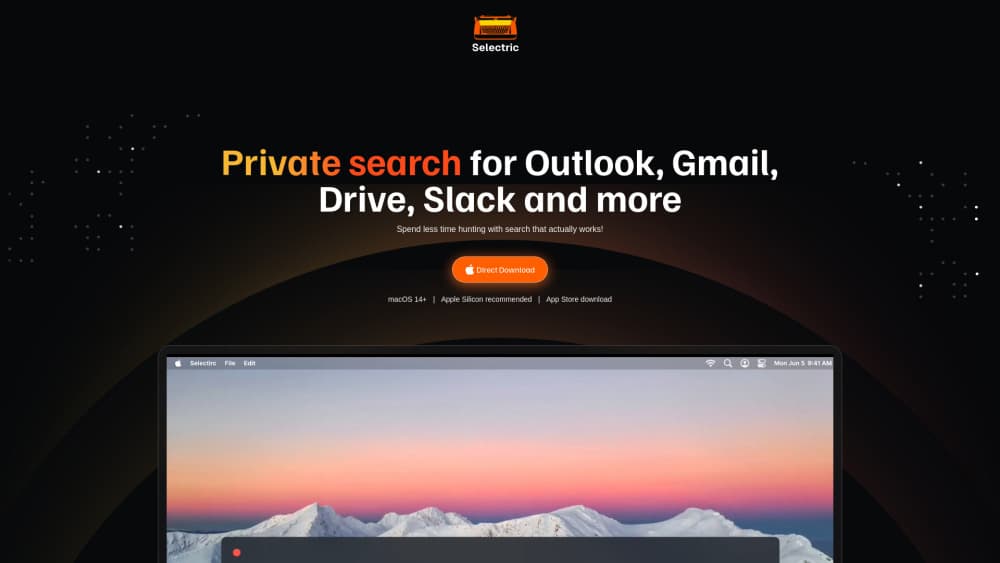
Selectric is a private AI search tool for macOS that pulls every account you work in into one unified search index. Gmail, Outlook, Google Drive, OneDrive, Slack, Teams, Dropbox, and Box all feed the same box, so you stop opening five tabs to answer one simple question. It's a local search tool at heart, built for knowledge workers who lose real time hunting for a report someone renamed three weeks ago. Think of it as AI search for teams that would rather keep data in-house.
The privacy pitch is the whole reason it exists. Selectric builds a personal index on your own machine, generated only from data you already have access to, and searches run locally. Your files never sit on Selectric's servers, and the company says it never trains models on your content. That matters if you handle client details, financials, or anything your legal team would rather keep in-house.
The tradeoffs are real too. It's Mac only, and Apple Silicon is recommended. Indexing takes about 15 minutes. If your company locks down Google or Microsoft accounts, your IT team may need to approve access before anything works.
Getting Started
- Download the Selectric package from the official site and install it on your Mac.
- Sign in to your main account, like Gmail or Outlook, to kick off the first index.
- Add the rest of your accounts, including Drive, Slack, Dropbox, and any others you use daily.
- Wait while Selectric indexes in the background, which usually takes about 15 minutes.
- Press Command + Shift + K inside any app and type what you're looking for.
Product Information
A quick look at Selectric's pricing, supported platforms, and performance.
Best for
The users, tasks, and scenarios where this tool fits best.
Users
- Busy knowledge workers who juggle mail, files, and chat all day and need to find things fast without leaving their current app
- Small teams that generate a lot of written material and want private search without shipping data to a third-party cloud
- Privacy-conscious professionals in finance, legal, or consulting who can't risk confidential data leaving their machines
Tasks
- Finding a specific email, attachment, or document across several accounts at once instead of searching each one separately
- Drafting accurate email replies that are grounded in your own internal data
- Tracking down the current version of a file when colleagues keep updating and renaming things
Scenarios
- A client asks for a figure mid-meeting and you need it in seconds
- Onboarding into a new role where you have years of old threads and docs to sift through
- A fast-moving team where the source of truth keeps shifting and stale docs cause mistakes
Key features
Local-First Private Index
Selectric builds a personal index on your own computer from data you already have access to. Search happens on your device. Your data isn't stored outside your environment, and it isn't used to train AI models. That design also cuts the risk of an LLM jailbreak leaking information you shouldn't see.
One Search Across Every Account
Gmail, Outlook, Google Drive, OneDrive, Calendar, Slack, Teams, Dropbox, and Box all land in a single index. Instead of guessing which tool holds the answer, you type one query and search everything you can access at once. Have you ever rephrased the same search in three apps and still come up empty? It handles large inboxes and cloud drives better than the built-in search most of those tools ship with.
Instant Keyboard Access Anywhere
A global shortcut, Command + Shift + K, opens search from inside any app on your Mac. You don't switch windows or lose your place. Once indexing finishes, results come back immediately, which is the whole point when you're mid-task and just need one fact.
Grounded Email Drafts
Selectric can write email replies based on your own internal data, so the details it includes are pulled from your real correspondence rather than invented. For teams that answer the same kinds of questions constantly, that saves a lot of retyping.
Lightweight Footprint
The index is small. According to Selectric, 10,000 emails and documents take less than 250MB of storage. Indexing runs around 15 minutes for most accounts. After that? Searches are instant. You won't need a fresh drive just to run it.
Transparent, Low-Friction Pricing
There's a free plan with no time limit, and upgrades happen in seconds with no sales calls. The Team tier adds stronger models, Smart Actions, SSO, and premium support for companies that need them. It also adds automatic email responses and calendar management, which pick up the busywork most people complain about.
Pros and cons
Pros
- Privacy model is easy to understand: everything is indexed and searched locally on your Mac
- Connects a wide spread of work tools, so one search covers mail, files, and chat
- Fast global shortcut means you rarely break focus to look something up
- Free plan is genuinely free forever, and the paid tier is a flat per-user rate
Cons
- macOS only, with Apple Silicon recommended, so Windows and older Intel Macs are out
- Initial indexing takes about 15 minutes, and it needs to run before search gets useful
- Corporate accounts may need IT approval first, which can stall setup
- No public API, so you can't wire it into your own tools or automations
Frequently asked questions
It's a private search tool that indexes your email, documents, and messages into one searchable place on your Mac. You press a shortcut and search across all your connected accounts at once instead of opening each app.
Related content
Explore related tools, skills, and articles for Selectric.
Selectric Alternatives
Forefront
Forefront · CodingForefront is a web platform for building with open-source AI. It lets you fine-tune leading open-source language models on your own data, evaluate how they perform, and run them through an API or export them to host yourself. Developers who want the convenience of a closed-source platform but insist on owning their models and data are the target audience here.

Startkit
StartKit.AI · CodingStartkit is a boilerplate for building AI SaaS and AI wrapper products. Think of it as an AI startup boilerplate with the boring parts already wired up: authentication, Stripe and Lemon Squeezy payments, usage limits, transactional email, and an AI API starter that talks to OpenAI, Anthropic, Groq, or Llama. You clone the repo, set your price, and start on the part of your product that people actually pay for. It's Next.js under React and Tailwind, so most of the boilerplate code already feels familiar.
Testim
Tricentis · CodingTestim is an AI-powered test automation platform for building and running end-to-end tests across web, mobile, and Salesforce applications. It leans on machine learning to keep tests stable when an interface changes, so teams spend less time fixing broken selectors. Not bad for an automated testing tool you can start using today. You create tests by recording actions in a browser, then optionally add JavaScript when you need more control. It's a solid pick for busy QA teams.