

SendShort
SendShort · Video
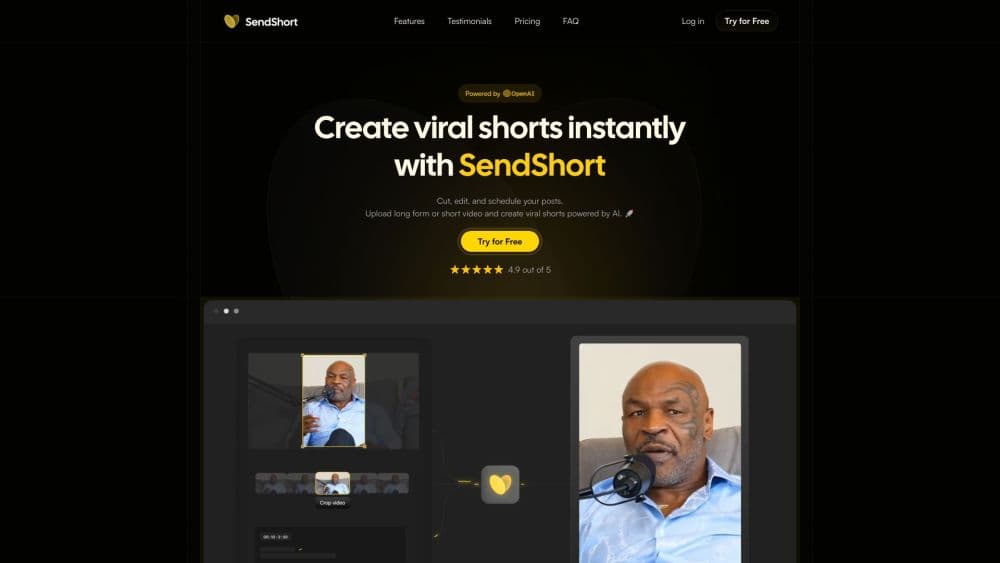
SendShort is an AI video tool that turns long recordings into short vertical clips with captions, auto zooms, and scheduling for TikTok and YouTube.
About SendShort
What Is SendShort
SendShort is an AI video editing tool built for creators who publish short-form content at volume. You upload a long video or a talking-head recording, and the tool finds the moments worth posting, crops them to vertical, adds captions, and lines them up for TikTok, YouTube Shorts, Instagram Reels, and similar feeds. It competes with editors like Opus Clip, Klap, and Vizard.
The problem it solves is time. Cutting a one-hour podcast into ten usable clips by hand takes an afternoon. SendShort does that pass in a few minutes, ranks the moments by likely performance, and hands back clips that are already formatted for vertical feeds. For anyone running a daily posting schedule, the difference is output you could not otherwise sustain.
The product goes past simple clipping. It generates faceless videos from a script with AI voice and visuals, translates subtitles into more than thirty languages, and exposes an API and an MCP server for automated pipelines. The catch is that it is a subscription with no free trial, credits reset every month or week, and the finished quality still depends on what you feed it. Garbage in still gives garbage out.
Getting Started
- Create an account at sendshort.ai and pick a plan, since there is no free trial.
- Upload a long video, paste a YouTube link, or start a faceless video from a script.
- Let the AI find the best moments and cut them into vertical clips.
- Adjust captions, zoom, music, and B-roll in the editor, then translate subtitles if you want other markets.
- Schedule the clips to TikTok or YouTube, or pull them out through the API.
Product Information
A quick look at SendShort's pricing, supported platforms, and performance.
Best for
The users, tasks, and scenarios where this tool fits best.
Users
- Podcasters and interviewers
- Solo creators and coaches
- Faceless channel operators
- Social media managers
- Developers and automation builders
Tasks
- Turning long videos into shorts
- Generating captions
- Creating faceless videos
- Translating subtitles
- Scheduling posts
Scenarios
- A podcast backlog with no short-form presence
- A creator who hates editing
- A channel going multilingual
Key features
AI Viral Clip Generator
Upload a long video and the AI scans it for the moments most likely to travel, cutting them into vertical clips ready for short feeds. It ranks candidates so you start with the strongest, and it removes the manual scrubbing that makes clipping slow. For a podcast or a webinar, this is the core of the product.
Auto Captions and Subtitles
SendShort writes captions automatically with about ninety-seven percent claimed accuracy and lets you restyle them to match popular creators. Captions are the difference between a clip people scroll past and one they watch to the end, since most short-form viewing happens on mute. You can adjust fonts, colors, and placement without leaving the editor.
Faceless Video Creation
Type a script and the tool builds a narrated video with AI voice, generated images, and stock footage. This suits channels that never show a face, from storytelling to product explainers. It is the part of SendShort that turns a text idea into a publishable clip with no camera and no recording session.
Subtitle Translation
One click pushes subtitles into more than thirty languages, so a single clip can serve several markets. For creators whose audience is split across regions, this replaces a separate translation workflow. It is the fastest way to test whether a clip travels outside its original language.
Editing Controls
Beyond the automatic pass, you get manual controls for auto zoom, B-roll, and music. The AI zooms on speakers and key moments, adds relevant stock footage, and lets you layer in a track. These tools matter when the automated cut is close but not final, and you want a professional finish without heavy editing software.
Scheduler and API
The scheduler queues clips to TikTok and YouTube and lets you mark each one public or unlisted before it goes out. For teams and developers, SendShort also exposes a REST API and an MCP server, so clipping can run inside an automated workflow. This is what separates it from editors that stop at the export button.
Pros and cons
Pros
- The clip-finding pass turns a long recording into a batch of vertical shorts in minutes, which is the time saver most users come for.
- Captions, auto zoom, B-roll, and music are handled in one place, so you rarely need a separate editor.
- Subtitle translation into thirty-plus languages opens markets that a single-language workflow cannot reach.
- The scheduler and API suit teams and developers who want posting and clipping wired into a pipeline.
- It works well as a high-volume tool, letting a solo creator match the output of a small team.
Cons
- There is no free trial, so you commit before you know whether the cuts match your style.
- Shorts are metered and reset monthly or weekly, with no rollover, so heavy months can force an upgrade.
- Automated clip selection still misses context, and the best moments often need a manual trim.
- Output quality depends on your source footage, so a poorly recorded video stays poor after processing.
Frequently asked questions
SendShort is an AI video tool that turns long recordings into short vertical clips with captions, auto zooms, and B-roll, then schedules them for TikTok and YouTube. It also generates faceless videos and translates subtitles.
Related content
Explore related tools, skills, and articles for SendShort.
SendShort Alternatives

ngram 2.0
ngram · Video · Marketingngram 2.0 is an AI video generator for teams. It turns a prompt, a screen recording, or a product URL into a narrated explainer, product demo, or AI avatar video, and every scene stays editable.

OpenScreen 2
OpenScreen (open-source project) · Video · ProductivityOpenScreen 2 is a free, open-source screen recorder and demo video editor for Windows, macOS, and Linux, with automatic zooms, styled frames, local captions, and agent edits.

Skreno
Skreno · Video · ProductivitySkreno is a browser screen recorder that captures a tab, a window or your whole display, then attaches AI transcripts, summaries and console logs to one share link.