

Serpex.dev
Serpex.dev · Coding
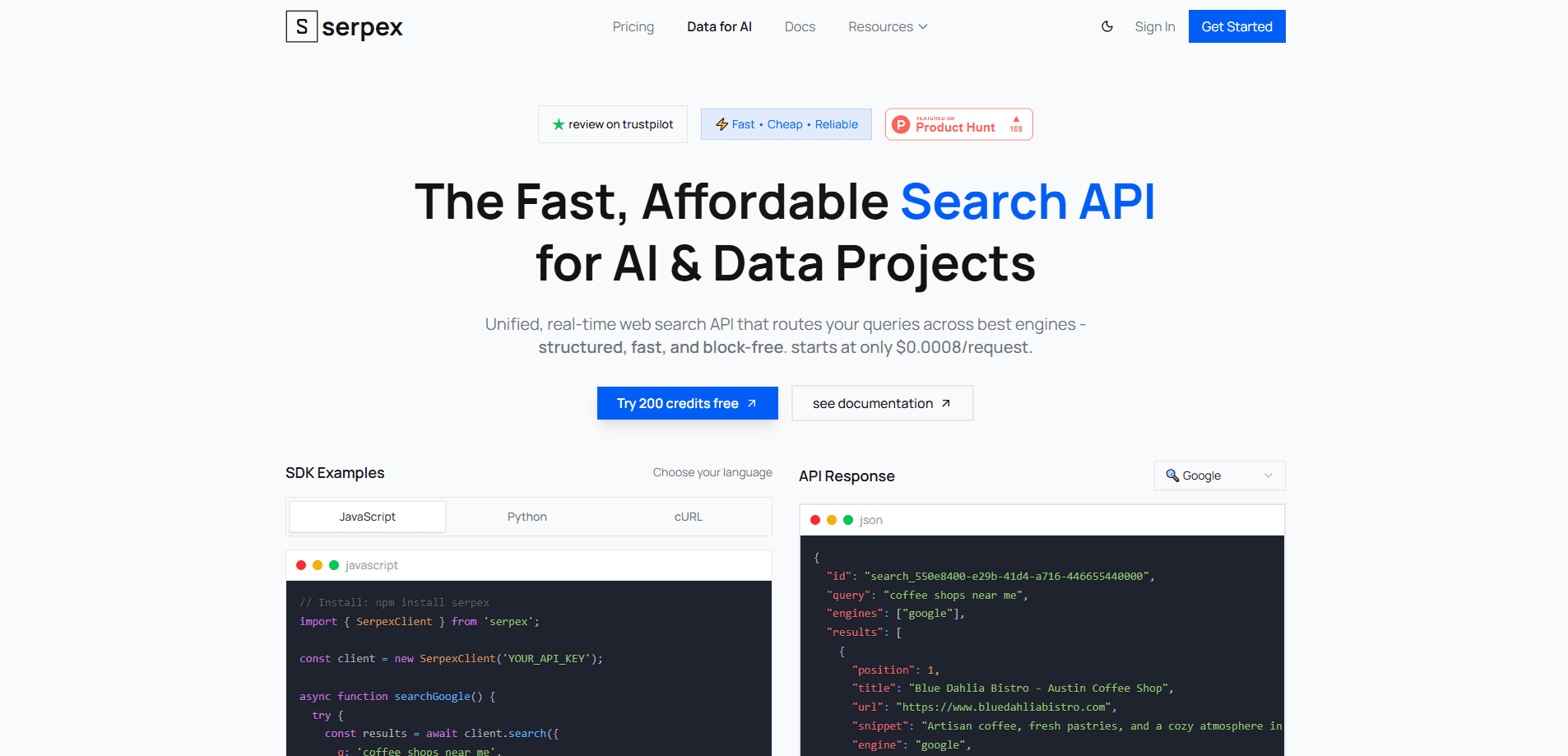
Serpex.dev is a developer-facing search and extraction API that returns structured web results and clean page content in a single call. It targets AI agents, RAG pipelines, and data projects that need fresh web data without running their own browsers or scrapers. Requests start at roughly $0.0008 each, and you pay only for successful calls.
About Serpex.dev
What Is Serpex.dev
Serpex.dev is a web search API built for people who wire live internet data into software. Send a query and you get back ranked results in JSON, titles, URLs, snippets, positions, and the engine that answered. Send a list of URLs and you get the page content back as Markdown or HTML, already cleaned up.
The service exists because grounding AI systems on stale training data is a losing game. If you build an agent that needs today's prices, or a RAG data ingestion setup that should cite what the web actually says, scraping that yourself is a job that never ends. So what does that mean for the person wiring it up? It means the browser, the proxy pool, and the retry logic you'd otherwise write and maintain all sit behind someone else's endpoint, and your job shrinks down to formatting a query and reading a JSON list back.
The main limit is scope. This is infrastructure for developers, not a dashboard for casual search. You need an API key, some code, and a sense of how many requests your app will fire. Extraction is also capped at 10 URLs per request, so massive crawls need batching. Pages behind heavy anti-bot protection can still fail. Failed stealth requests are free, so a blocked page won't eat your balance.
Getting Started
- Sign up at app.serpex.dev and claim the 200 free credits that come with a new account.
- Generate an API key in the dashboard and store it as
sk_...on your server, never in client-side code. - Send your first request with a POST to
https://api.serpex.dev/api/search, passing a query like{"q": "openai gpt-4o"}and your Bearer token in the header. - For page content, call
POST /api/crawlwith a list of URLs, and add"stealth": trueif a site blocks normal requests. - Read the JSON response, then plug the results into your agent, vector database, or report pipeline.
Product Information
A quick look at Serpex.dev's pricing, supported platforms, and performance.
Best for
The users, tasks, and scenarios where this tool fits best.
Users
- AI and backend developers
- Data teams building RAG pipelines
- SEO and market researchers
Tasks
- Grounding LLM answers
- Content ingestion
- Competitor tracking
Scenarios
- You're prototyping a research agent and don't want to manage proxies or headless browsers.
- You need a cheap way to run thousands of queries for an analytics job without enterprise contracts.
- A site blocks regular scraping and you need a fallback that bypasses bot protection.
Key features
Unified Search and Extraction
Most search APIs stop at the results page. Serpex carries the job one step further. You can query for results and then pull the full content behind each of them from the same service, with the same key and the same balance, which means one fewer integration to build and one fewer invoice to reconcile at the end of the month. For a RAG pipeline, that saves real setup work.
Structured JSON Responses
Search calls return title, URL, snippet, position, and engine fields in a predictable JSON shape, and they arrive as a plain array you can loop over, filter, or store without writing a single line of HTML parsing code or keeping a headless browser alive on your servers. That structure is what lets you rank, filter, and store results without ad-hoc scraping logic.
Stealth Mode for Blocked Pages
Some sites fight back against automated access. Adding stealth: true to a crawl request routes it through a setup built to get past heavy anti-bot protection, charged at five credits per URL. Failed stealth requests cost nothing, so a blocked page won't drain your balance. Think of it as a web scraping API with a bypass switch for the stubborn sites.
Multi-Engine Routing
An auto-route layer picks the engine for each query rather than making you choose one per call. Results come back tagged with the engine that answered. That tag helps when you want to compare how different sources rank the same query.
Crypto-Friendly Credit Model
Credits never expire, and you can buy them pay-as-you-go or as a one-time package. No subscription lock-in. A failed request isn't billed, and the free tier starts you at 200 credits, which is a low-friction way to test the service before committing.
Affordable Pricing Tiers
Search API pricing slides as volume grows: about $0.80 per 1,000 requests on Starter, $0.65 on Standard, and $0.50 on Scale. Stealth extraction runs about $4.00, $3.25, and $2.50 per 1,000 by tier. That's the headline pitch, and it holds up well against pricier SERP API options on the market.
Global Proxy Network and Concurrency
Every tier runs on a global proxy network with 99.7% uptime and rate-limit protection. Concurrency scales with your plan, so you can run 10 parallel requests on Starter, 50 on Standard, and up to 100 on Scale, with custom ceilings for enterprise accounts that need thousands of calls in flight at once.
Analytics and Support
The dashboard reports detailed usage analytics so you can see where credits go, and support runs around the clock by chat and email. For a service billed per request, knowing exactly what consumed your balance matters.
Pros and cons
Pros
- Search and page extraction live in one API, so you skip a second scraping vendor.
- Per-request pricing around $0.0008 keeps large query volumes cheap.
- Failed stealth requests are free, which softens the cost of blocked pages.
- Credits never expire and there's no subscription lock-in.
- 200 free credits make it easy to test before paying.
Cons
- No browser dashboard for casual searching. You need code and an API key to use it.
- Crawl requests cap at 10 URLs, so big jobs need batching.
- Stealth mode costs five times the normal rate, which adds up on protected sites.
Frequently asked questions
Serpex.dev gives developers a fast way to pull live web search results and page content into an application. It's most common in AI agents, RAG pipelines, and data projects that need current information rather than a model's built-in knowledge.
Related content
Explore related tools, skills, and articles for Serpex.dev.
Serpex.dev Alternatives
Forefront
Forefront · CodingForefront is a web platform for building with open-source AI. It lets you fine-tune leading open-source language models on your own data, evaluate how they perform, and run them through an API or export them to host yourself. Developers who want the convenience of a closed-source platform but insist on owning their models and data are the target audience here.

Startkit
StartKit.AI · CodingStartkit is a boilerplate for building AI SaaS and AI wrapper products. Think of it as an AI startup boilerplate with the boring parts already wired up: authentication, Stripe and Lemon Squeezy payments, usage limits, transactional email, and an AI API starter that talks to OpenAI, Anthropic, Groq, or Llama. You clone the repo, set your price, and start on the part of your product that people actually pay for. It's Next.js under React and Tailwind, so most of the boilerplate code already feels familiar.
Testim
Tricentis · CodingTestim is an AI-powered test automation platform for building and running end-to-end tests across web, mobile, and Salesforce applications. It leans on machine learning to keep tests stable when an interface changes, so teams spend less time fixing broken selectors. Not bad for an automated testing tool you can start using today. You create tests by recording actions in a browser, then optionally add JavaScript when you need more control. It's a solid pick for busy QA teams.