

Shots by CD
Contentdrips SMC Pvt Ltd · Image
Shots by Contentdrips turns static images, screenshots, and tweets into animated GIFs with moving backgrounds. Upload a picture, pick an animation, and download a GIF for LinkedIn or X.
About Shots by CD
What Is Shots by Contentdrips
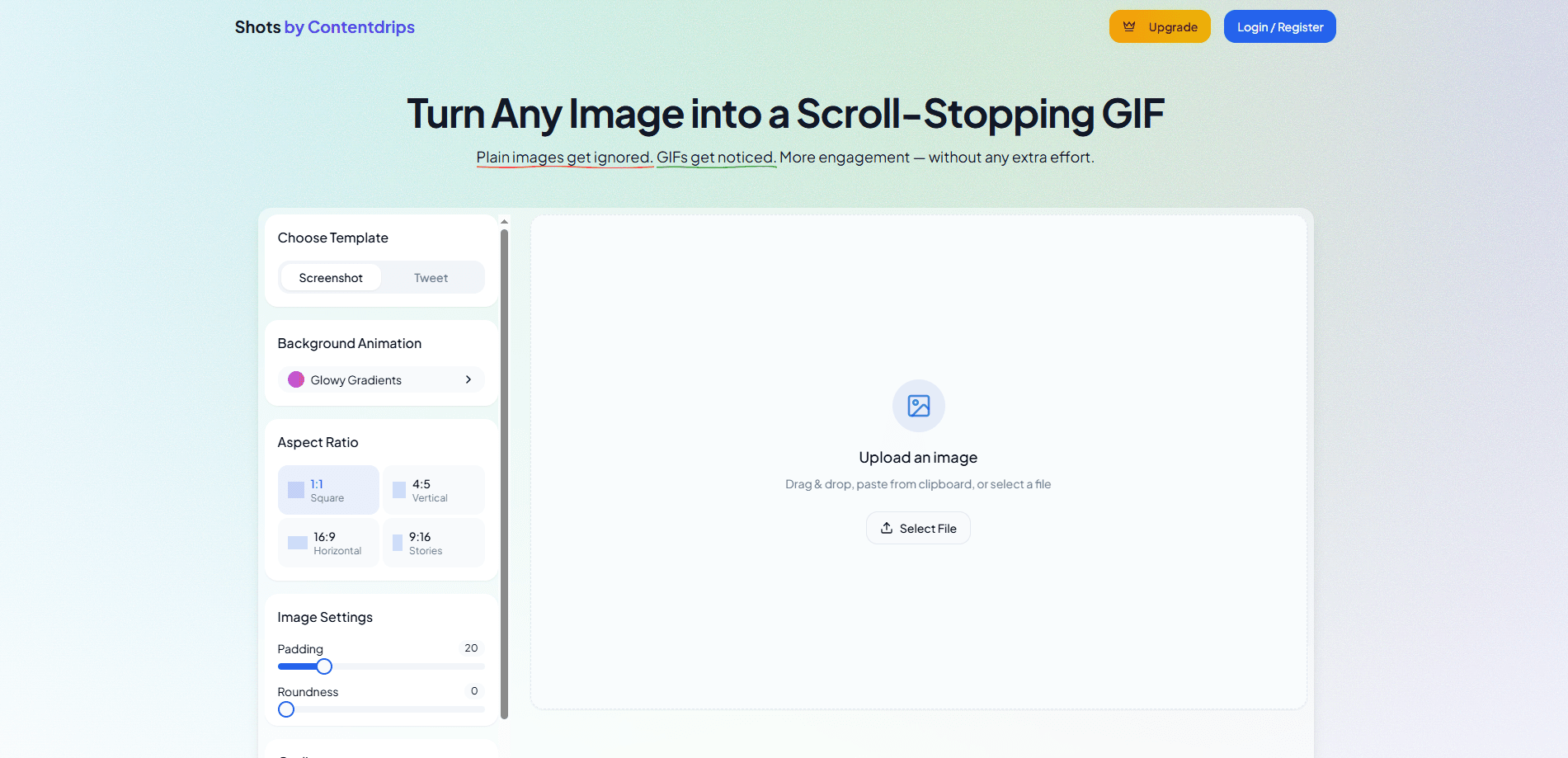
Shots by Contentdrips is a web tool that acts as an image to GIF converter for material you already have. Drag in a screenshot, paste an image, or drop in a link to an X (Twitter) post, and the editor wraps it in a moving background with your own colors and layout. It runs entirely in the browser, so nothing you create gets stored on a server.
The pitch is simple: a still image scrolls past without a second look, while a looping GIF stops the thumb. Marketers, founders, and social media managers use it to add motion to product shots and text cards without opening a full design suite.
The main limit is scope. Shots makes one kind of output, an animated GIF with a decorative background, so it works as a focused animated GIF maker rather than an all-round editor. It won't edit video, build carousels, or export most other file types, so it complements a general design tool rather than replacing one. Everything is one-time purchase, no subscription.
Getting Started
- Open the Shots editor in your browser and paste an image, drop a file, or add a tweet URL.
- Pick an animated background and adjust colors, size, and animation settings to match your brand.
- Export the finished GIF and upload it to LinkedIn, X, or another platform.
- Sign in and pay the one-time $49 fee to remove the watermark and unlock unlimited exports.
Product Information
A quick look at Shots by CD's pricing, supported platforms, and performance.
Best for
The users, tasks, and scenarios where this tool fits best.
Users
- Social media managers
- Founders and personal brands
- Marketers running campaigns
Tasks
- Turning a product screenshot into a looping GIF
- Converting a tweet into a shareable card
- Adding motion to a quote or statistic
Scenarios
- Prepping a LinkedIn post the morning of a launch
- Reusing one good screenshot across several channels
- Testing engagement on a busy feed
Key features
Image and screenshot to GIF
Drop a PNG, JPG, or screenshot and Shots turns it into a moving GIF. You can drag a file in, paste it from the clipboard, or pick one from your device, and the editor keeps your original aspect ratio intact. It's the core of the tool: any static visual you already have becomes something that moves, which is why it doubles as a quick social media GIF tool for feed posts.
Tweet to GIF conversion
Paste the URL of an X (Twitter) post and the editor extracts the content into a card you can animate. You get the text, handle, and avatar laid out like a real post, then wrap it in a background and export. It saves screenshotting a tweet and rebuilding it by hand.
Animated background library
The editor ships with multiple background styles, including waves, blobs, gradients, stripes, and glow patterns. You're not locked into one look, and each scene is meant to sit behind your content without fighting it. It's what separates a Shots GIF from a plain image with a border.
Color and layout controls
Background colors, content font size, corner roundness, and size presets are all adjustable. Predefined sizes cover square for feed posts, horizontal for X and YouTube thumbnails, and vertical for Stories. The defaults are clean, and the controls go deep enough to match a brand palette.
High-quality GIF export
Exports are rendered at high quality and optimized for the platforms it names: LinkedIn, X, and general social feeds. Encoding happens in the browser with a worker so the tab stays usable while a GIF builds. You can also download a PNG when a still frame fits the post better.
Browser-based processing
Every image and GIF is processed locally, and Contentdrips says it doesn't store your creations or export history on its servers. That matters when you're working with unreleased product shots or client material you'd rather not upload to a third-party bucket.
Pros and cons
Pros
- One-time $49 payment covers lifetime access and all current features, with no recurring subscription.
- Runs in the browser with no install, and contents stay on your machine rather than a server.
- Handles images, screenshots, and tweet posts from a single editor, so you don't switch tools.
- Background and layout controls make it easy to match an existing brand look.
Cons
- It only makes animated GIFs, so teams that also need video, carousels, or PDFs still need another tool.
- The free tier watermarks exports, which limits how usable the output is for client or branded work until you pay.
- There's no public API yet, and the developer notes the npm integration package is still coming soon, so automated workflows aren't an option today.
Frequently asked questions
It's a browser tool that turns images, screenshots, or tweet posts into animated GIFs optimized for LinkedIn. You upload a visual or paste a tweet URL, customize the animation in the editor, and download a finished GIF.
Related content
Explore related tools, skills, and articles for Shots by CD.
Shots by CD Alternatives

Tractionwave
TractionWave · Image · MarketingTractionWave is an AI attention heatmap tool for static ads. Upload a PNG or JPG and it returns predicted attention, ranked hotspots, and fixes before you spend budget.

Imejis.io
Imejis.io · Image · MarketingImejis.io is an AI design studio for agents and marketing teams. Describe an image in plain words, and it writes the copy, builds the layout, reflows it to every size, then exports a finished file.

Layoutr
Van Dijk Ontwikkeling · Image · China AILayoutr is a browser floor plan tool that scales your own plan, places furniture at true size, shows the room in 3D and renders it with AI.