

Shotva
Shotva · Image
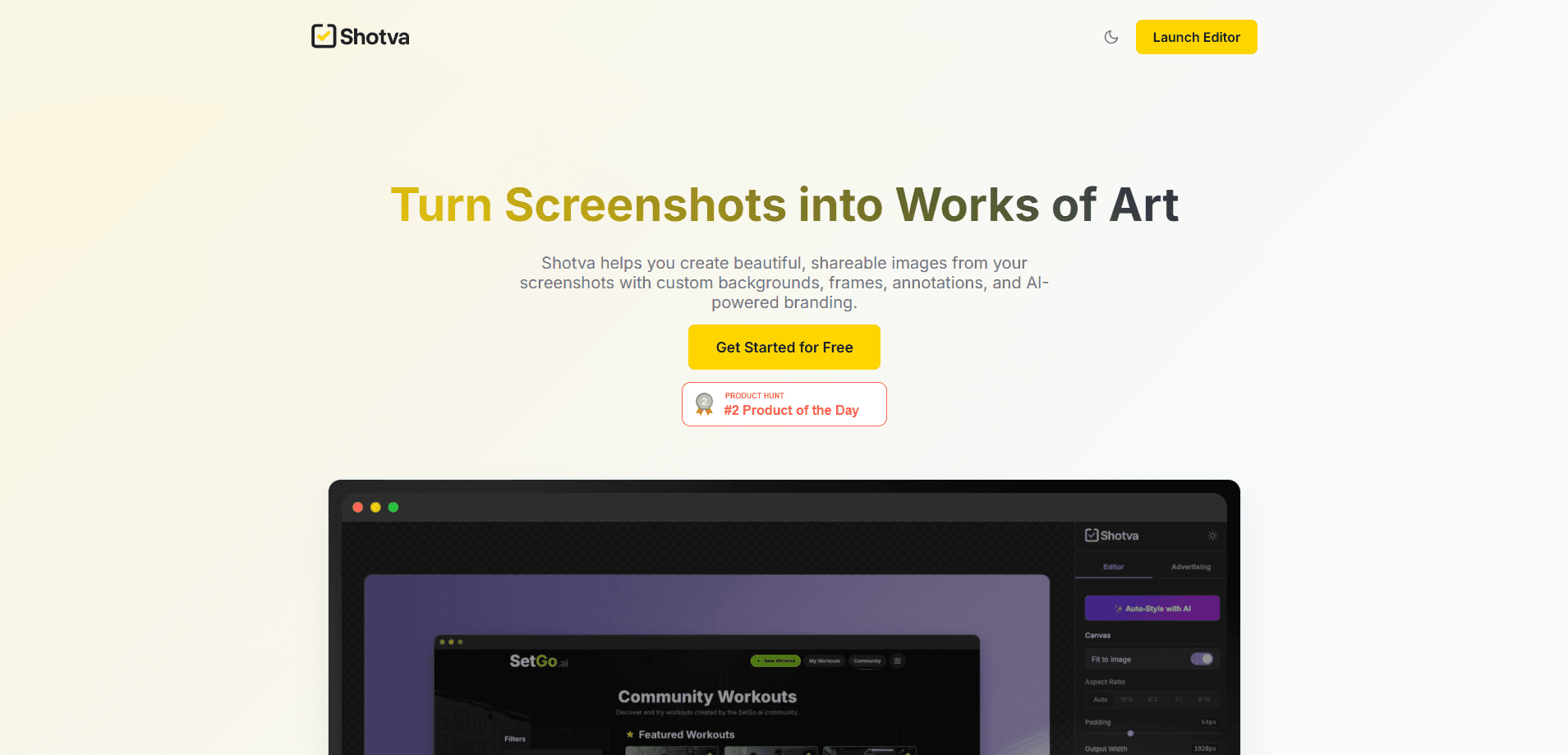
Shotva is a browser-based screenshot styling app that turns raw captures into polished images with backgrounds, frames, and annotations. No install is needed, and this screenshot app runs free or from $5 a month.
About Shotva
What Is Shotva
Shotva is a web-based screenshot editor built around one job: making captures look finished. You drop in a screenshot, pick a backdrop, and the tool wraps it in rounded corners, padding, and shadows before you export a PNG. There's no software to install, so it works the same on Windows, macOS, and Linux as long as you have a browser.
The product pitches itself at people who share screenshots in public: app developers writing store listings, marketers building ad creatives, and designers putting together portfolios. Background themes come from a library of hundreds of ready-made designs, gradients, and patterns, and you can add borders and a window frame on top.
The catch is scale. The free plan caps exports at 10 a month and stamps a watermark on every image, which is fine for occasional sharing but tight if you publish daily. Magnifiers and text layers sit behind the Pro paywall as well, so anyone who needs annotation has to subscribe.
Getting Started
- Open shotva.com in a browser and sign in with an email magic link. No credit card is needed to start.
- Upload a screenshot, or paste one directly into the editor.
- Pick a background theme or a solid color, then adjust canvas padding, corners, and shadow with the sliders until it looks right.
- Use the crop tool and the frame controls to set the aspect ratio, and add a magnifier or text layer if you're on Pro.
- Export a PNG at the resolution your plan allows and share it to Twitter, LinkedIn, a blog, or docs.
Product Information
A quick look at Shotva's pricing, supported platforms, and performance.
Best for
The users, tasks, and scenarios where this tool fits best.
Users
- App developers
- Marketers and social media managers
- Designers and portfolio builders
- Bloggers and technical writers
Tasks
- Beautifying a raw capture
- Building ad creatives
- Highlighting a detail
- Exporting share-ready images
Scenarios
- Publishing an app update
- Running a quick ad test
- Writing step-by-step documentation
Key features
Theme and background library
Shotva ships with hundreds of themes covering gradients, geometric patterns, abstract shapes, and solid colors. You apply one in a click, then layer borders, shadows, and rounded corners for a finished look. A background noise toggle adds subtle texture when flat colors look too clean.
Instant ad creation
Paste a brand URL and Shotva scrapes the page for colors and identity, then drafts ad copy for you. It lays the result out in standard formats like leaderboard, square, and story, which saves the back-and-forth of resizing by hand. The whole flow stays inside the browser.
Magnifier and text layers
The magnifier zooms into a region of your screenshot so viewers can read small text, while text layers let you label or explain parts of the image. Both sit in the Pro tier, so free users can't annotate. For tutorials and product walkthroughs, that's usually the feature that justifies subscribing.
Canvas and frame controls
Sliders handle canvas padding, corner radius, and shadow intensity, and separate controls manage the window frame radius and its shadow. You can crop to a target aspect ratio and adjust blur, brightness, contrast, and saturation without opening another app. Small tweaks land in seconds.
Export and sharing options
Finished work downloads as a high-quality PNG ready for Twitter, LinkedIn, blogs, or docs. Resolution depends on your plan: 2× on Free and 4× Retina on Pro. Pro also strips the watermark and removes the monthly export cap.
Light and dark interface
You can switch between light and dark mode across the site and the editor. It's a small touch, but it keeps late-night editing easier on the eyes. The setting follows you between pages rather than resetting each session.
Pros and cons
Pros
- Runs entirely in the browser, so there's nothing to install and it works across operating systems.
- A large theme library with gradients, patterns, and solid colors covers most backgrounds without hunting for assets.
- The $5-a-month Pro plan unlocks unlimited watermark-free exports and 4× Retina output.
- URL-based ad creation generates copy and applies standard formats quickly.
- Free plan lets you test the core workflow with 10 exports a month before paying.
Cons
- The free plan caps you at 10 exports a month and watermarks every image, which blocks daily publishing.
- Magnifiers and text layers are Pro-only, so free users can't annotate screenshots at all.
- It's browser-only with no desktop or mobile app, so offline editing isn't an option.
Frequently asked questions
Yes. The free plan costs nothing, gives you 10 exports a month, and works without a credit card. Images come out at 2× resolution with a Shotva watermark. Pro lifts both limits for $5 a month.
Related content
Explore related tools, skills, and articles for Shotva.
Shotva Alternatives

Tractionwave
TractionWave · Image · MarketingTractionWave is an AI attention heatmap tool for static ads. Upload a PNG or JPG and it returns predicted attention, ranked hotspots, and fixes before you spend budget.

Imejis.io
Imejis.io · Image · MarketingImejis.io is an AI design studio for agents and marketing teams. Describe an image in plain words, and it writes the copy, builds the layout, reflows it to every size, then exports a finished file.

Layoutr
Van Dijk Ontwikkeling · Image · China AILayoutr is a browser floor plan tool that scales your own plan, places furniture at true size, shows the room in 3D and renders it with AI.