

Sider Omni Sidebar
Sider · Productivity · Chatbot
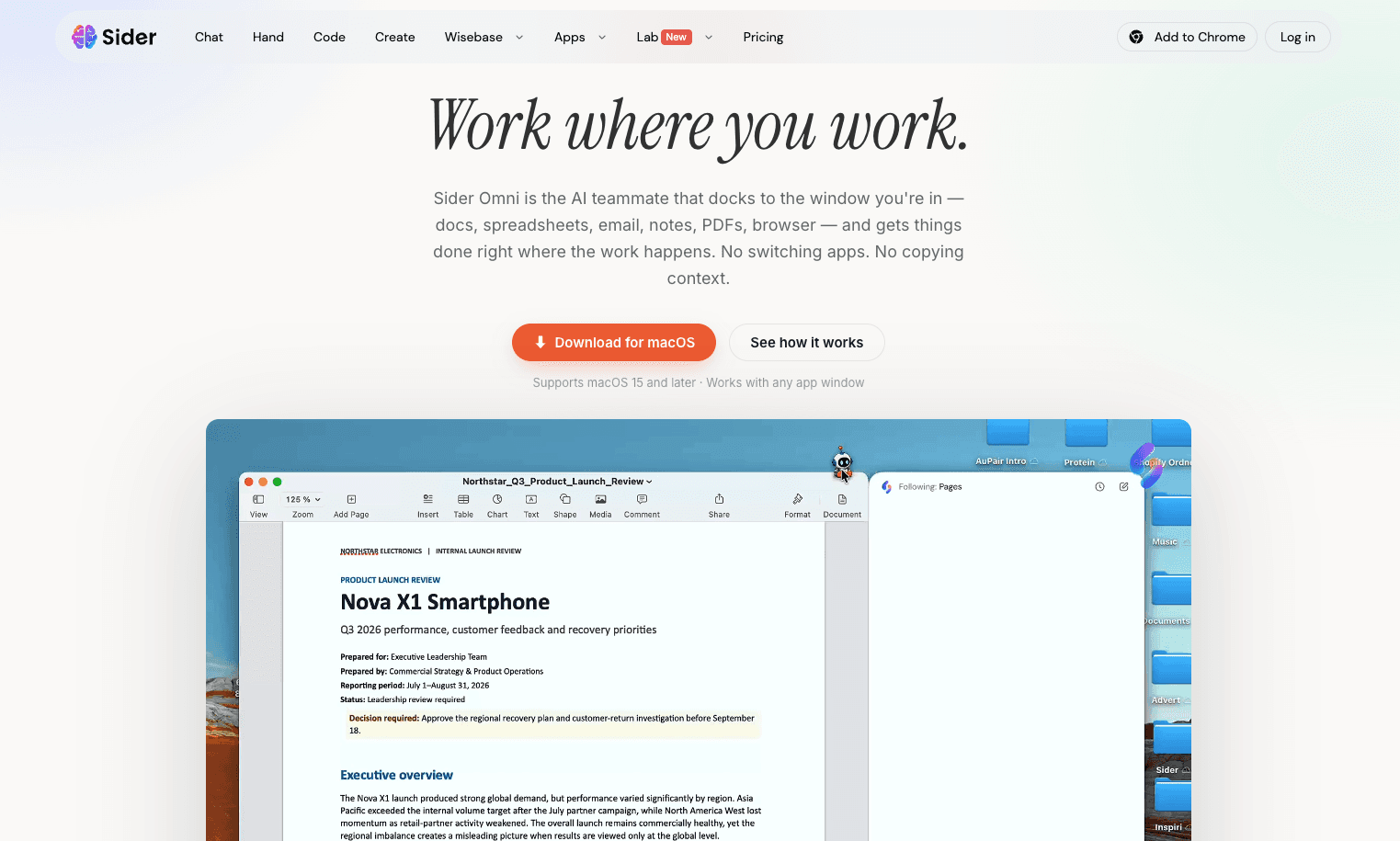
Sider Omni Sidebar is a macOS app that puts an AI agent in a sidebar you can summon over any program on your Mac. Instead of switching to a browser tab or copying text into a chat window, you highlight something on screen and pull up the sidebar to explain, translate, summarize, or rewrite it. It sits on top of the Sider AI platform, which connects several large language models, so you can pick a model that fits the job. It's aimed at people who work across many apps all day and want AI help without breaking focus.
About Sider Omni Sidebar
What Is Sider Omni Sidebar
Sider Omni Sidebar is a Mac desktop client from Sider, the team behind the well known Sider AI browser extension. The extension lives inside Chrome or Edge; the Omni Sidebar takes the same assistive idea and lifts it to the whole operating system. Once installed, it stays in the menu bar and opens as a panel over whatever app you're using, whether that's Mail, Safari, Pages, or a code editor.
The problem it solves is context switching. When you want AI to look at text you're already reading or writing, most tools make you copy it into a separate window and lose your place. The sidebar reads what you've selected and works on it in place. It also keeps a running conversation, so you can follow up without repeating yourself.
The main limits are practical. It's built for macOS only, so Windows and Linux users are out. Want an AI sidebar for Mac? This is one of the few built as a real system tool. Some of the strongest model options come with usage caps on lower tiers, and anything involving your documents depends on Sider's own data handling. Treat it as an assistive layer. It won't replace a full writing or coding tool.
Getting Started
- Create a Sider account on the official website if you don't already have one, then sign in.
- Download the Sider Omni Sidebar app for macOS and install it, and grant the permissions it asks for.
- Start the app so it appears in the menu bar, then set a keyboard shortcut for opening the sidebar.
- Open any app you normally work in, select some text, and trigger the shortcut to bring up the sidebar with that text as context.
- Ask your question or pick a built-in action like summarize or translate, then keep going in the same thread if you need more.
Product Information
A quick look at Sider Omni Sidebar's pricing, supported platforms, and performance.
Best for
The users, tasks, and scenarios where this tool fits best.
Users
- Writers and editors
- Students and researchers
- Multilingual professionals
Tasks
- Explaining a confusing paragraph
- Rewriting or tightening drafts
- Summarizing long documents
- Translating on the fly
Scenarios
- Working across many apps at once
- Reviewing a contract before a meeting
- Reading in a second language
Key features
System wide sidebar over any Mac app
The core idea is that the sidebar isn't tied to a browser. It can open over Mail, Notes, a PDF reader, or an IDE, so the AI is available wherever you happen to be working. A hotkey brings it up and dismisses it, which keeps the interruption short. For people who live in several apps, that's the feature that earns its place.
Context aware help on selected text
When you open the sidebar with text selected, it picks that up automatically and treats it as the subject of your request. You can ask it to explain, shorten, rephrase, or translate the passage without pasting anything. No setup. No copy and paste. This is the part that most reduces friction, because the work before the work disappears.
Multiple model choices
Sider connects a range of leading models from different providers rather than locking you to one. You can switch models depending on the task, using a lighter one for quick summaries and a stronger one for harder reasoning or writing. According to Sider, the platform is built to add new models shortly after they're released. The roster tends to stay current.
Multi turn conversations in the panel
The sidebar keeps the thread going, so a follow up question understands what came before. Instead of one off prompts, you can refine an answer step by step, which matters when a task needs a few rounds, like drafting something and then adjusting tone or length.
In place reading and writing help
Beyond question and answer, the sidebar handles everyday reading and writing chores: summarizing a page, tightening a draft, or converting a block of text into another language. Because it works on what's already on screen, it fits into your normal flow rather than pulling you into a separate tool.
Menu bar access and quick actions
Running from the menu bar means it's always one click or shortcut away, and it can start quick actions without a full prompt. That suits small, frequent tasks where opening a chat app would be overkill. Think checking a phrase. Or grabbing a fast summary.
Pros and cons
Pros
- Works over any Mac app, not just a browser, so it fits a real multi app workflow
- Selected text becomes context automatically, cutting out copy and paste steps
- Ties into Sider's multi model platform, so you're not stuck with a single provider
- Menu bar shortcut keeps it close without cluttering the screen
- Has a free tier, so you can test whether the sidebar habit sticks before paying
Cons
- macOS only, which rules out Windows and Linux users entirely
- Advanced models and higher usage sit behind paid plans, so free users hit limits
- Reliability depends on a Sider account and on Sider's own data handling
- It assists with tasks rather than replacing dedicated writing, coding, or research tools
Frequently asked questions
It's a macOS app from Sider that puts an AI assistant in a sidebar you can open over any program on your Mac. You select text, summon the sidebar, and ask it to explain, translate, summarize, or rewrite that text without switching to another window.
Related content
Explore related tools, skills, and articles for Sider Omni Sidebar.
Sider Omni Sidebar Alternatives

Swms
Swms AI · Writing · Productivity · BusinessSwms is an AI safety compliance tool that turns a plain description of a job into ready-to-use safety documents. Describe your project, trade, and known hazards, and it writes a safe work method statement, job hazard analysis, safe work procedure, RAMS, or safety data sheet in seconds. It also ships with Oscar, a chat assistant that answers workplace safety questions in any language. Teams in construction, mining, transport, and warehousing use it to cut the paperwork that usually eats into a workday.

Wordly AI Translation
Wordly · Voice & Language · ProductivityWordly AI Translation is a real-time AI translation and captioning platform built for meetings, conferences, and events. It delivers live translation, captions, transcripts, and summaries in more than 60 languages, and attendees join by scanning a QR code or opening a link instead of using dedicated headsets. The platform works with Zoom, Microsoft Teams, Google Meet, and Webex, and it's designed for organizations that want multilingual access without hiring human interpreters for every session. Simple as that.

Rows
Rows (Superhuman) · Productivity · BusinessRows is an AI spreadsheet and data analysis tool that imports live data from more than 50 sources, then lets you work with it using plain language instead of SQL queries or nested formulas. You can pull numbers out of PDFs, connect ad platforms, databases, and bank accounts, and ask the AI to build reports, merge datasets, or set up models that recalculate themselves. It runs in the browser, works like a spreadsheet, and now sits under the Superhuman umbrella.