
Signs
NVIDIA · Video
Signs is a free NVIDIA web tool for sign language learning that teaches ASL with a 3D avatar and live webcam feedback, and accepts contributed videos for an open dataset.
About Signs
What Is Signs
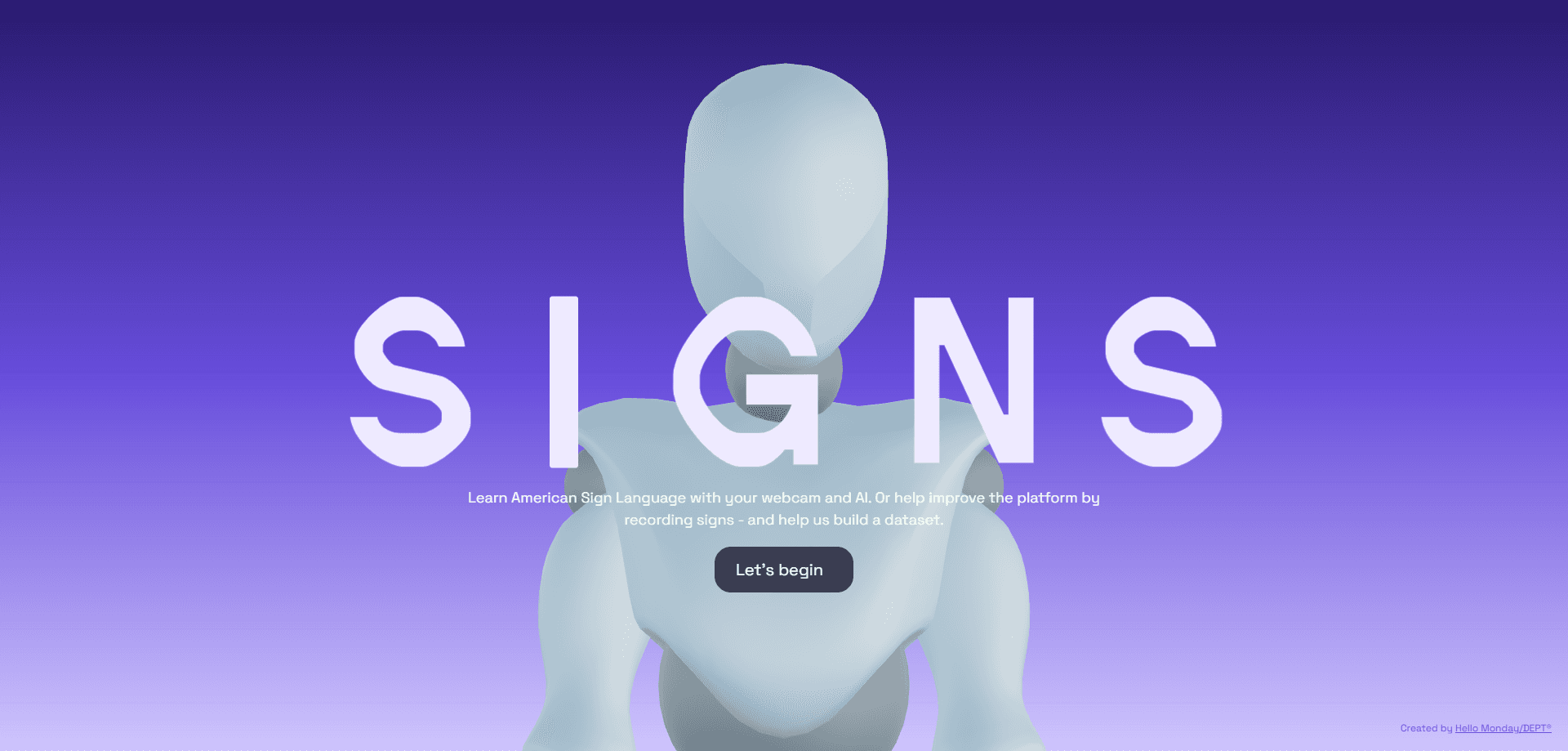
Signs is a browser-based platform that helps people learn American Sign Language (ASL) and grow a public dataset of sign videos at the same time. NVIDIA leads the project, the American Society for Deaf Children guides it, and the studio Hello Monday/DEPT built the interface.
The idea is simple. Anyone who wants to sign can practice in front of a camera. A 3D avatar shows the correct hand shape, and the site tells you whether your version matches. You don't need an account, and you don't pay anything.
The catch is scope. Signs currently concentrates on hand and finger positions, so facial expressions and head movements, which carry real meaning in ASL, aren't judged yet. Treat it as a starting point rather than a full course.
Getting Started
- Open signs-ai.com in a modern browser and allow camera access.
- Pick a sign from the Learn section, which is grouped by difficulty level.
- Follow the 3D avatar, then sign back while the screen tracks your hand position and movement.
- Repeat each sign two or three times until the match confirms, then move to the next one.
- Switch to Record Signs if you want to submit your own clip to the dataset.
Product Information
A quick look at Signs's pricing, supported platforms, and performance.
Best for
The users, tasks, and scenarios where this tool fits best.
Users
- Parents of Deaf children
- Complete beginners to ASL
- Fluent signers who want to contribute
Tasks
- Practicing a single sign until the hand shape is right
- Building vocabulary from scratch
- Contributing to accessible AI research
Scenarios
- A hearing parent learning greetings before a baby can speak
- A student testing their hand positions between classes
- A researcher or developer checking the sample data
Key features
Real-Time Feedback From Your Camera
The core of Signs is a live loop between you and the screen. Your webcam feed sits on one side, the 3D avatar on the other, and the system compares your hand position and path against the reference sign as you go. When the two line up, you hear a confirmation sound. It turns quiet muscle memory into something you can actually see.
A 3D Avatar That Shows the Movement
Instead of a static photo, a digital human demonstrates each sign in motion. A blue hand outline marks where your hand should sit, and a trail shows the direction to move. The avatar usually asks you to repeat a sign two or three times, which helps you build the motion rather than just recognize it.
Level-Based Learn Section
The Learn area groups signs by difficulty so you can pick a starting point instead of facing the whole language at once. It covers some of the most common signs first and explains why exact finger placement changes meaning. It suits total beginners, but it's an introduction rather than a complete ASL course.
Record Signs and Dataset Contribution
A separate page asks you to sign specific words on camera and upload the clip. Those submissions go toward a dataset that NVIDIA says will reach 400,000 video clips covering 1,000 signs, part of its push to make free ASL practice a shared resource. Anyone can contribute as long as they accept the data disclosure terms, and Deaf reviewers and certified interpreters verify what gets added.
Community-Verified Accuracy
Every sign in the database is checked by Deaf individuals and certified interpreters before it counts. The words are aligned with established teaching curricula and modeled on native signers. That review process is why the platform claims students can trust what they are copying.
Runs Entirely in the Browser
Signs works on the web with just a camera, so there is nothing to install and no app store trip. It also sets no cookies and relies on aggregate analytics, which keeps the privacy footprint small for a tool that asks for camera access.
Pros and cons
Pros
- Completely free, with no account, subscription, or paid tier in sight.
- Instant visual feedback teaches hand shape and motion faster than copying a video.
- The learn side and the data-collection side reinforce each other, so practice helps the wider project.
- Signs are verified by Deaf contributors and certified interpreters, not just automated tracking.
Cons
- It focuses on hands and fingers, so facial expressions and head movements, which carry real grammar, aren't evaluated yet.
- Vocabulary is still limited compared to a full American Sign Language course, and regional variations and slang aren't covered.
- Camera access is required for feedback and recording, so it won't help anyone who can't or won't use a webcam.
Frequently asked questions
Signs is a free web tool for learning American Sign Language and for contributing sign videos to an open dataset. It pairs a 3D avatar demo with live feedback from your camera.
Related content
Explore related tools, skills, and articles for Signs.
Signs Alternatives

ngram 2.0
ngram · Video · Marketingngram 2.0 is an AI video generator for teams. It turns a prompt, a screen recording, or a product URL into a narrated explainer, product demo, or AI avatar video, and every scene stays editable.

OpenScreen 2
OpenScreen (open-source project) · Video · ProductivityOpenScreen 2 is a free, open-source screen recorder and demo video editor for Windows, macOS, and Linux, with automatic zooms, styled frames, local captions, and agent edits.

Skreno
Skreno · Video · ProductivitySkreno is a browser screen recorder that captures a tab, a window or your whole display, then attaches AI transcripts, summaries and console logs to one share link.