
SimilarVideo.ai
SimilarVideo.ai · Video
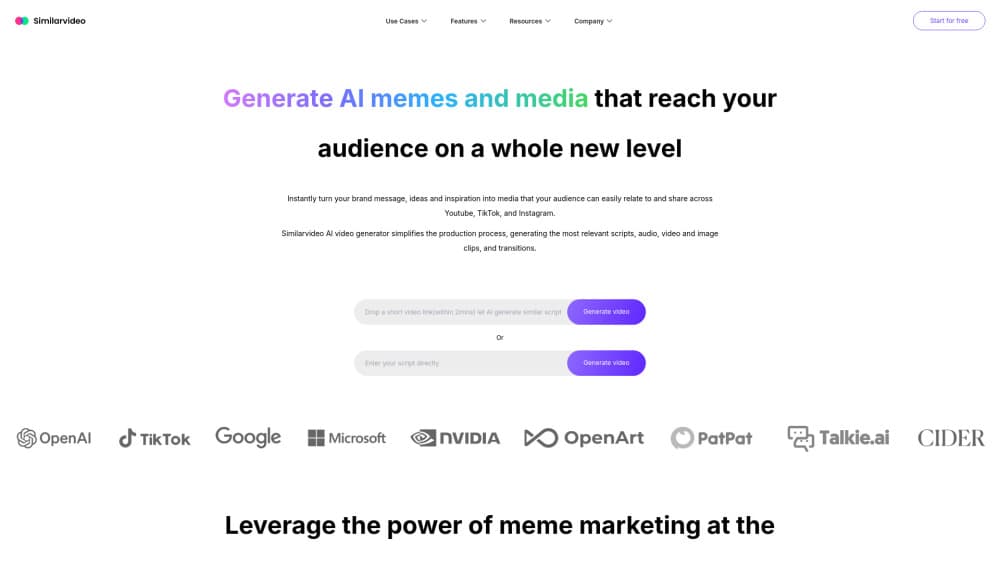
SimilarVideo.ai turns a trending video link or a written script into a short marketing video, with cloned voices, AI talking avatars, and subtitles in more than 60 languages.
About SimilarVideo.ai
What Is SimilarVideo.ai
SimilarVideo.ai is a browser based AI short video generator built for people who post on TikTok, YouTube Shorts, and Instagram Reels and need volume. You paste a link to a video that already performs, or pick one from the trending library, and the tool rebuilds the structure with a new script, a synthetic voice, and an avatar. The company says it has worked with more than 50,000 brands and advertisers since it started in 2022, when it raised a $10 million seed round.
The work it replaces is the boring part of short form video. Writing a hook, recording a voiceover, cutting clips to a beat, burning in captions. SimilarVideo.ai does all four in one flow, and the output stays in a 9:16 frame that the three big short video platforms accept without re-editing.
Limits matter here. This is a marketing tool, not a film tool. There is no timeline editor with keyframes, no color grading, and no multi-cam work. Output quality depends on the source clip you feed it, so a weak reference video produces a weak result. Voice cloning also raises a consent question: the platform says it supports cloning with permission, and using someone else's face or voice without it is on you, not the software.
Getting Started
- Create an account at similarvideo.ai. The free plan gives you a small amount of video understanding and voiceover time, enough to test one or two clips.
- Paste a TikTok, YouTube, or Facebook link into the clone box, or browse the trending library and pick a format that fits your product.
- Review the script the AI script generator writes, then edit the hook and the call to action. This is the step that decides whether the video works.
- Choose a voice from the library or upload a sample to run a voice clone, then pick an AI talking avatar if you want a face on screen.
- Generate the video, check the subtitles, and download it in vertical format for Reels, Shorts, or TikTok.
Product Information
A quick look at SimilarVideo.ai's pricing, supported platforms, and performance.
Best for
The users, tasks, and scenarios where this tool fits best.
Users
- Small ecommerce sellers
- Social media managers running several accounts
- Creators who dislike their own voice
Tasks
- Cloning a competitor's top performing video
- Turning a blog post into a short
- Localizing an ad for a new market
- Producing a week of posts in one sitting
Scenarios
- Launching a product with a paid social budget
- Running a dropshipping store with thin margins
- Testing short video as a channel before hiring
Key features
Clone Trending Video From a URL
Paste a TikTok, YouTube, or Facebook link and SimilarVideo.ai breaks it into scenes, then rebuilds it with your script and assets. The trending library does the same job when you have no reference in mind. That is what separates it from other viral video generator tools, which start from a blank prompt every time.
AI Talking Avatar
You can build a presenter from a photo and a voice sample, and the avatar speaks your script with matched lip movement. Each avatar you own includes ten voice clones and ten background removals per month, and that quota grows with the number of avatars. Useful when a brand needs a consistent face across a campaign but has no one available to film.
Voice Clone and Voice Library
The library holds ready made voices for narration, and the clone tool copies the tone of a sample you upload. Multilingual delivery is handled by the same engine, so a cloned voice can speak Spanish or Japanese without a new recording. Pronunciation of brand names is the weak spot, and you will want to listen before publishing.
AI Script Generator
Scripts come from a ChatGPT based writer that takes your product details and the reference video structure as input. The first draft is usually serviceable and rarely final. Plan to rewrite the hook yourself, because that line carries most of the retention.
Video Subtitle Extractor
The extractor reads the audio track of a source video and returns timed subtitles you can edit. It also handles the reverse case: understanding what happens in a clip you paste, so the new script matches the original pacing. Captions are burned in at export, which is what short video platforms reward.
Translation Into More Than 60 Languages
A finished script can be voiced in over 60 languages, and the platform markets this as multi-language adaptability for creators chasing audiences outside their home market. The voices keep the cloned timbre, so a campaign sounds like one brand across markets. Check idioms by hand, since literal translation of slang reads badly in any language.
Pros and cons
Pros
- Cloning a trending video takes a URL and a few minutes, which is far less work than rebuilding the structure from scratch in an editor.
- Voice clone, avatar, script, and captions sit in one flow, so you are not paying for four separate subscriptions.
- The free plan is real, with video understanding time and voiceover minutes you can test before spending anything.
- Monthly pricing starts at $19 and tops out at $119, which is inside the range most small marketing teams already spend on one editing tool.
Cons
- There is no public API, so teams that want to plug video generation into their own pipeline are stuck with the web app.
- Output inherits the weaknesses of the reference clip. A low quality source gives you a low quality video, and the tool will not fix shaky footage or bad lighting.
- Voice cloning depends on consent from the person being cloned, and the platform puts that responsibility on the user.
- Editing is limited to the template flow. Anyone who needs frame level control will export and finish elsewhere.
Frequently asked questions
It converts a reference video or a script into a finished vertical video with a synthetic voice, optional avatar, and burned in captions. The output is aimed at TikTok, YouTube Shorts, and Instagram Reels rather than long form content.
Related content
Explore related tools, skills, and articles for SimilarVideo.ai.
SimilarVideo.ai Alternatives

ngram 2.0
ngram · Video · Marketingngram 2.0 is an AI video generator for teams. It turns a prompt, a screen recording, or a product URL into a narrated explainer, product demo, or AI avatar video, and every scene stays editable.

OpenScreen 2
OpenScreen (open-source project) · Video · ProductivityOpenScreen 2 is a free, open-source screen recorder and demo video editor for Windows, macOS, and Linux, with automatic zooms, styled frames, local captions, and agent edits.

Skreno
Skreno · Video · ProductivitySkreno is a browser screen recorder that captures a tab, a window or your whole display, then attaches AI transcripts, summaries and console logs to one share link.